

Goal:
- I have a lot of servers to manage & the Docker servers are getting plentiful, so lets see if Portainers can help
Lessons Learned:
- Create a volume
- Create a portainer
- Login to Portainer
Create Volume & Portainer:
- Few steps to make life easier in this “master-piece”
- SSH
- Connect to public IP address
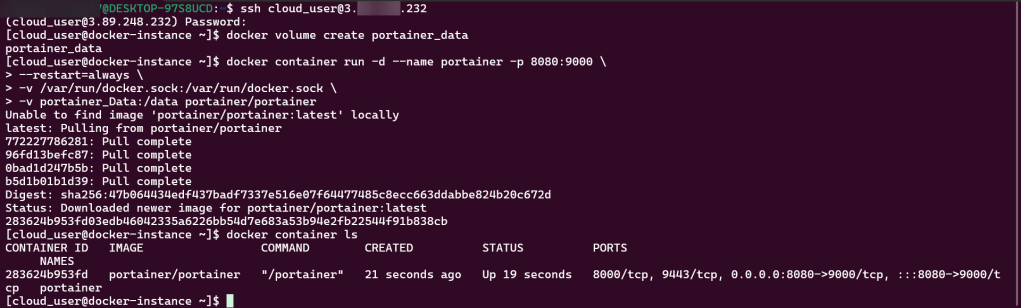
- Create portainer w/command –
- docker volume create portainer_data
- Run portainer w/command –
- docker container run -d –name portainer -p 8080:9000 \
- – d = run in background
- Make sure portainer is mapped port 8080 to 9000
- Ensure a restart policy is set to always w/a bind mount that maps var/run/docker.sock to container
- docker container run -d –name portainer -p 8080:9000 \
- List container w/command –
- docker container ls
- SSH
Login to Portainer & Create Container:
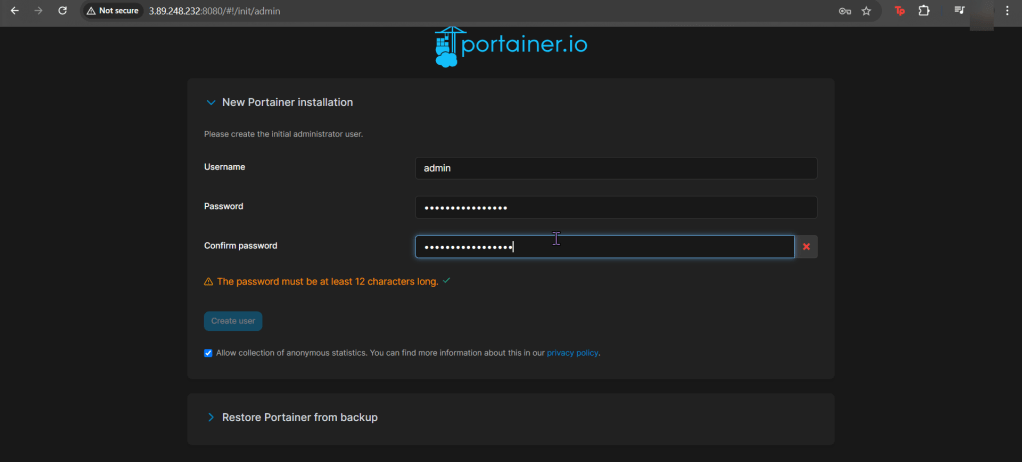
- Login to Portainer
- Create user
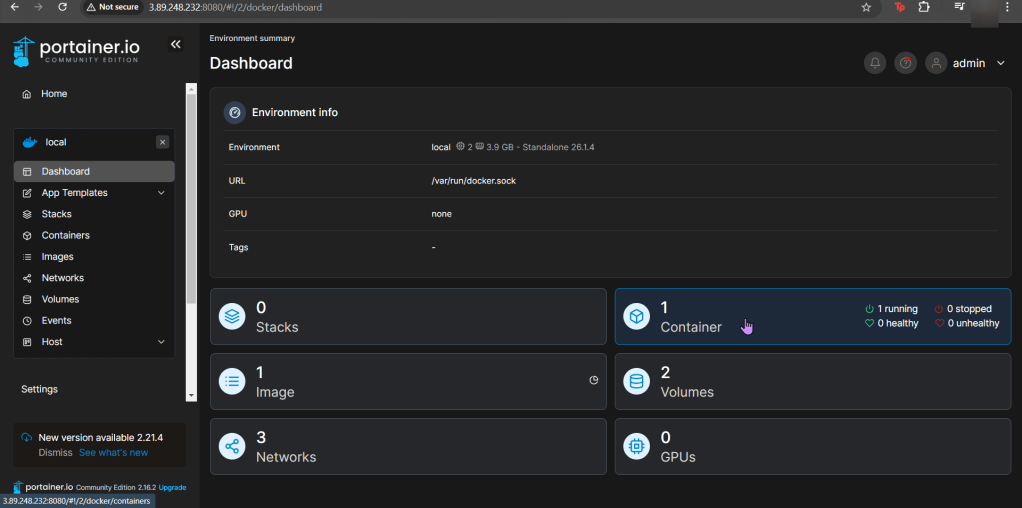
- Go to local
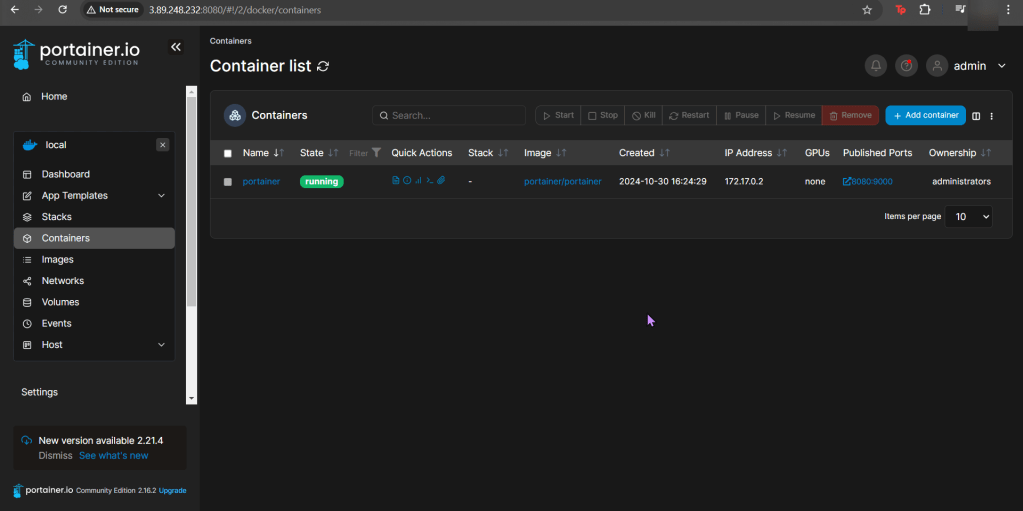
- Create container:
- On port 8081
- From nging:latest image

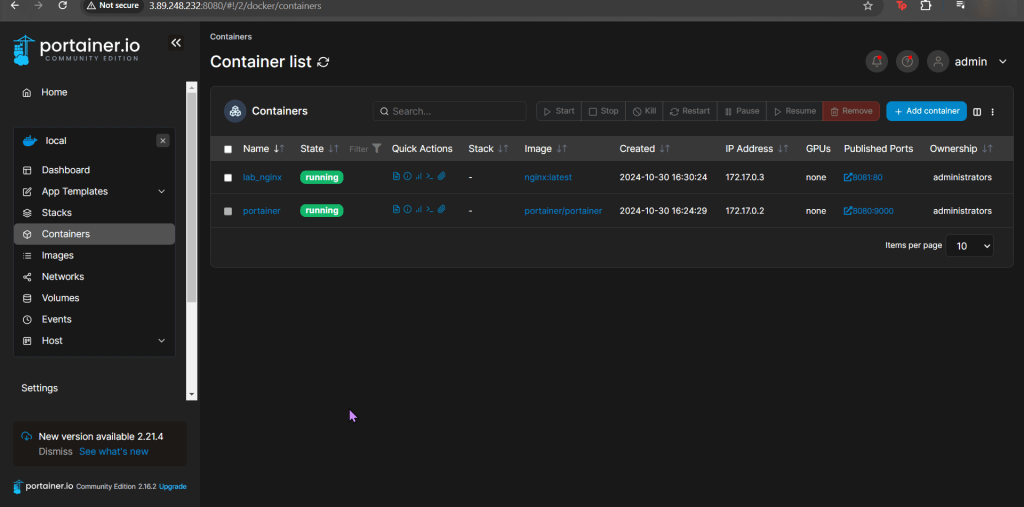
- Go to URL


 Say When..