
Goal:
Sooooooo dont be mad, promise you wont be mad?… well, the environment is broken.. Lets take a look at the ELB DNS connection for an EC2.
- Why can we connect to the public IP address, but not the EBS DNS?
Lessons Learned:
- How to fix ELB security group that does NOT allow HTTP traffic
- EC2 instance health checks are not passing
ELB Security Group:
Order of Operation Steps:
- Under EC2
- Scroll to “Load Balancers”
- Select “Security”
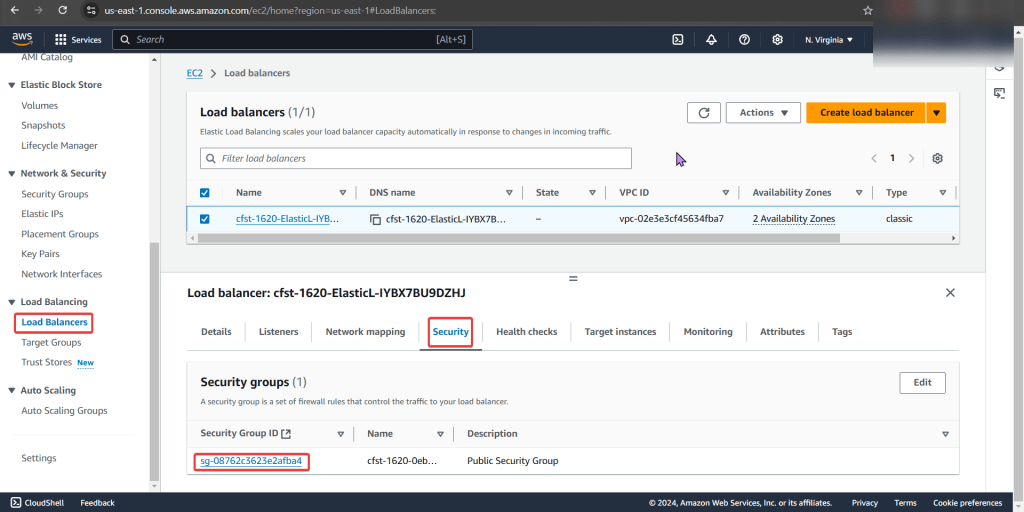
- Next look at “Security Groups”
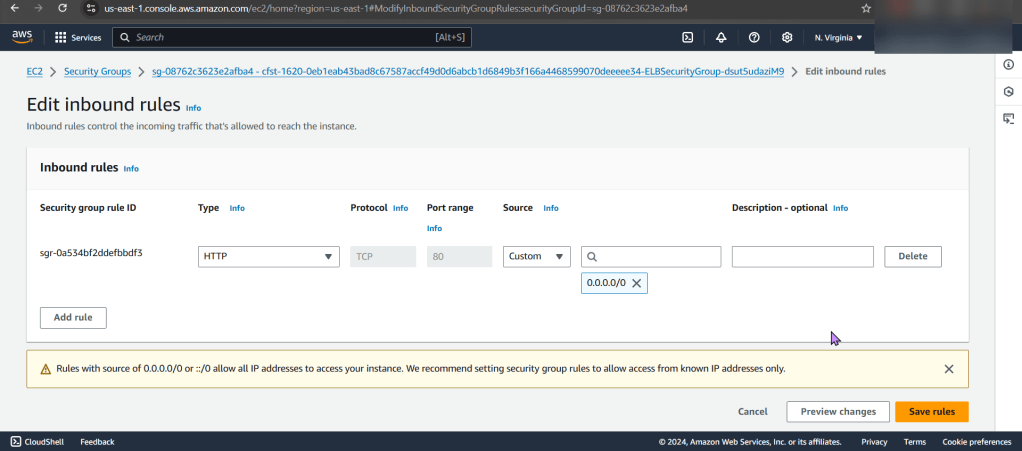
- We notice that there is only 1 inbound rule, for port 22…

The Fix/Solution:
- Add Allow rule for HTTP traffic on port 80 to ELB security group
EC2 Health Check:
Order of Operation Steps:
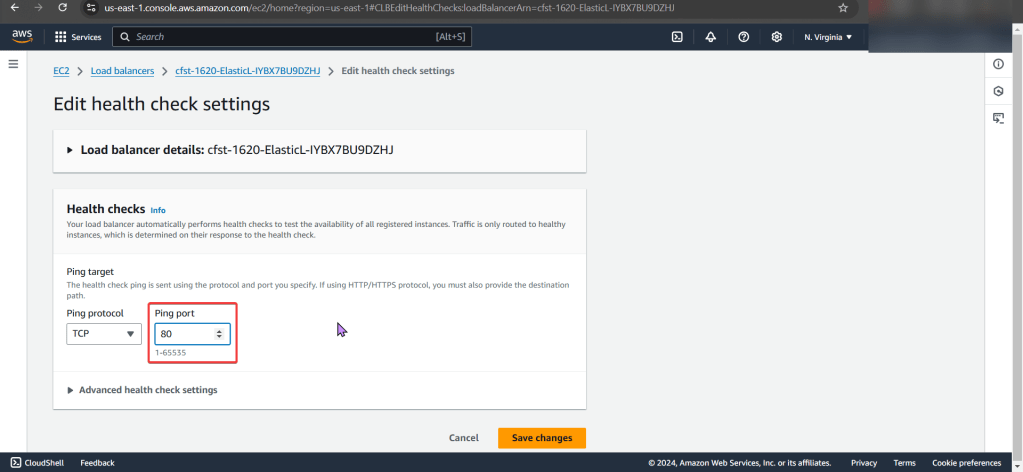
- Under Load Balancers
- Select Health Checks
- You see the wrong ping port..
- CHANGGGGE IT

The Fix/Solution:
- Change health check “ping port” on ELB to port 80
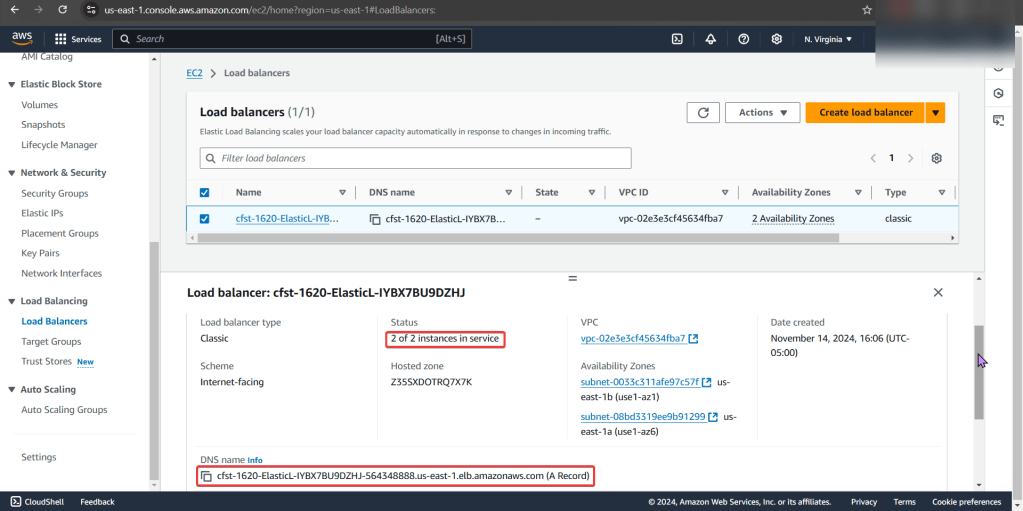
- Now you can test the DNS name to see your webpage working properly.

 Say When..