

Goal:
Context:
Lets show how you can help a team migrate their infrastructure to Docker containers..
Part 1 Activities:
See how to utilize Prometheus to monitor your toys (containers). Then you can use the gangster tool of Grafana to visualize & alert!
Lessons Learned:
- Pre-Req
- SSH & Eleevate to Sudo su – !!
- Configure Docker
- Open Port
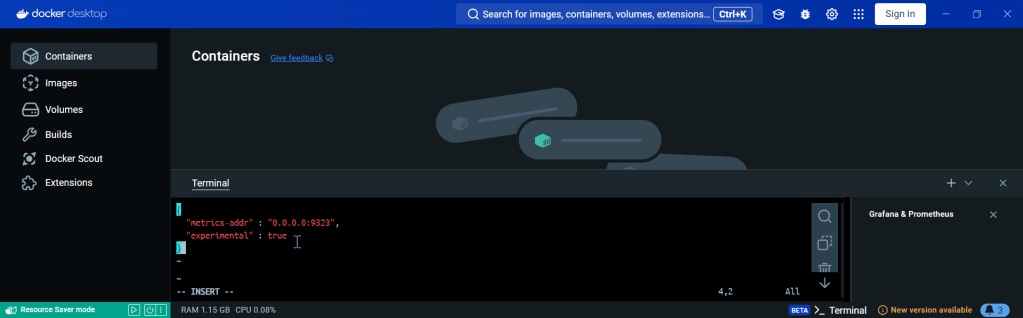
- Create daemon.json file
- Restart docker
- Curl to test Docker
- Update the Prometheus YAML File
- Update the Docker-Compose YAML File
- docker-compose.yml
- Apply changes & rebuild
- Ensure stuff is runnin’!
- Open port 9090
- Install the Docker & Monitoring DB
- Create Grafana Data Source
- Add Docker Dashboard
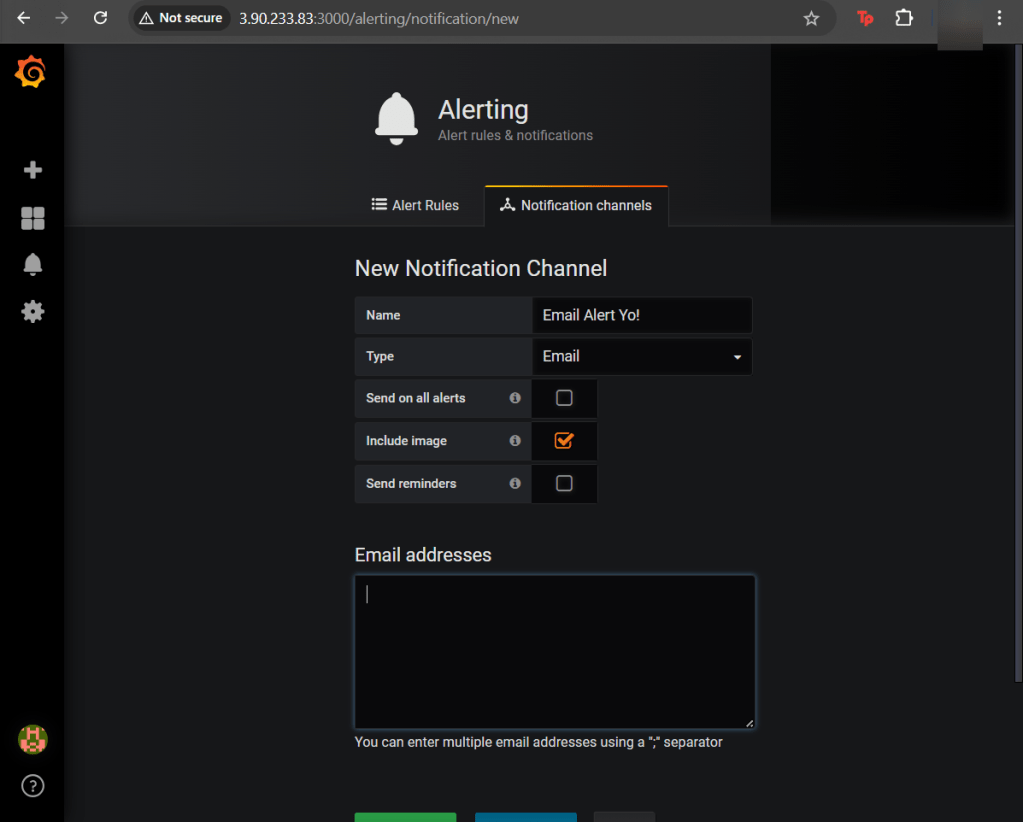
- Add email notification
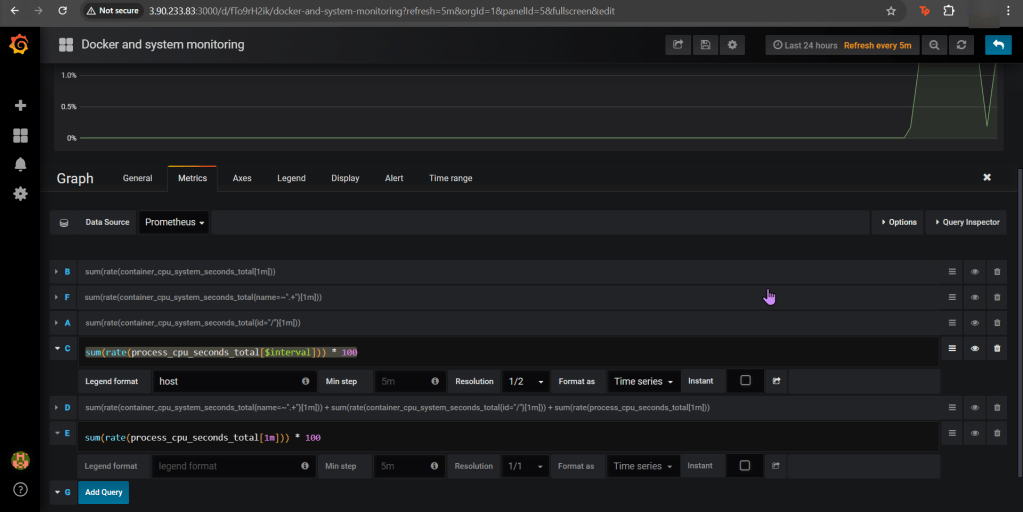
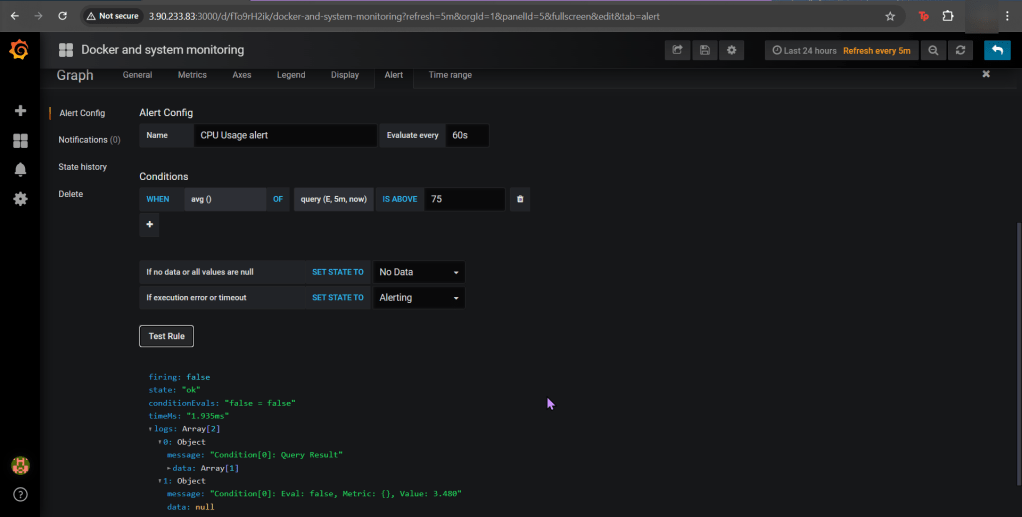
- Alert for CPU Usage
Pre-Req:
SSH & Elevate to Sudo su – !!:
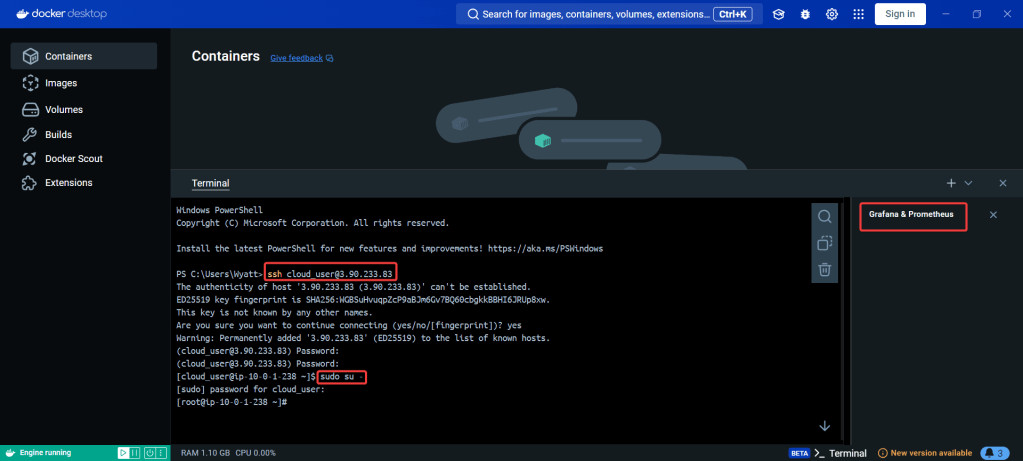
Configure Docker:
Open Port (for FW in Docker reporting under Prometheus):
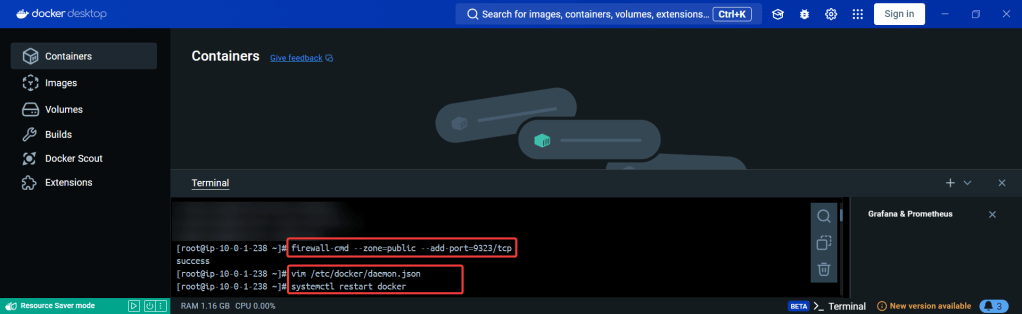
Create daemon.json file:
Restart Docker:
Curl to test Docker:
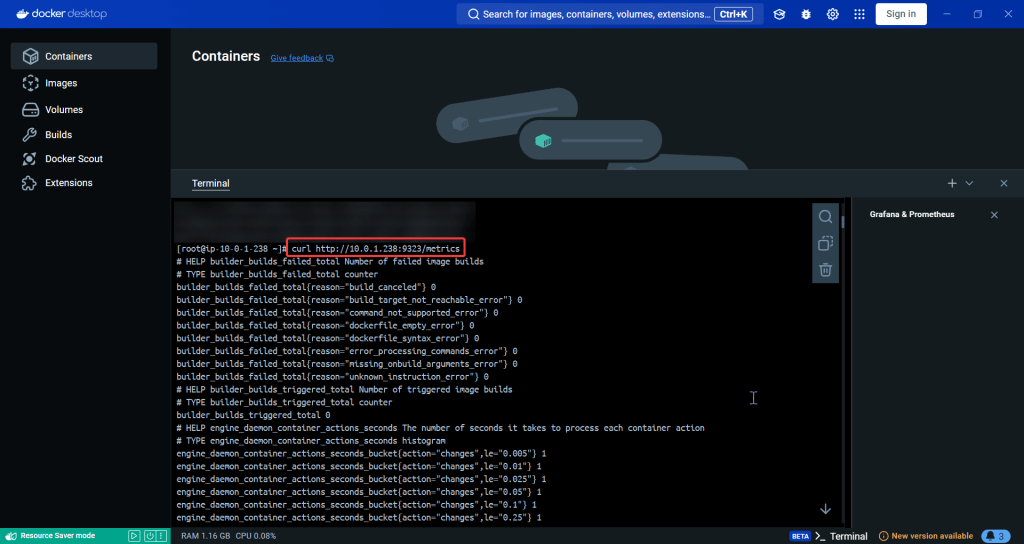
Update the Prometheus YAML File:
- Add gateway & Grafana to have visualization/reporting for Docker metrics
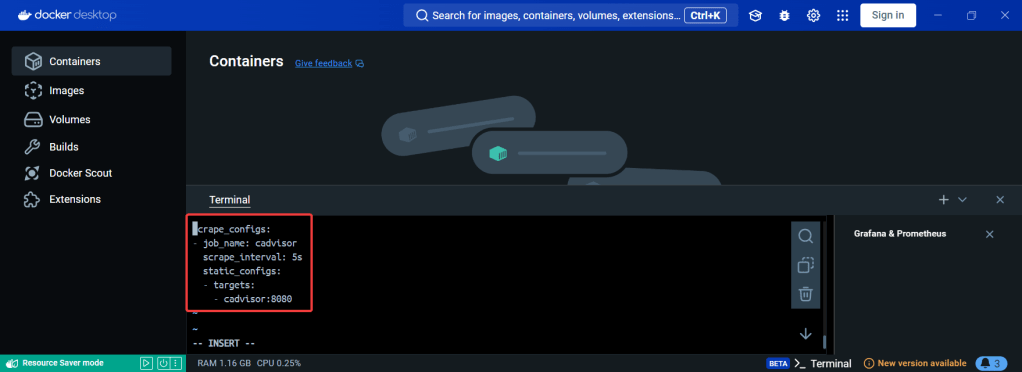
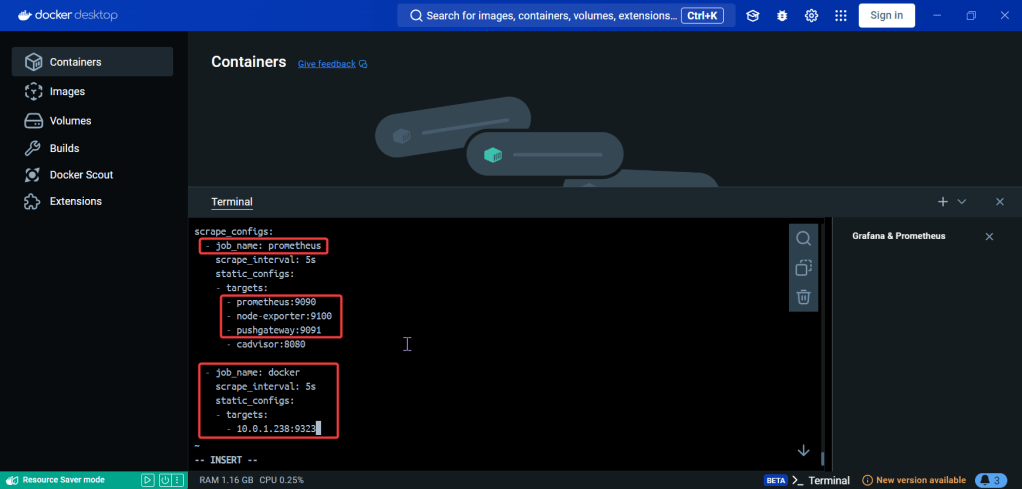
Update the Docker-Compose YAML File:
docker-compose.yml:
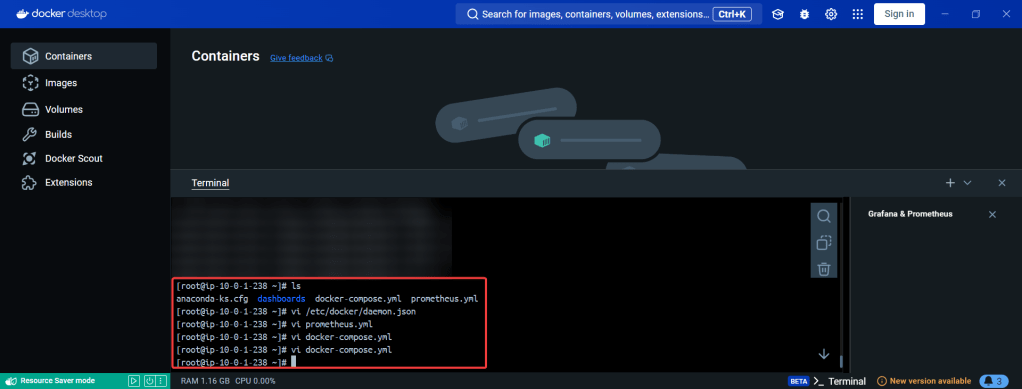

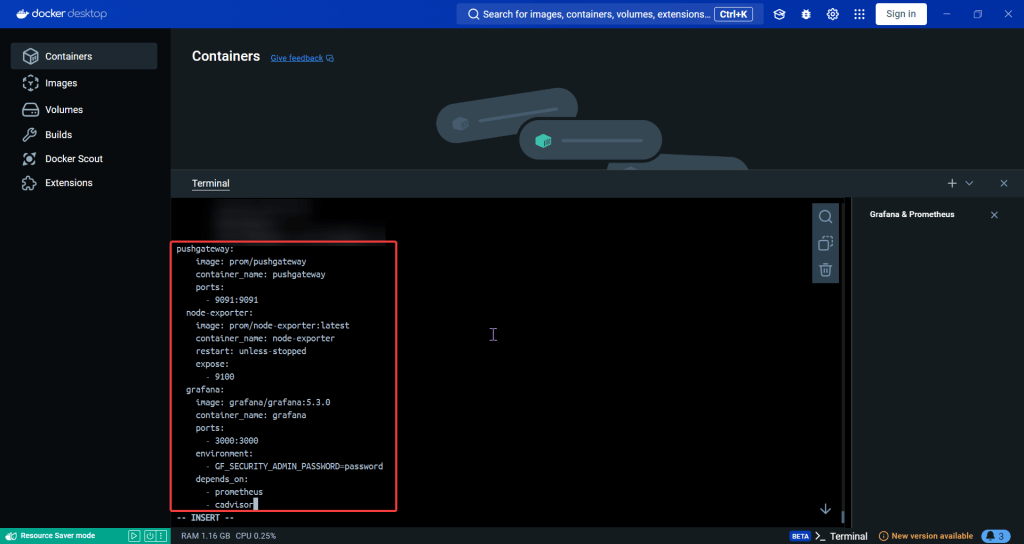
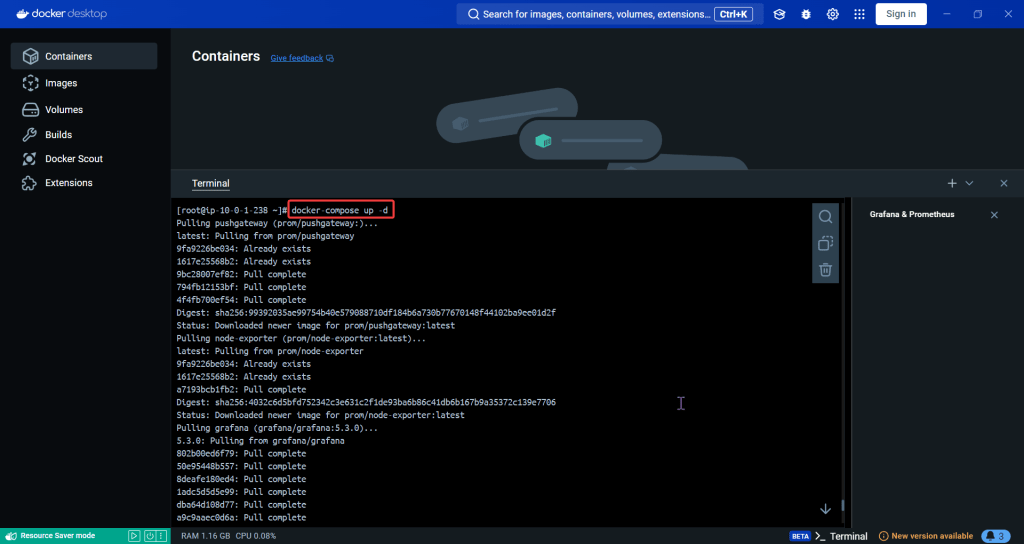
Apply changes & rebuild (docker-compose up -d):
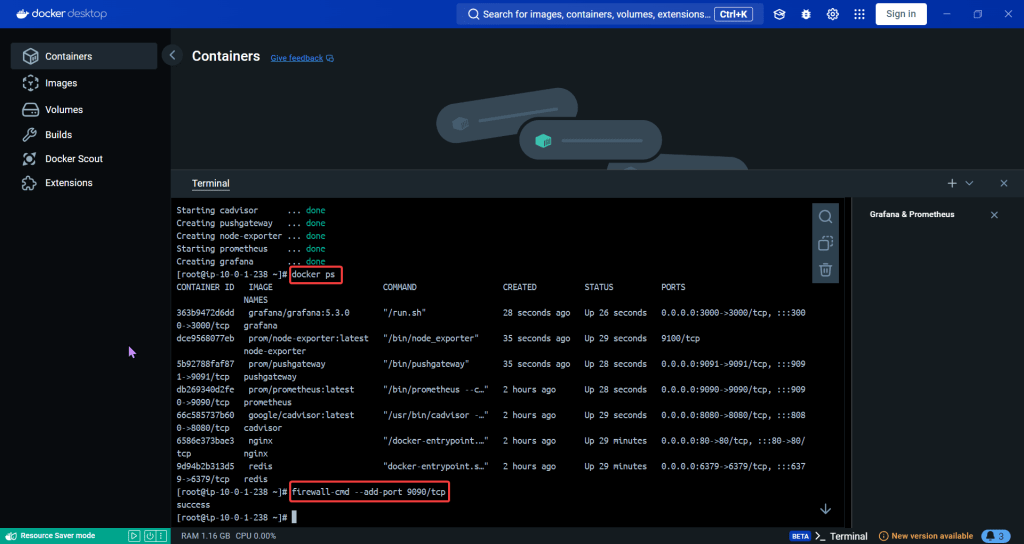
Ensure stuff is runnin (docker ps) & Open port 9090:
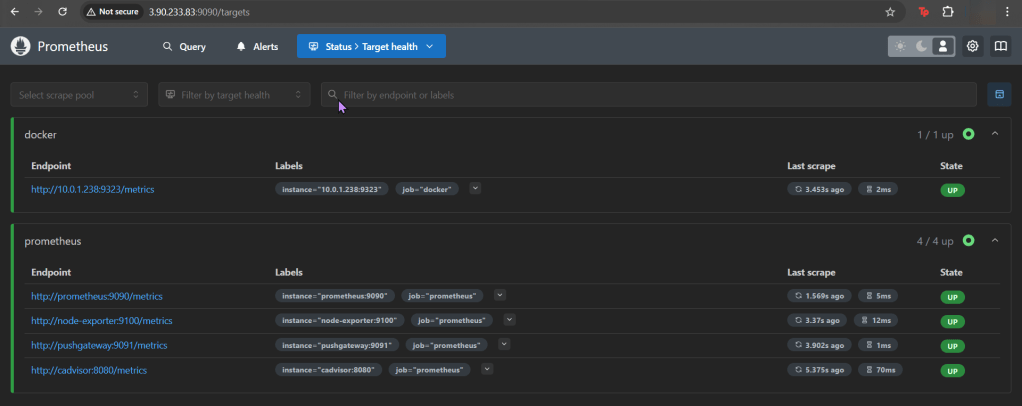
Install the Docker & Monitoring DB:
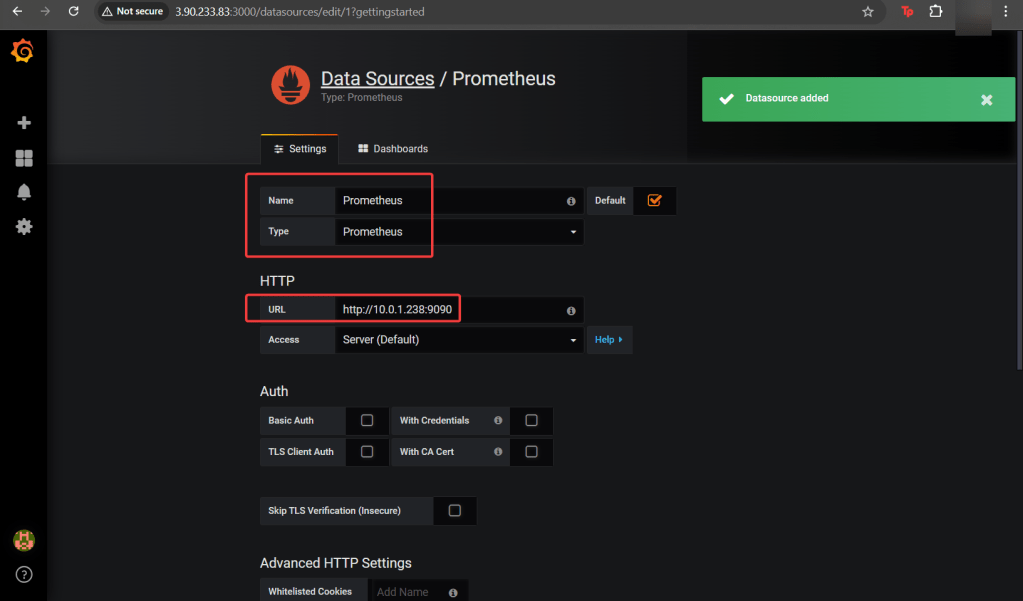
Create Grafana Data Source:
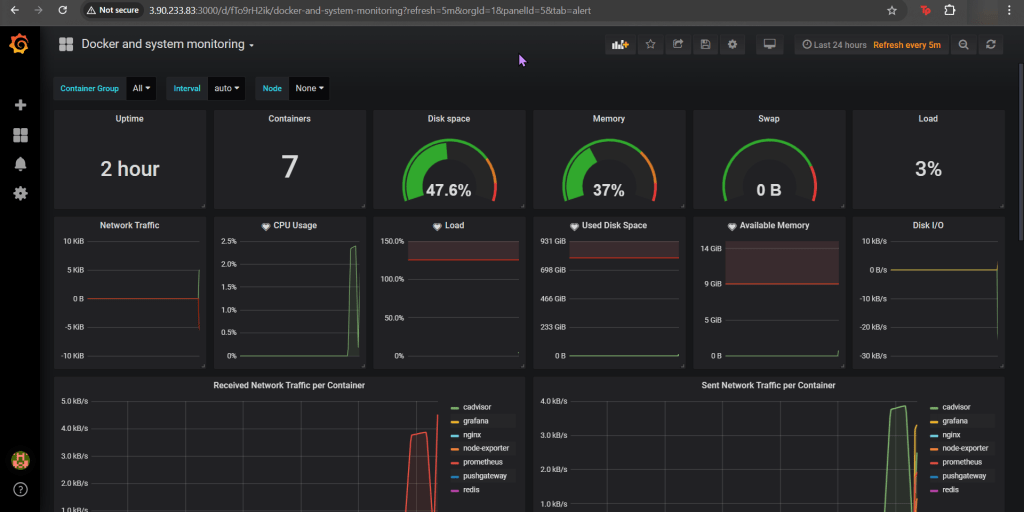
Add Docker Dashboard:

Add email notification:
Alert for CPU Usage:

 Say When..