

Blog post includes covering Kubernetes Fundamental’s in preparation for the KCNA.
- Init-Containers
- Pods
- Namespaces
- Labels
K8 Pods – Init Containers: create yaml file w/init container before main container, apply, & then watch logs
cat <<EOF > countdown-pod.yaml
apiVersion: v1
kind: Pod
metadata:
  name: countdown-pod
spec:
  initContainers:
  - name: init-countdown
    image: busybox
    command: ['sh', '-c', 'for i in \$(seq 120 -1 0); do echo init-countdown: \$i; sleep 1; done']

  containers:
  - name: main-container
    image: busybox
    command: ['sh', '-c', 'while true; do count=\$((count + 1)); echo main-container: sleeping for 30 seconds - iteration \$count; sleep 30; done']
EOF
kubectl apply -f countdown-pod.yaml
kubectl get pods -o wide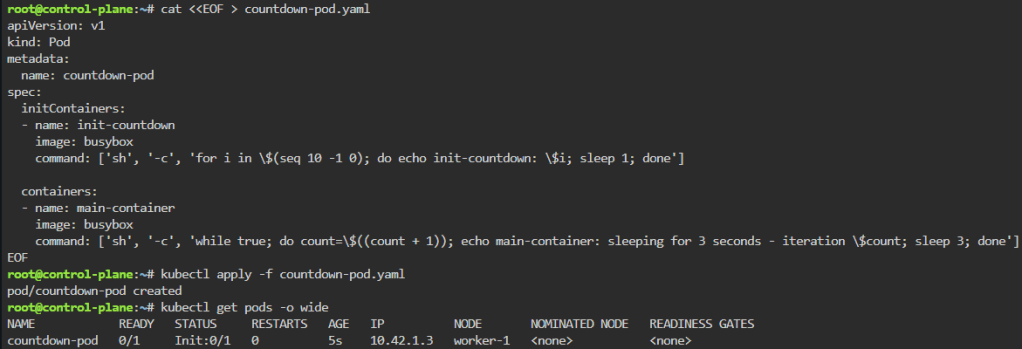
until kubectl logs pod/countdown-pod -c init-countdown --follow --pod-running-timeout=5m; do sleep 1; done; until kubectl logs pod/countdown-pod -c main-container --follow --pod-running-timeout=5m; do sleep 1; done
kubectl get pods -o wide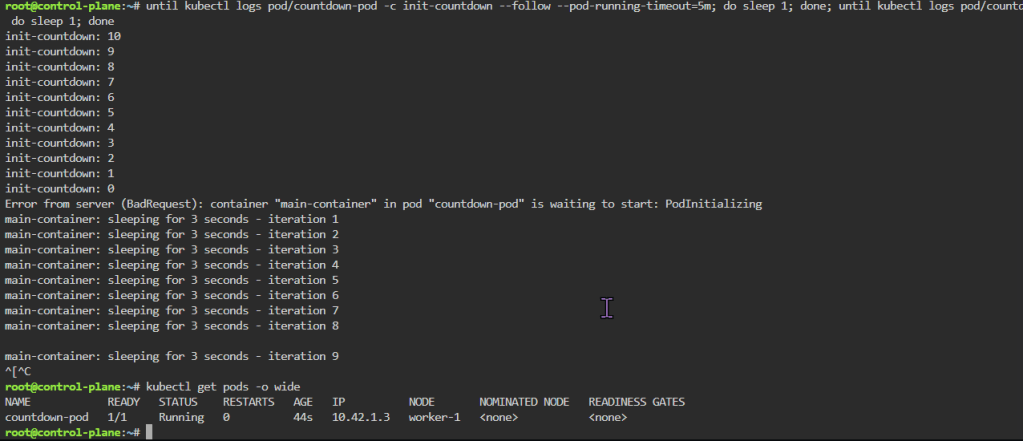
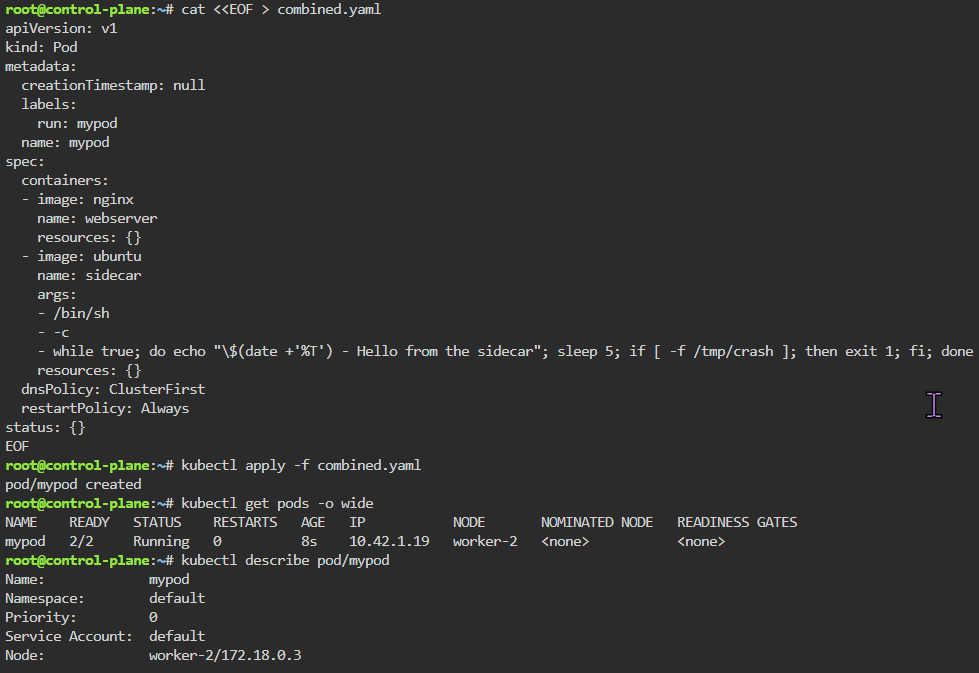
K8 Pods: create image, port forward, curl/shell into pod, create another yaml file image combined as sidecar, & output sidecar response of pod containers
kubectl run nginx --image=nginx
kubectl get pods
kubectl logs pod/nginx
kubectl get pods -o wide
NGINX_IP=$(kubectl get pods -o wide | awk '/nginx/ { print $6 }'); echo $NGINX_IP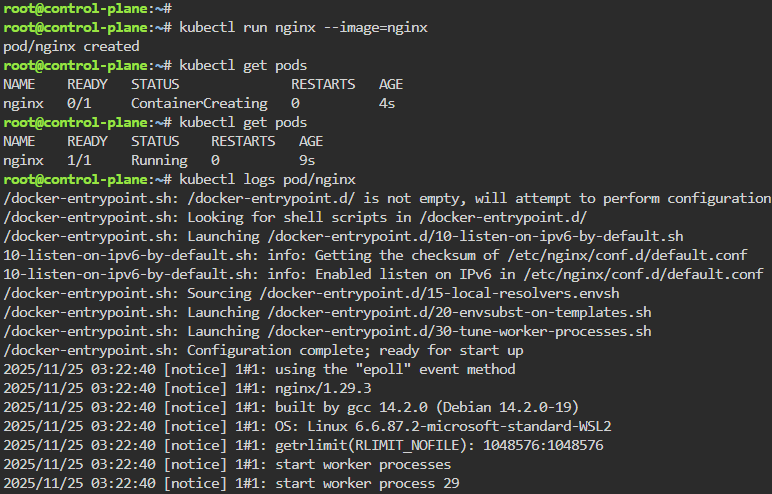
ping -c 3 $NGINX_IP
ssh worker-1 ping -c 3 $NGINX_IP
ssh worker-2 ping -c 3 $NGINX_IP
echo $NGINX_IP
kubectl run -it --rm curl --image=curlimages/curl:8.4.0 --restart=Never -- http://$NGINX_IP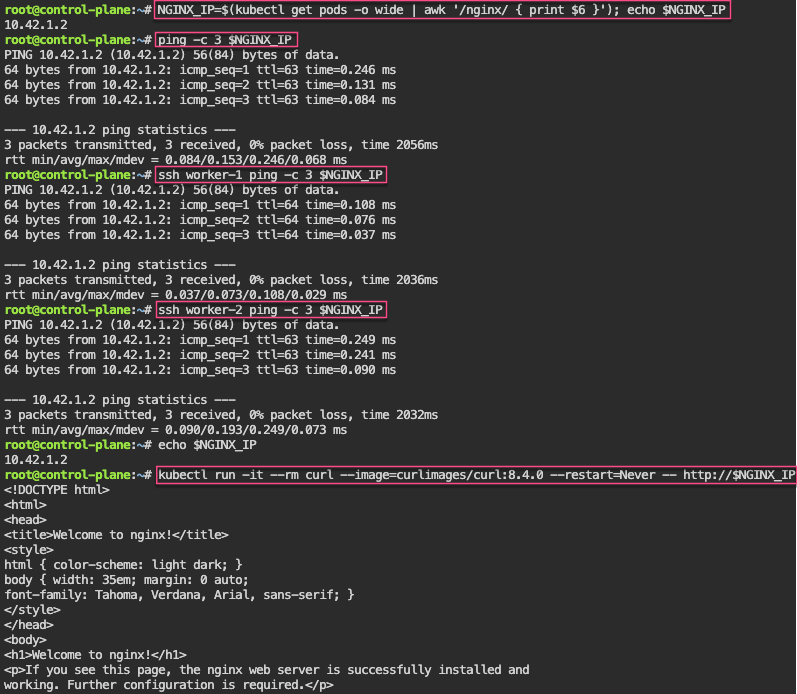
kubectl exec -it ubuntu -- bash
apt update && apt install -y curl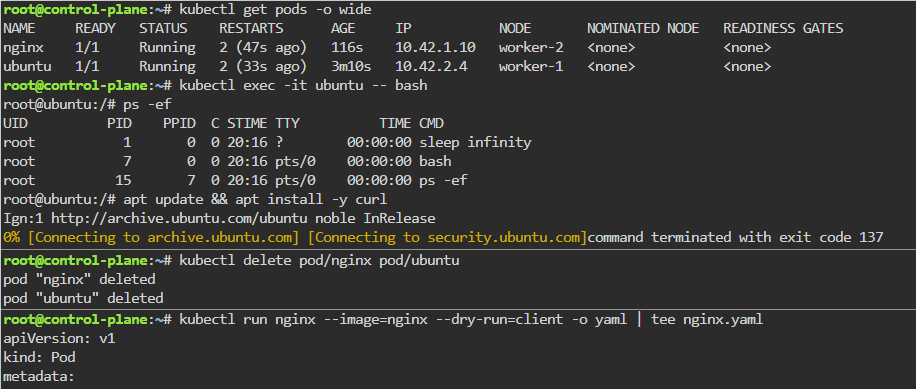
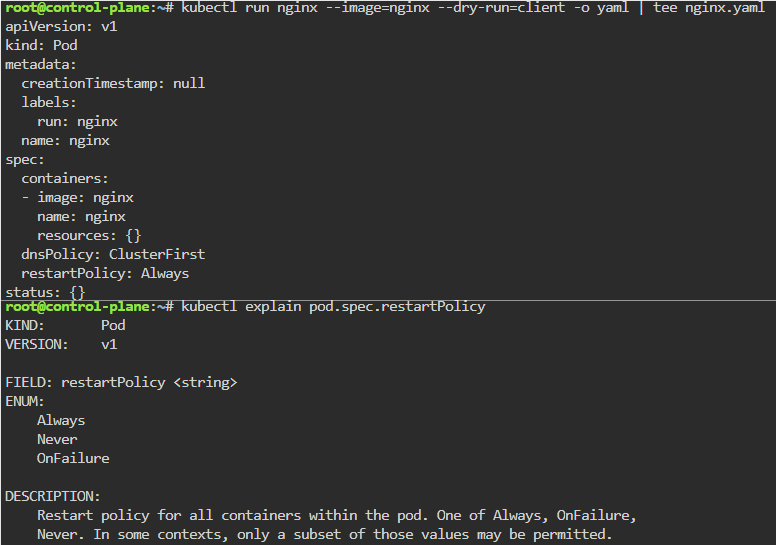
kubectl run nginx --image=nginx --dry-run=client -o yaml | tee nginx.yaml
cat <<EOF > combined.yaml
apiVersion: v1
kind: Pod
metadata:
  creationTimestamp: null
  labels:
    run: mypod
  name: mypod
spec:
  containers:
  - image: nginx
    name: webserver
    resources: {}
  - image: ubuntu
    name: sidecar
    args:
    - /bin/sh
    - -c
    - while true; do echo "\$(date +'%T') - Hello from the sidecar"; sleep 5; if [ -f /tmp/crash ]; then exit 1; fi; done
    resources: {}
  dnsPolicy: ClusterFirst
  restartPolicy: Always
status: {}
EOF
MYPOD_IP=$(kubectl get pods -o wide | awk '/mypod/ { print $6 }'); echo $MYPOD_IP
kubectl logs pod/mypod -c sidecar
kubectl delete pod/mypod --now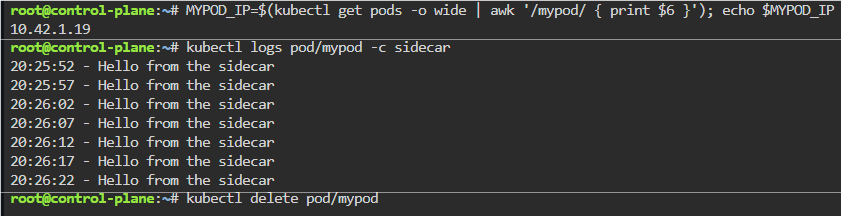
Namespaces: make an ns w/image, change config context default to new ns, & switch back & forth to notice not all pods created under ns
kubectlget ns
kubectl -n thissuxns run nginx --image=nginx
kubectl get pods -o wide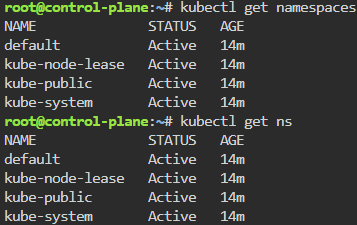
kubectl -n thissuxns get pods
kubectl config view
kubectl config set-context --current --namespace=thissuxns
kubectl get pods -o wide
kubectl config set-context --current --namespace=default
kubectl get pods -o wide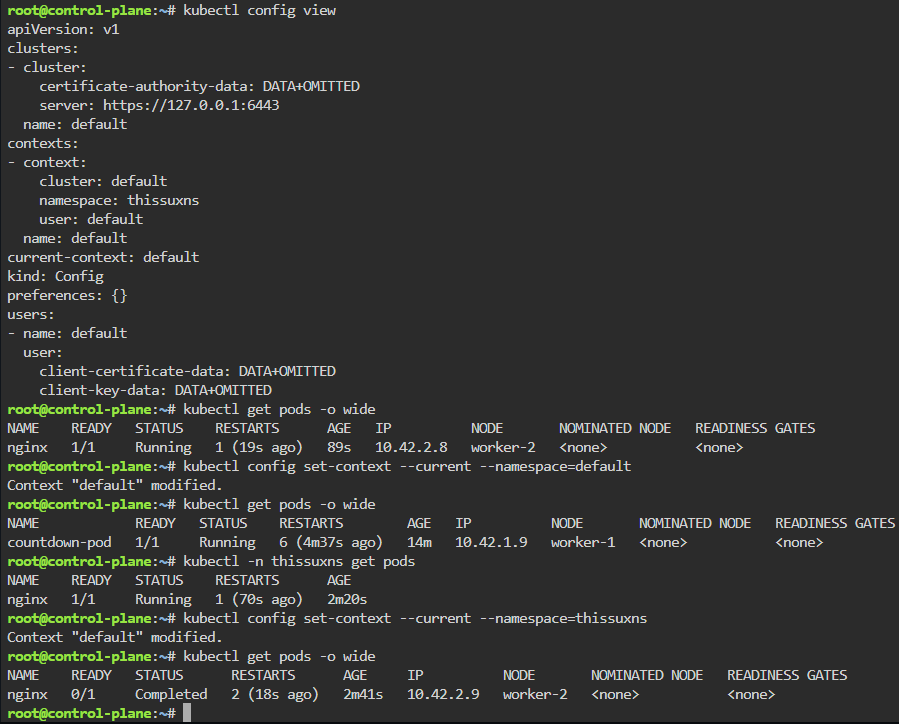
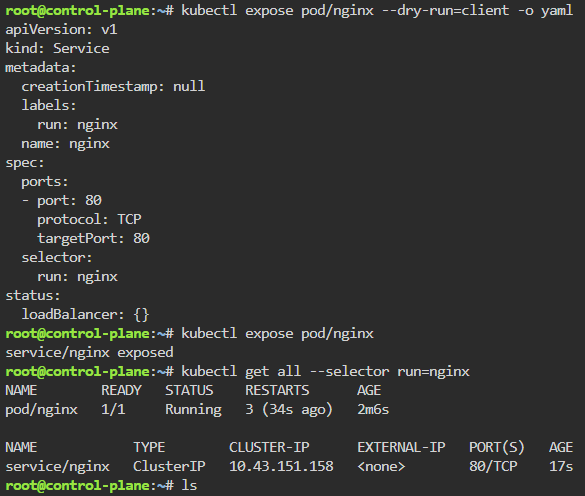
Labels: starting pod on port 80, utilize selector label, apply new yaml file of 3 options for selector label, & then get pods for just that particular label selector
kubectl run nginx --image nginx --port 80 -o yaml --dry-run=client
kubectl run nginx --image nginx --port 80
kubectl expose pod/nginx --dry-run=client -o yaml
kubectl expose pod/nginx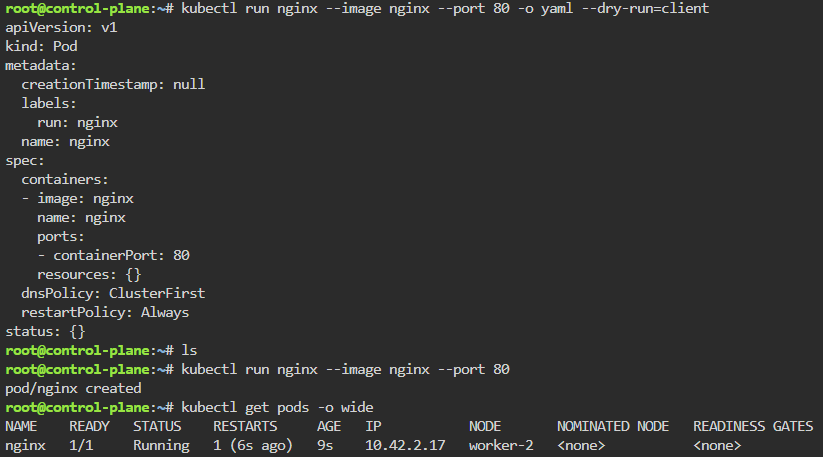
cat <<EOF > coloured_pods.yaml
apiVersion: v1
kind: Pod
metadata:
  creationTimestamp: null
  labels:
    run: ubuntu
    colour: red
  name: ubuntu-red
spec:
  containers:
  - command:
    - sleep
    - infinity
    image: ubuntu
    name: ubuntu
    resources: {}
  dnsPolicy: ClusterFirst
  restartPolicy: Always
status: {}
---
apiVersion: v1
kind: Pod
metadata:
  creationTimestamp: null
  labels:
    run: ubuntu
    colour: green
  name: ubuntu-green
spec:
  containers:
  - command:
    - sleep
    - infinity
    image: ubuntu
    name: ubuntu
    resources: {}
  dnsPolicy: ClusterFirst
  restartPolicy: Always
status: {}
---
apiVersion: v1
kind: Pod
metadata:
  creationTimestamp: null
  labels:
    run: ubuntu
    colour: pink
  name: ubuntu-pink
spec:
  containers:
  - command:
    - sleep
    - infinity
    image: ubuntu
    name: ubuntu
    resources: {}
  dnsPolicy: ClusterFirst
  restartPolicy: Always
status: {}
EOF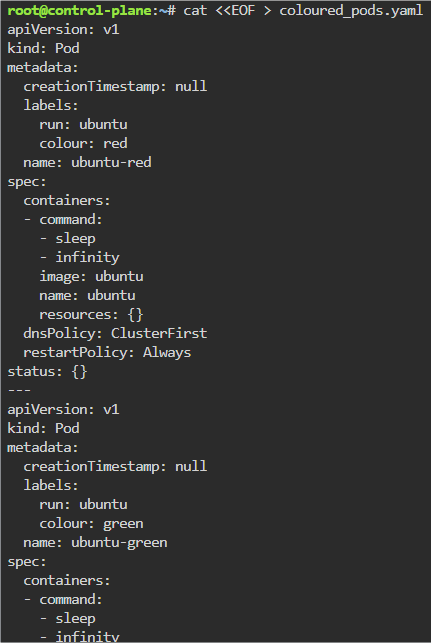
kubectl apply -f coloured_pods.yaml
kubectl get pods -o wide
kubectl get all --selector colour=green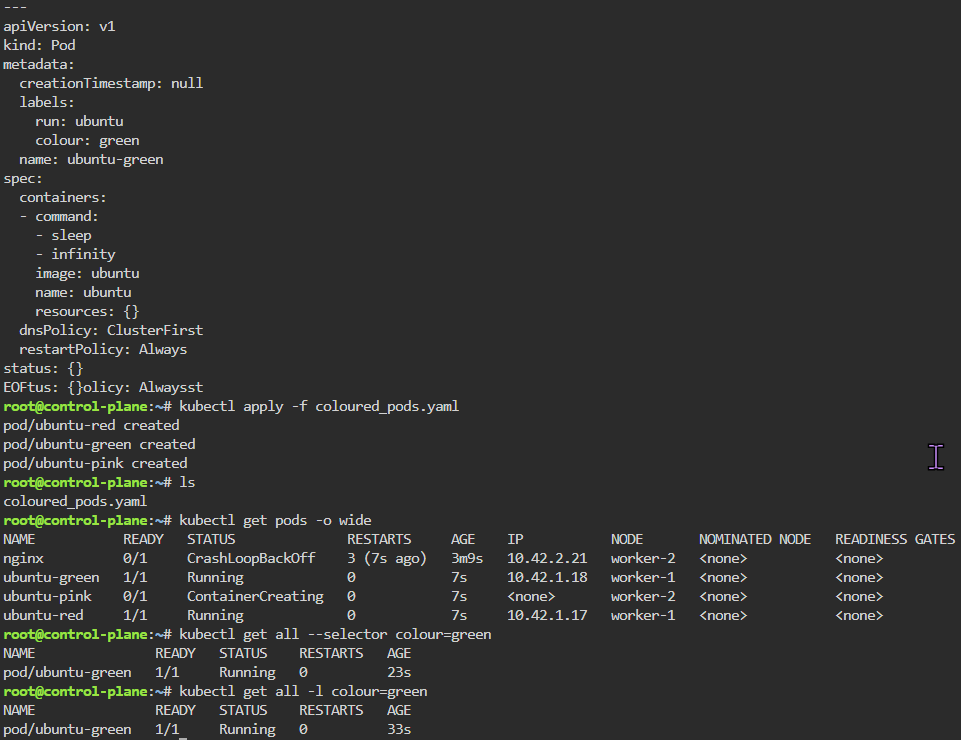

 Say When..