

Blog post includes covering Kubernetes Deep Dive in preparation for the KCNA.
- API
- Scheduling & Node Name
- Storage
- Network Policies
- Pod Disruption Budgets
API: run kubectl proxy to interact w/API in background, curl IP request/local-host, create yaml file for pod, and delete/rm pods.
kubectl proxy & echo $! > /var/run/kubectl-proxy.pidcurl --location 'http://localhost:8001/api/v1/namespaces/default/pods?pretty=true'
--header 'Content-Type: application/json'
--header 'Accept: application/json'
--data '{
"kind": "Pod",
"apiVersion": "v1",
"metadata": {
"name": "nginx",
"creationTimestamp": null,
"labels": {
"run": "nginx"
}
},
"spec": {
"containers": [
{
"name": "nginx",
"image": "nginx",
"resources": {}
}
],
"restartPolicy": "Always",
"dnsPolicy": "ClusterFirst"
},
"status": {}
}'kubectl get pods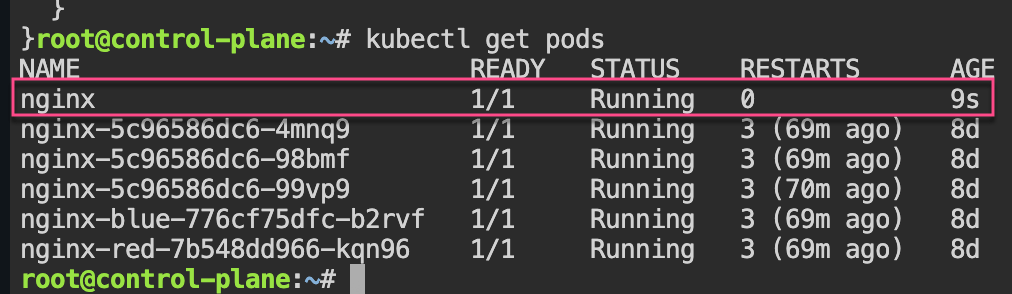
kill $(cat /var/run/kubectl-proxy.pid)
rm /var/run/kubectl-proxy.pid
kubectl get pods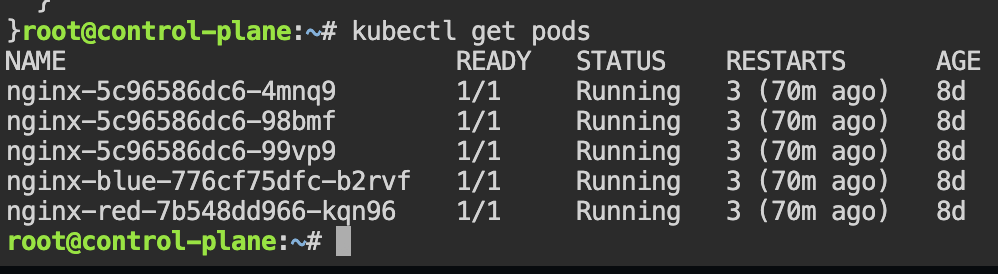
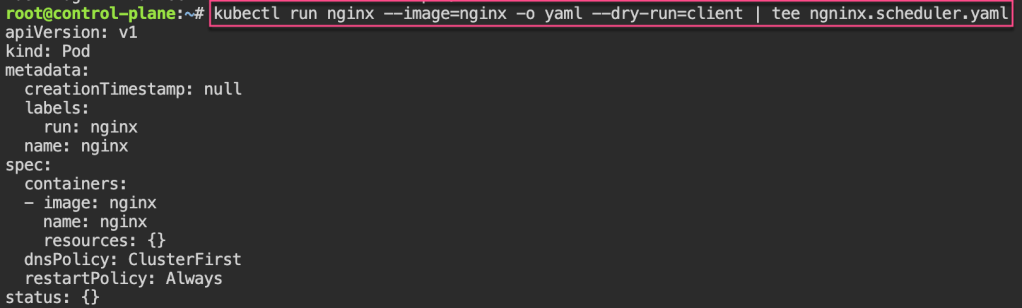
Scheduling: create yaml file for scheduler, pod is pending cuz no scheduler selected created, git clone, & view pod
kubectl run nginx --image=nginx -o yaml --dry-run=client | tee nginx_scheduler.yaml
cat <<EOF > nginx_scheduler.yaml
apiVersion: v1
kind: Pod
metadata:
  creationTimestamp: null
  labels:
    run: nginx
  name: nginx
spec:
  schedulerName: my-scheduler
  containers:
  - image: nginx
    name: nginx
    resources: {}
  dnsPolicy: ClusterFirst
  restartPolicy: Always
status: {}
EOF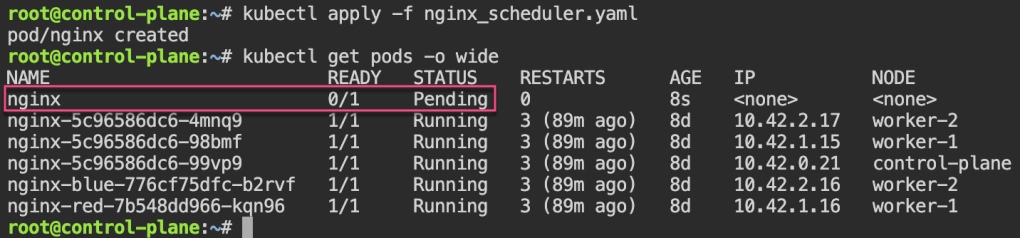
apt update && apt install -y git jq
git clone https://github.com/spurin/simple-kubernetes-scheduler-example.git
cd simple-kubernetes-scheduler-example; more my-scheduler.sh
# ./my_scheduler.sh
🚀 Starting the custom scheduler...
🎯 Attempting to bind the pod nginx in namespace default to node worker-2
🎉 Successfully bound the pod nginx to node worker-2
# kubectl get pods -o wide
NAME READY STATUS RESTARTS AGE IP NODE NOMINATED NODE READINESS GATES
nginx 1/1 Running 0 28s 10.42.2.3 worker-2 <none> <none>
Node Name: change spec to nodename specific area & notice variance of spec usage
# cat <<EOF > nginx_scheduler.yaml
apiVersion: v1
kind: Pod
metadata:
  creationTimestamp: null
  labels:
    run: nginx
  name: nginx
spec:
  nodeName: worker-2
  containers:
  - image: nginx
    name: nginx
    resources: {}
  dnsPolicy: ClusterFirst
  restartPolicy: Always
status: {}
EOF
# kubectl apply -f nginx_scheduler.yaml
# kubectl get pods -o wide
Node Selector: now change spec to nodeselector from label selector
# cat <<EOF > nginx_scheduler.yaml
apiVersion: v1
kind: Pod
metadata:
  creationTimestamp: null
  labels:
    run: nginx
  name: nginx
spec:
  nodeSelector:
    kubernetes.io/hostname: worker-1
  containers:
  - image: nginx
    name: nginx
    resources: {}
  dnsPolicy: ClusterFirst
  restartPolicy: Always
status: {}
EOF
# kubectl apply -f nginx_scheduler.yaml
# kubectl get pods -o wide
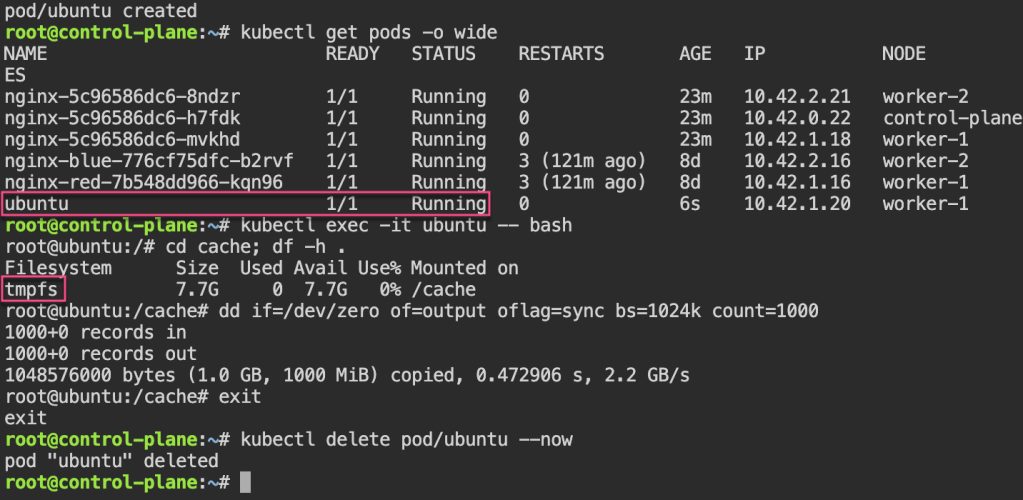
Storage: create ubuntu yaml, add volume mount to file, & shell into the ubuntu pod to see storage mount
# kubectl run --image=ubuntu ubuntu -o yaml --dry-run=client --command sleep infinity | tee ubuntu_emptydir.yaml

# cat <<EOF > ubuntu_emptydir.yaml
apiVersion: v1
kind: Pod
metadata:
  creationTimestamp: null
  labels:
    run: ubuntu
  name: ubuntu
spec:
  containers:
  - command:
    - sleep
    - infinity
    image: ubuntu
    name: ubuntu
    resources: {}
    volumeMounts:
    - mountPath: /cache
      name: cache-volume
  dnsPolicy: ClusterFirst
  restartPolicy: Always
  volumes:
  - name: cache-volume
    emptyDir: {
      medium: Memory,
    }
status: {}
EOF
# kubectl get pods -o wide
# kubectl exec -it ubuntu -- bash
Persistent Storage: create yaml pv & pvc (mention pv name in spe),
# cat <<EOF > manual_pv.yaml
apiVersion: v1
kind: PersistentVolume
metadata:
  name: manual-pv001
spec:
  storageClassName: local-path
  capacity:
    storage: 10Gi
  accessModes:
    - ReadWriteOnce
  hostPath:
    path: "/var/lib/rancher/k3s/storage/manual-pv001"
    type: DirectoryOrCreate
EOF
------------------------------------
# cat <<EOF > manual_pvc.yaml
apiVersion: v1
kind: PersistentVolumeClaim
metadata:
  name: manual-claim
spec:
  accessModes:
    - ReadWriteOnce
  volumeMode: Filesystem
  resources:
    requests:
      storage: 10Gi
  storageClassName: local-path
  volumeName: manual-pv001
EOF
Dynamic PVC: create yaml for pvc, edit yaml for volume mount to manua/dynamic claim, then add to node-selector a specific node desired.
# cat <<EOF > dynamic_pvc.yaml
apiVersion: v1
kind: PersistentVolumeClaim
metadata:
  name: dynamic-claim
spec:
  accessModes:
    - ReadWriteOnce
  volumeMode: Filesystem
  resources:
    requests:
      storage: 10Gi
  storageClassName: local-path
EOF
# kubectl run --image=ubuntu ubuntu -o yaml --dry-run=client --command sleep infinity | tee ubuntu_with_volumes.yaml
# cat <<EOF > ubuntu_with_volumes.yaml
apiVersion: v1
kind: Pod
metadata:
creationTimestamp: null
labels:
run: ubuntu
name: ubuntu
spec:
containers:
- command:
- sleep
- infinity
image: ubuntu
name: ubuntu
resources: {}
volumeMounts:
- mountPath: /manual
name: manual-volume
- mountPath: /dynamic
name: dynamic-volume
dnsPolicy: ClusterFirst
restartPolicy: Always
volumes:
- name: manual-volume
persistentVolumeClaim:
claimName: manual-claim
- name: dynamic-volume
persistentVolumeClaim:
claimName: dynamic-claim
status: {}
EOF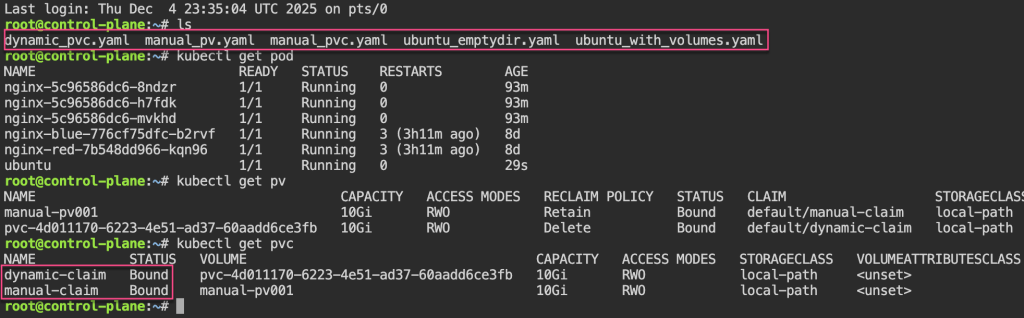
# cat <<EOF > ubuntu_with_volumes.yaml
apiVersion: v1
kind: Pod
metadata:
  creationTimestamp: null
  labels:
    run: ubuntu
  name: ubuntu
spec:
  nodeSelector:
    kubernetes.io/hostname: worker-1
  containers:
  - command:
    - sleep
    - infinity
    image: ubuntu
    name: ubuntu
    resources: {}
    volumeMounts:
    - mountPath: /manual
      name: manual-volume
    - mountPath: /dynamic
      name: dynamic-volume
  dnsPolicy: ClusterFirst
  restartPolicy: Always
  volumes:
    - name: manual-volume
      persistentVolumeClaim:
        claimName: manual-claim
    - name: dynamic-volume
      persistentVolumeClaim:
        claimName: dynamic-claim
status: {}
EOF
Network Policies: 1st – create pod, expose port, & curl to see access. 2nd – policy to restrict access w/label…cant access now..
# kubectl run nginx --image=nginx
# kubectl expose pod/nginx --port=80
# kubectl run --rm -i --tty curl --image=curlimages/curl:8.4.0 --restart=Never -- sh
# curl nginx.default.svc.cluster.local
If you don't see a command prompt, try pressing enter.
~ $ curl nginx.default.svc.cluster.local
<!DOCTYPE html>
<html>
<head>
<title>Welcome to nginx!</title>
<style>
html { color-scheme: light dark; }
body { width: 35em; margin: 0 auto;
font-family: Tahoma, Verdana, Arial, sans-serif; }
</style>
</head>
<body>
<h1>Welcome to nginx!</h1>
<p>If you see this page, the nginx web server is successfully installed and
working. Further configuration is required.</p>
<p>For online documentation and support please refer to
<a href="http://nginx.org/">nginx.org</a>.<br/>
Commercial support is available at
<a href="http://nginx.com/">nginx.com</a>.</p>
<p><em>Thank you for using nginx.</em></p>
</body>
</html>
~ $ exit
pod "curl" deleted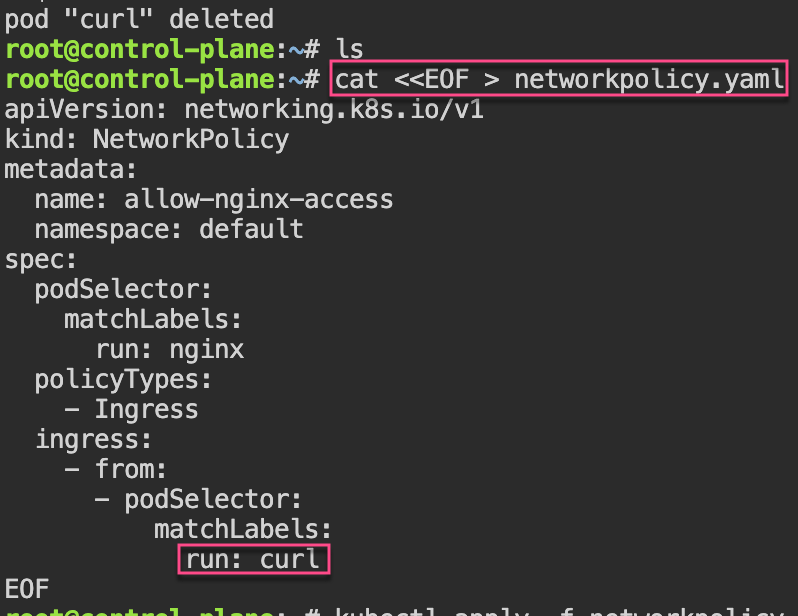
# cat <<EOF > networkpolicy.yaml
apiVersion: networking.k8s.io/v1
kind: NetworkPolicy
metadata:
  name: allow-nginx-access
  namespace: default
spec:
  podSelector:
    matchLabels:
      run: nginx
  policyTypes:
    - Ingress
  ingress:
    - from:
      - podSelector:
          matchLabels:
            run: curl
EOF
Pod Disruption Budgets: 1st – create replica-set deployment, & cordon node. 2nd – drain to now notice disruption cuz control-plane & worker-1 are “protected” & you all worker-2 nodes are empty. 3rd – uncordon. 4th – create PDB, & notice cant cordon or drain more than the PDB created.
# kubectl create deployment nginx --image=nginx --replicas=5
# kubectl cordon control-plane && kubectl delete pods -l app=nginx --field-selector=spec.nodeName=control-plane --now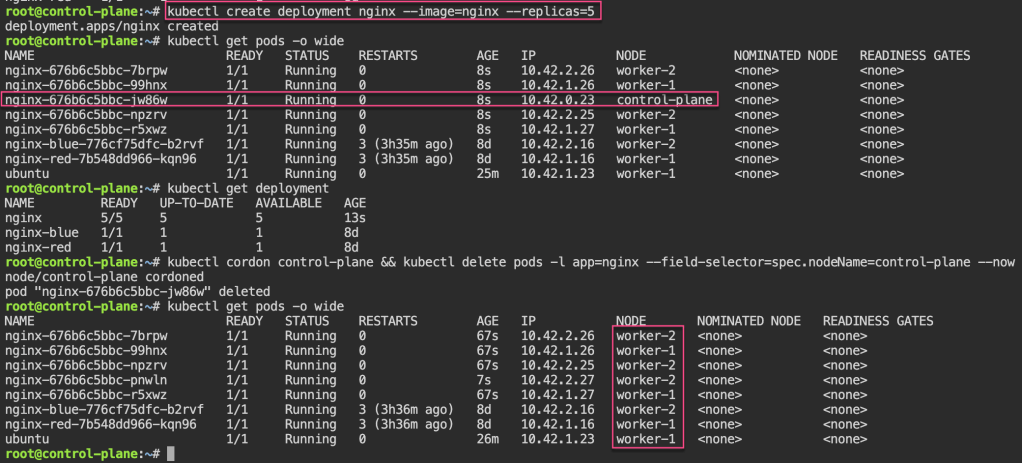
# kubectl drain worker-2 --delete-emptydir-data=true --ignore-daemonsets=true
# kubectl uncordon control-plane worker-1 worker-2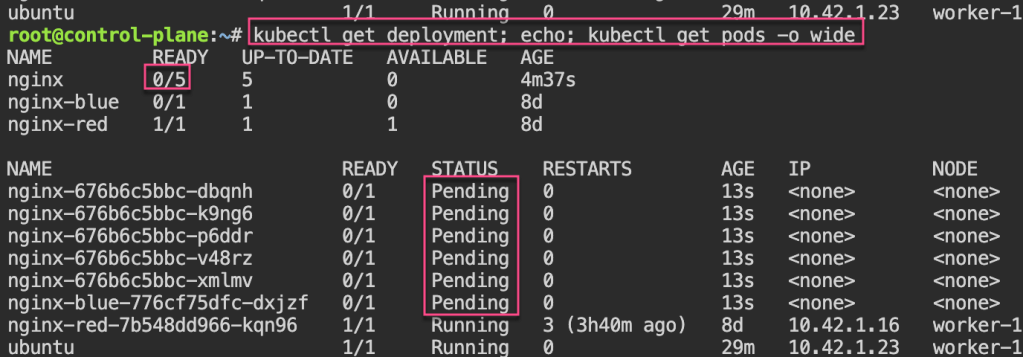
# kubectl create pdb nginx --selector=app=nginx --min-available=2
# kubectl cordon control-plane worker-1 worker-2; kubectl drain control-plane worker-1 worker-2 --delete-emptydir-data=true --ignore-daemonsets=true
# kubectl uncordon worker-1 worker-2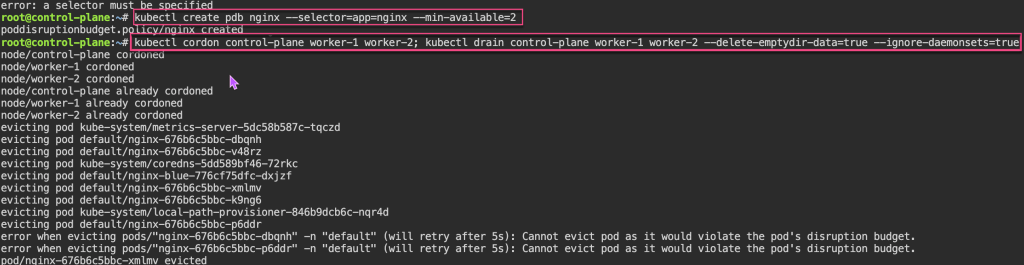
Security:

 Say When..