

View Code here for details w/this dope link:
Below are details into to use Terraform in creating a tool to upload a medical professional notes into AWS & summarize your notes auto-magically, w/the help of HIPPA the Hippo!
Contents of Tables:
- General flow of steps
- Step 1 – upload audio file w/nifty commands
- Step 2- check your AWS console that the infra is ALIVVVVVE
- Step 3 – run lambda.py script
- Step 4 – confirm AWS Transcribe Medical & S3 bucket has goodiezzzz
- Step 5.1 – AWS Comprehend Medical Create Job
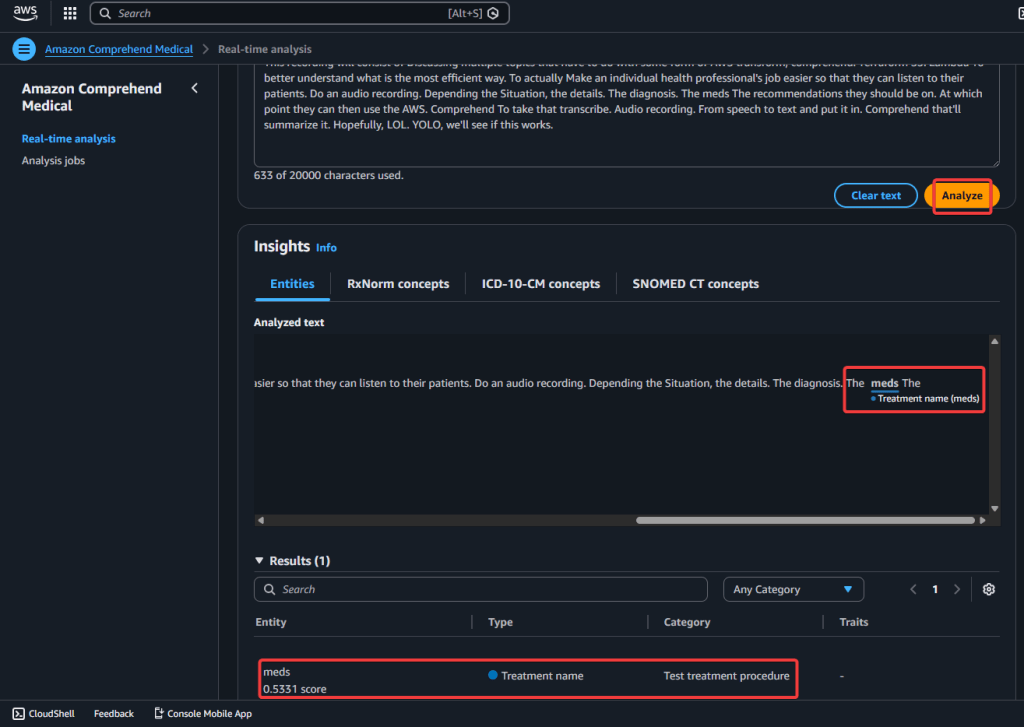
- Step 5.2 – AWS Comprehend Medical Real-Time Analysis
- Step 6 – the sausage aka code
General Steps followed in my brain:
##############################################
##############################################
User uploads audio → S3
↓
Transcribe Medical job
↓
Transcript saved to S3
↓
Lambda calls Comprehend Medical
↓
Extracted entities saved to S3
Step 1 – Upload audio file w/commands you might need:
- Record audio on phone or laptop, place in downloads or desired folder
sudo apt updatesudo apt install ffmpegffmpeg -versionffmpeg -i "S3-AWS-Medical.m4a" -ar 16000 -ac 1 S3-AWS-Medical.wav
terraform initterraform fmtterraform validateterraform planterraform applyaws s3 cp S3-AWS-Medical.wav s3://your-input-bucket-name/
Step 2 – Check various AWS locations (s3, lambdas, roles, etc):
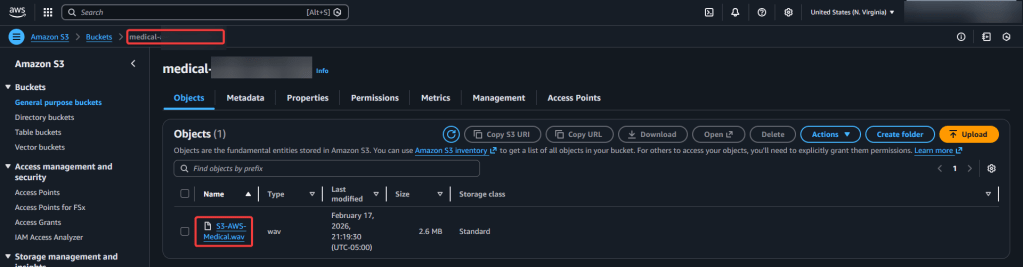
- Check various AWS locations where you should see code – s3, lambda, iam policy/roles, transcribe, etc.
- You should see 3 new buckets
- audio-input
- medical-output
- job.json
- results-bucket
Step 3 – Run Lambda.py script:
python3 transcribe.py
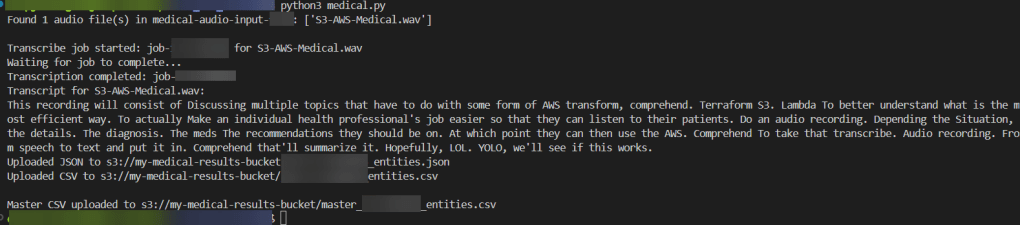
- This recording will consist of Discussing multiple topics that have to do with some form of AWS transform, comprehend. Terraform S3. Lambda To better understand what is the most efficient way. To actually Make an individual health professional’s job easier so that they can listen to their patients. Do an audio recording. Depending the Situation, the details. The diagnosis. The meds The recommendations they should be on. At which point they can then use the AWS. Comprehend To take that transcribe. Audio recording. From speech to text and put it in. Comprehend that’ll summarize it. Hopefully, LOL. YOLO, we’ll see if this works.
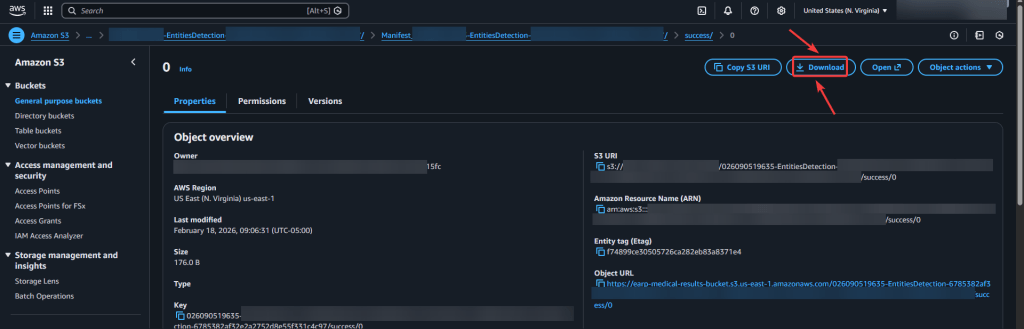
Step 4 – Confirm in AWS Transcribe Medical & S3 Buckets of data:
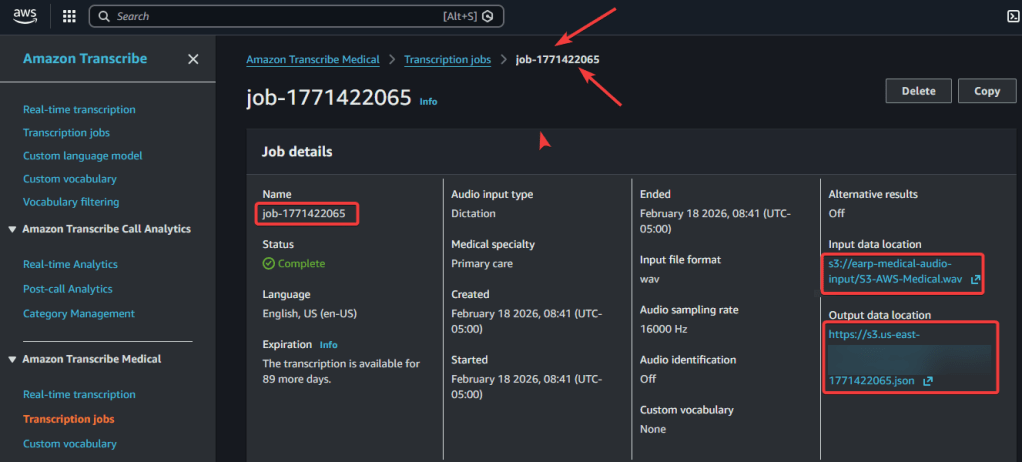
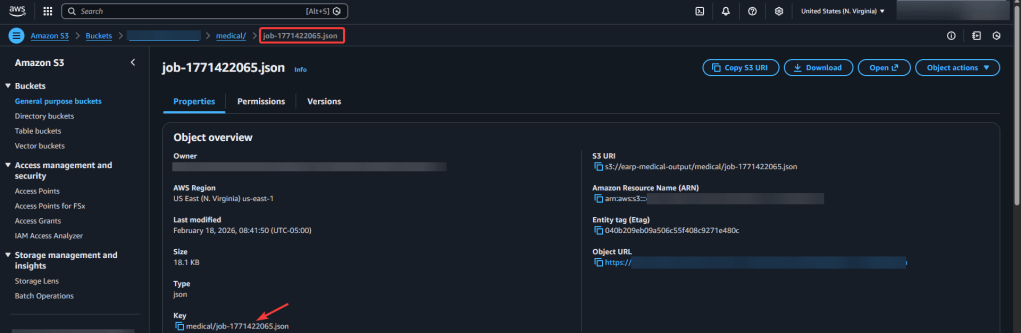
- To confirm hit download & view in vscode json – prolly in 1 line, use shift-alt-f to quick review
Step 5.1 AWS Comprehend Medical – Create Job:
- Important Note:
- input bucket
- output bucket…i know confusing, dont do audio file – remember what comprehend does…
- output bucket
- your results bucket
- iam role
- should pop-up in dropdown if code is correct in policy
- input bucket
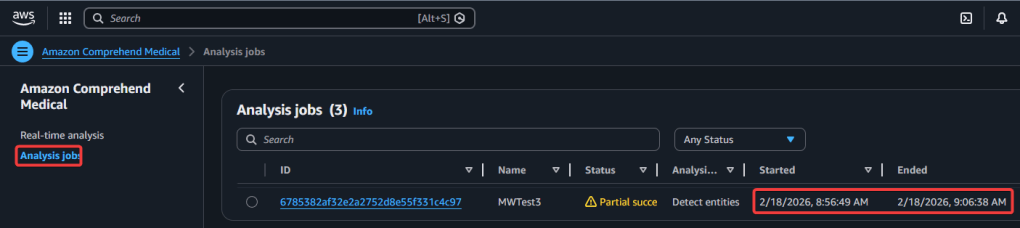
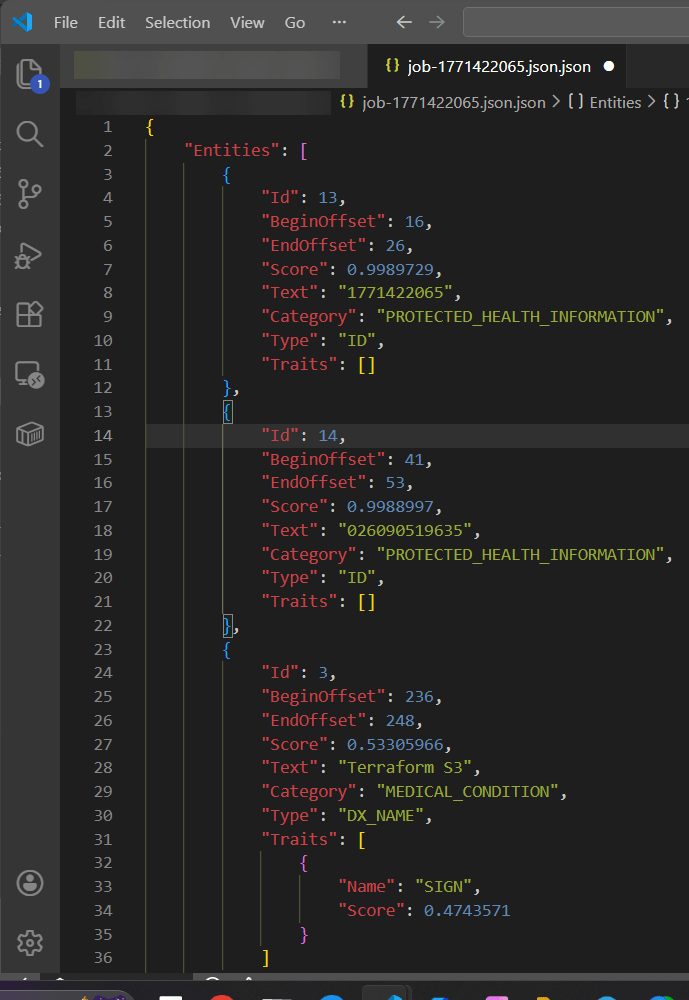
Step 5.2 AWS Comprehend Medical – Real-Time Analysis:
View Zaaa Code here:
git initgit add .git statusgit commit -m "First commit for AWS Transcribe + Comprehend Medical w/Terraform."git remote add origin https://github.com/earpjennings37/aws-medical-tf.gitgit branch -M Maingit push -u origin main
- to ensure connect to repo, i did a thing
- commands
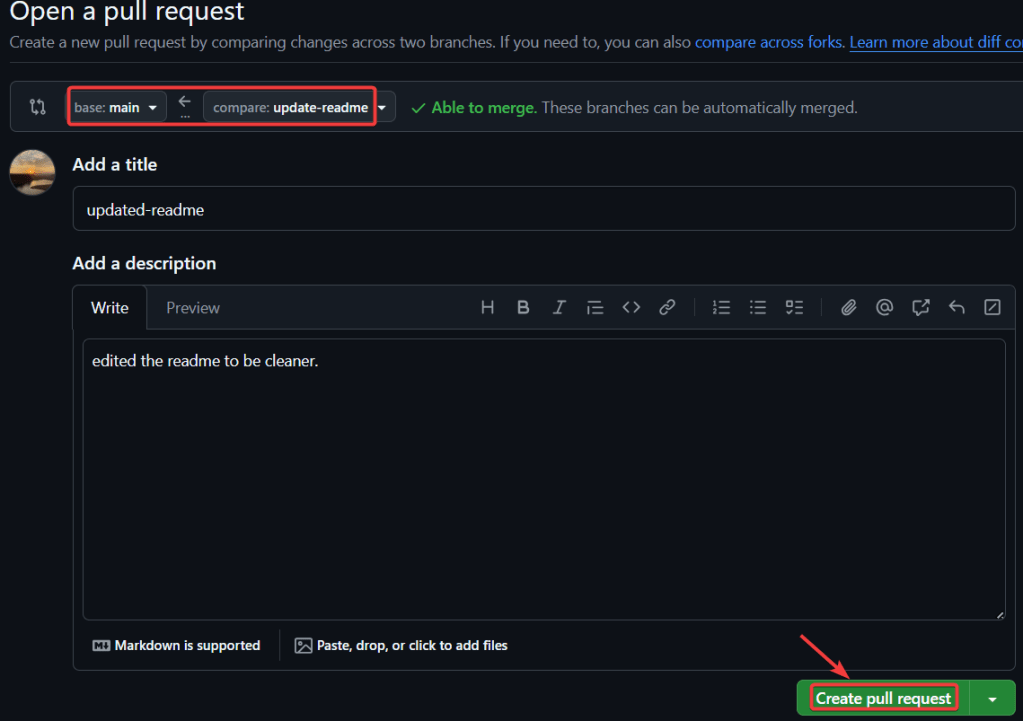
- open a pull request – create a pull request
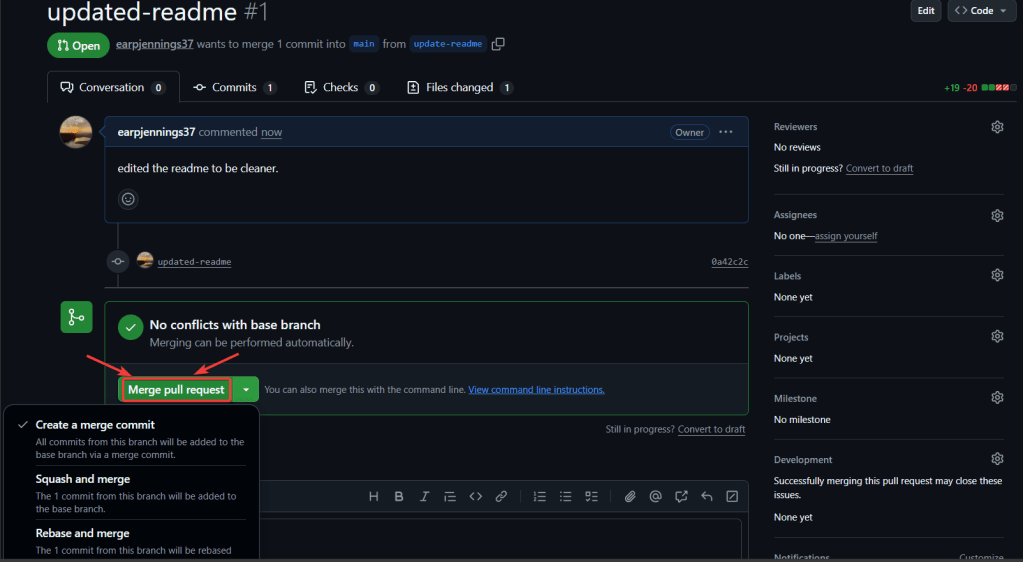
- merge pull request
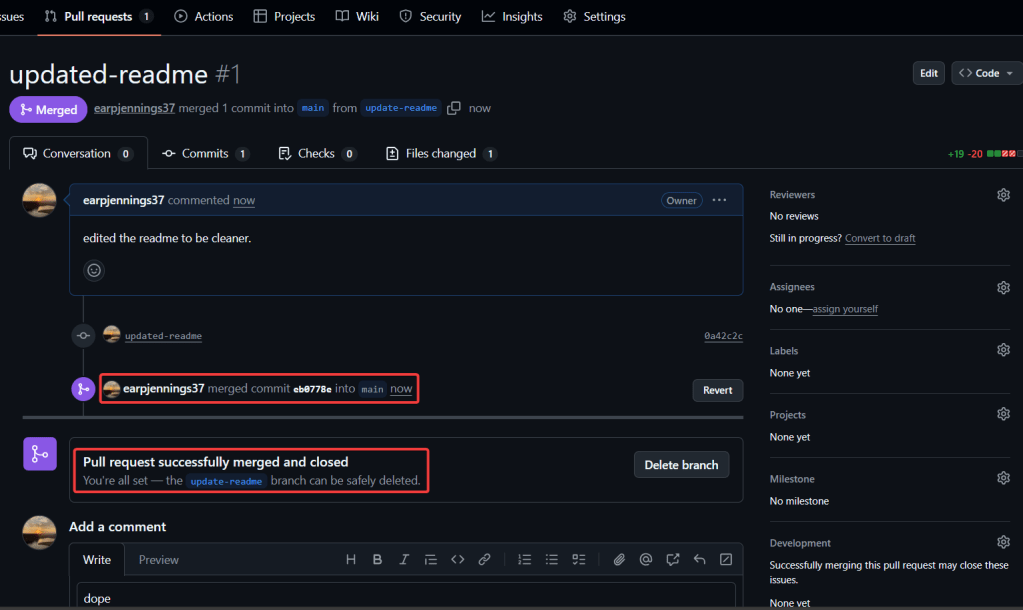
- merged & closed
git checkout -b update-readmegit branchgit statusgit add .git commit -m "updated-readme"git push -u origin update-readme

 Say When..