
Series of blog posts show progress of updating/adding to EKS Cluster
Below are links for details:
- Github Repo:
- Terraform:
- AWS:
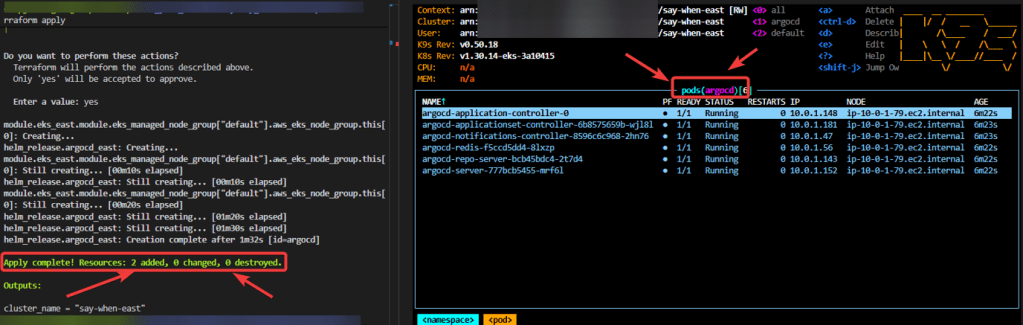
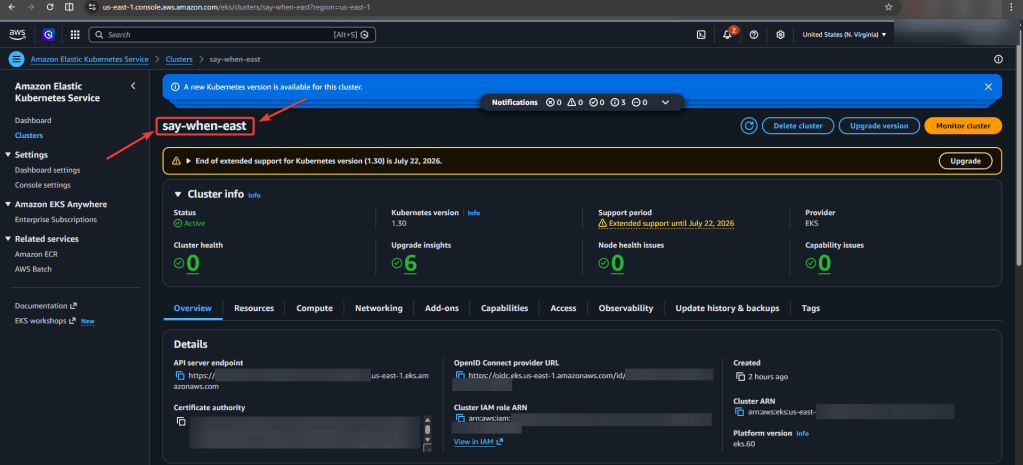
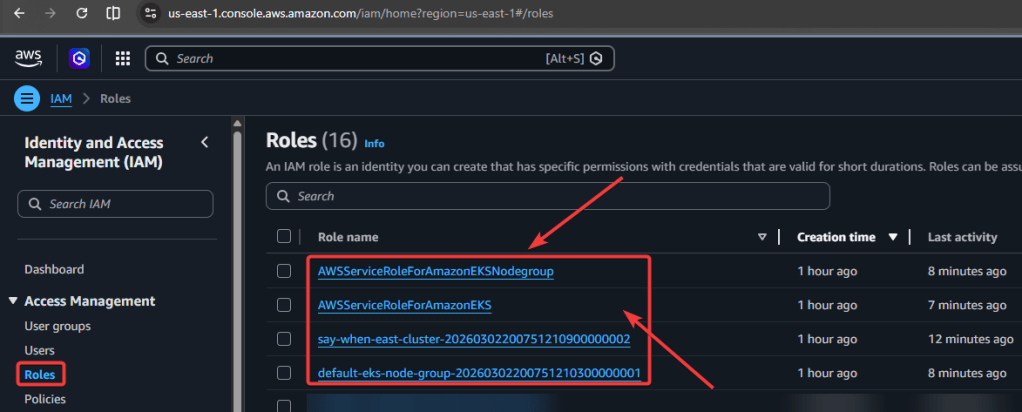
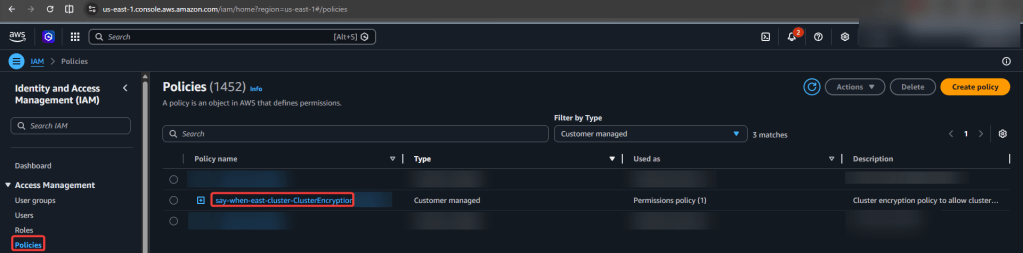


Series of blog posts show progress of updating/adding to EKS Cluster
Below are links for details:

View Code here for details w/this dope link:
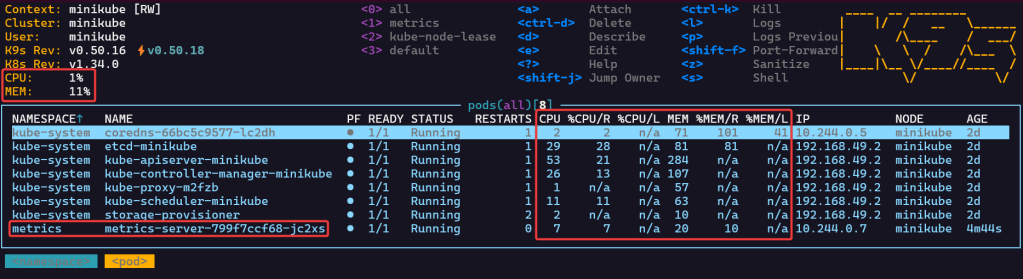
Commands below:
$ kubectl create namespace metrics$ helm repo add metrics-server https://kubernetes-sigs.github.io/metrics-server/$ helm repo update$ helm upgrade --install metrics-server metrics-server/metrics-server \ --namespace metrics \ --set args={--kubelet-insecure-tls}

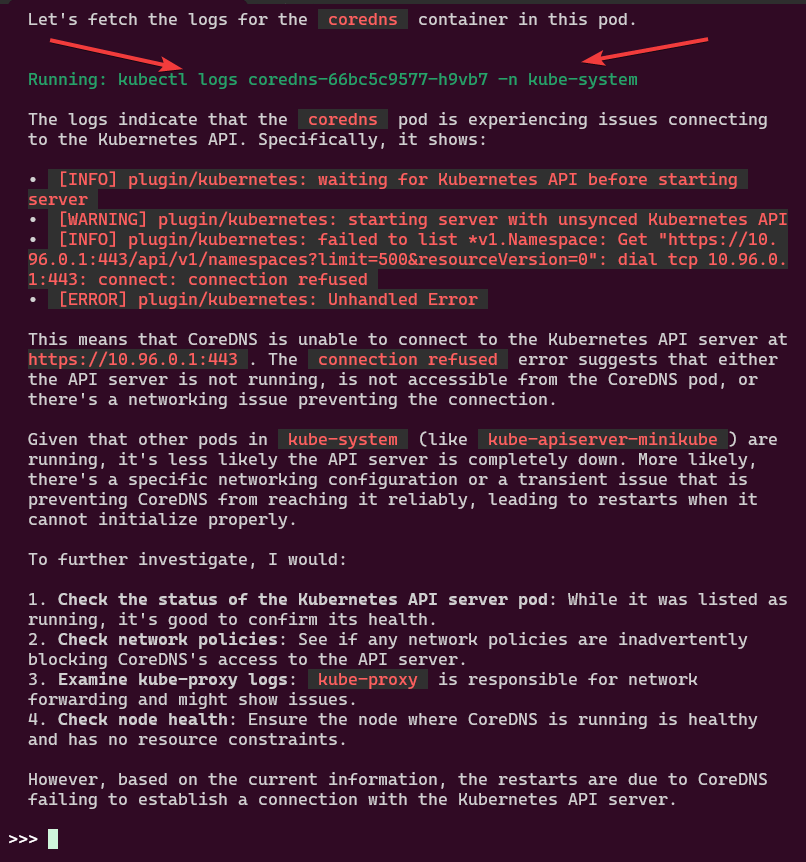
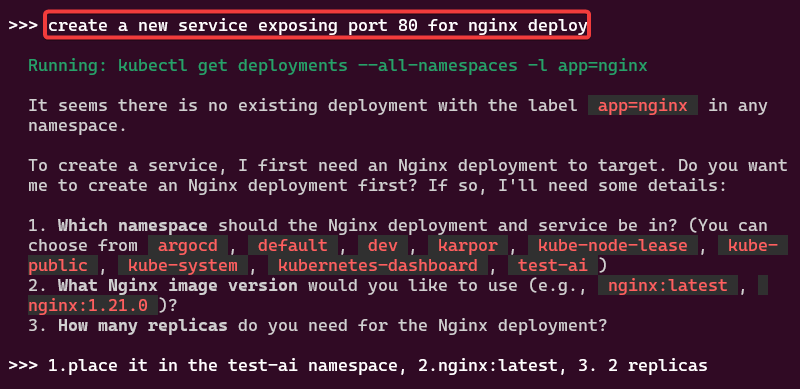
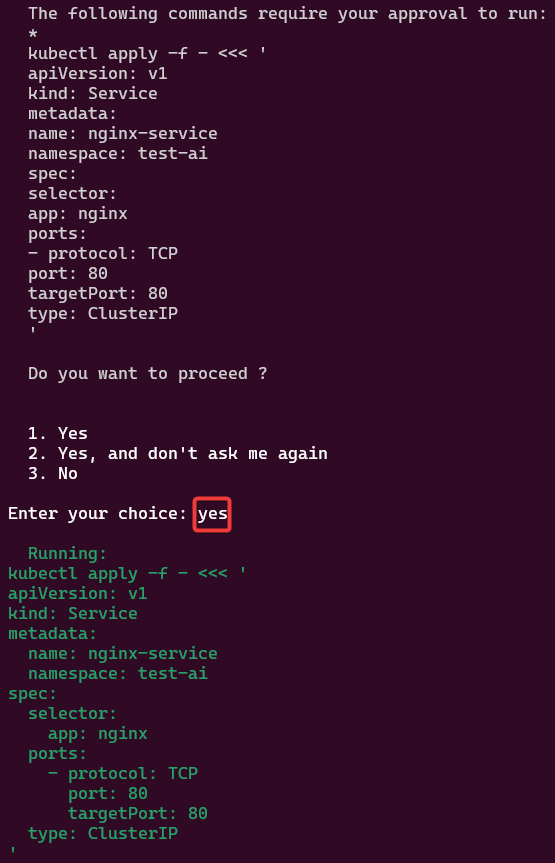
You like kubectl ya? Well how about slappin some “agentic-ai” on that cli & see what happens. Lets run it, see below for 4 examples.
Pre-Reqxzz aka 3 stepzz:
Commands to get goin:
curl -sSL https://raw.githubusercontent.com/GoogleCloudPlatform/kubectl-ai/main/install.sh | bashexport GEMINI_API_KEY=your_api_key_herekubectl-ai --helpkubectl-ai modelskubectl-ai --model gemini-2.5-flash
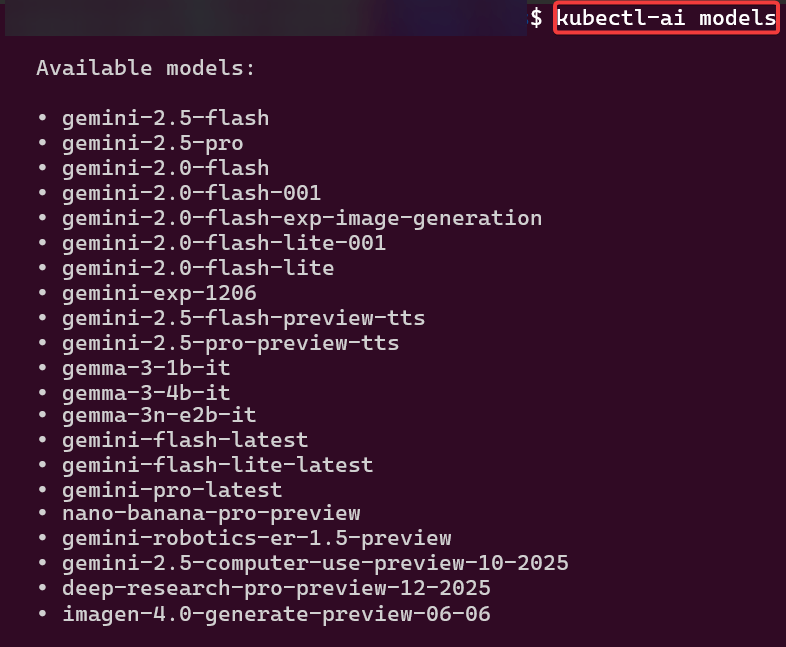
Example 1:
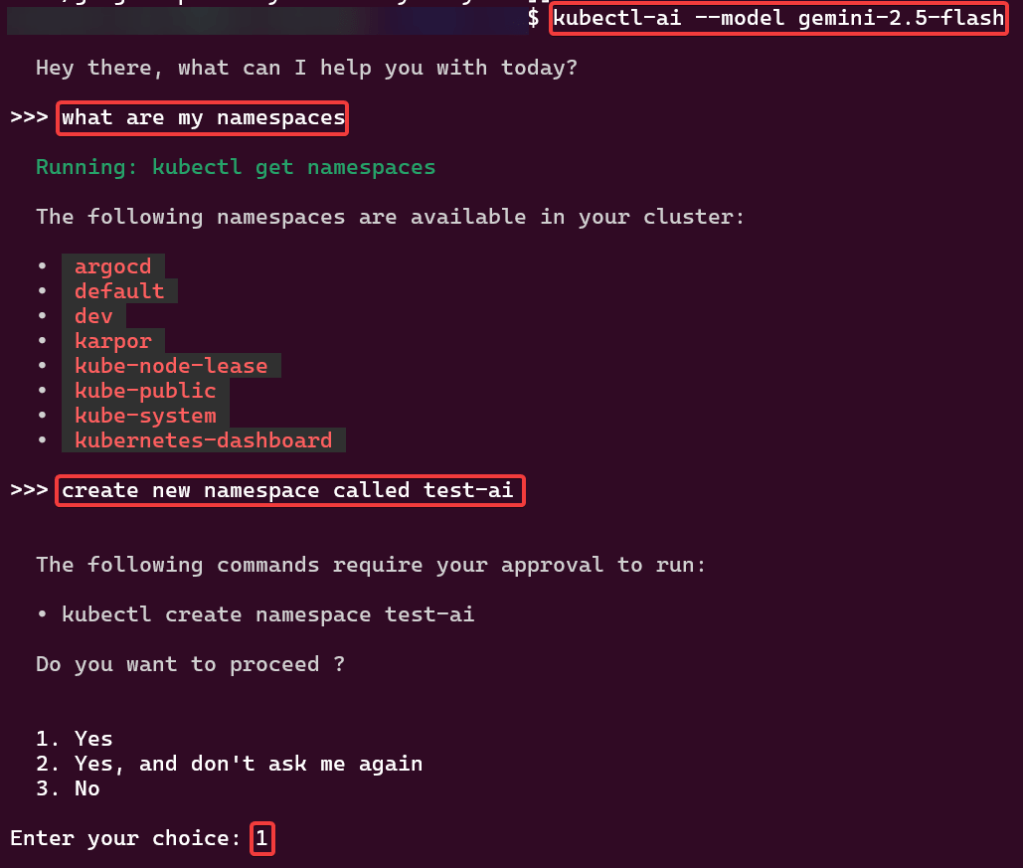
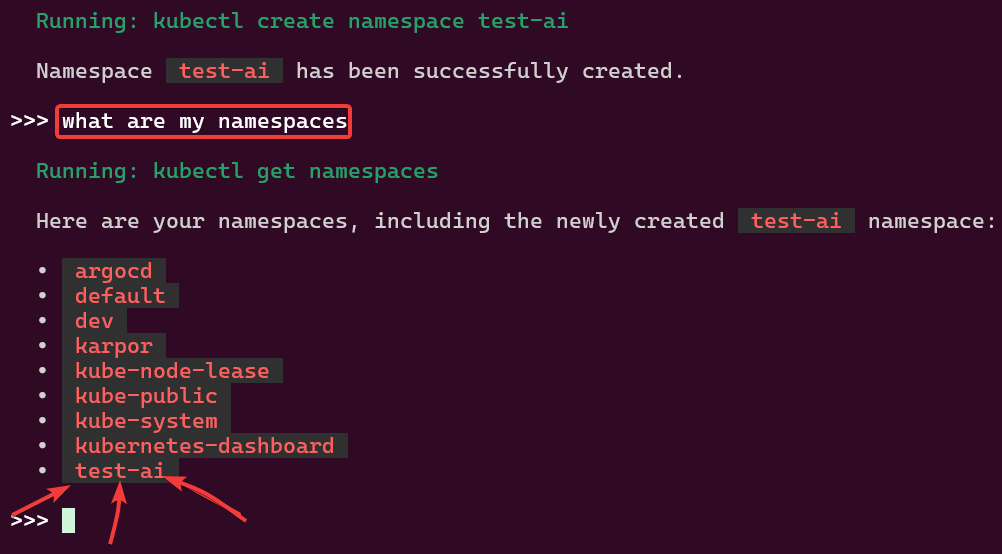
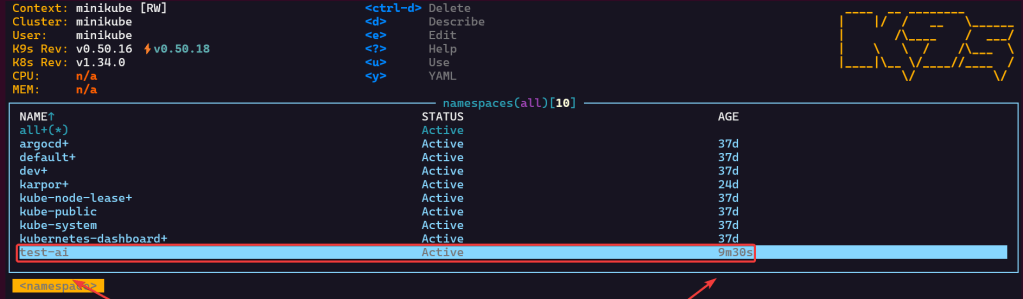
Example 2:
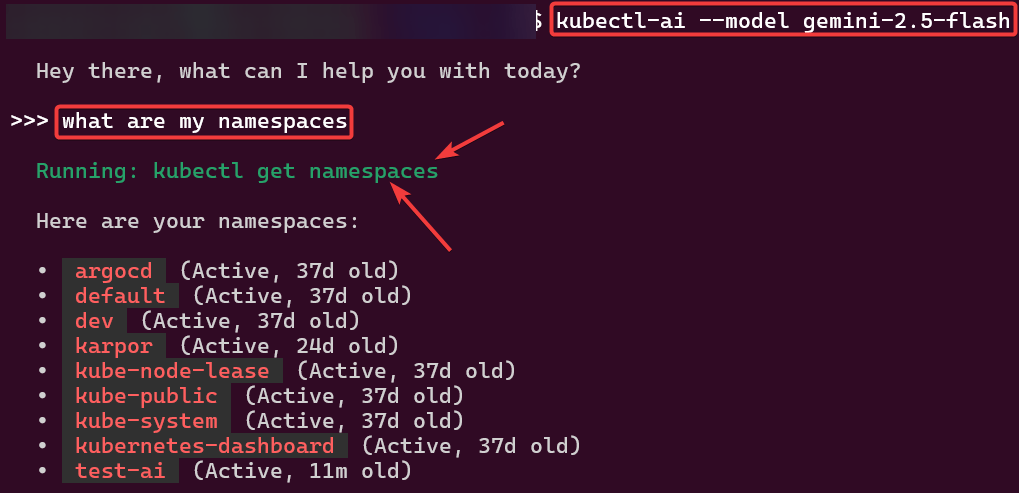
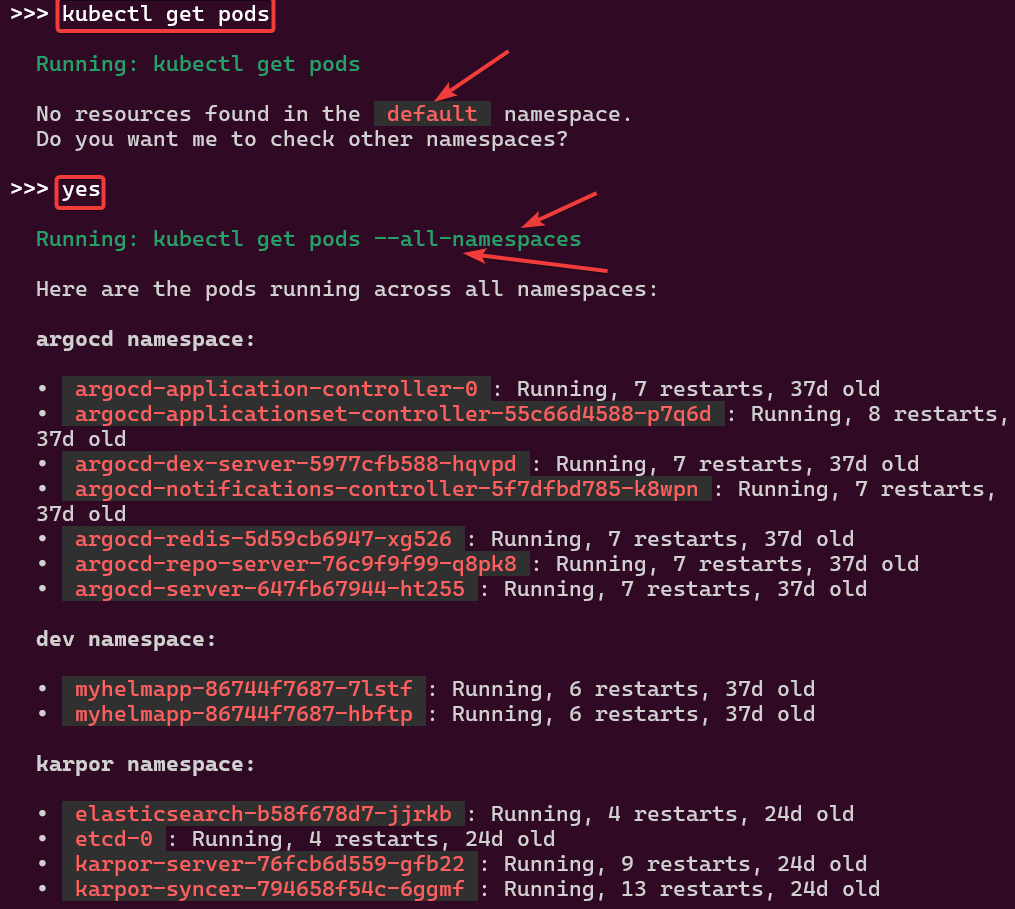
Example 3:
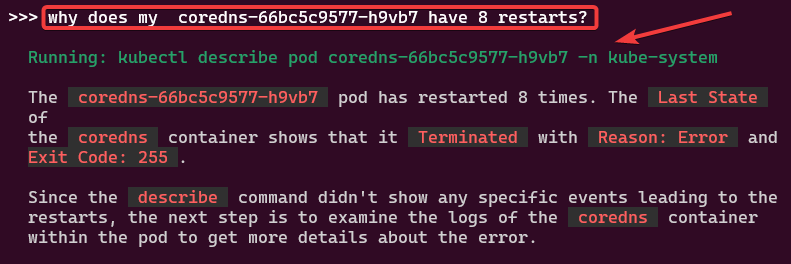
Example 4:
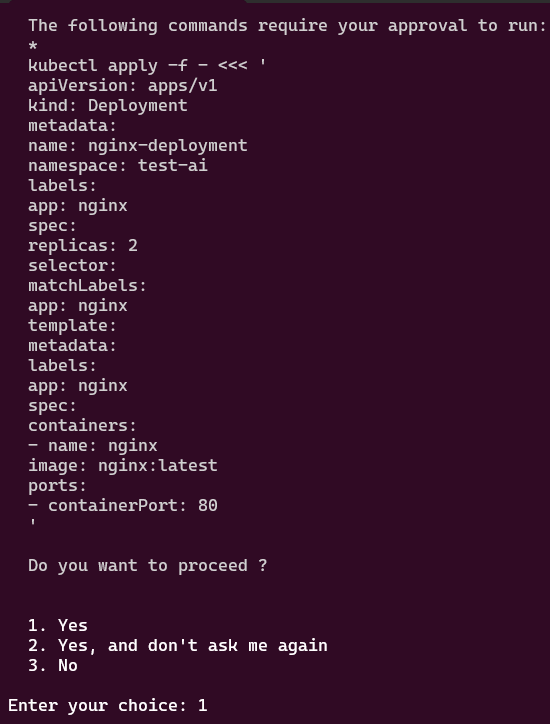
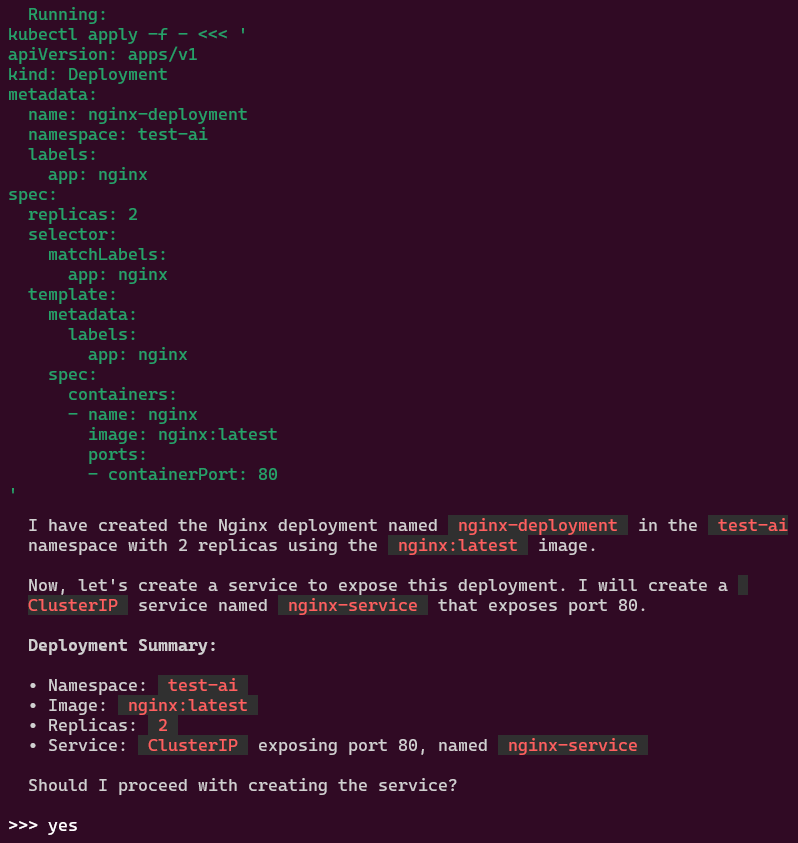


alrite peace


Install KusionStack Karpor CLI:
# brew tap KusionStack/tap# brew install KusionStack/tap/kusion
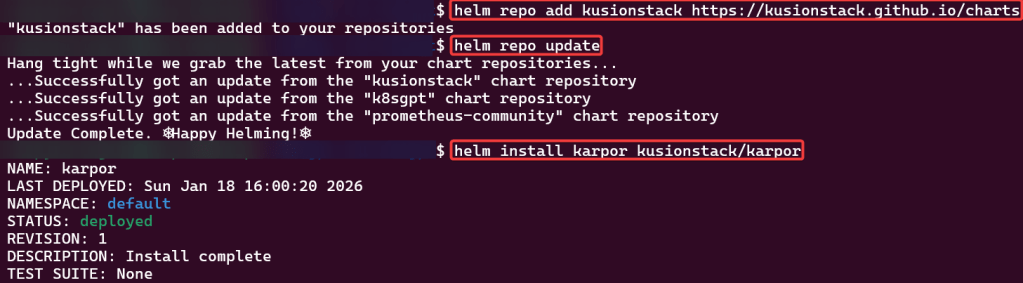
Helm Repo Add Karpor
# helm repo add kusionstack https://kusionstack.github.io/charts# helm repo update# helm install karpor kusionstack/karpor
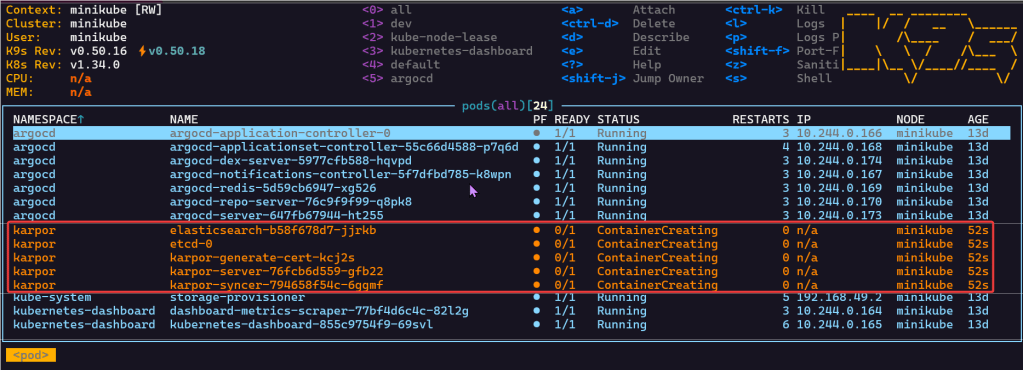
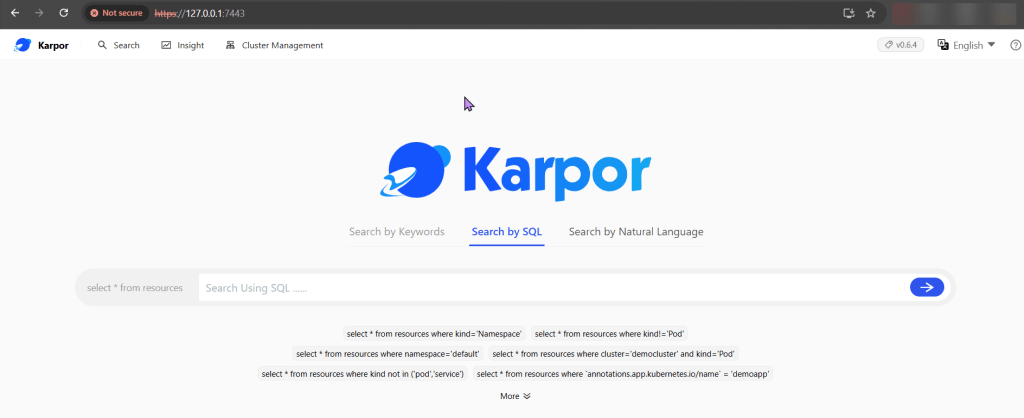
Port-Forward to 7443 & Review Dashboard:
Blog post includes installing K8s…GPT, see below for the goodies:

Installszz:
Github
https://github.com/k8sgpt-ai/k8sgpt
k8sgpt Docx:
https://docs.k8sgpt.ai/getting-started/in-cluster-operator/?ref=anaisurl.com
Ubuntu
# curl -LO https://github.com/k8sgpt-ai/k8sgpt/releases/download/v0.4.26/k8sgpt_amd64.deb
# sudo dpkg -i k8sgpt_amd64.deb
# k8sgpt version
# k8sgpt --help (handful of commands & flags available)
Pre-Reqzz:
Minikube
# unset KUBECONFIG
# minikube start
# minikube status
OpenAi
#  https://platform.openai.com/account/api-keys
K8sgpt
# k8sgpt generate
# k8sgpt auth add openai
# k8sgpt auth list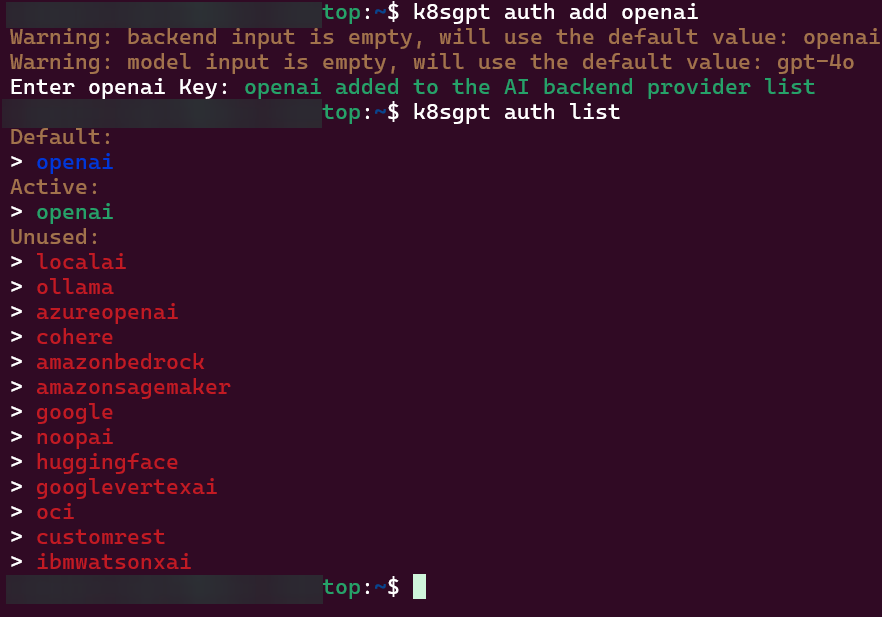
Troubleshoot why deployment is not running:
2 Links to leverage:
# deployment2
apiVersion: apps/v1
kind: Deployment
metadata:
  name: nginx-deployment
  labels:
    app: nginx
spec:
  replicas: 3
  selector:
    matchLabels:
      app: nginx
  template:
    metadata:
      labels:
        app: nginx
    spec:
      containers:
      - name: nginx
        image: nginx:1.14.2
        ports:
        - containerPort: 80
        securityContext:
          readOnlyRootFilesystem: true
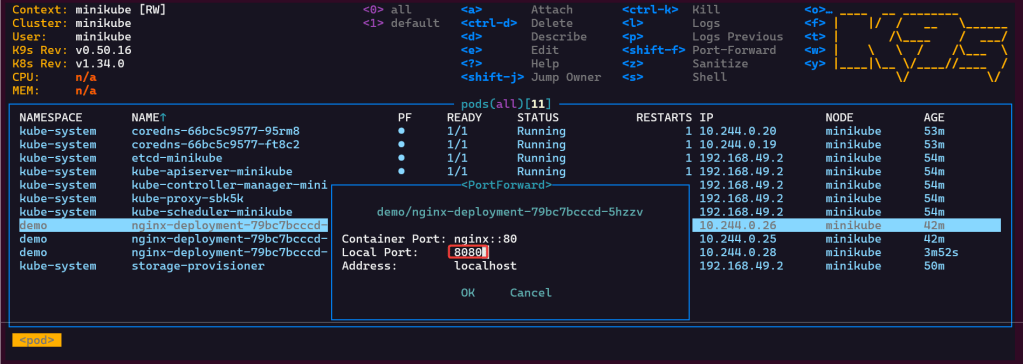
# kubectl create ns demo
# kubectl apply -f deployment2 -n demo
# k8sgpt analyse
# k8sgpt analyse --explain

Set pods, deployments, etc w/the following commands
# kubectl get pods -n demo
# kubectl get pods -A
# kubectl get deployments -n demo
# kubectl get pods --all-namespaces
# k8sgpt integration list
# k8sgpt filters list
# k8sgpt analyse --filter=VulnerabilityReport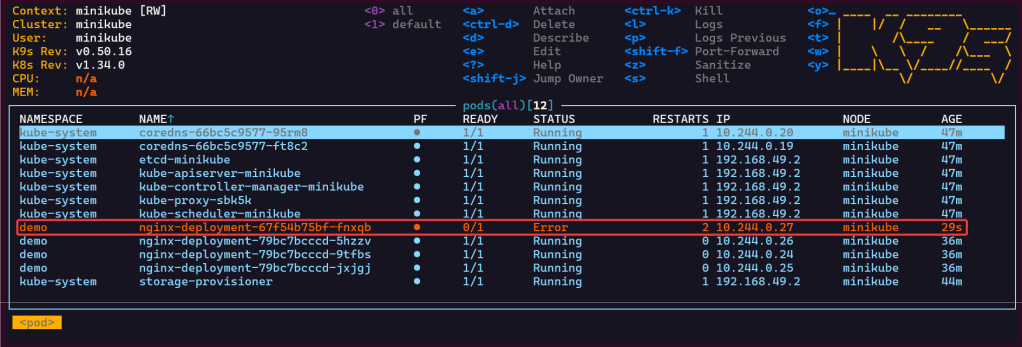
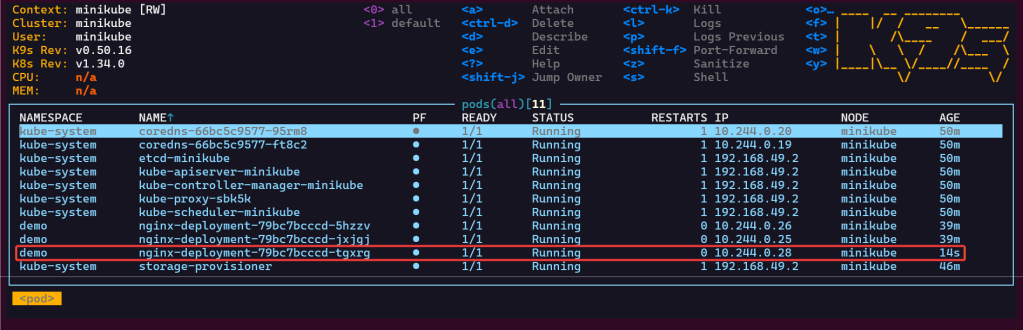
# vi deployment2
# kubectl apply -f deployment2 -n demo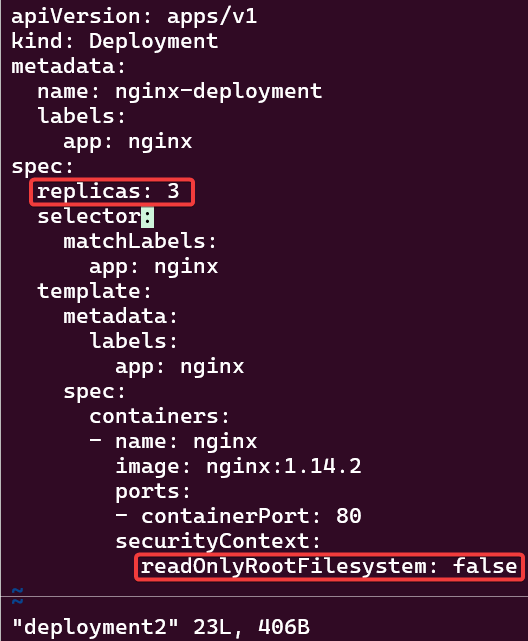

K8s Operator:
# brew install helm
# helm repo add k8sgpt https://charts.k8sgpt.ai/
# helm repo update
# helm install release k8sgpt/k8sgpt-operator -n k8sgpt-operator-system --create-namespace --values values.yaml
Commands to see if your new ns installed:
# kubectl get ns
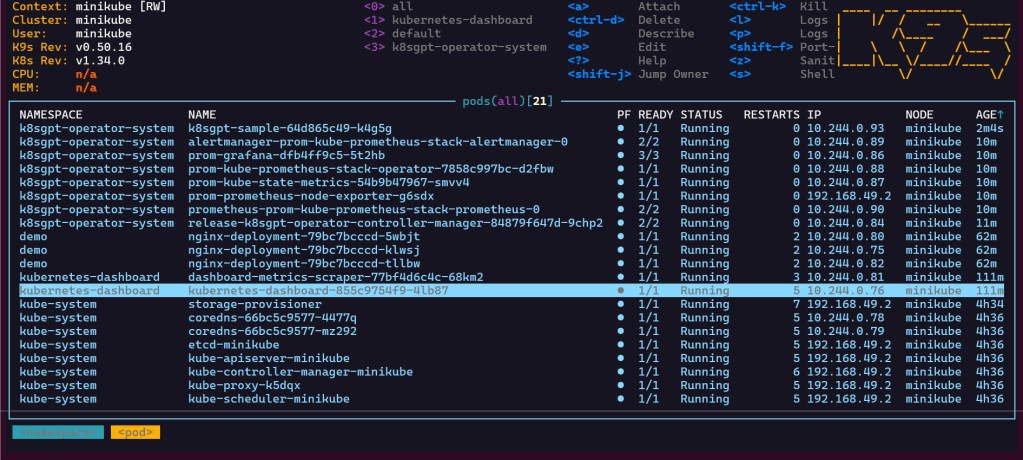
# kubectl get pods -n k8sgpt-operator-system
# k9s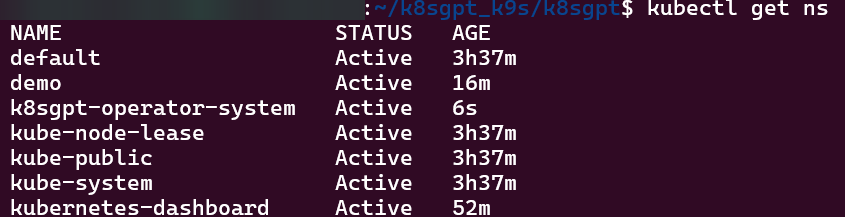
ServiceMonitor to send reports to Prometheus & create DB for K8sgpt:
# helm repo add prometheus-community https://prometheus-community.github.io/helm-charts
# kube-prometheus-stack has been installed. Check its status by running:
  kubectl --namespace k8sgpt-operator-system get pods -l "release=prom"
Commands to squirrel away:
- Get Grafana 'admin' user password by running:
# kubectl --namespace k8sgpt-operator-system get secrets prom-grafana -o jsonpath="{.data.admin-password}" | base64 -d ; echo
- Access Grafana local instance:
# export POD_NAME=$(kubectl --namespace k8sgpt-operator-system get pod -l "app.kubernetes.io/name=grafana,app.kubernetes.io/instance=prom" -oname)
  kubectl --namespace k8sgpt-operator-system port-forward $POD_NAME 3000
- Get your grafana admin user password by running:
  kubectl get secret --namespace k8sgpt-operator-system -l app.kubernetes.io/component=admin-secret -o jsonpath="{.items[0].data.admin-password}" | base64 --decode ; ech
OpenAi API-Keyz for K8s Secret:
# export OPENAI_TOKEN=<YOUR API KEY HERE>
# kubectl create secret generic k8sgpt-sample-secret --from-literal=openai-api-key=$OPENAI_TOKEN -n k8sgpt-operator-system
#
apiVersion: core.k8sgpt.ai/v1alpha1
kind: K8sGPT
metadata:
  name: k8sgpt-sample
  namespace: k8sgpt-operator-system
spec:
  ai:
    enabled: true
    model: gpt-4o-mini
    backend: openai
    secret:
      name: k8sgpt-sample-secret
      key: openai-api-key
  noCache: false
  version: v0.4.26
# kubectl apply -f k8sgpt-resource.yaml -n k8sgpt-operator-system
k9s
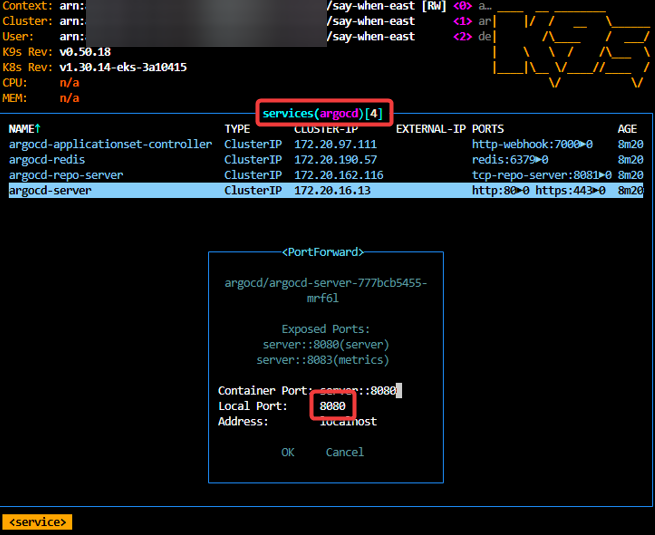
- services, shift-f, port-forward prometheus-operated:9090
# kubectl get results -n k8sgpt-operator-system
# kubectl port-forward service/prom-grafana -n prom 3000:80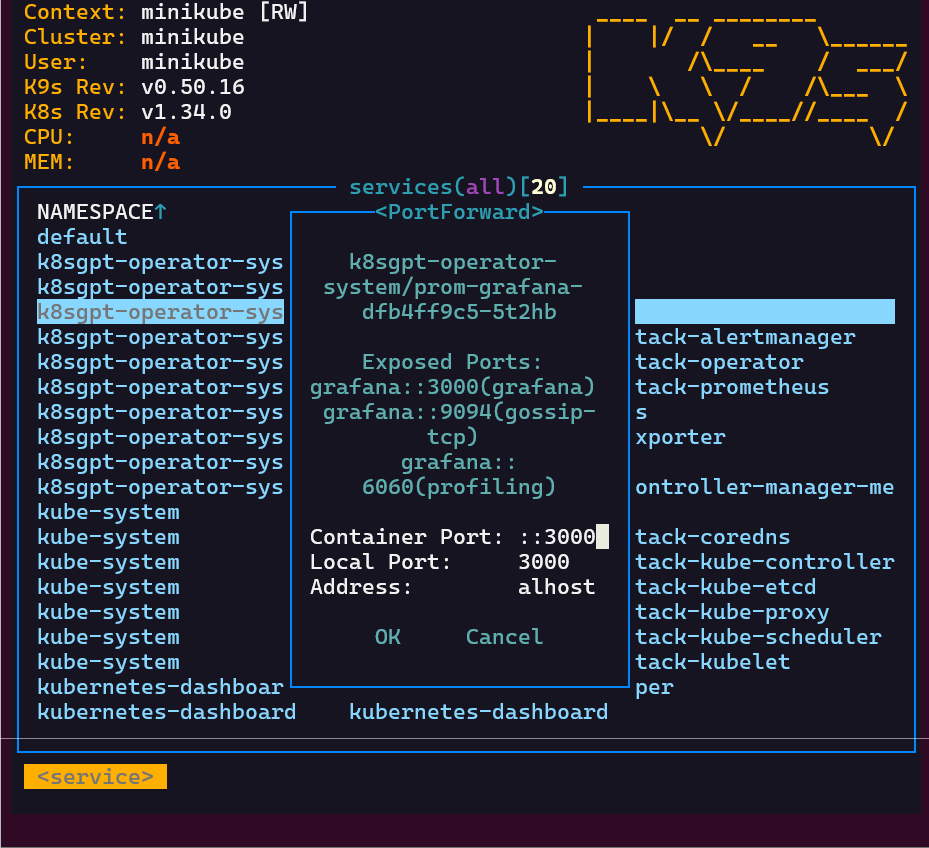
Finding grafana password
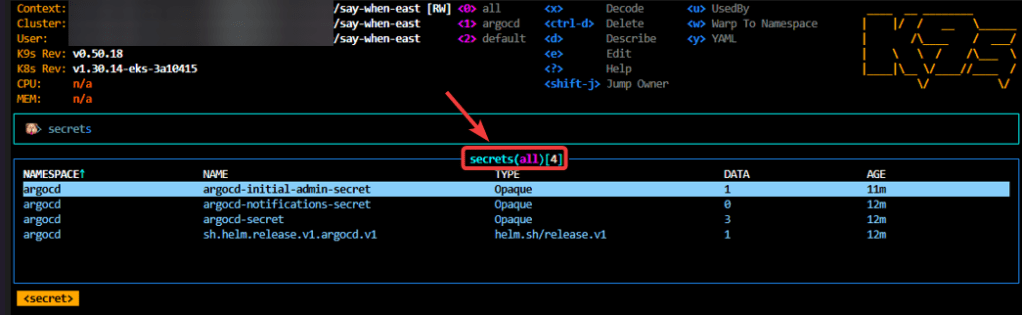
- secrets & press-x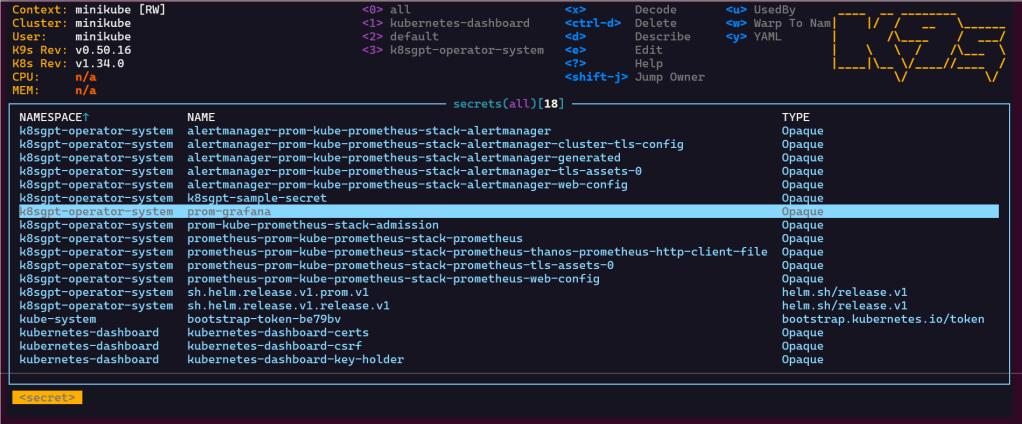
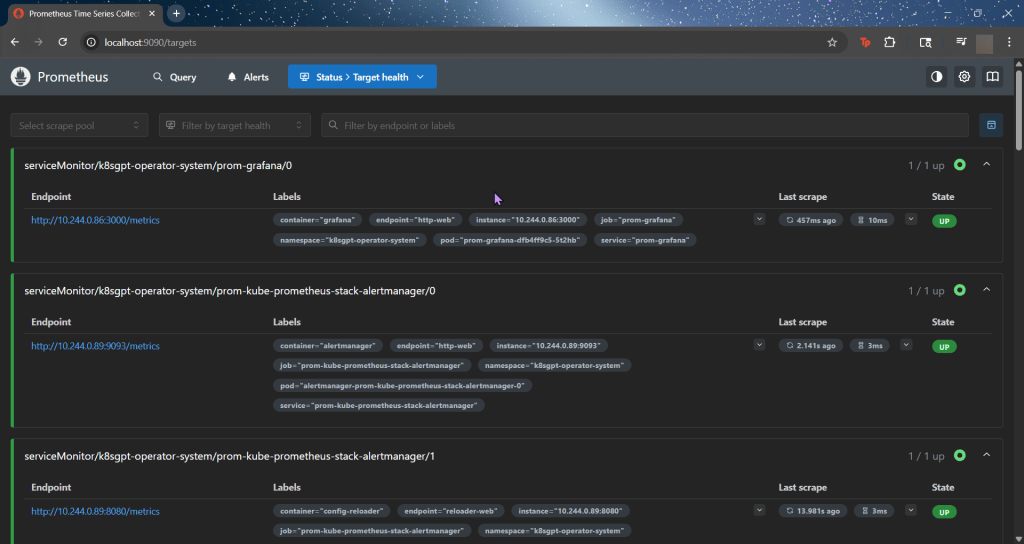
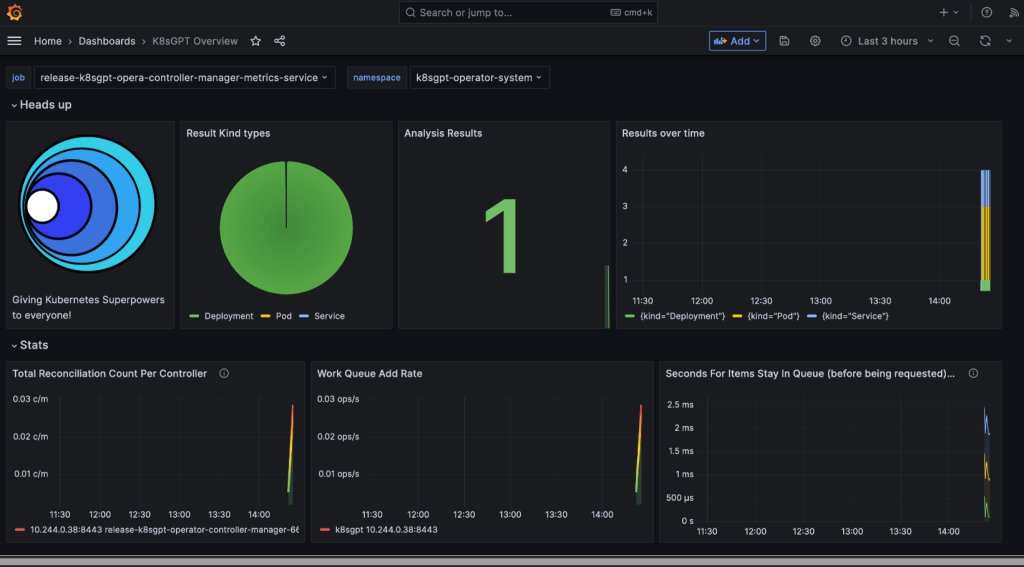

Github Repo Link:
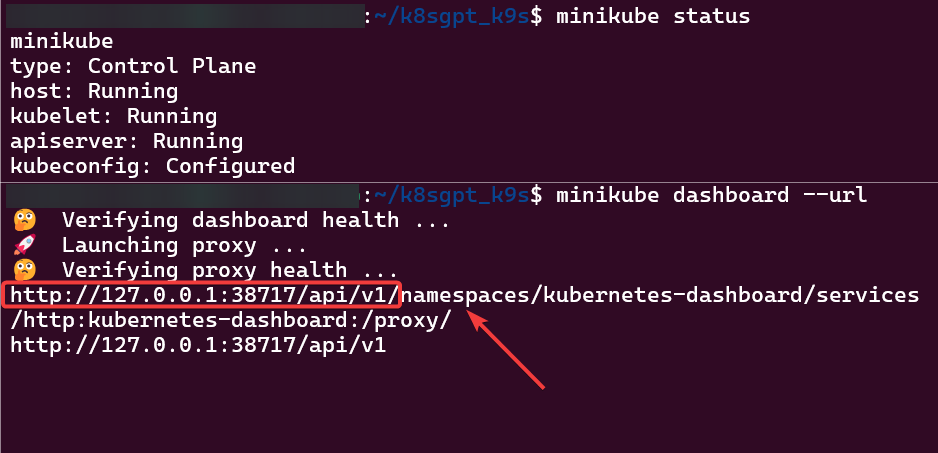
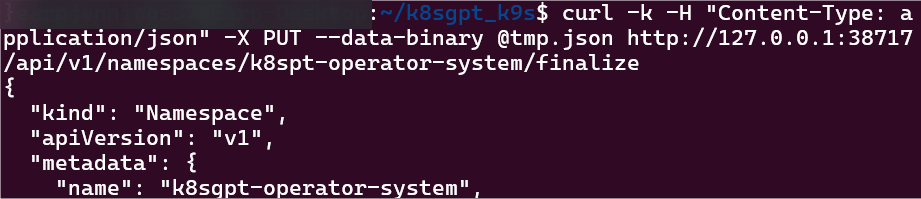
https://www.redhat.com/en/blog/troubleshooting-terminating-namespacesOpen 2 terminals:- Terminal 1# minikube start# minikube dashboard --url- Terminal 2# kubectl get namespace k8sgpt-operator-system -o json > tmp.json# vi tmp.json# curl -k -H "Content-Type: application/json" -X PUT --data-binary @tmp.json http://127.0.0.1:38717/api/v1/namespaces/k8spt-operator-system/finalize


Blog post includes installing K9s, see below for the goodies:

Install K9s!
# /bin/bash -c "$(curl -fsSL https://raw.githubusercontent.com/Homebrew/install/HEAD/install.sh)"
# brew install k9s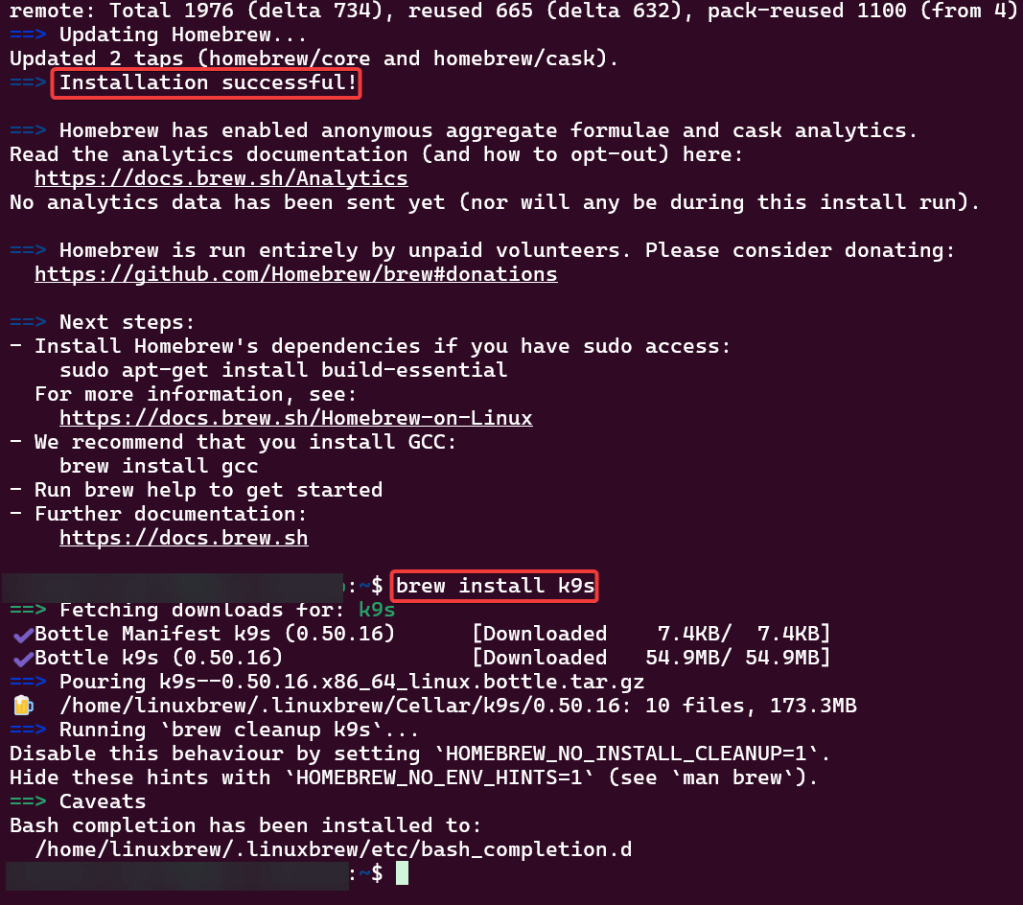
Pre-Reqx:

Github Repo Link:
# snap install kubectl -classic# kubectl version --client# sudo snap install microk8s --classic# sudo usermod -a -G microk8s <username># sudo chown -R <username> ~/.kube# newgrp microk8s# microk8s kubectl get nodes
# cd $HOME# mkdir .kube# cd .kube# microk8s config > config# microk8s start

K8s Cluster:
# git clone git@github.com:<docker_hub_name>/react-article-display.git# cd react-article-display# docker build -t <docker_hub_name>/react-article-display:demo .# docker run -d -p 3000:80 <docker_hub_name>/react-article-display:demolocalhost:3000

# docker stop <see string above from previous command># docker login# docker push <image name>
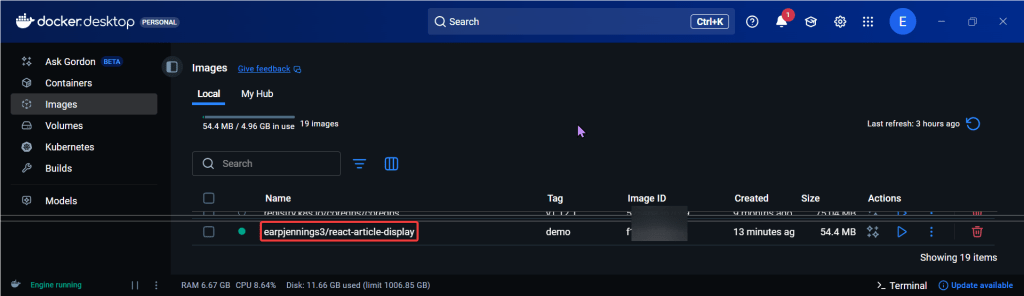
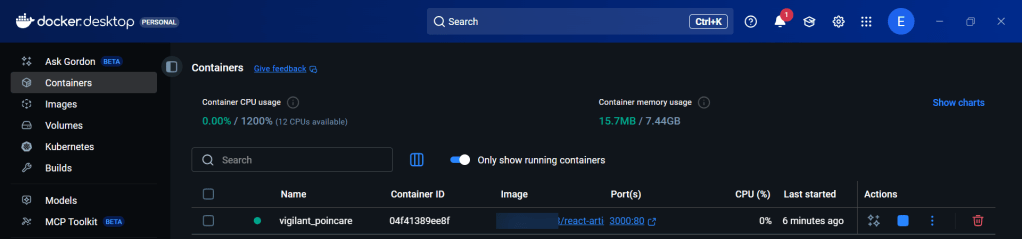
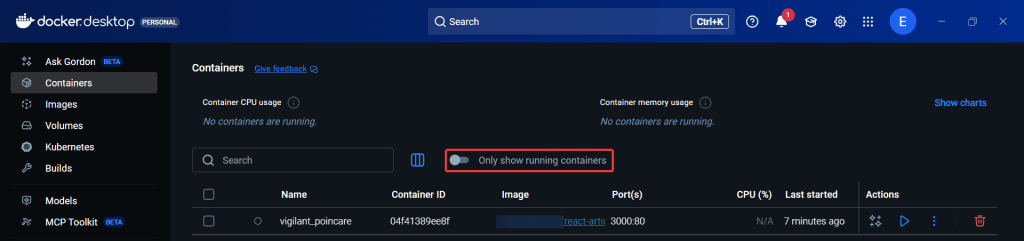
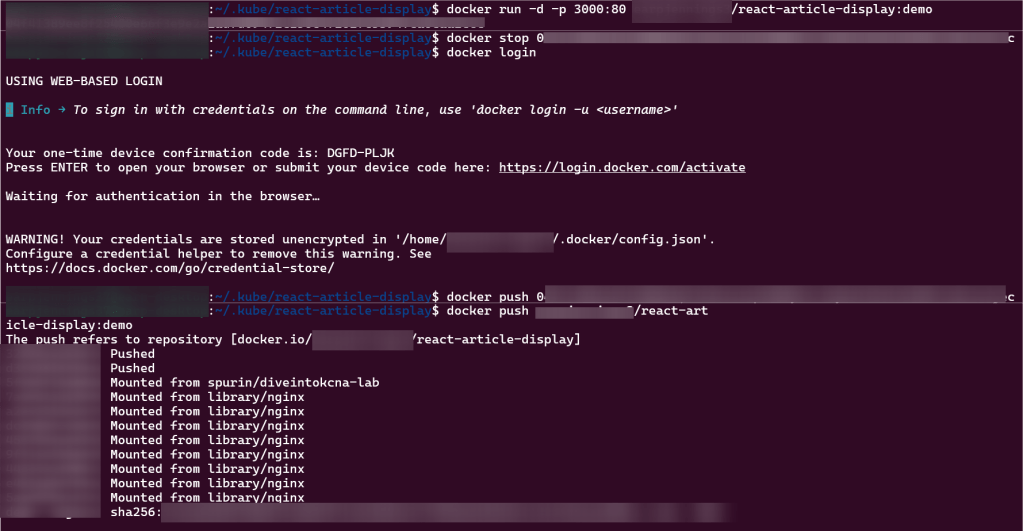
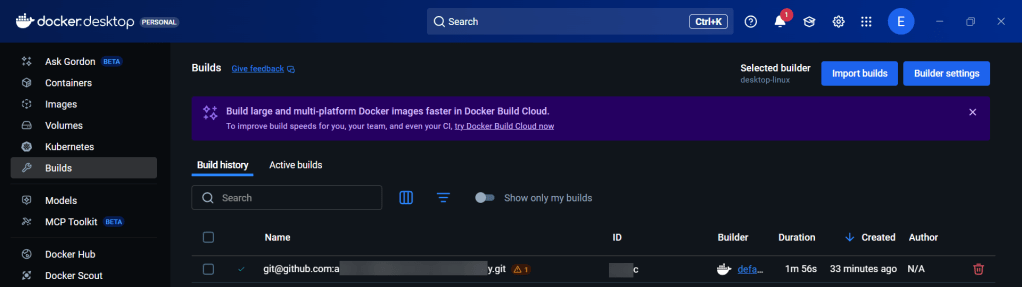
# kubectl run my-app-image --image <above># kubectl get pods# kubectl port-forward my-app-image 3000:80

Blog post includes covering Cloud Architecture Fundamental’s in preparation for the KCNA.

Blog post includes covering Containers w/Docker in preparation for the KCNA.

Blog post includes covering Cloud Application Delivery in preparation for the KCNA.
ArgoCD: https://github.com/spurin/argo-f-yourself
# kubectl create namespace argocd
# kubectl apply -n argocd -f https://raw.githubusercontent.com/argoproj/argo-cd/stable/manifests/install.yaml
# watch --differences kubectl get all -n argocd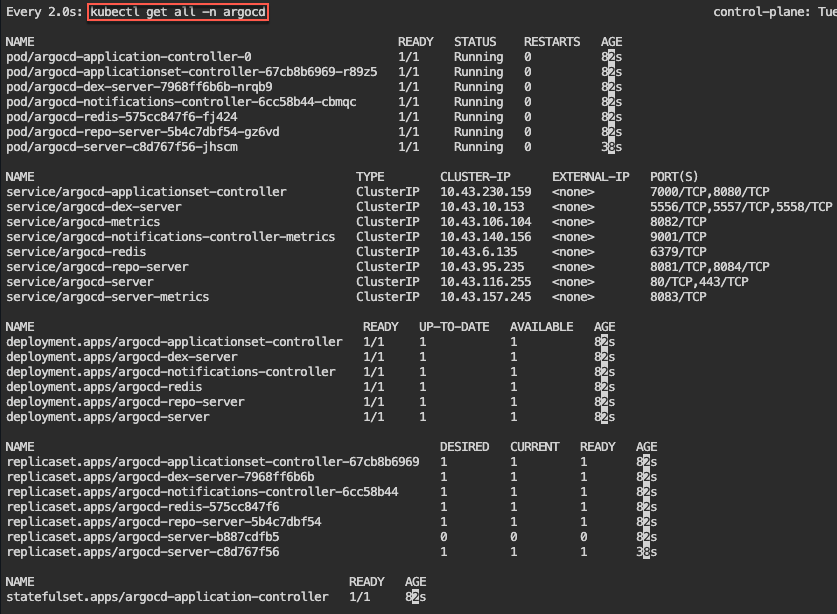
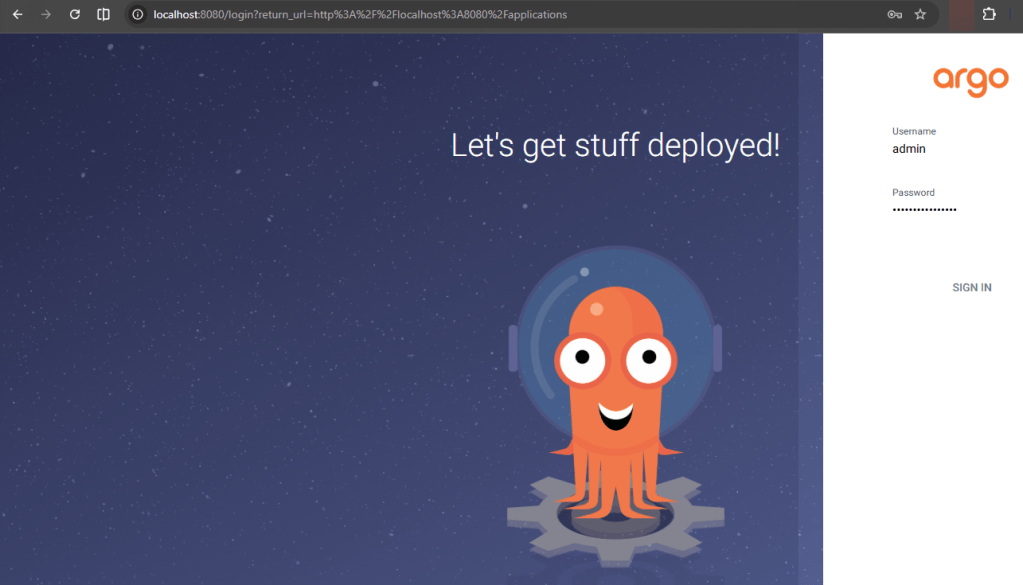
# kubectl -n argocd get secret argocd-initial-admin-secret -o jsonpath="{.data.password}" | base64 -d
# kubectl -n argocd get svc
 Say When..