A sprinkle of MiniKube & a pinch of Helm

Goal:

So you got a Minikube cluster right? Now lets use Helm to deploy a microservice stack!

Lessons Learned:

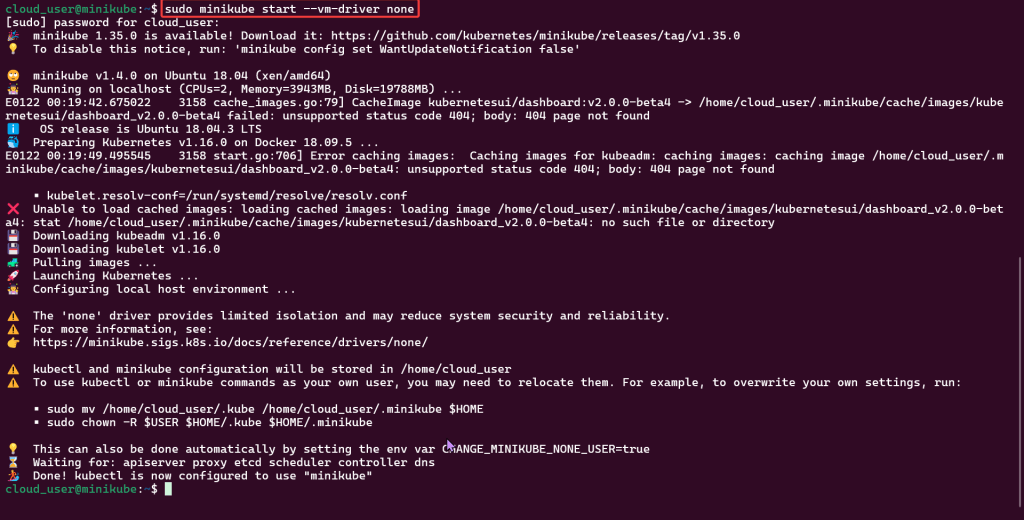
  • Start Minikube Cluster
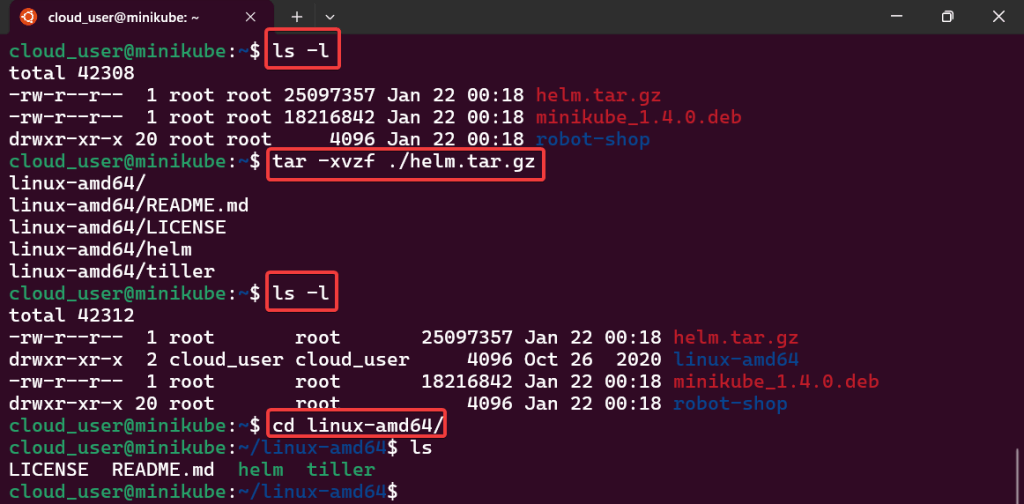
  • Unpack Helm, Move-it, Install, & Init
    • tar -xvzf ~/helm.tar.gz
    • sudo mv
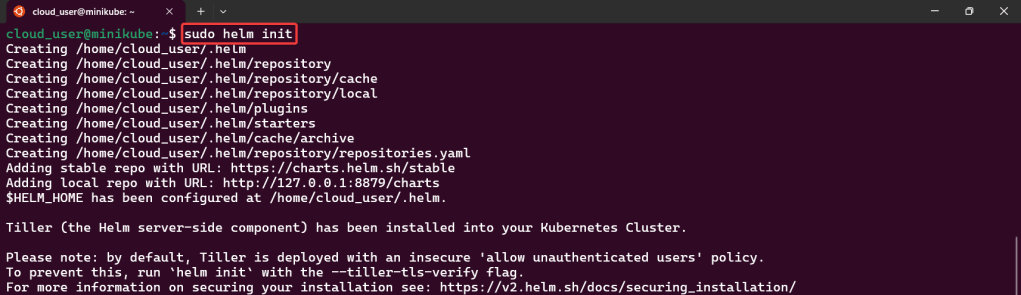
    • Sudo helm init
  • Install Namespace w/Helm
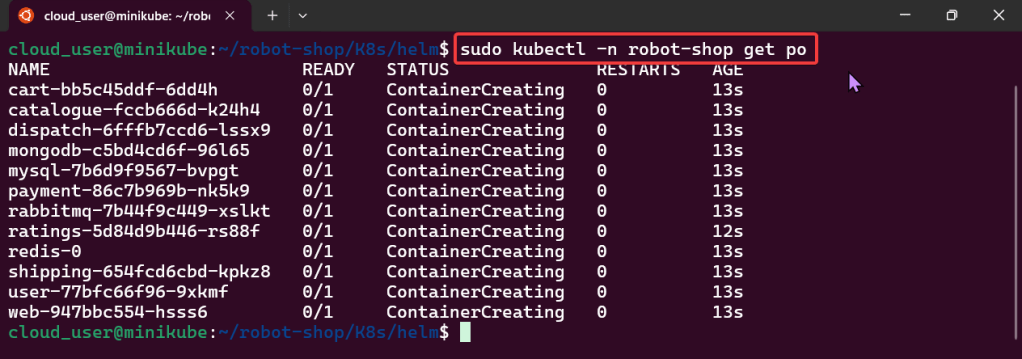
    • sudo kubectl
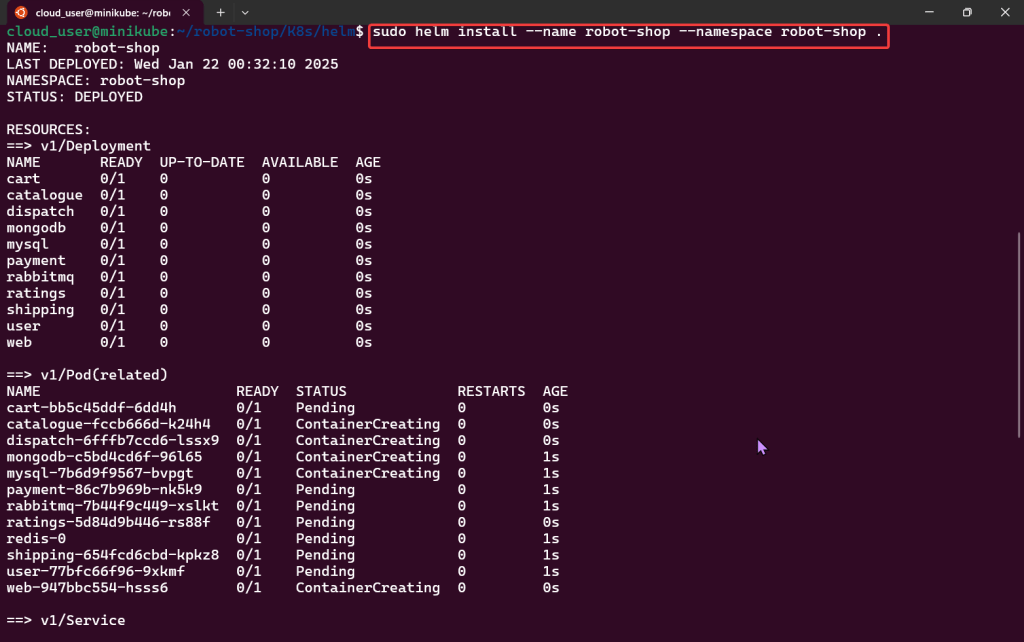
    • sudo helm install
    • sudo kubectl
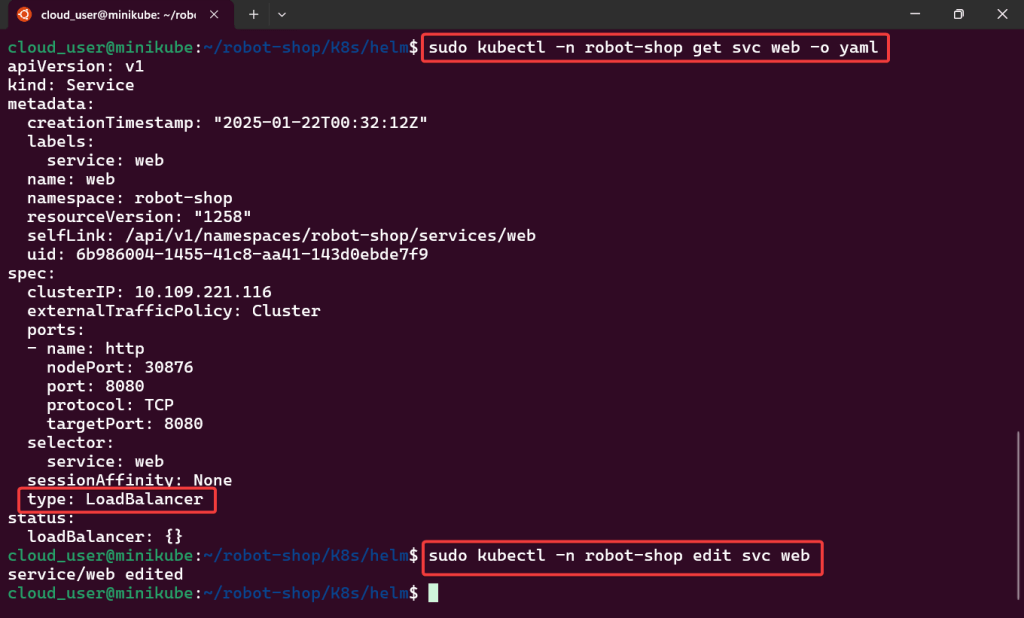
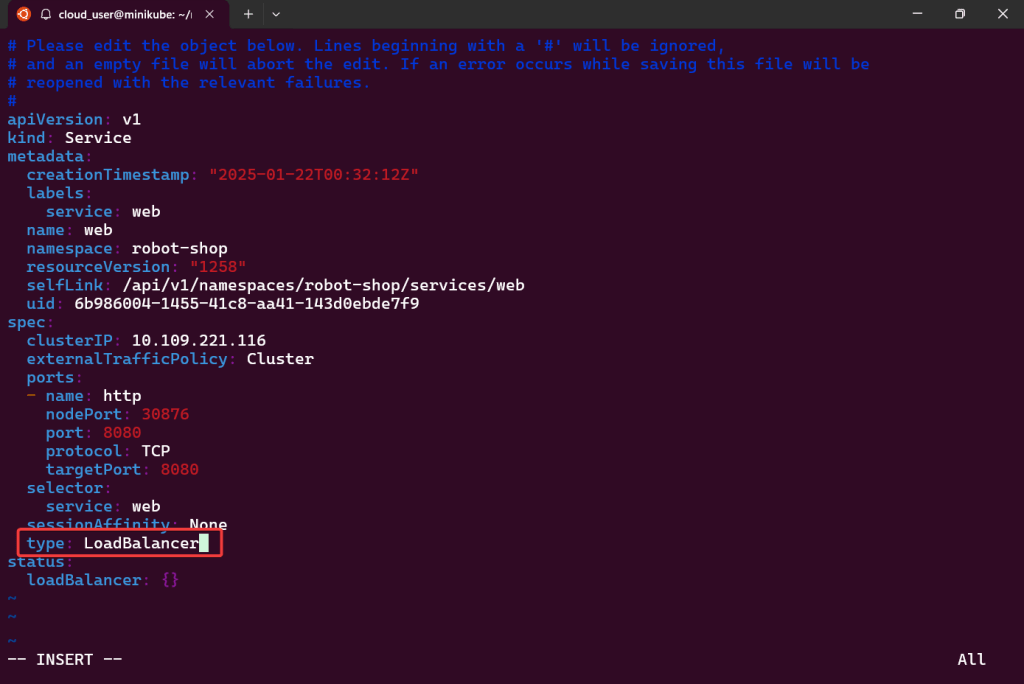
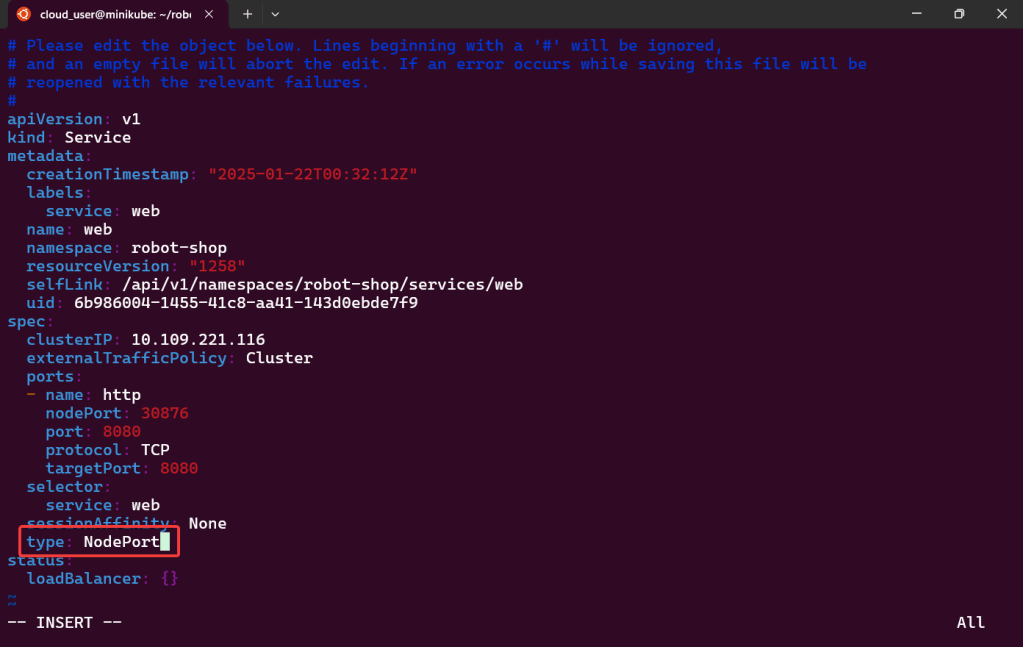
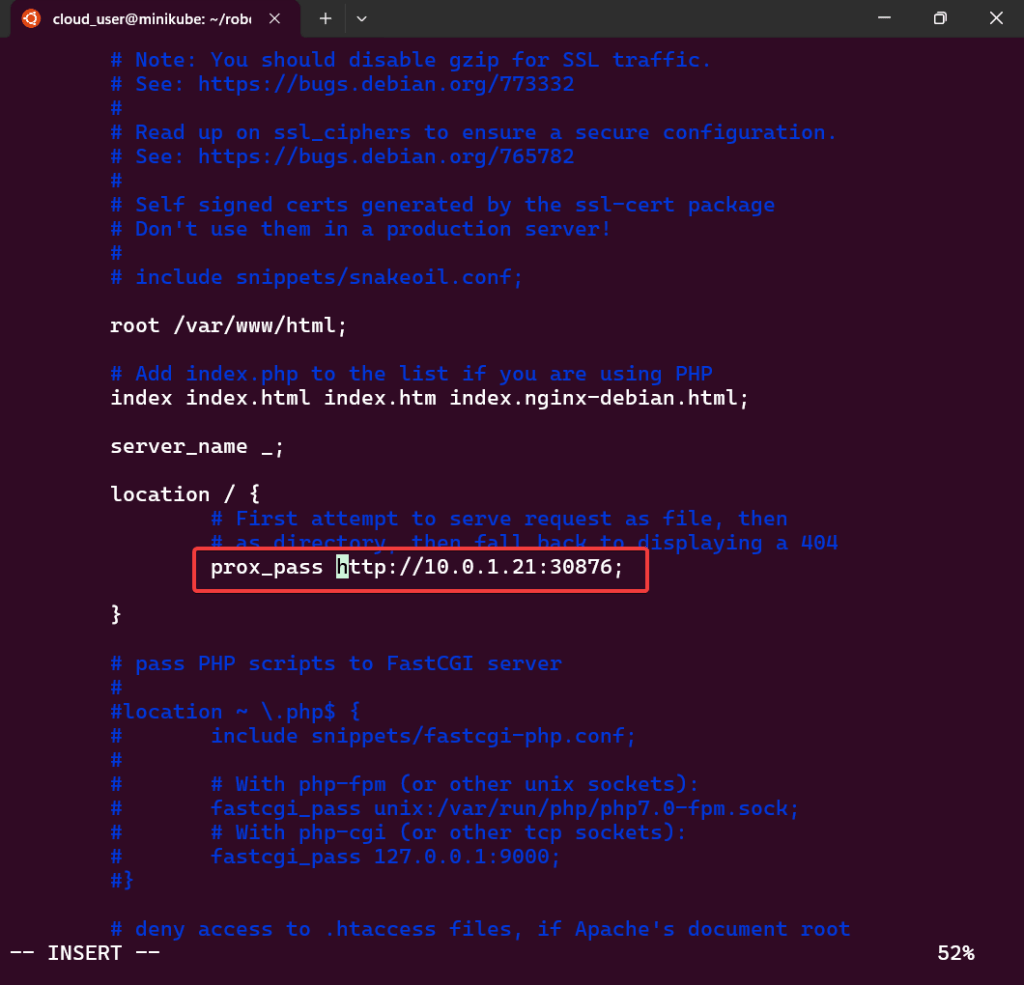
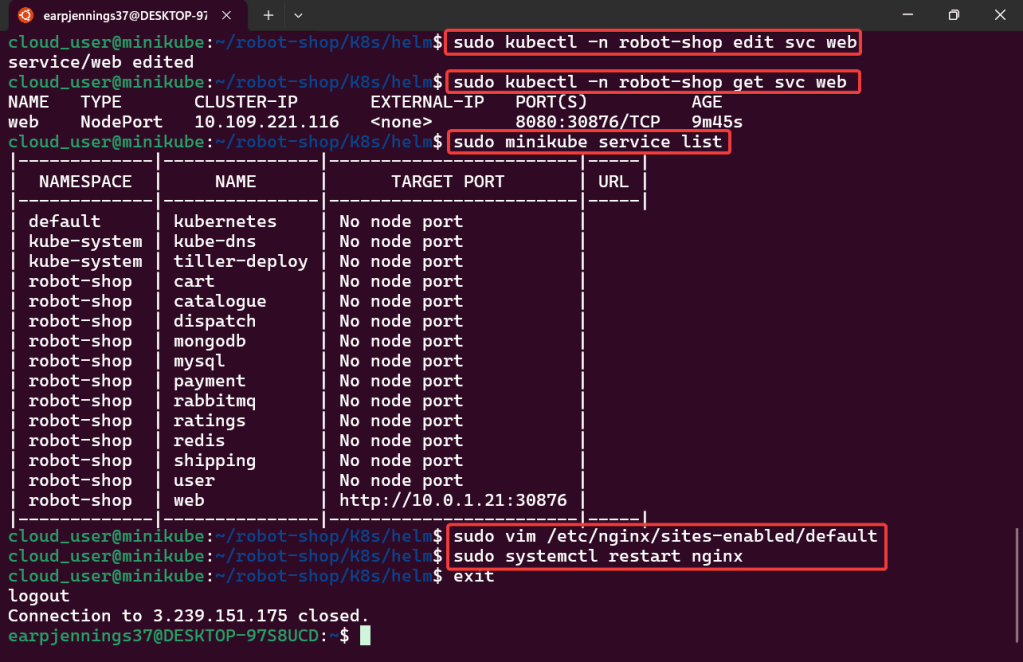
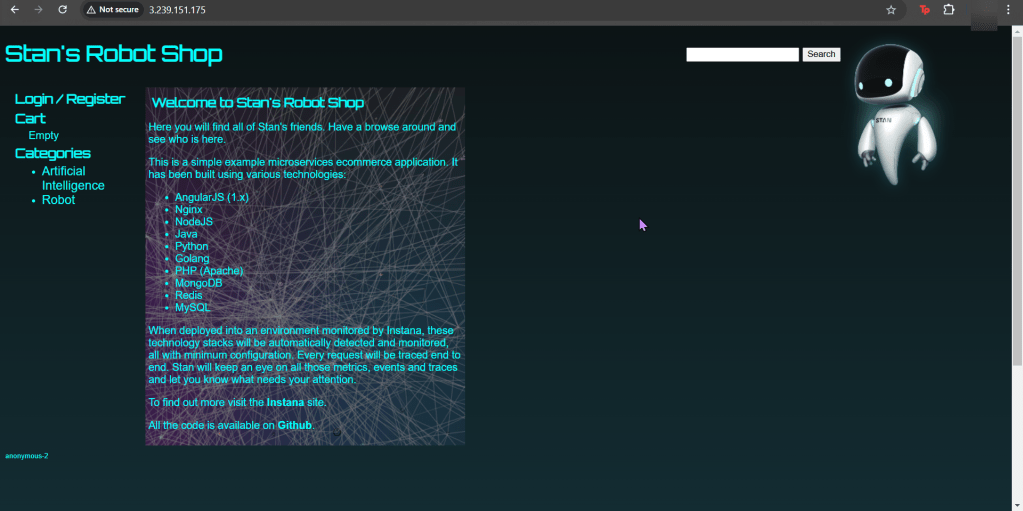
  • Edit to use Nodeport & Configure Nginx to Proxy

Start Minikube Cluster:

Edit to use Nodeport & Configure Nginx to Proxy:

tar -xvzf ~/helm.tar.gz:

sudo mv:

Sudo helm init:

Install Namespace w/Helm:

Sudo kubectl:

Sudo helm install:

Sudo kubectl:

Edit to use Nodeport & Configure Nginx to Proxy:

Part 2: Monitoring Containers w/Prometheus

Goal:

Context:

Lets show how you can help a team migrate their infrastructure to Docker containers..

Part 2 Activities:

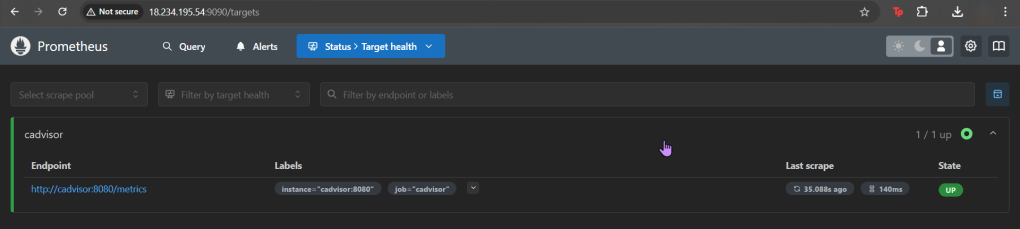
Monitor the new environment w/Docker (stats) & Prometheus, you can see how to utilize a cool feature like Docker Compose & cAdvisor.

Lessons Learned:

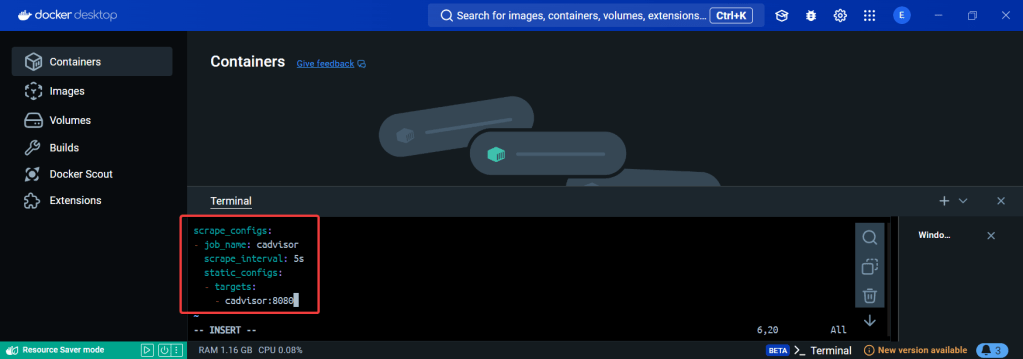
  • Create a Prometheus YAML File
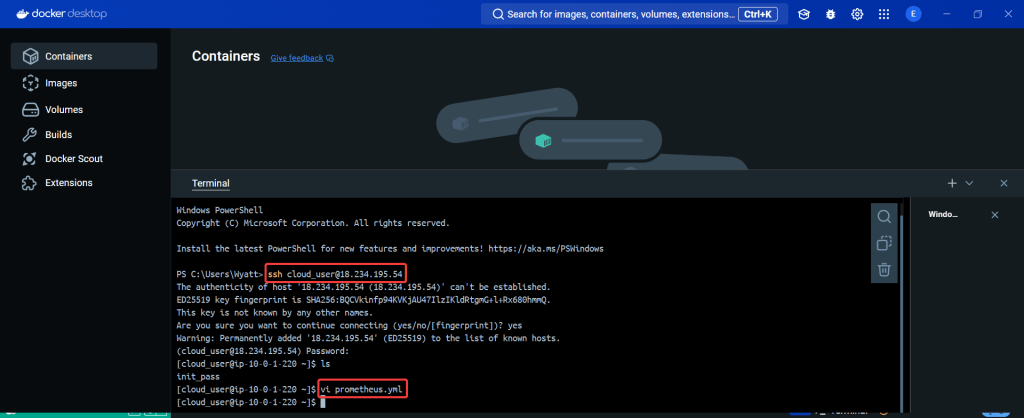
    • vi prometheus.yml
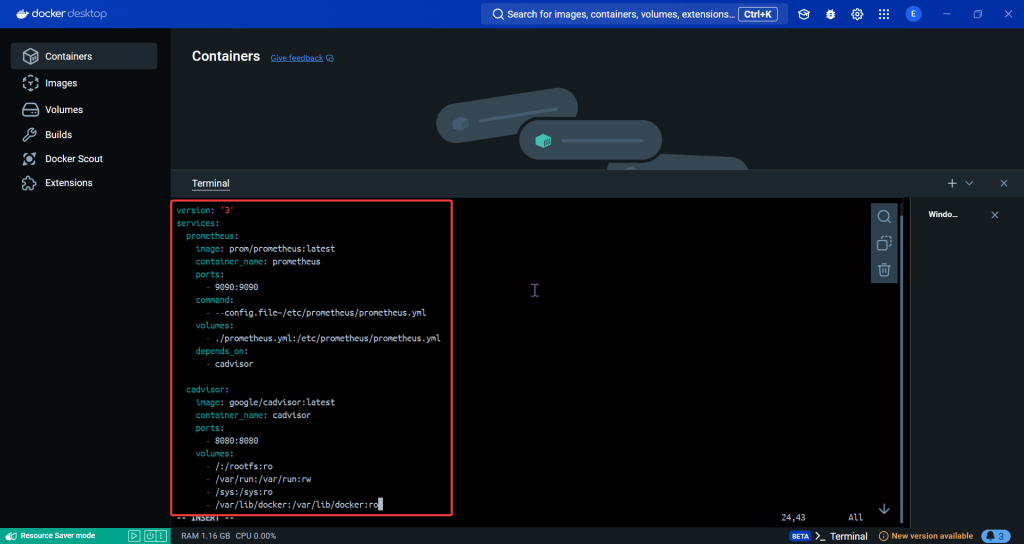
  • Create a Prometheus Service
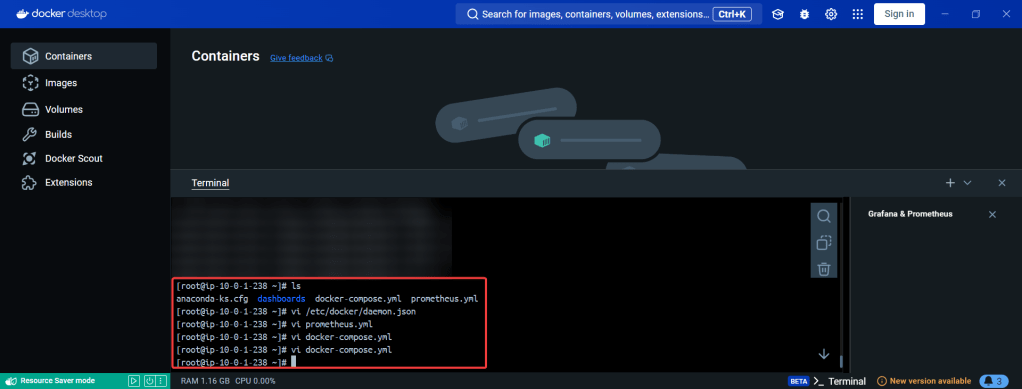
    • vi docker-compose.yml
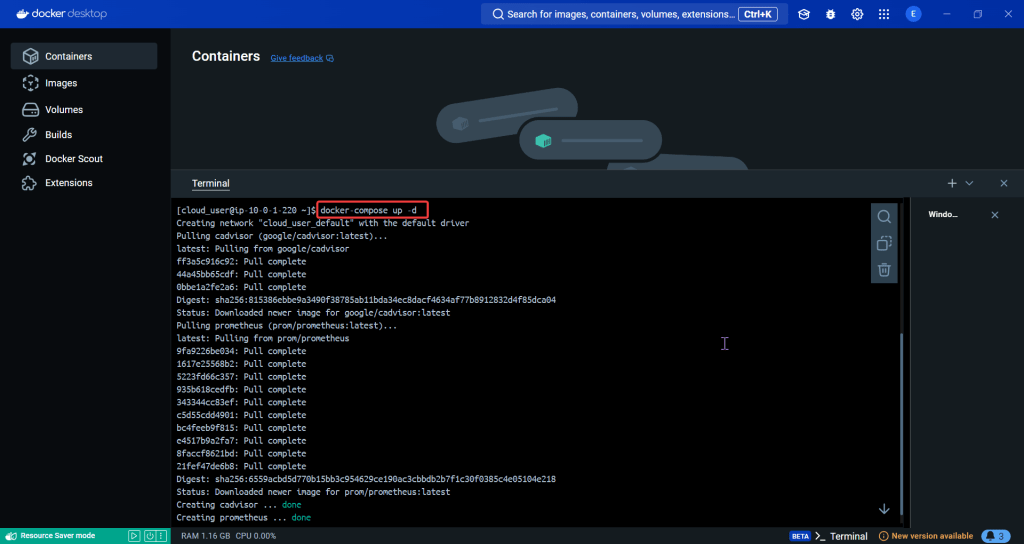
    • docker-compose up -d
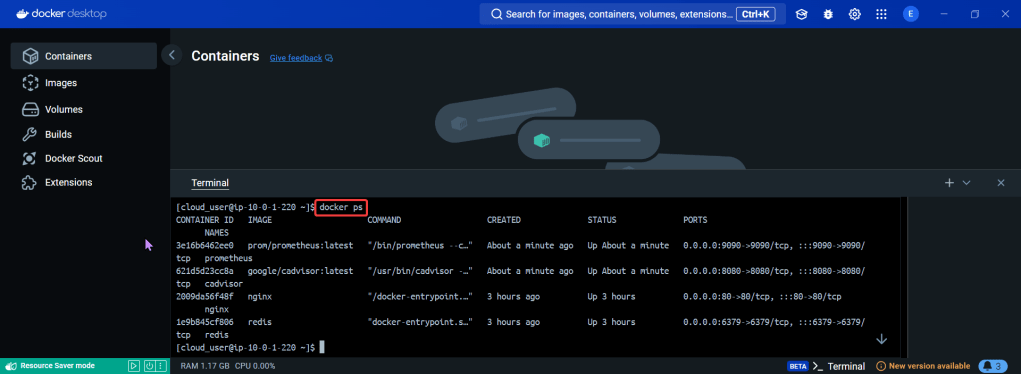
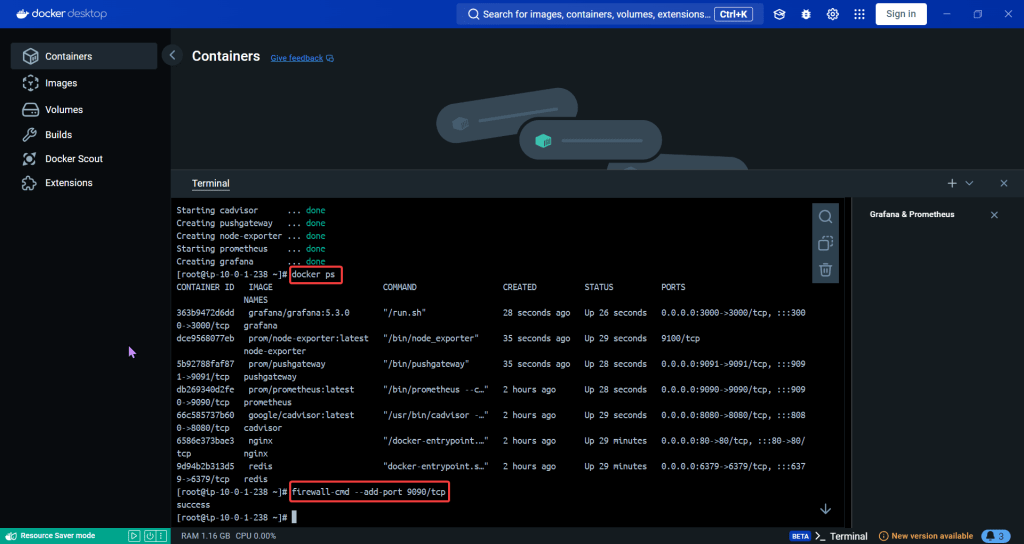
    • docker ps
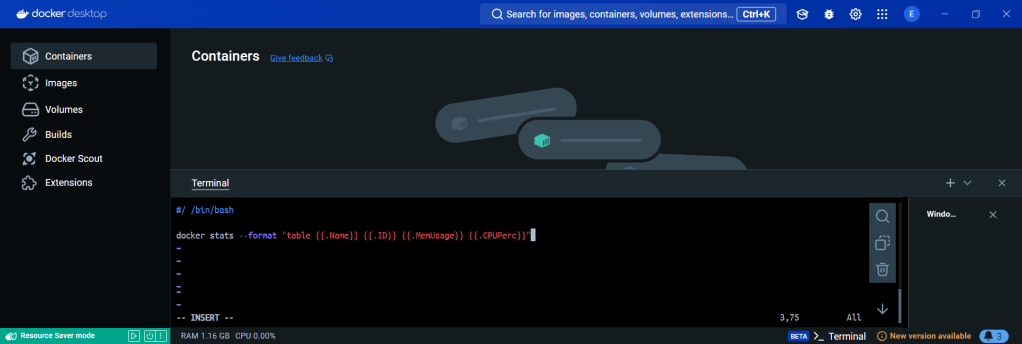
  • Create Stats Shell
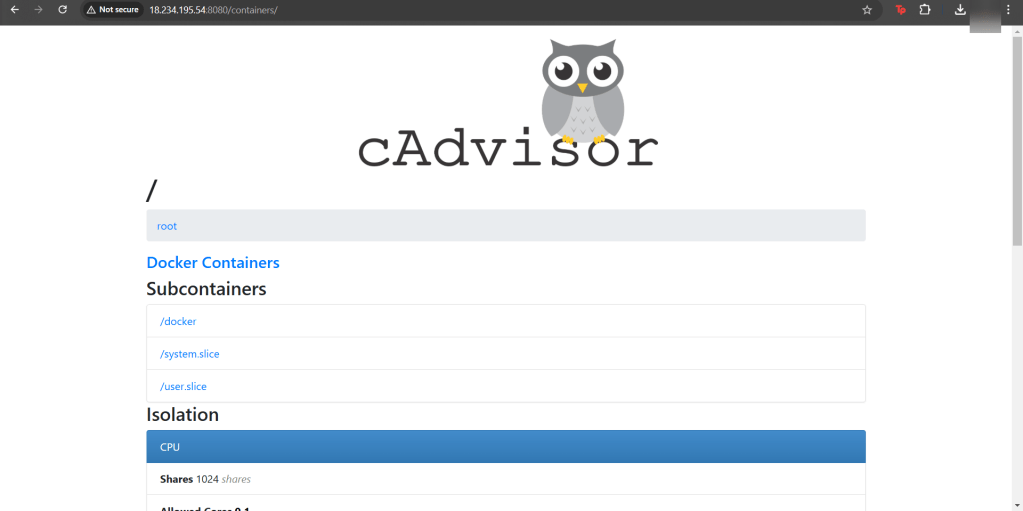
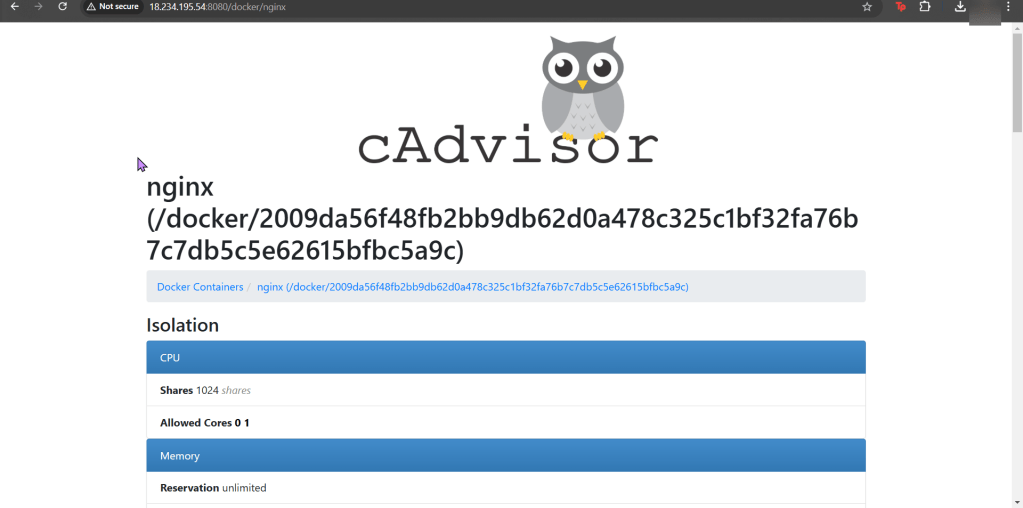
    • Investigate cAdvisor
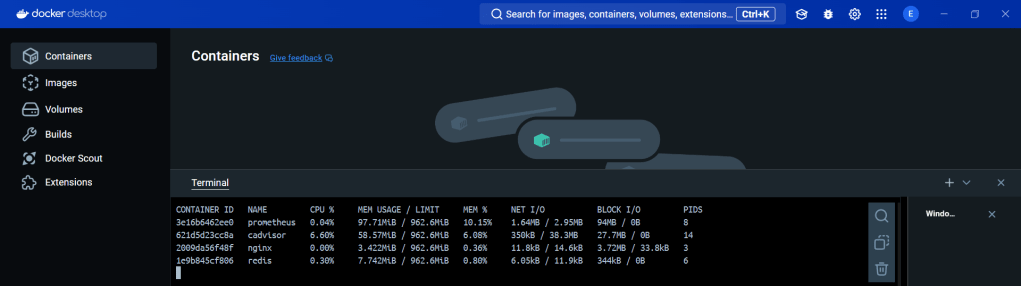
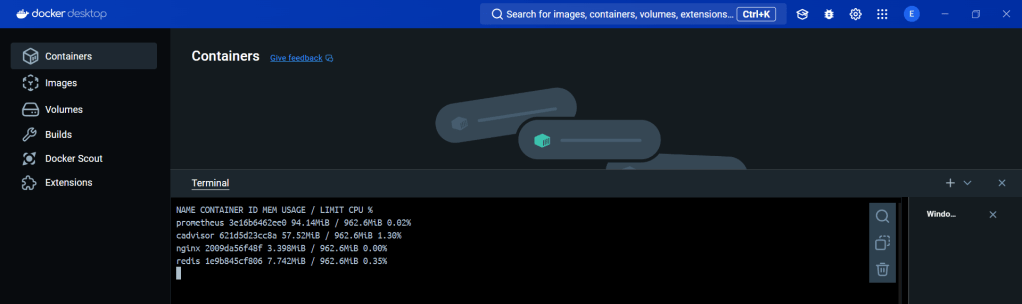
    • Stats in Docker
    • Doper Stats

Create a Prometheus YAML File:

  • Collect metrics & monitoring using Prometheus/cAdvisor to deploy containers using docker-compose

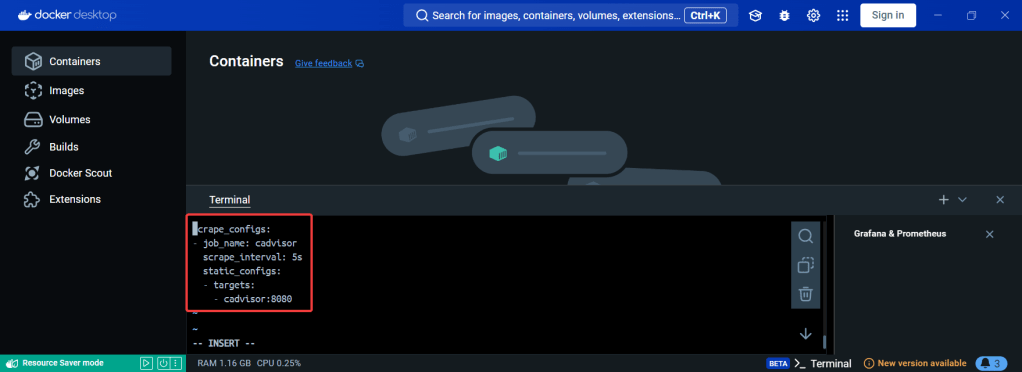
vi Prometheus.yml:

Create a Prometheus Service:

vi docker-compose.yml:

docker-compose up -d:

docker ps

Create Stats Shell:

Investigate cAdvisor:

Stats in Docker:

  • docker stats

Doper Stats:

  • vi stats.sh
  • chmod a+x stats.sh

Part 1: Use Grafana w/Prometheus for Alert & Monitoring

Goal:

Context:

Lets show how you can help a team migrate their infrastructure to Docker containers..

Part 1 Activities:

See how to utilize Prometheus to monitor your toys (containers). Then you can use the gangster tool of Grafana to visualize & alert!

Lessons Learned:

  • Pre-Req
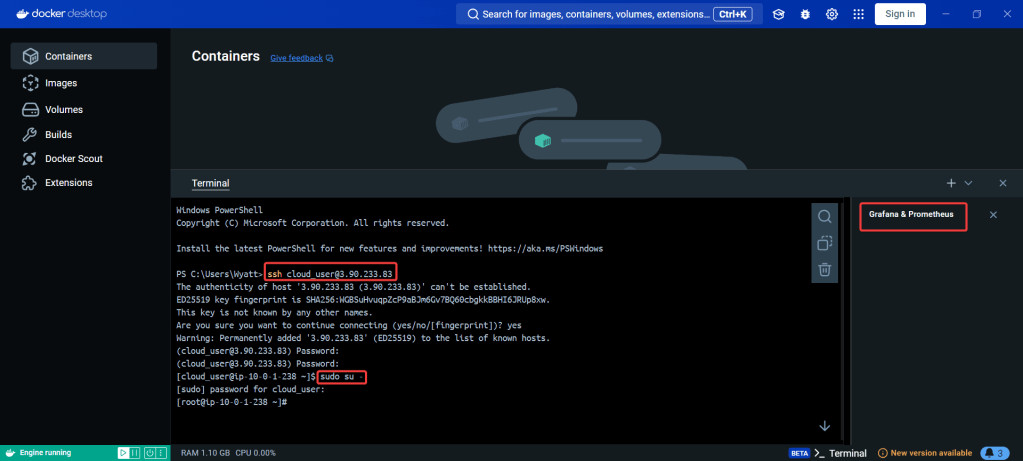
    • SSH & Eleevate to Sudo su – !!
  • Configure Docker
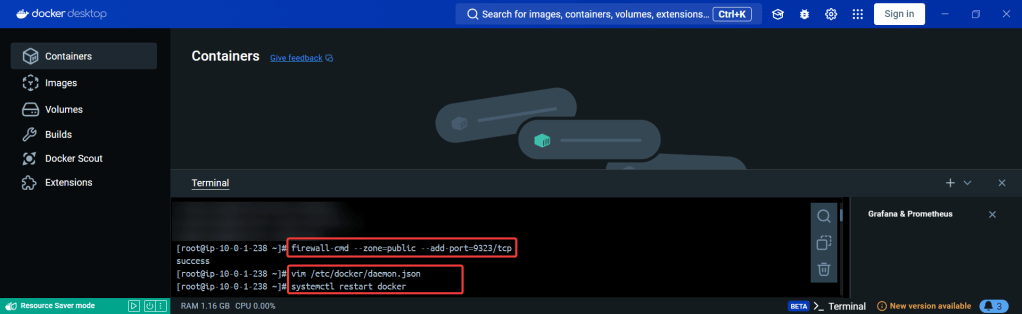
    • Open Port
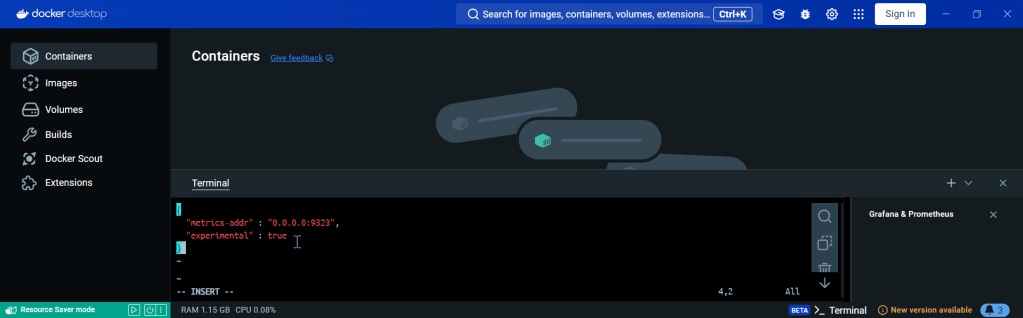
    • Create daemon.json file
    • Restart docker
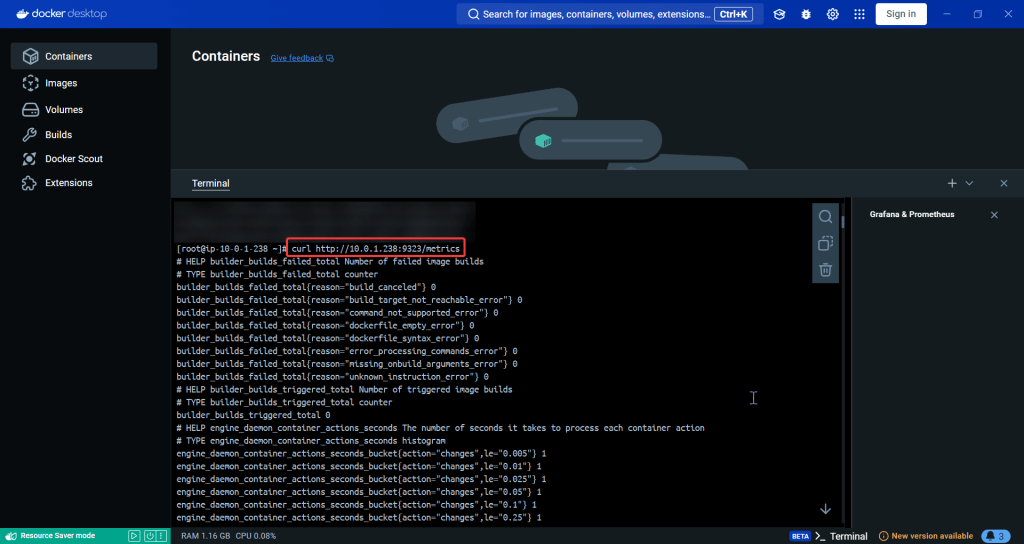
    • Curl to test Docker
  • Update the Prometheus YAML File
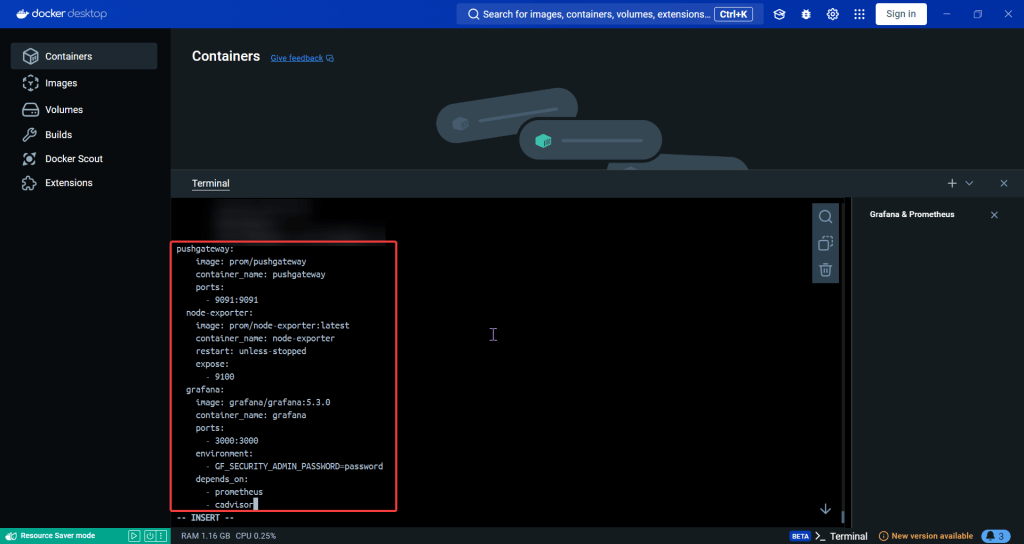
  • Update the Docker-Compose YAML File
    • docker-compose.yml
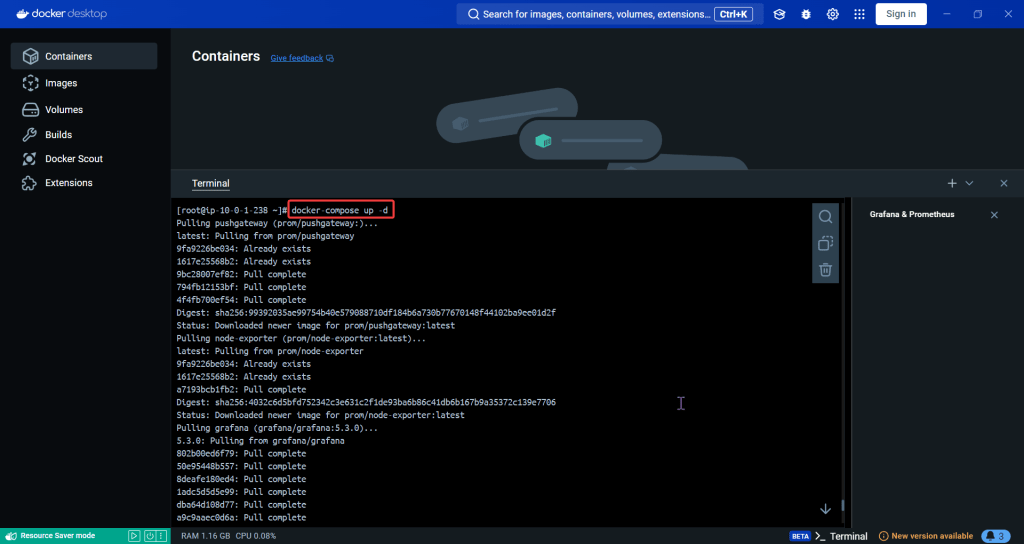
    • Apply changes & rebuild
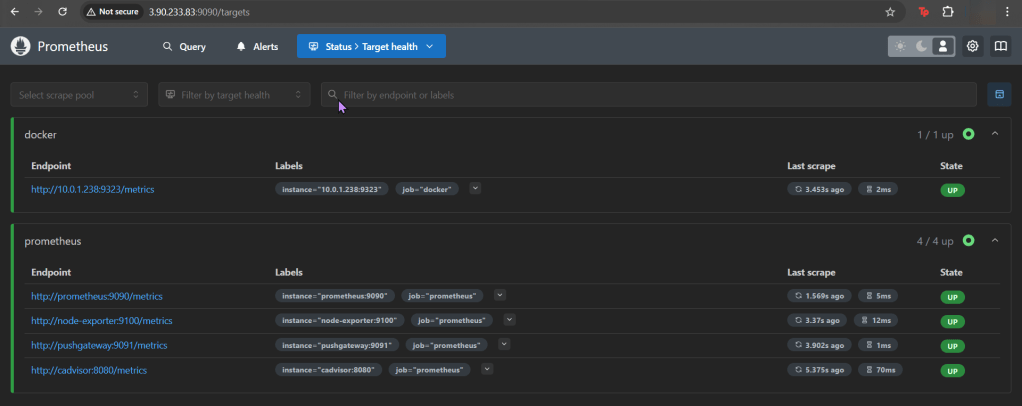
    • Ensure stuff is runnin’!
    • Open port 9090
  • Install the Docker & Monitoring DB
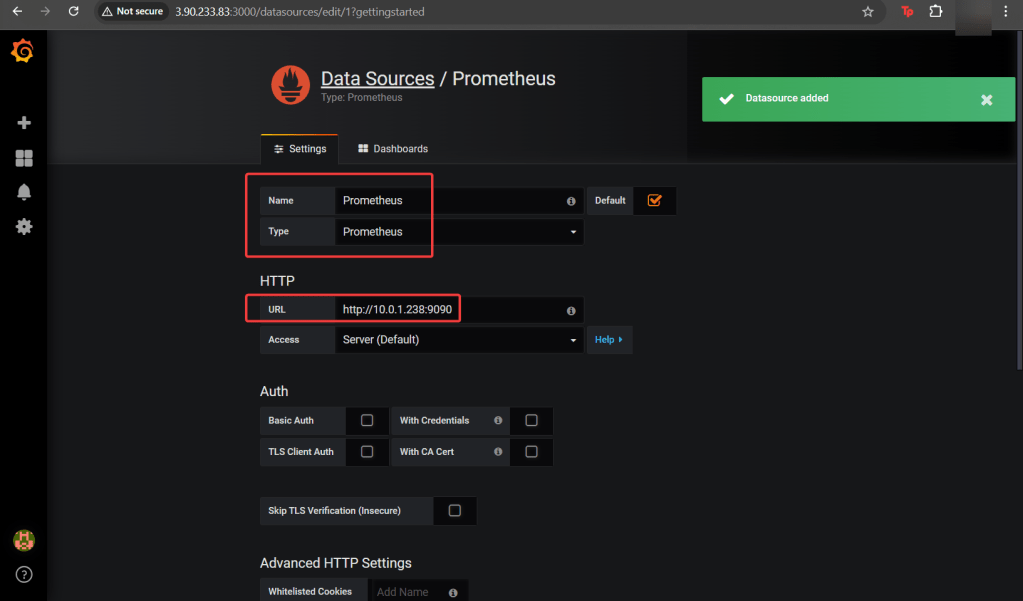
    • Create Grafana Data Source
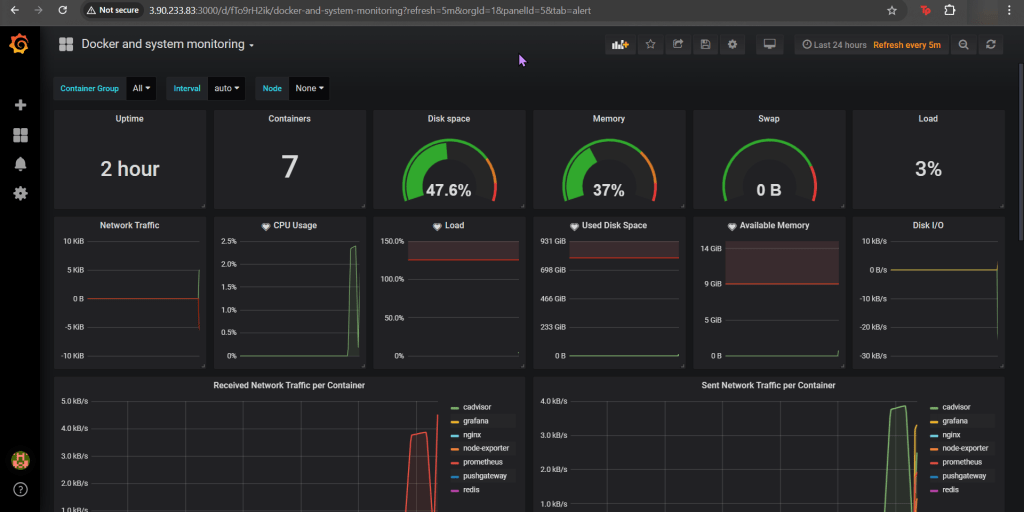
    • Add Docker Dashboard
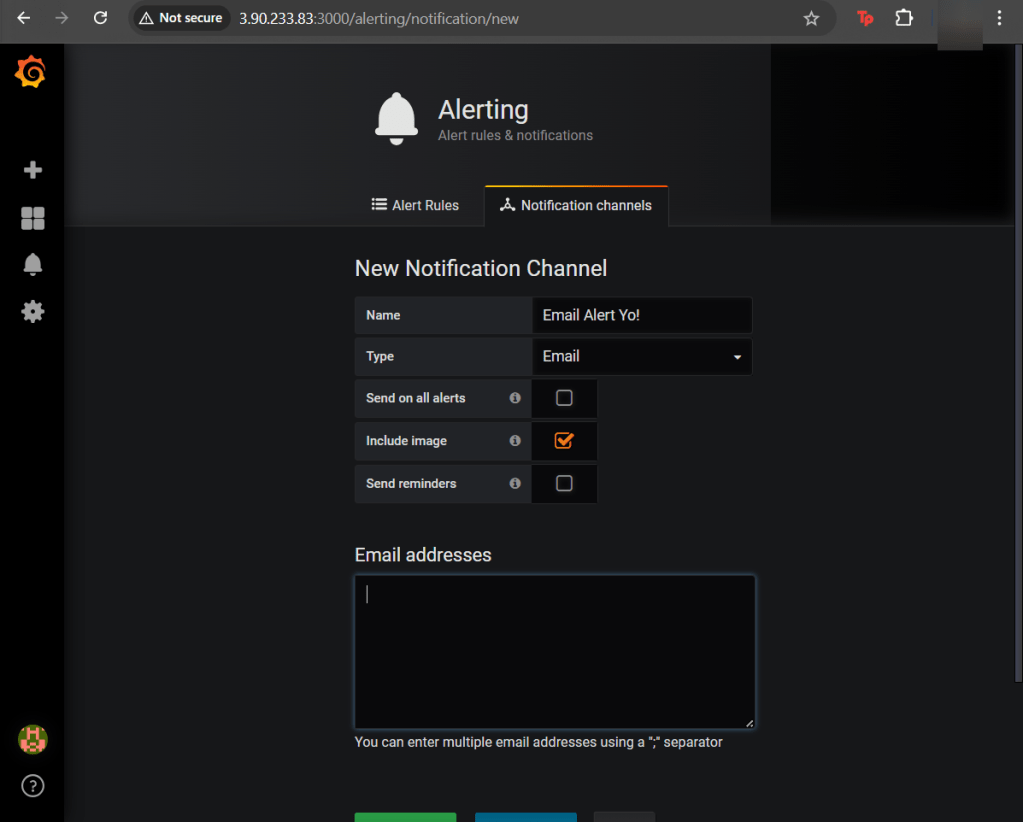
    • Add email notification
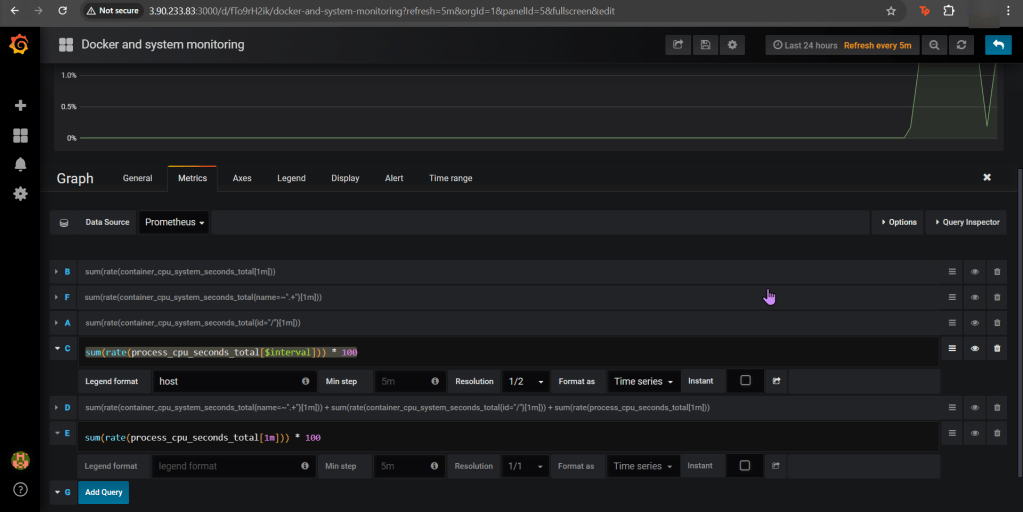
    • Alert for CPU Usage

Pre-Req:

SSH & Elevate to Sudo su – !!:

Configure Docker:

Open Port (for FW in Docker reporting under Prometheus):

Create daemon.json file:

Restart Docker:

Curl to test Docker:

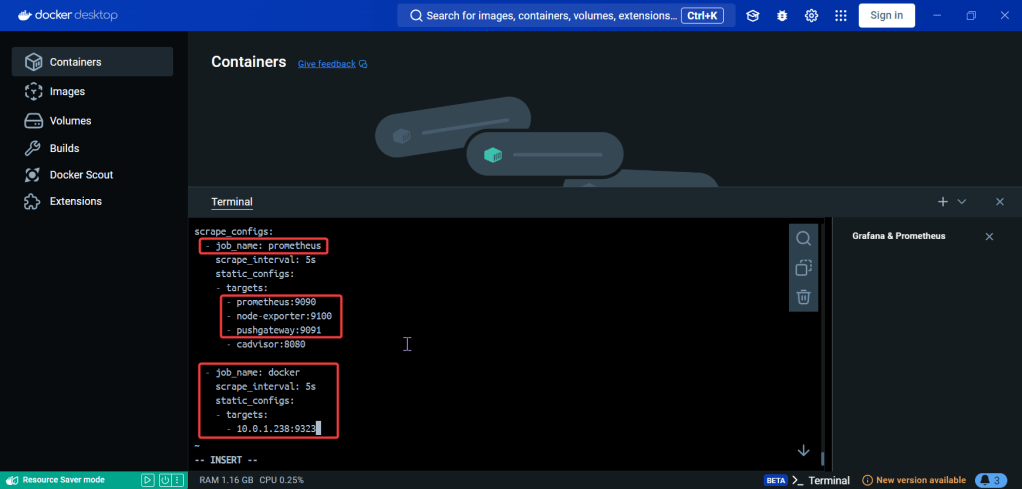
Update the Prometheus YAML File:

  • Add gateway & Grafana to have visualization/reporting for Docker metrics

Update the Docker-Compose YAML File:

docker-compose.yml:

Apply changes & rebuild (docker-compose up -d):

Ensure stuff is runnin (docker ps) & Open port 9090:

Install the Docker & Monitoring DB:

Create Grafana Data Source:

Add Docker Dashboard:

Add email notification:

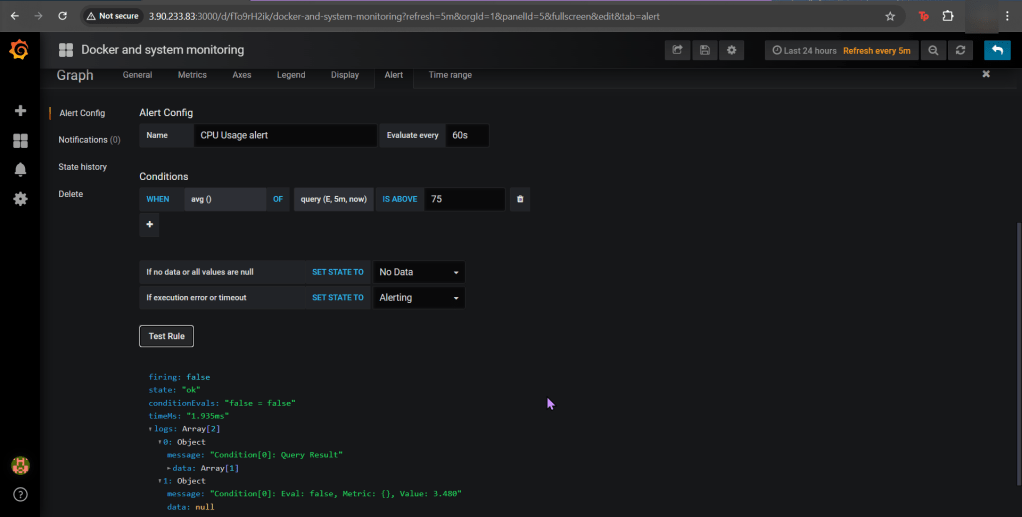
Alert for CPU Usage:

Release the Helm Kraken!

Goal:

Humans aren’t constant, but Helm versions are! So this is an efficient way to release & clarify your versions of charts in Helm. Then for gigs we will rollback to the original state, cuz – why not?

Lessons Learned:

  • Update index & version #
    • Update values.yaml
    • Update chart.yaml
  • Initialize
    • Helm install
  • Release the chart & confirm version #
    • Check the node port & see it launched!
  • Update index data & version #
    • Update the files again
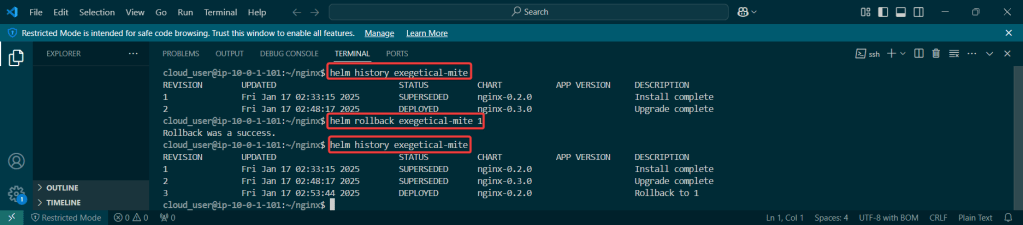
  • Rollback it on back now! – – – to Previous Version #:

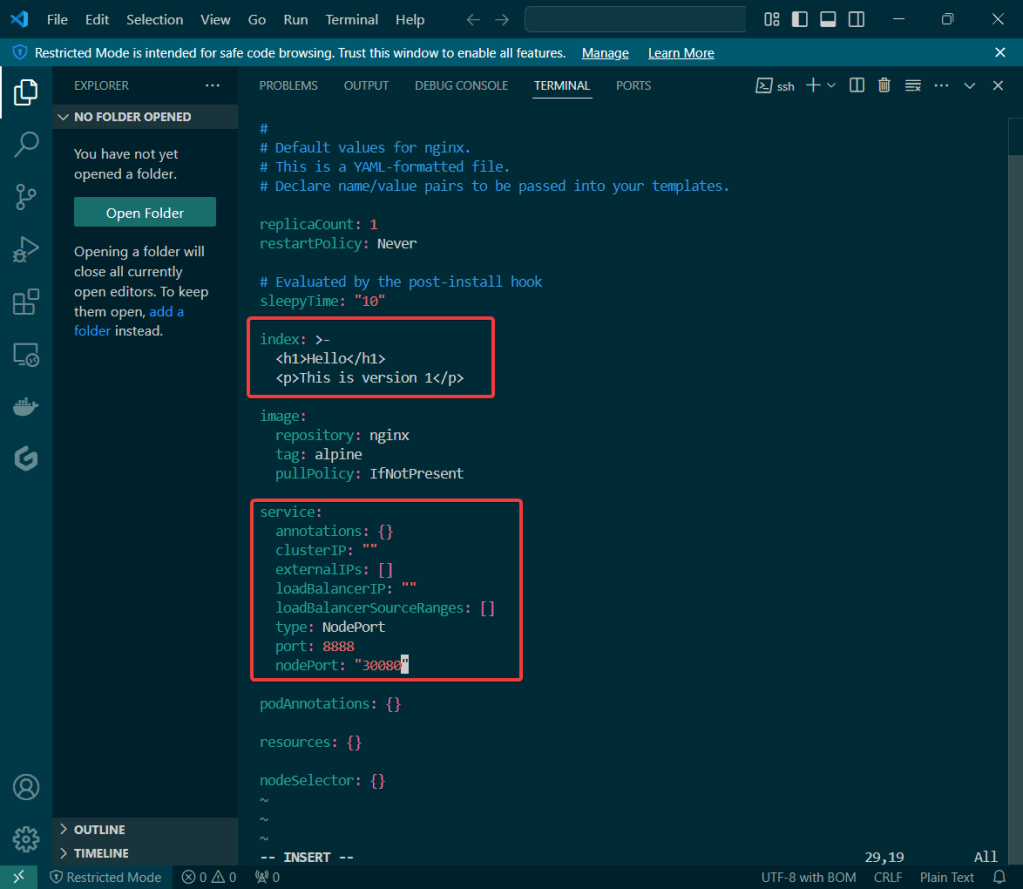
Update index & version #:

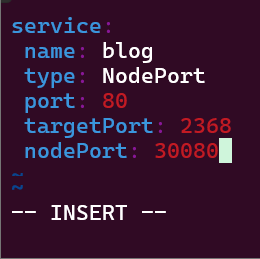
  • Updated index & type of service as well as nodeport #

Update values.yaml:

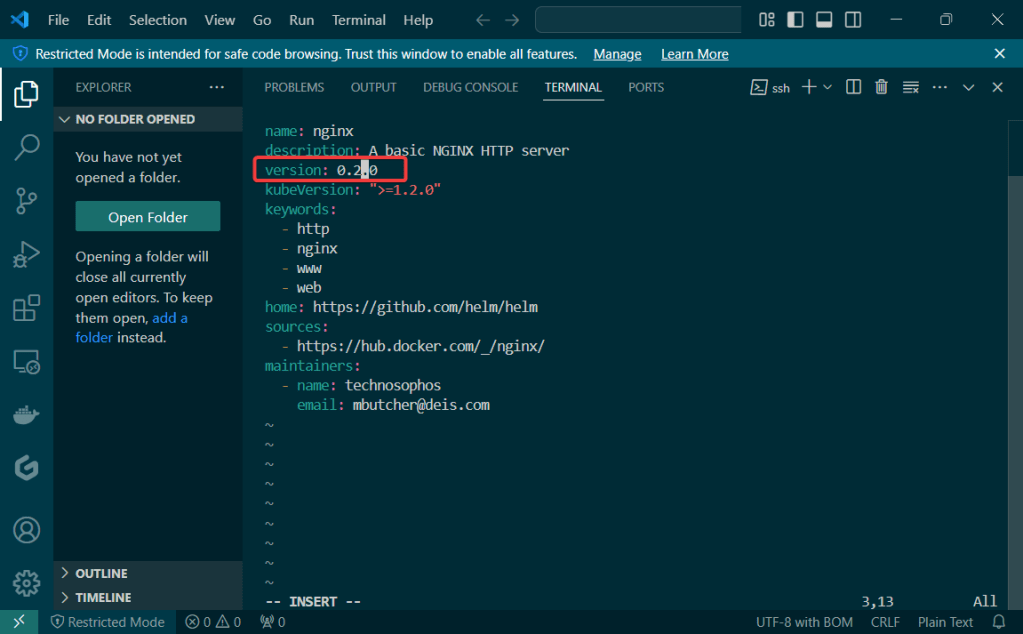
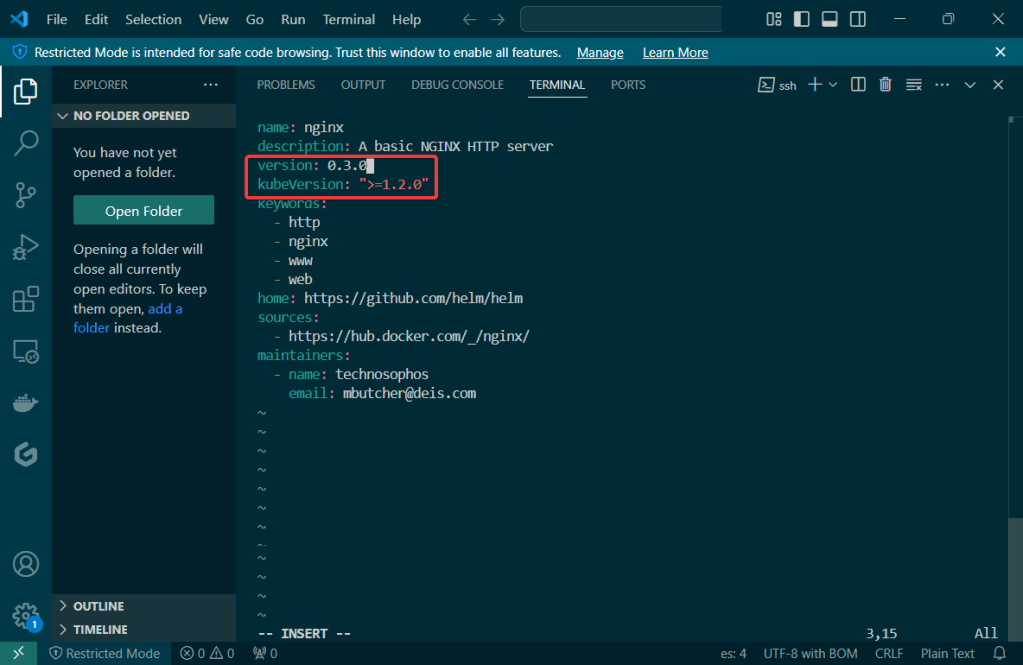
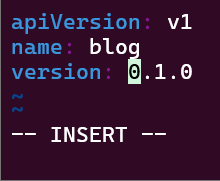
Update Chart.yaml:

  • Update version #

Initialize & Patch Helm:

Helm install:

Release the chart & confirm version #:

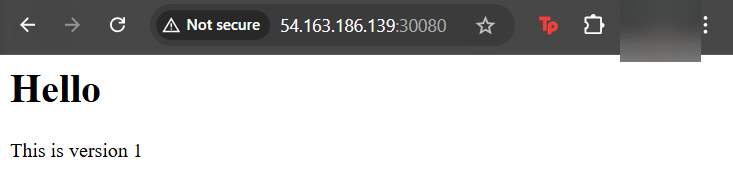
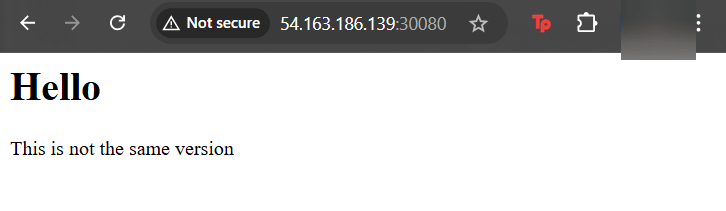
Check the node port & see it launched!

Update Index Data & Version #:

Update the files again:

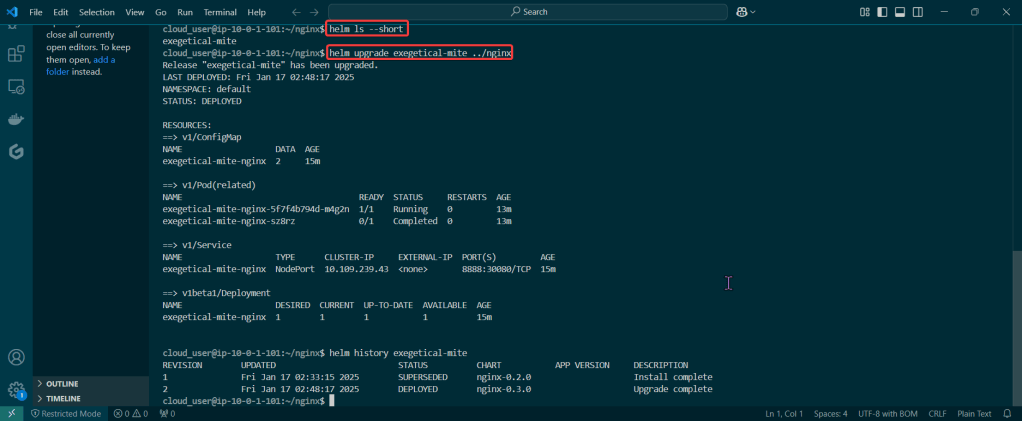
Helm ls –short & upgrade the release

  • Just go to the values & Chart yaml files – – just update something!

Rollback it on back now! – – – to Previous Version #:

Advance your Helm Charts!

Goal:

Hmmm I wish there was a way to validate the resources deployed in Kubernetes.. wait, I just had an epiphany, or was it a download from the universe? Either way, Helm can help w/creating a special hook deploy & operate.

Lessons Learned:

  • Create Manifest for test the Helm Charts Location
  • Validate, Release, & Test the App

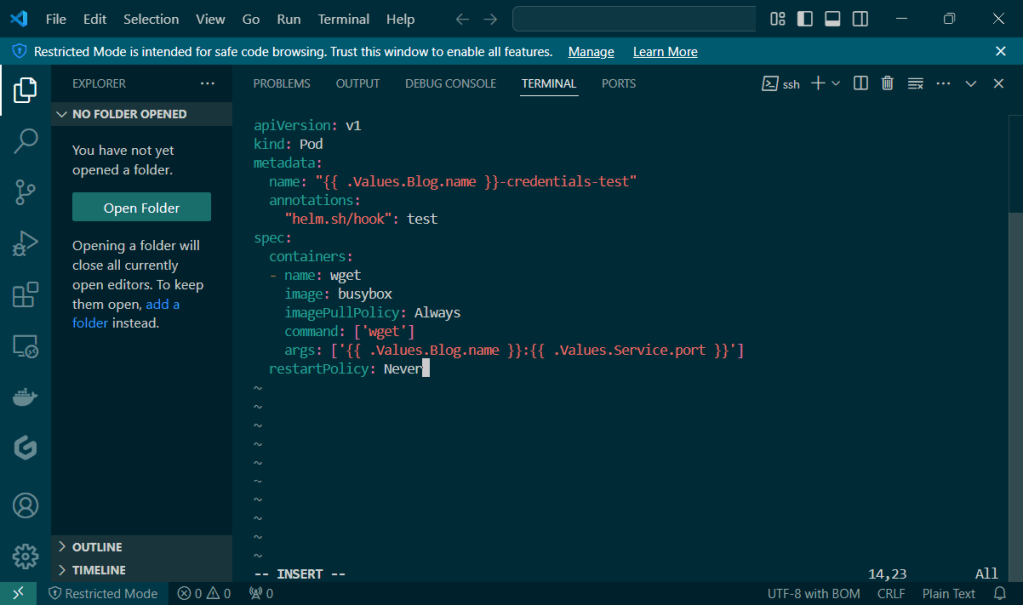
Create Manifest for test the Helm Charts Location:

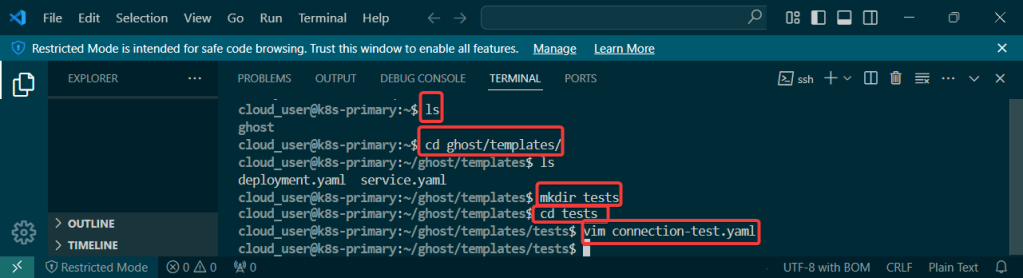
Create directory along w/new manifest:

Validate, Release, & Test the App:

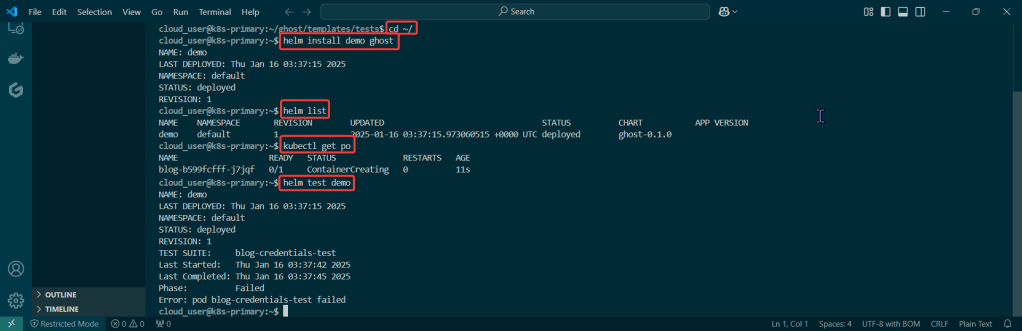
Cd into top directory & run Helm install & Kubectl:

Lemme teach you to – – … Install Helm

Goal:

Everyone likes bread-n-butter, unless you physically cant cuz of some gluten thing or cuz your lactose intolerant.. BUT IF YOUR NOT, check this basic bread-n-butter stuff out homie..

First your gonna install Helm, k? Next configure the repository yah? Following that well release the chart to see what were rollin with, mmkay? Lastly we’ll clean up our messy cluster w/, you guessed it – HELMMMMMMMMMMMMM.

Lessons Learned:

  • Install & Configure Helm
  • Create a Helm Release
  • Verify the Release & Clean

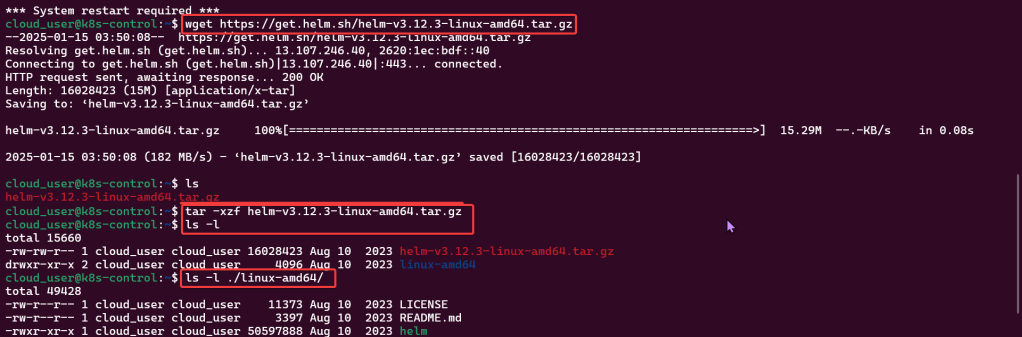
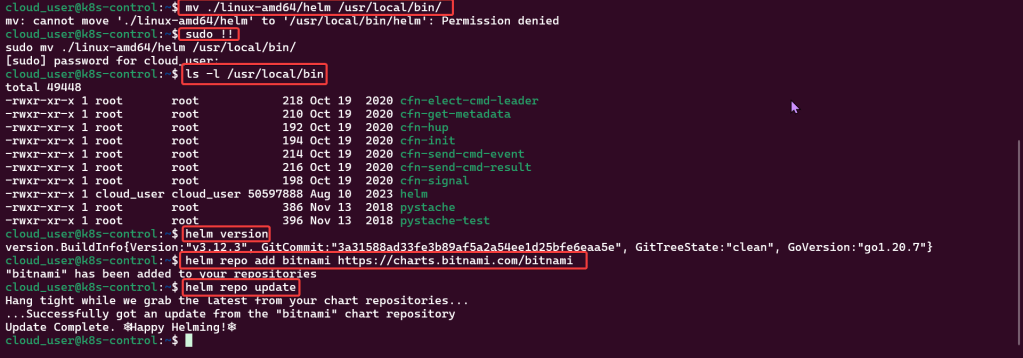
Install & Configure Helm:

Create a Helm Release:

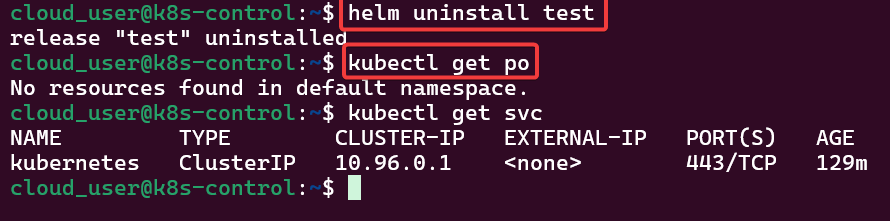
Verify the Release & Clean:

Get-Er-Dun; Helm Charts Edition

Goal:

Quick our homework is due in a half hour…lets copy (leverage…refer..) your buddies! But how can we do it the quickest way possible!? Helm charts you say? What are these… Helm Charts you speak of?

So your telling me I can modify a chart to access my application on a node port in the cluster & make changes? Well lets get-r-dun!

Lessons Learned:

  • Create a release of a Helm chart from the directory
  • Double-check the node port our homework isn’t the same on the node port cluster

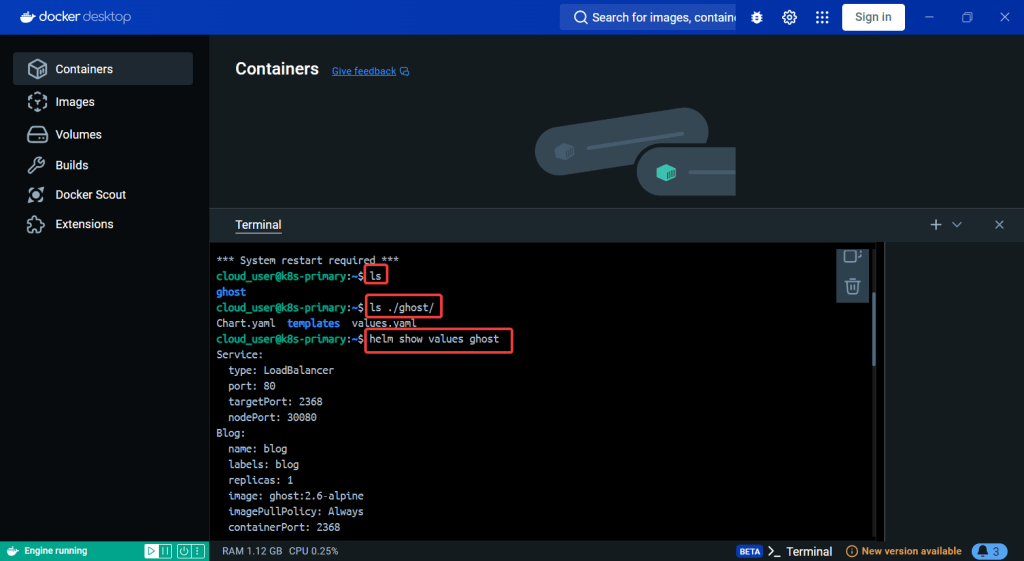
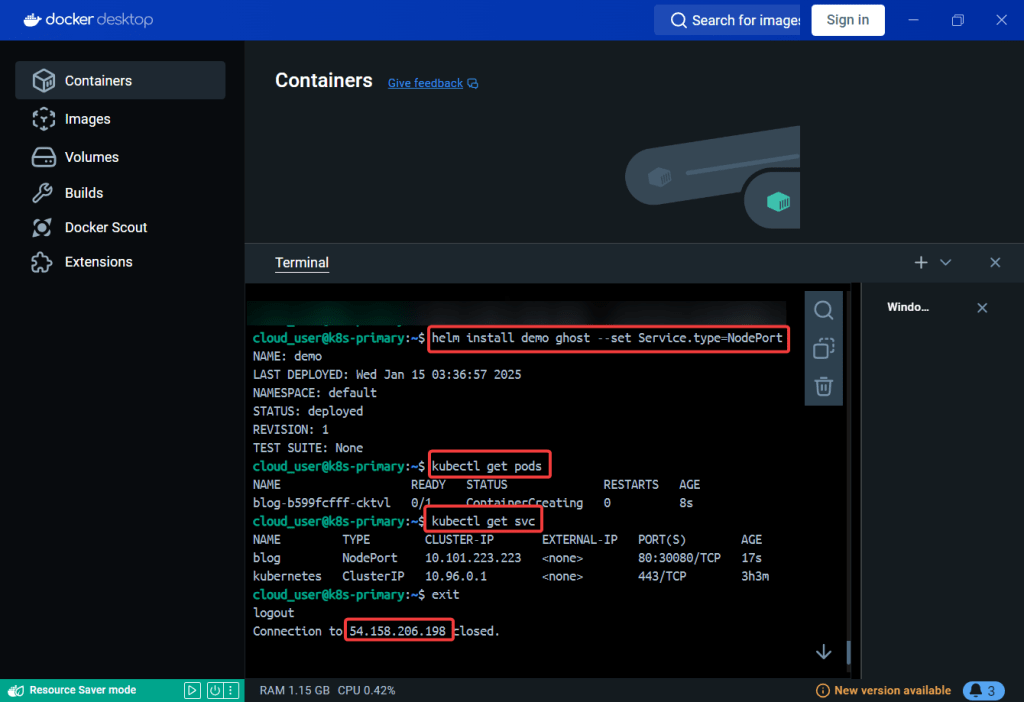
Create a release of a Helm chart from the directory:

Double-check the node port our homework isnt the same on the node port cluster:

Just Deploy Kubernetes App w/Helm already!

Goal:

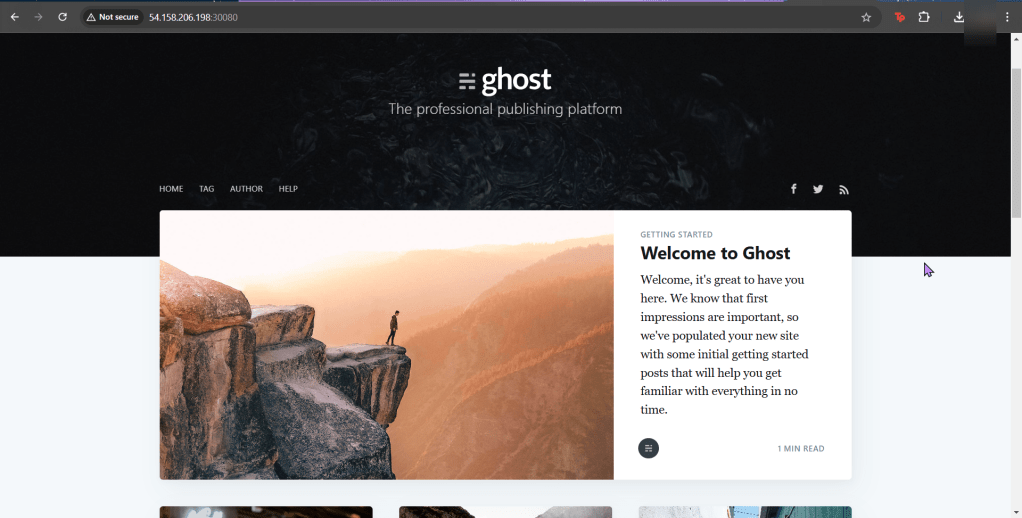
Ever heard of Helm? Or Kubernetes? You have? … Are you lying? Nonetheless, below is how to use the tools to easily manage apps in Kubernetes.

Lessons Learned:

  • Do it. Just do it. Install Helm.
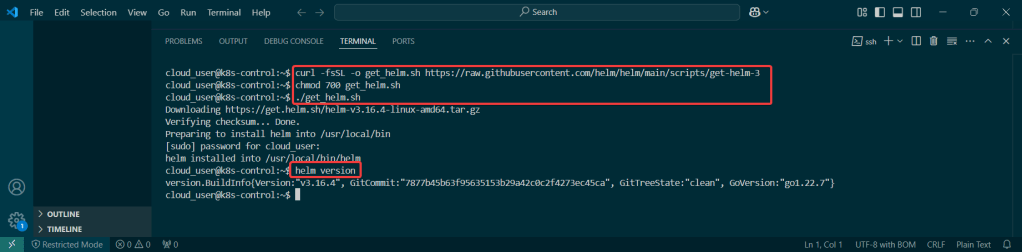
    • Helm has official installer script to grab latest version of Helm & install locally
  • Put the lime in the coconut…aka – Install a Helm Chart in the Cluster

Do it. Just do it. Install Helm:

Curl & chmod to get Helm:

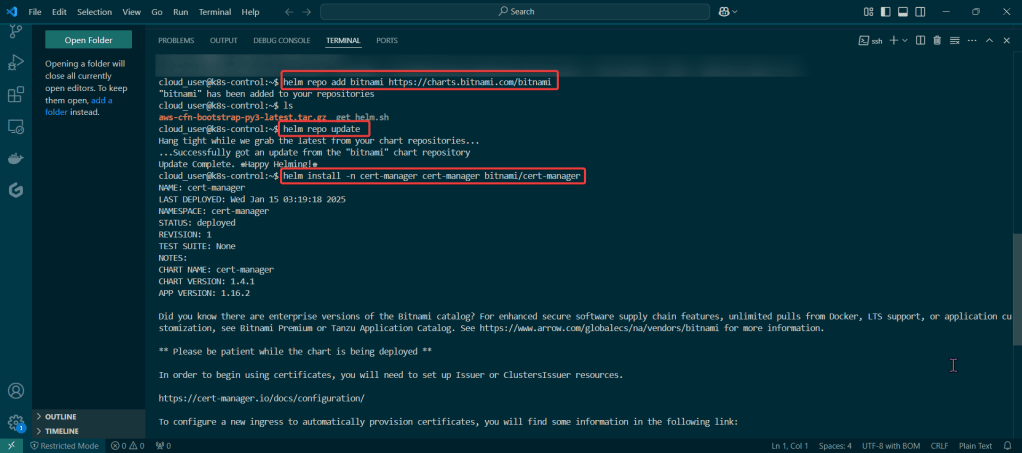
Put the lime in the coconut…aka – Install a Helm Chart in the Cluster:

Add Bitnami, update chart listing, & install cert-manager namespace:

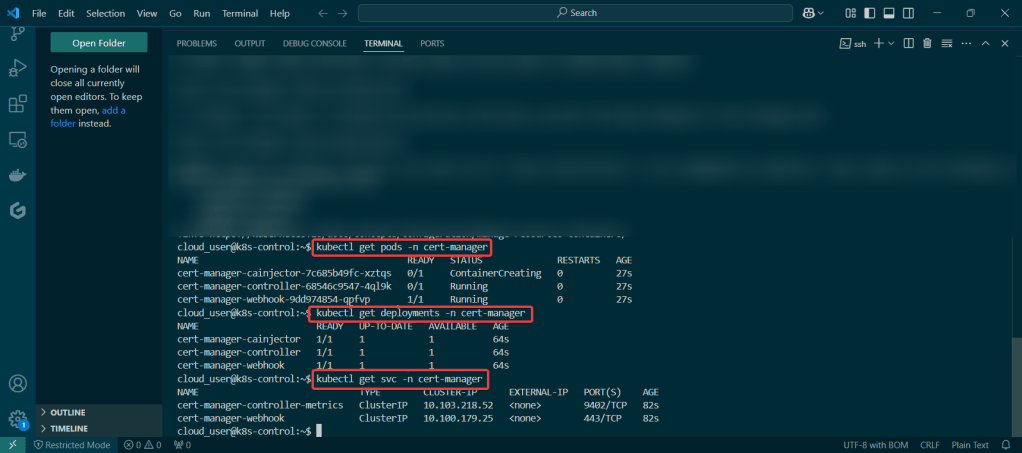
View pods, deployment, & services created by installing Helm:

Dude, where is my Helm Chart?

Goal:

Scenario:

  • Uhhhhh dude, wheres my car? REMIX!
  • Uhhhhh dude, where’s my chart? But I have a Kubernetes deployment & I just want to convert it to a Helm chart! Wait you can do that? TEACH ME!

You right now:

Golly, it be nice to have a chart right now…also would be really nice to know how to have a Kubernetes deployment be converted into a Helm chart..Sooooooo, lets use what we got & convert this bad boiiiiii into a ….. HELM CHART (mic drop).

TLDR:

  • Basically your app is in prod already has a manifest & convert it to a helm chart to release the resources w/a template for Kubernetes from a values file

Lessons Learned:

  • Convert Service Manifest into a Service Template in a New Helm Chart
  • Convert Application Manifest into a Deployment Template in a New Helm Chart
  • Check the Manifests & Deploy NodePort Application

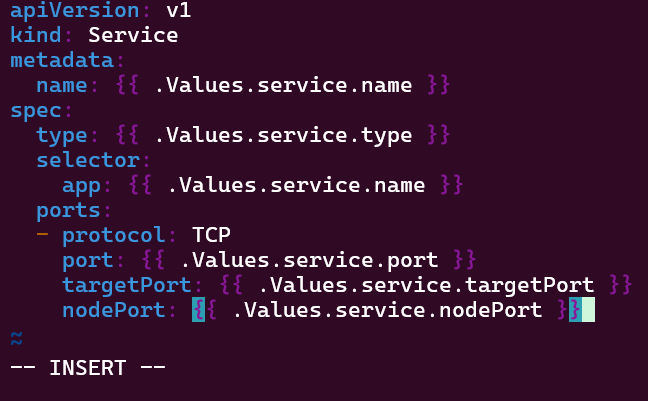
Convert Service Manifest into a Service Template in a New Helm Chart:

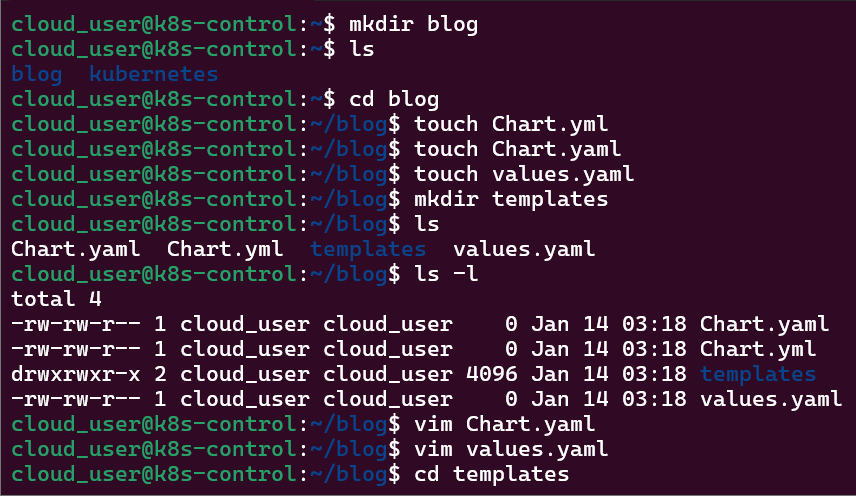
Make directories & YAML files:

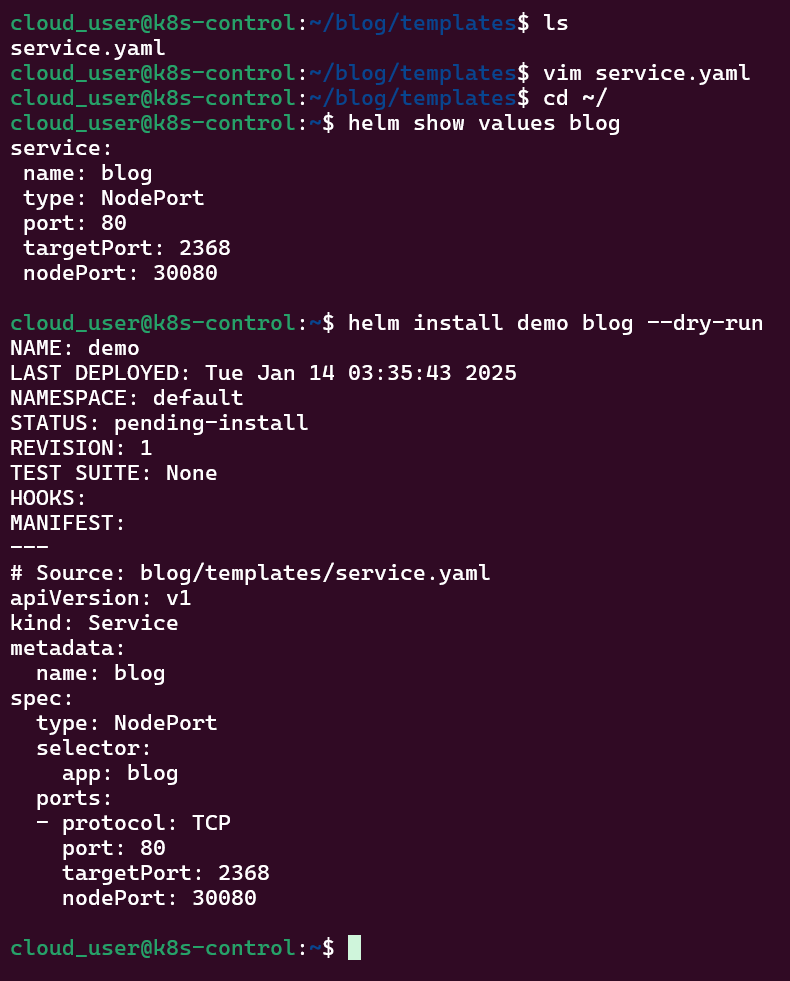
Copy yaml file, update service file, & run Helm:

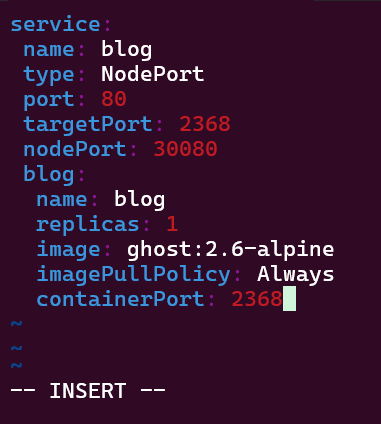
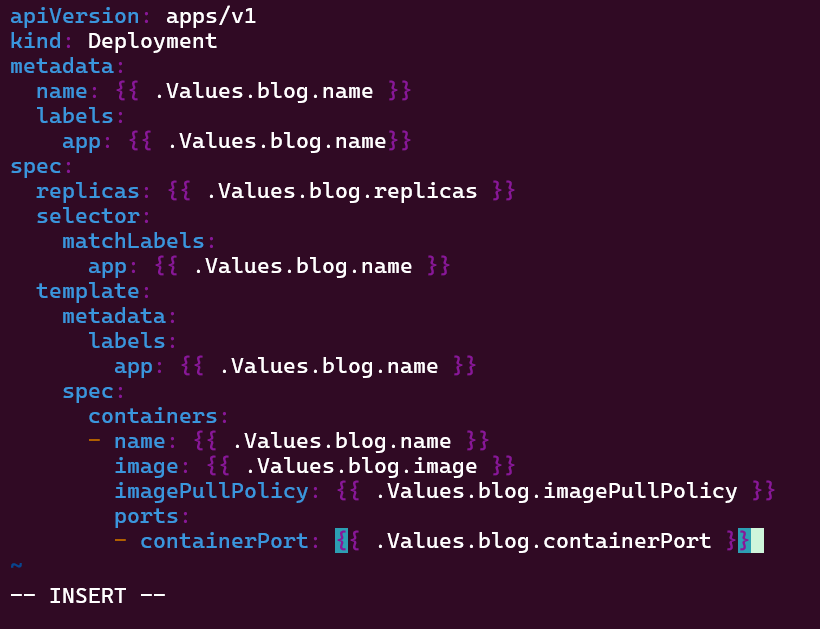
Convert Application Manifest into a Deployment Template in a New Helm Chart:

Edit values.yaml & copy application.yaml to edit:

Check the Manifests & Deploy NodePort Application:

Run helm install & deploy, get pod/svc details:
TF + EKS = Deployed Yo!

Goal:

Look man, I just wanna set up a tin EKS cluster w/a couple nodes using Terraform.

Lessons Learned:

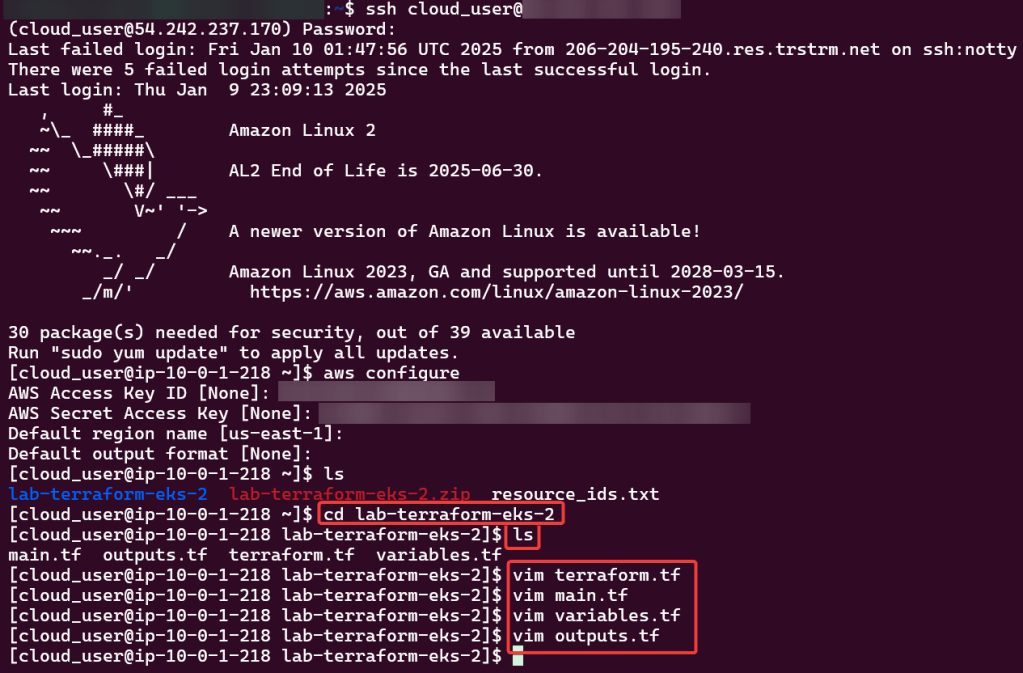
  • Configure AWS CLI
  • Deploy EKS Cluster
  • Deploy NGINX Pods
  • Destroy!!!

Configure AWS CLI:

Use Access & Secret Access Key:

Change Directory:

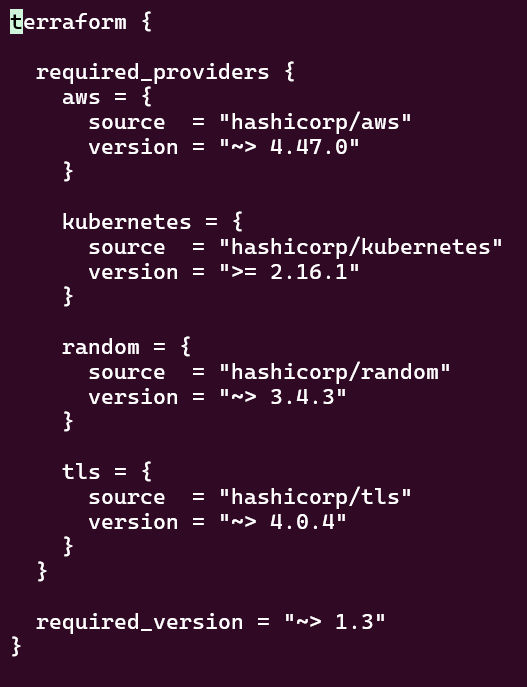
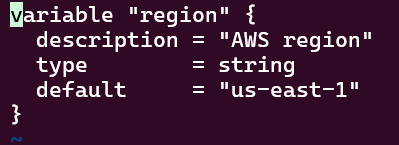
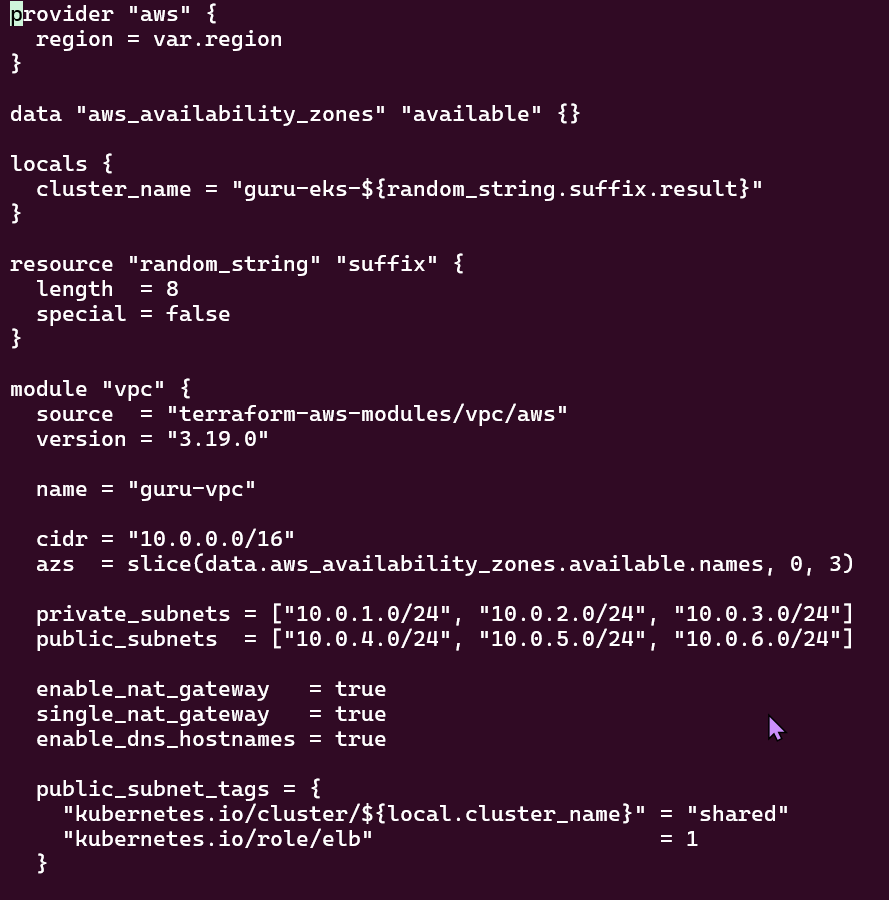
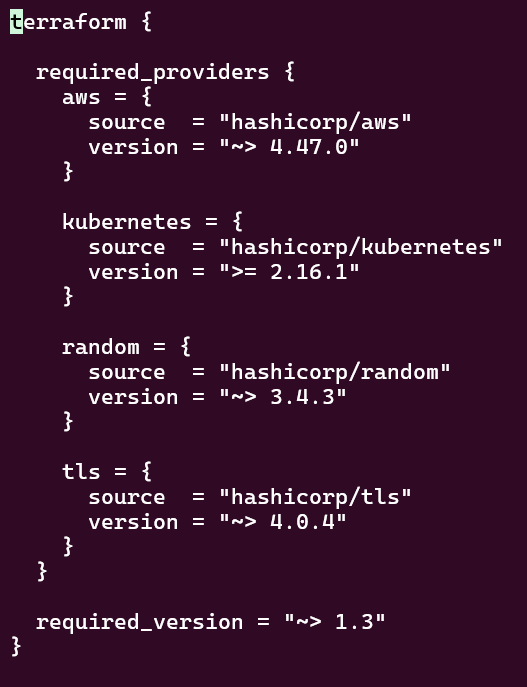
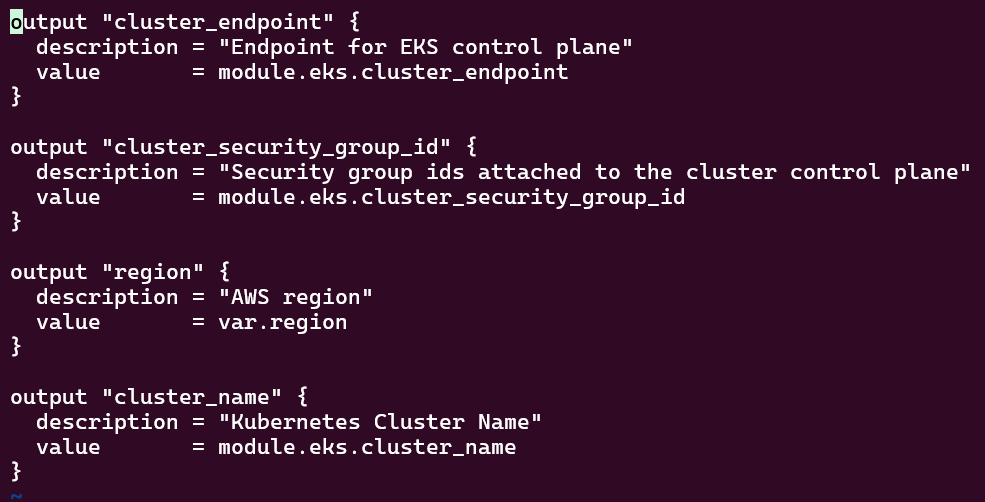
Review TF Configuration Files:

Deploy EKS Cluster:

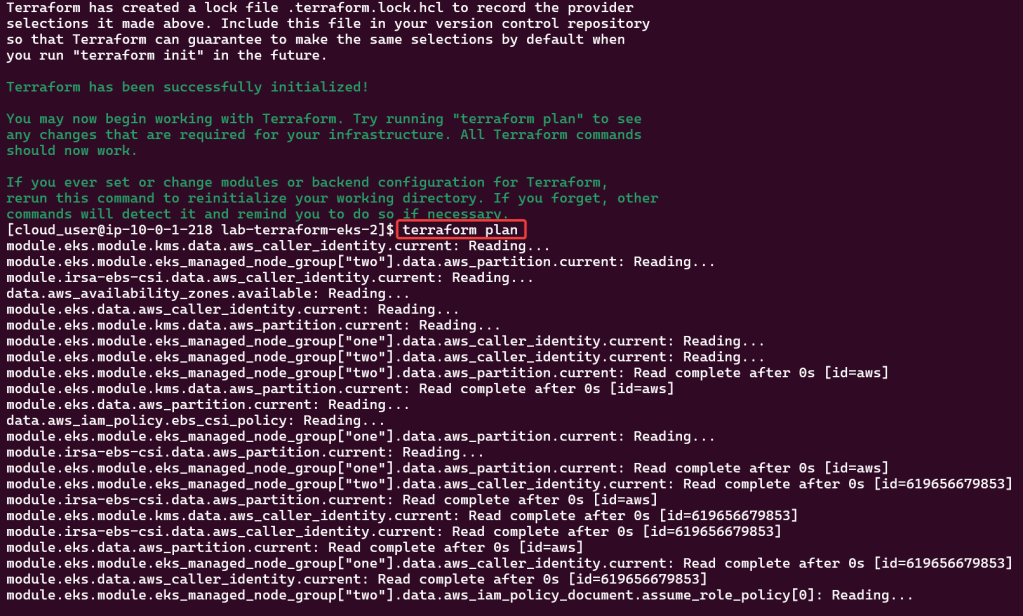
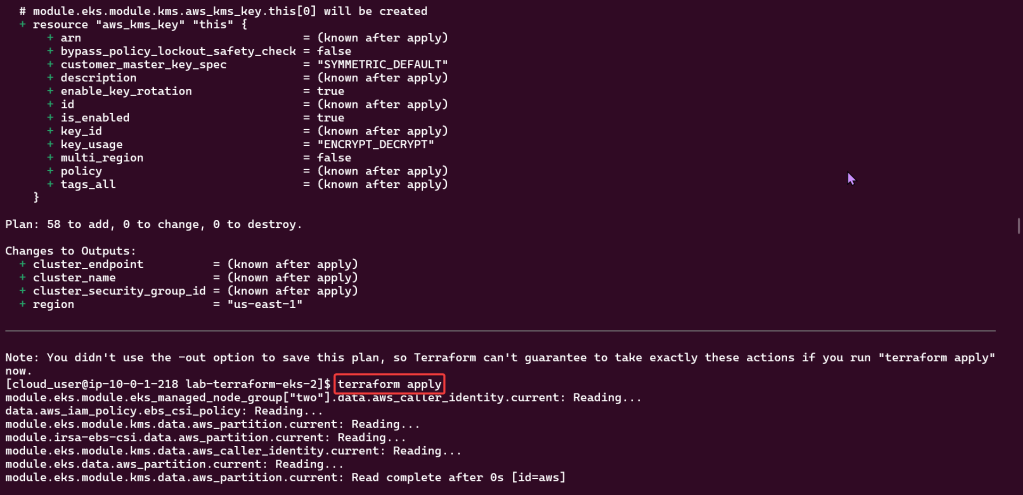
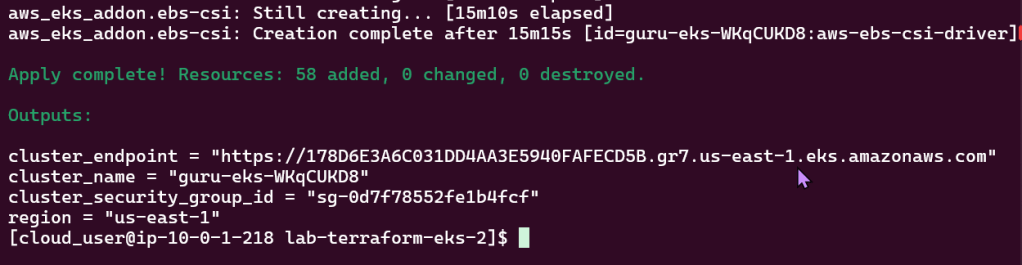
Terraform init, plan, & apply:

Kubectl to chat w/yo EKS cluster:

Check to see your cluster is up & moving:

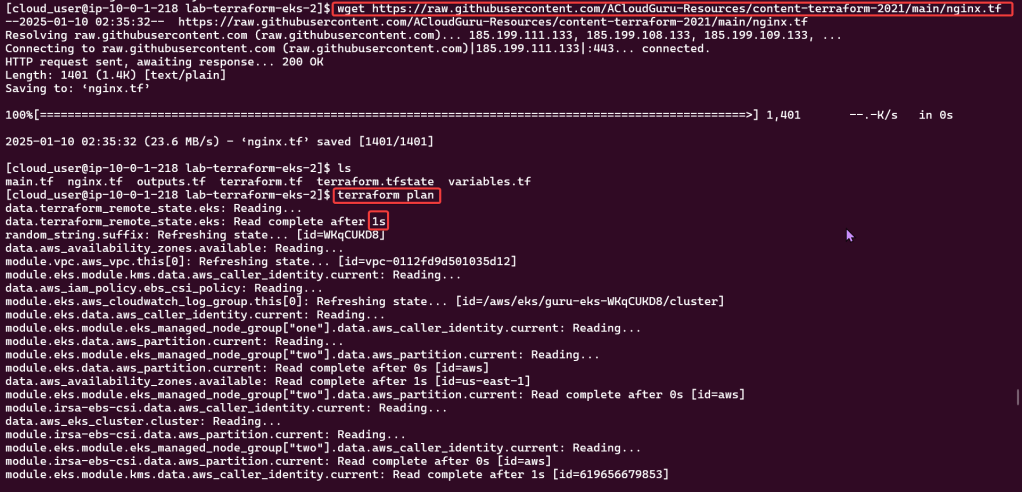
Deploy NGINX Pods:

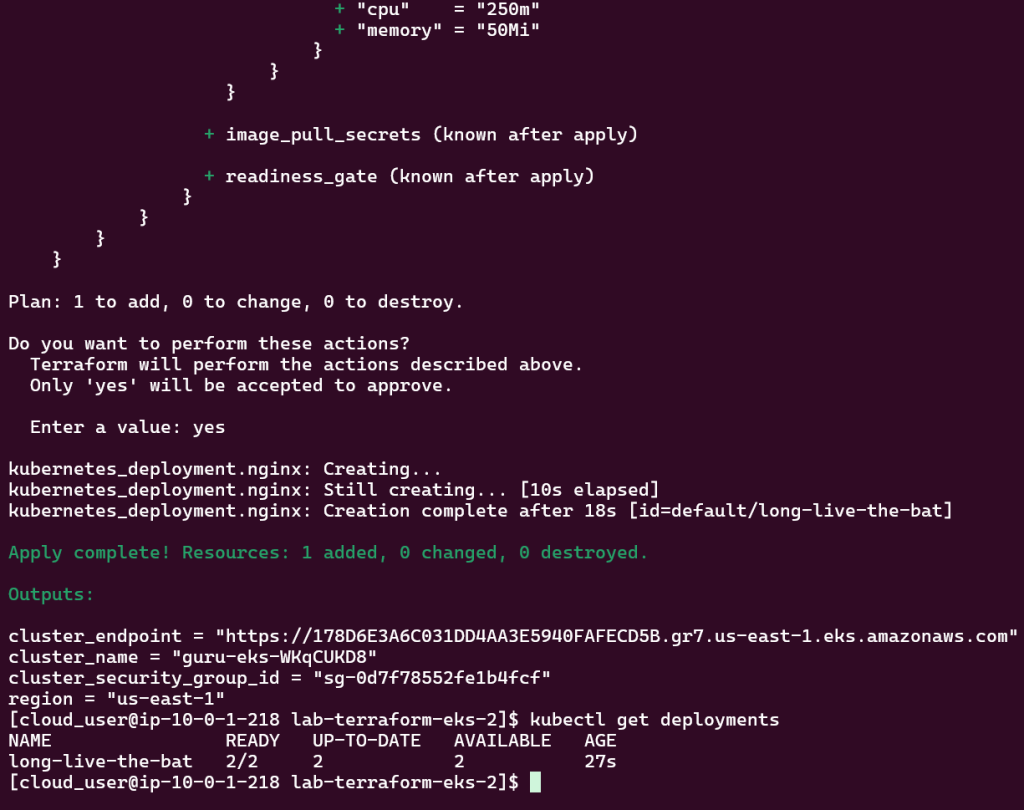
Deploy to EKS Cluster:

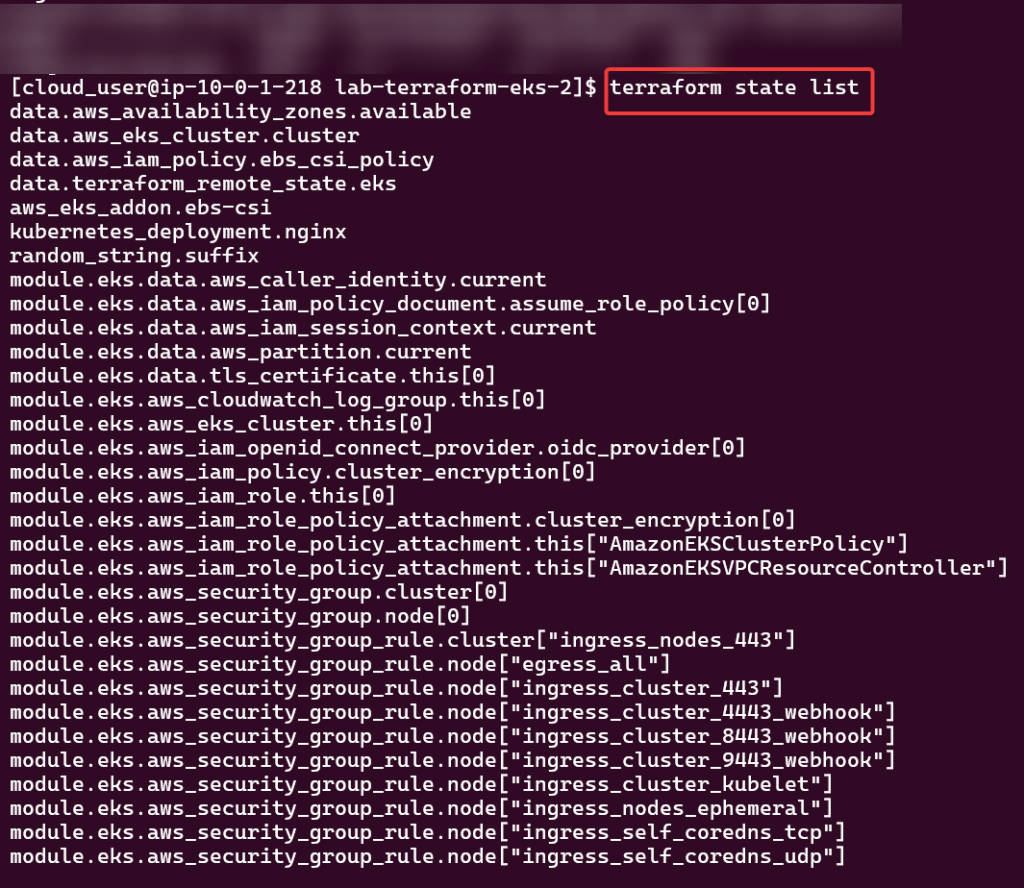
Check again if your cluster is up… & MOVINGG!:

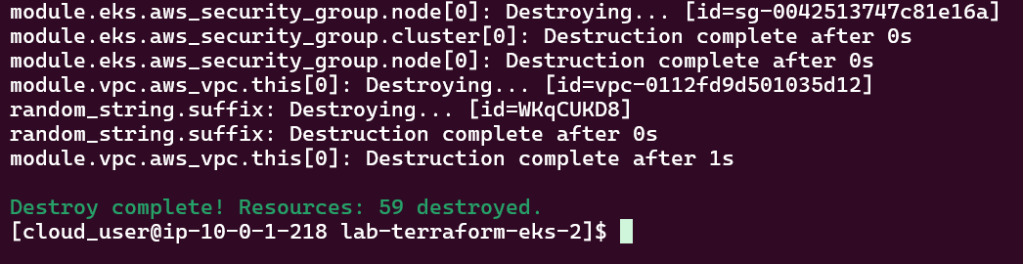
Destroy!!