Wanna secure EKS w/CA & TLS?

Goal:

DO YOU HAVE A KUBERNETES CLUSTER! IS IT INSECURE!? …. I’m out of breath & getting dizzy, Idk how those commercials bring that outside voice & energy – – its exhausting!

Alright, I’m back – all this will show you is how to secure your cluster. Below you can see how one can authenticate w/one another’s Kubernetes after you have a certificate & attach a certificate authority (CA) by creating certificate’s to bootstrap your Kubernetes cluster.

  • Please note – there are two (2) controllers, two (2) workers, & an Kubernetes API Load Balancer

Lessons Learned:

  • Permit/Provision CA
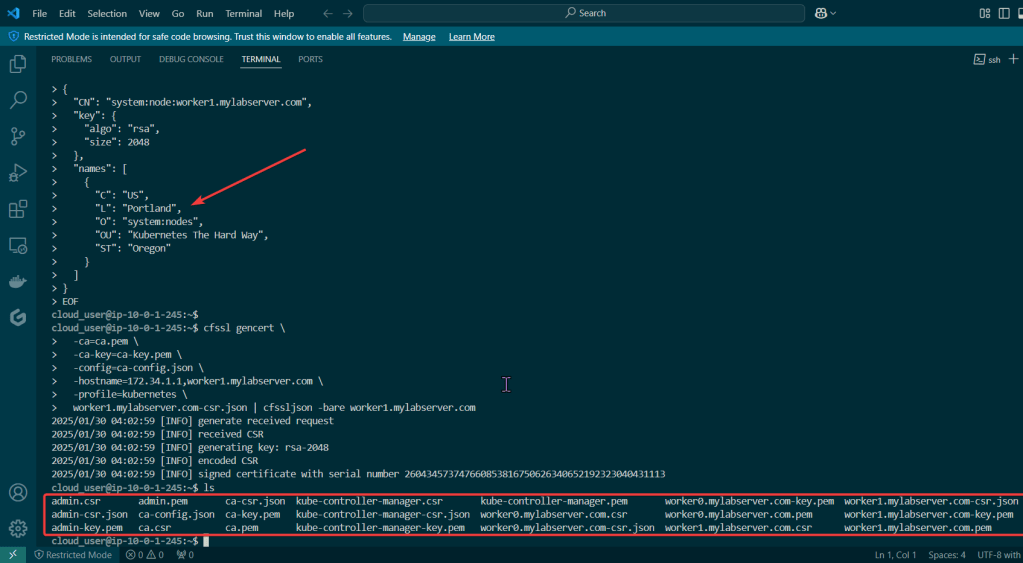
  • Create Kubernetes client certs & kubelet client certs for two (2) nodes:
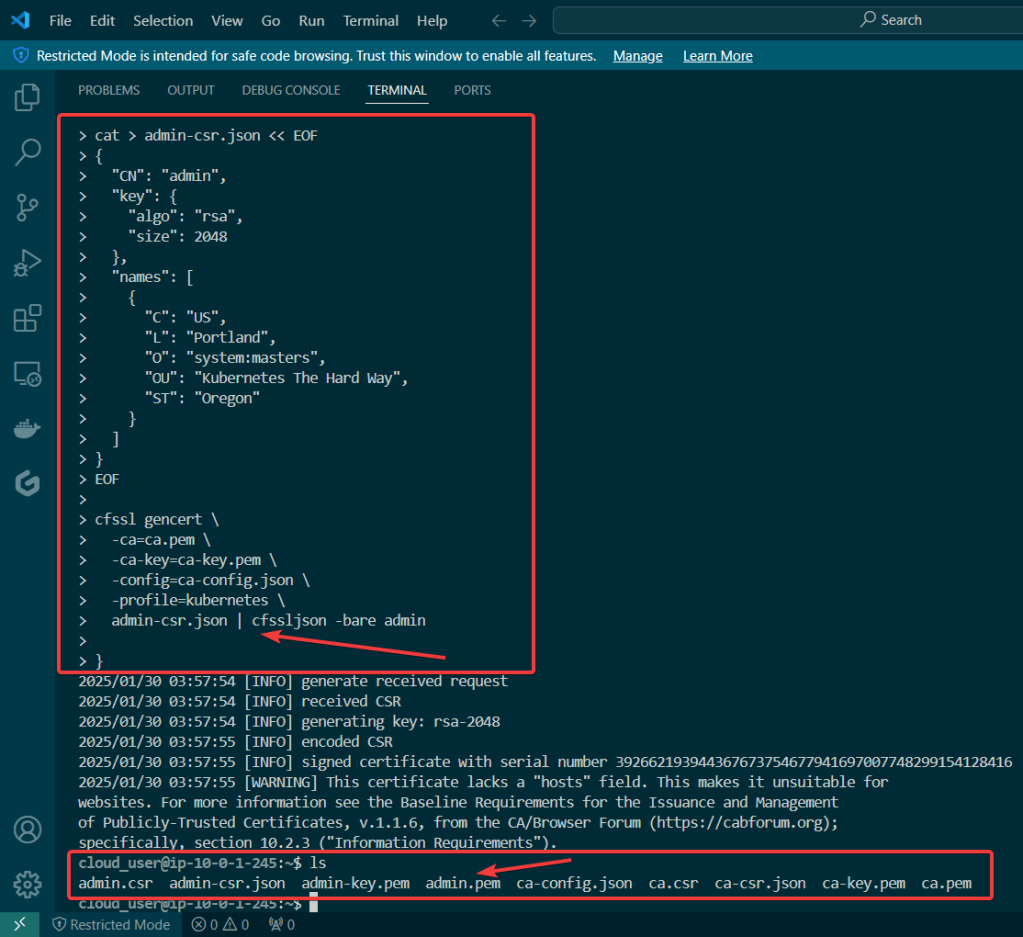
    • Admin Client Certificate
    • Kubelet Client Certificate
    • Manager Client Cert
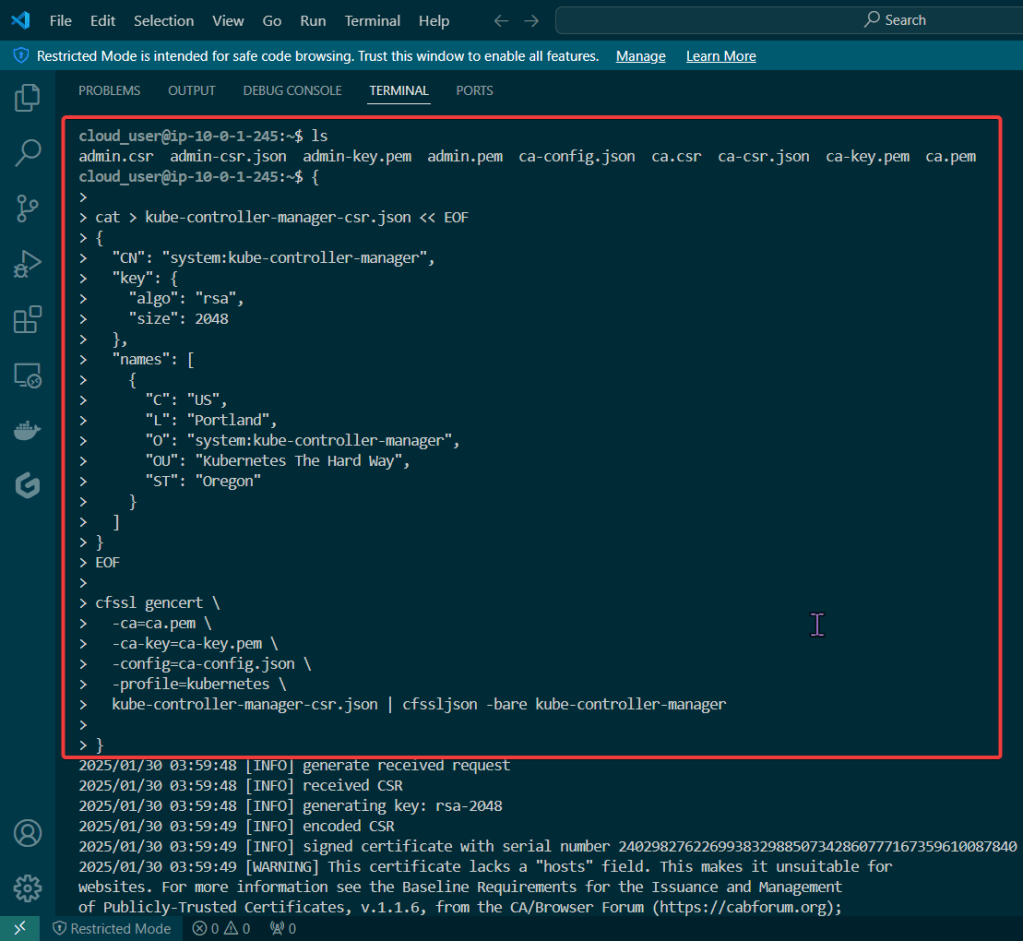
    • Kube-Proxy Client Certificate
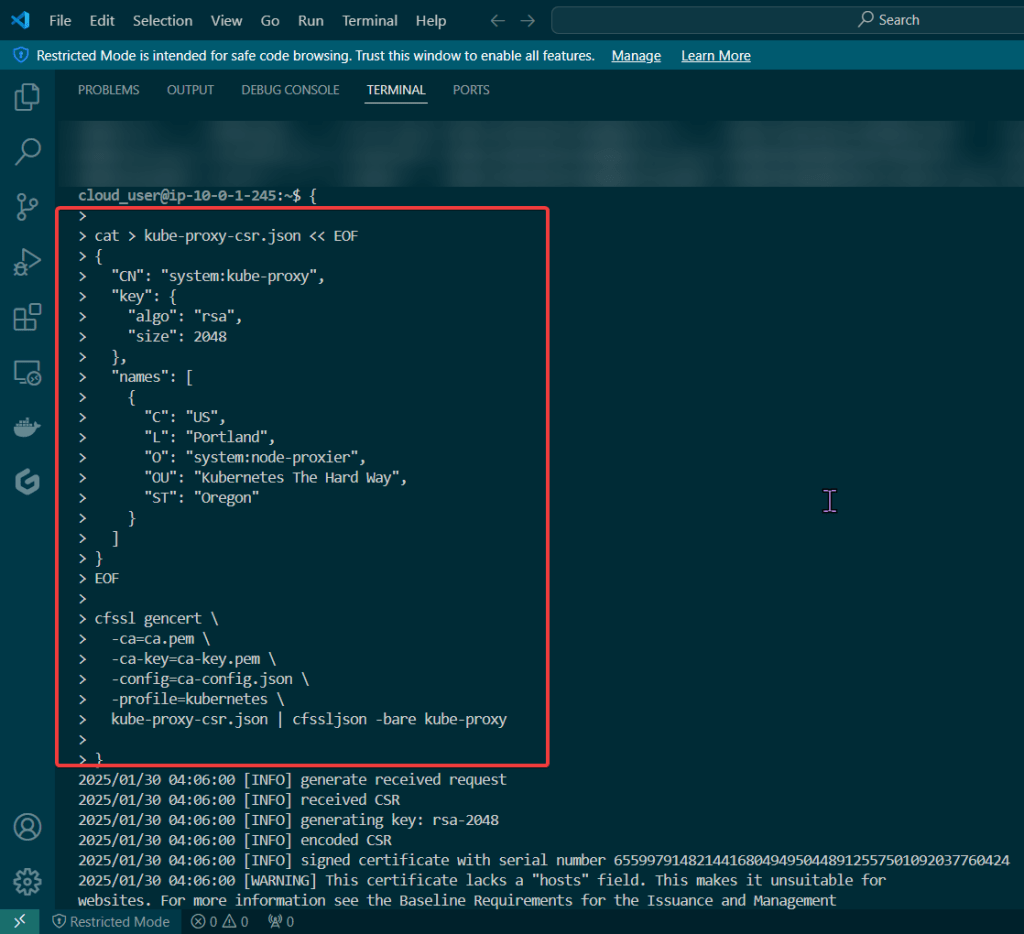
    • Kube-Scheduler Client Certificate
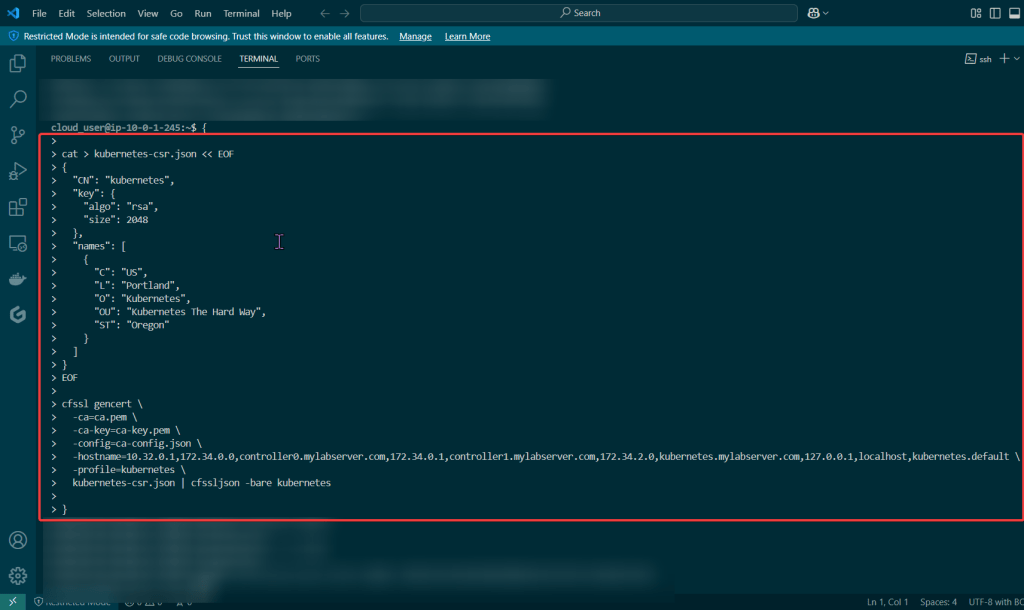
  • Kubernetes API server certificate
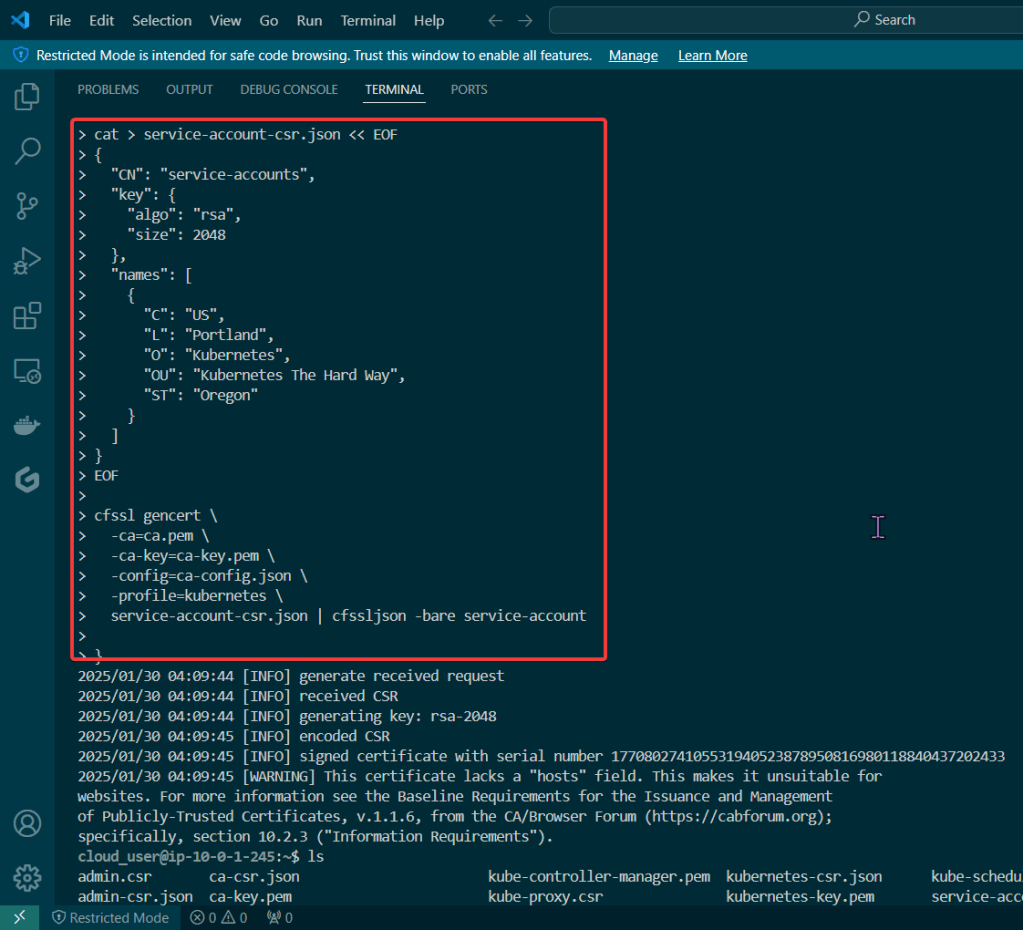
  • Kubernetes service account key pair
  • If you follow these lessons learned, you will not let this happen to you – don’t be Karen.
  • Created to sign other certificates & other certs can now use the CA to show legitness (its a word, look it up in the dictionary..urban, dictionary..) that no fakers are occurring

Admin Client Certificate:

Kubelet Client Certificate:
Manager Client Cert:
Kube-Proxy Client Certificate:
Kube-Scheduler Client Certificate:
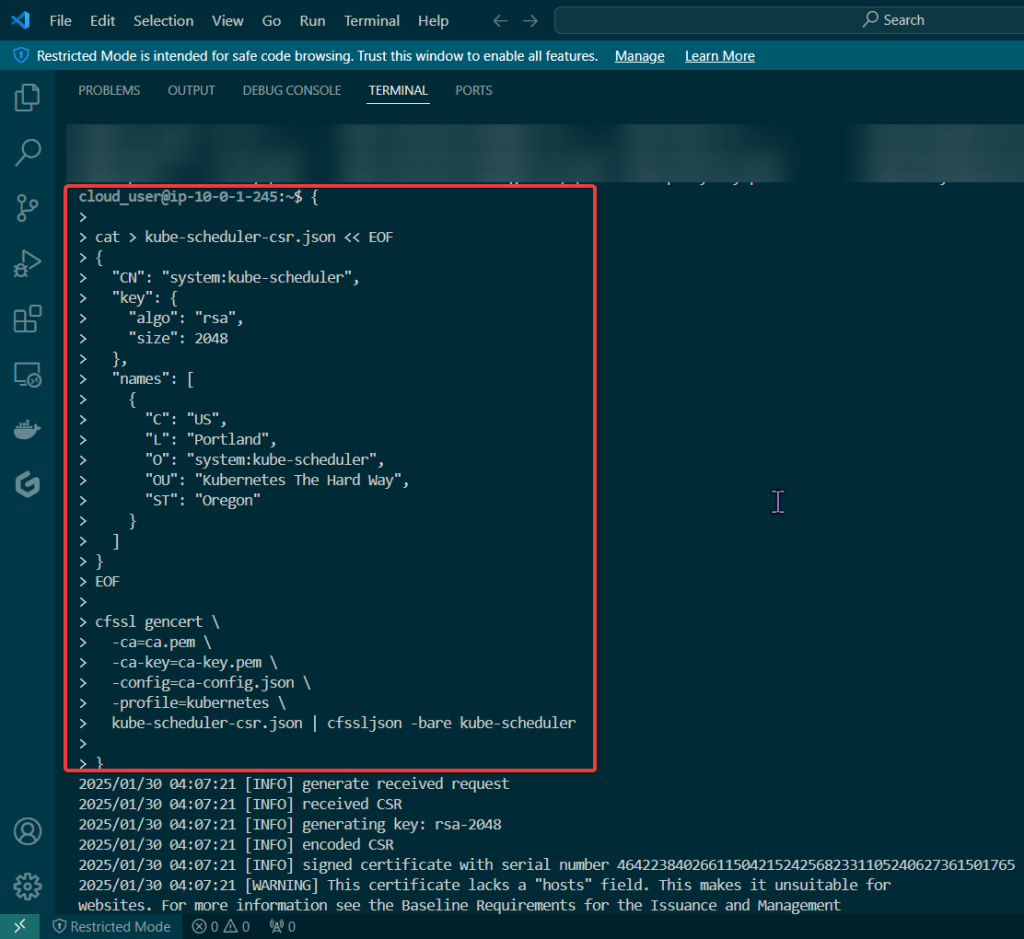

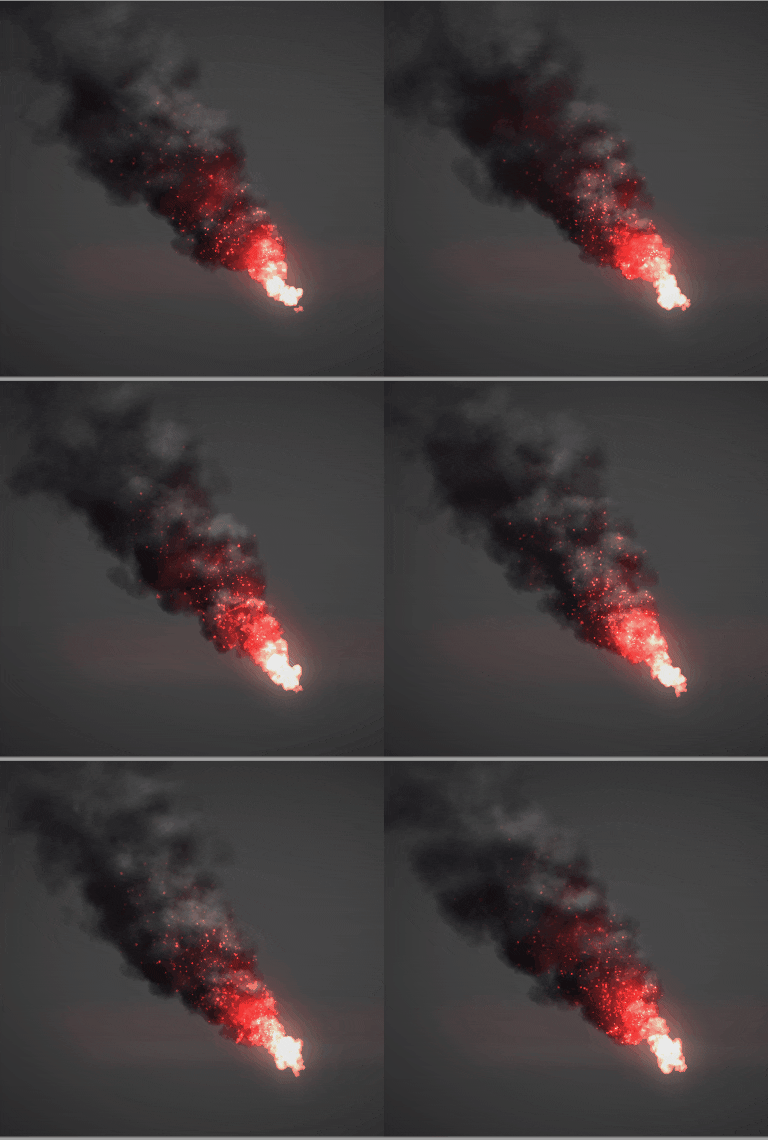
  • These gifs are TOOOOO good for info commercial’s in the late 90s’/early 2000s’

Create Kubernetes API server certificate:
Create Kubernetes service account key pair:
When you see Smoke – – – there is Kubernetes Cluster being Tested..

Goal:

Stuff happen, so when it does – it is good to know what to do w/your Kubernetes cluster. The answer is – drum roll please… smoke testing, tahhh-dahhh! This is useful not just when stuff hits the fan, but to see if the known vulnerable features are working properly becuase the goal is to verify the health of the cluster.

Example of smoke tests of the Kubernetes cluster conducted will contain:

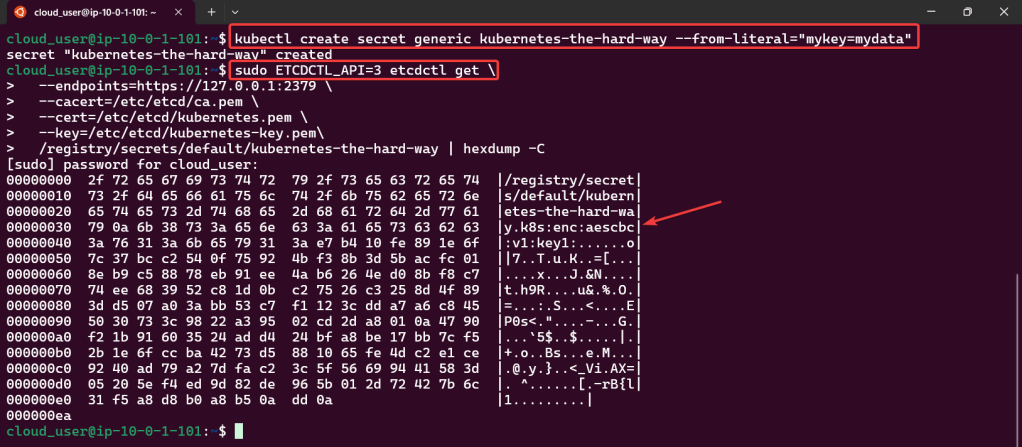
  • Data Encryption
  • Deployment
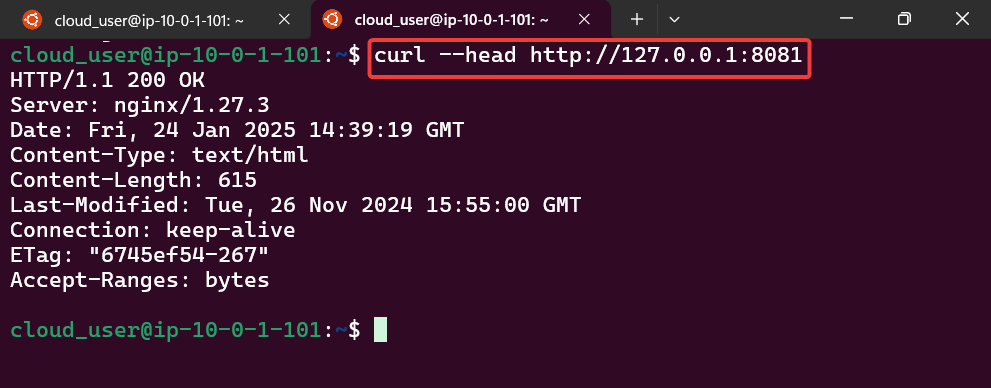
  • Port Forwarding
  • Logs
  • Exec
  • Services

Lessons Learned:

  • Cluster Data Encryption
  • Deployments Work
  • Remote Access works w/Port Forwarding
  • Access Container Logs w/Kubectl Logs
  • Execute Commands inside the Container
  • Services Work
  • Create test data for secret key
  • Ensure secret key is stored
  • Create & verify deployment
  • Snag that pod name & store in variable
  • Forward port to nginx pod
  • Open new terminal – – – & curl IP address/port
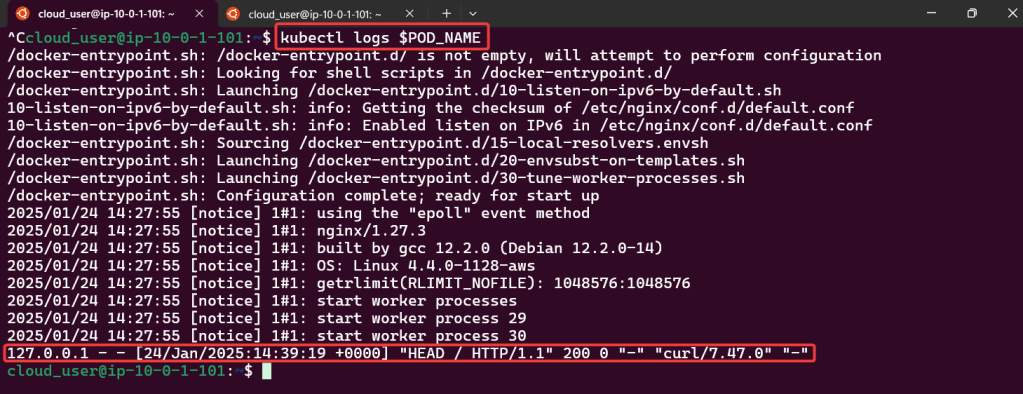
  • Get logs from nginx pod
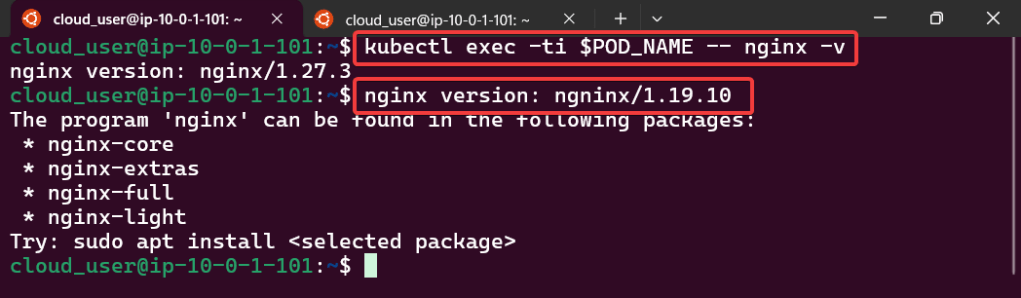
  • Confirm you can run “exec” command & will see the version
  • Test to see if service can be deployed
  • Get node port from variable
  • Curl IP address/port

Lets save Martha aka MiniKube..

Goal:

The Bat signal has been lit in the sky, its time to suit up, & don’t let the kryptonite divide us. Fix the broken Minikube cluster

Lessons Learned:

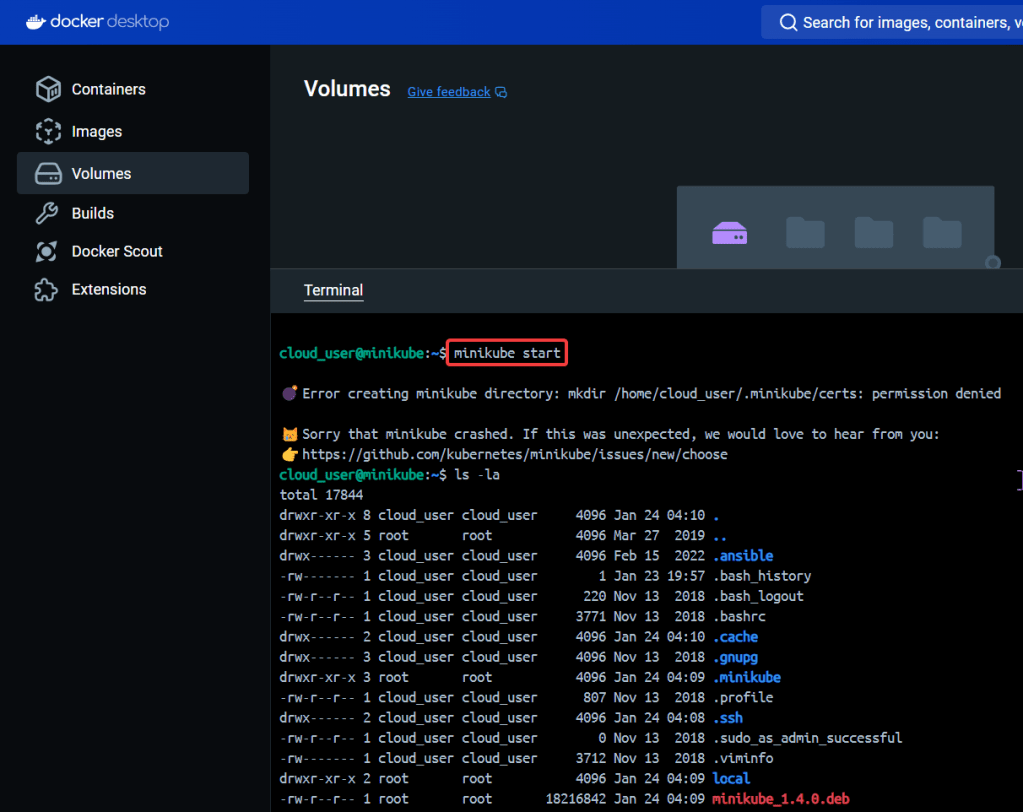
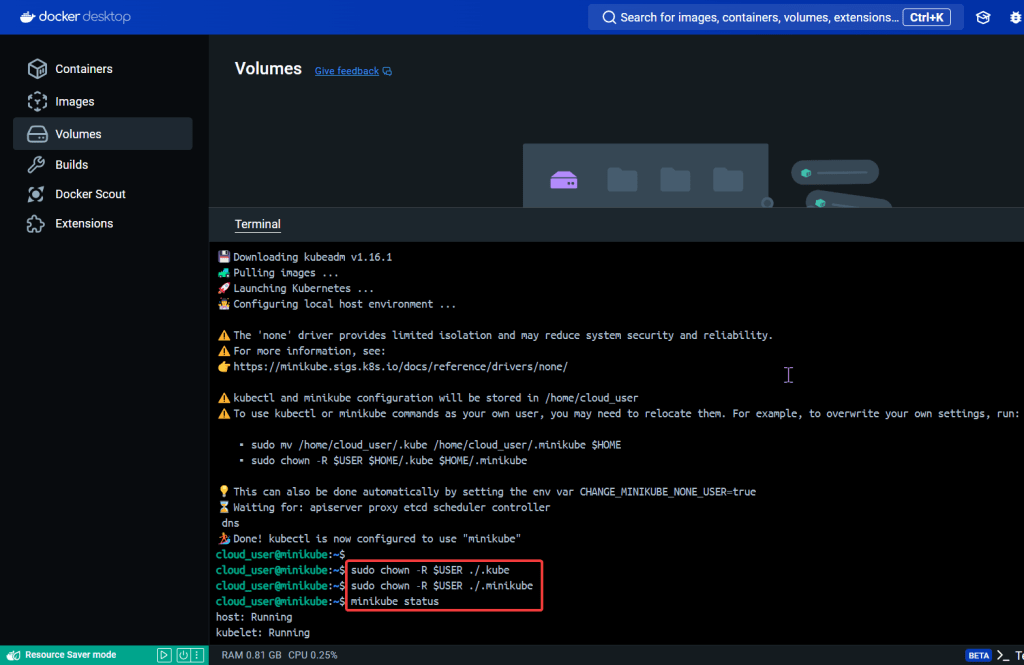
  • Start up the Bat Mobile (Minikube)
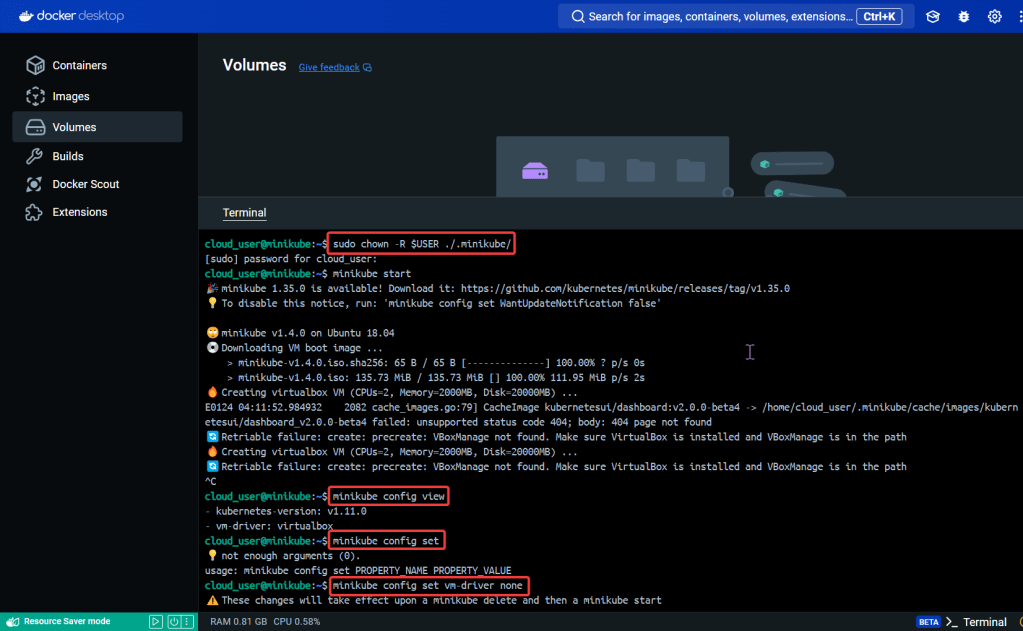
    • See screenshot for a whole slew of commands
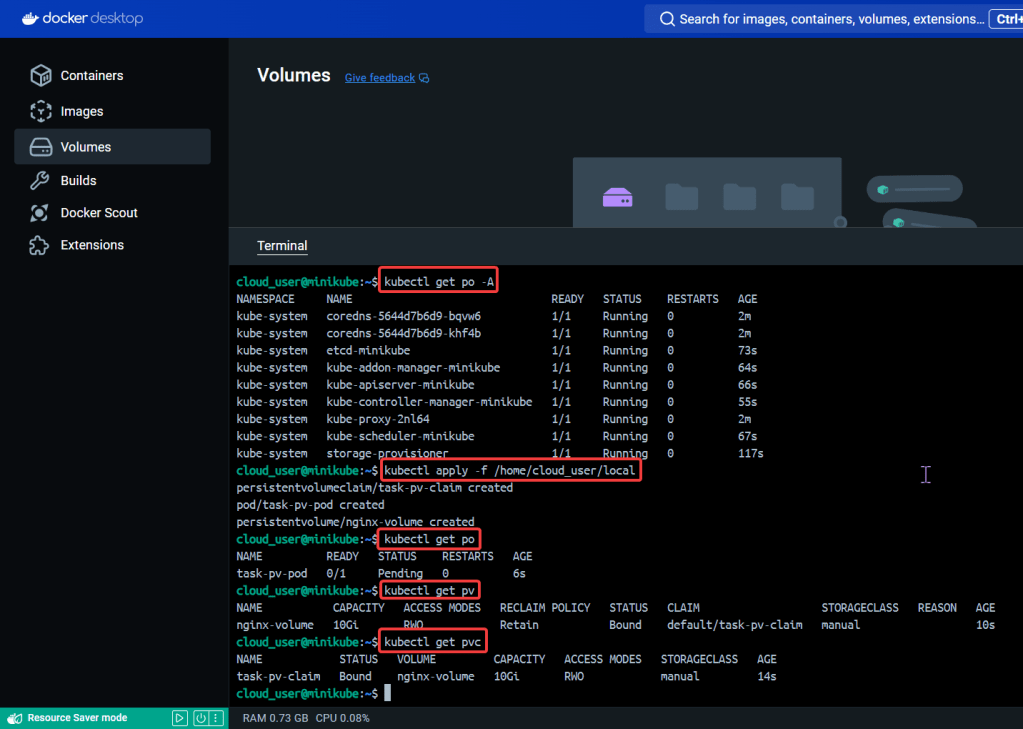
  • Create Object in YAML files to Confirm Cluster is up
    • Kubectl apply -f
    • Kubectl get po/pv/pvc

Start up the Bat Mobile (Minikube):

See screenshot for a whole slew of commands:

  • Minikube start
  • sudo chown -R
    • Change directory owner
      • .kube
      • .minikube
  • Minikube config set
    • Update the version
  • Sudo apt install -y docker.io
    • Get docker
  • Kubectl apply -f
  • Kubectl get
    • po
    • pv
    • pvc

Create Object in YAML files to Confirm Cluster is up:

  • Kubectl apply -f
  • Kubectl get po/pv/pvc

Blueprint to Build & Use a K3 Cluster

Goal:

Wanna see how the sausage is made – – – K3 cluster. We’ll bootstrap a K3 cluster, install the K3 on multipler servers, & have it Frankenstein to form a multi-server cluster. Lets get cookin’

Lessons Learned:

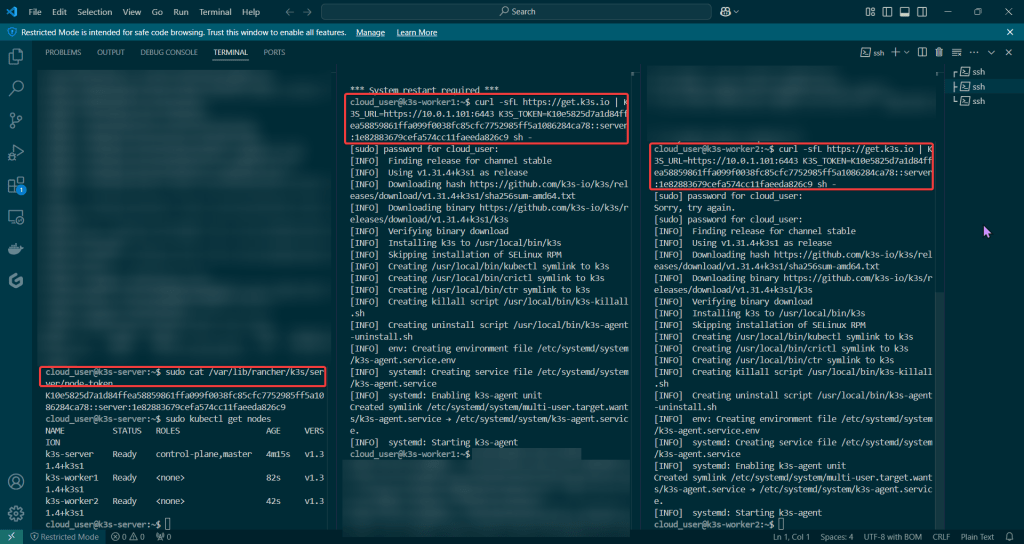
  • Build that K3 server
    • Install K3 server
    • List nodes
    • Get node token
  • Build two (2) K3 worker nodes
    • Install K3 on worker node w/private IP address & node tokens
  • Run on New Cluster
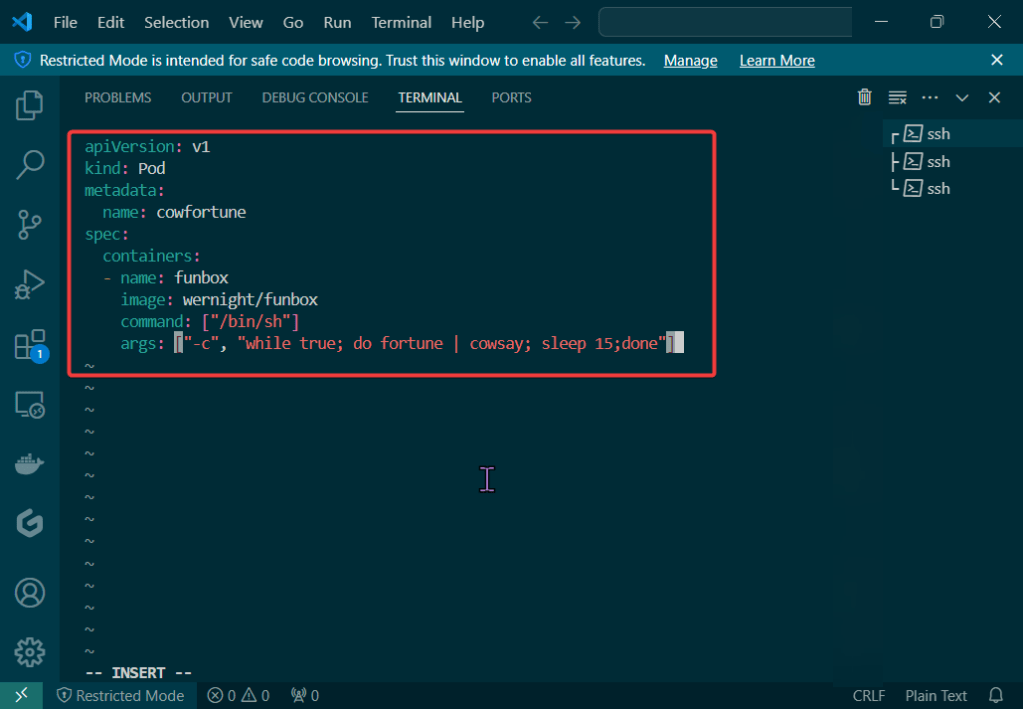
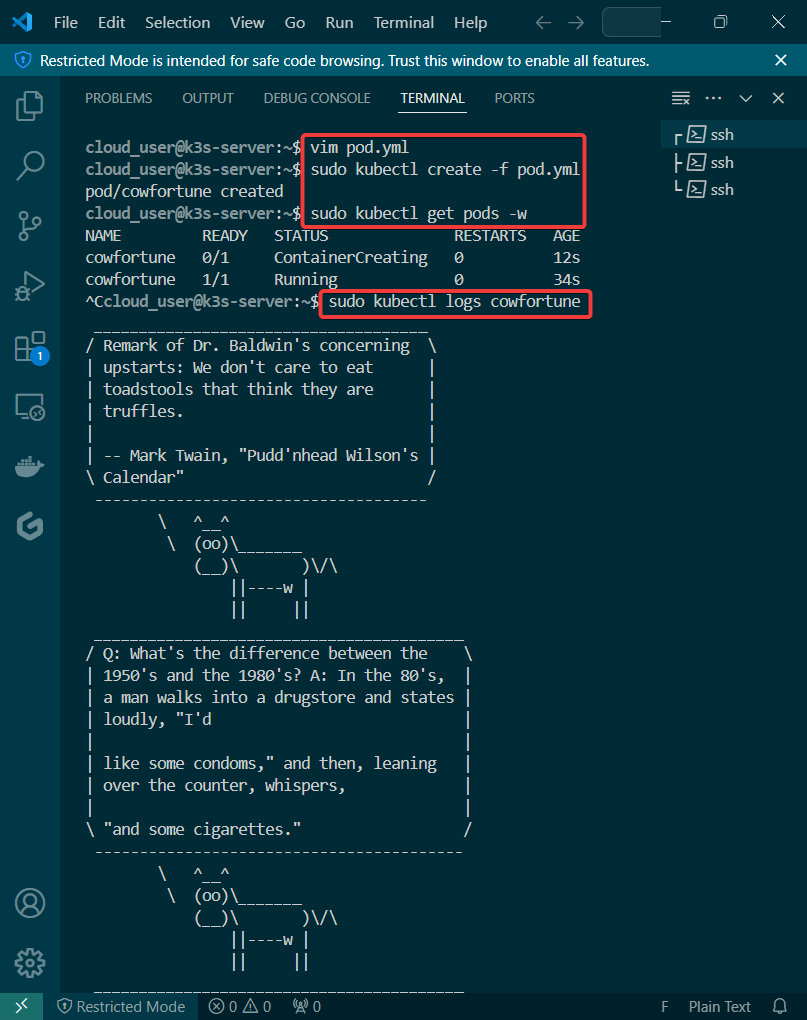
    • Create pod yaml file
    • Create, check, & view pod

Build that K3 server:

  • Install K3 server
  • List nodes
  • Get node token

Build K3 worker nodes:

Install K3 on worker node w/private IP address & node tokens:

Run on New Cluster:

Create pod yaml file:

Create, check, & view pod:

Come on, lets Explore Terraform State w/Kubernetes Containers

Let’s blend some pimp tools together & launch something into space – cyber space that is. Below is an example to show useful it is to understand Terraform state, deploy resources w/Kubernetes, & see how Terraform maintains the state file to track all your changes along w/deploying containers!

  • Check Terraform & Minikube Status
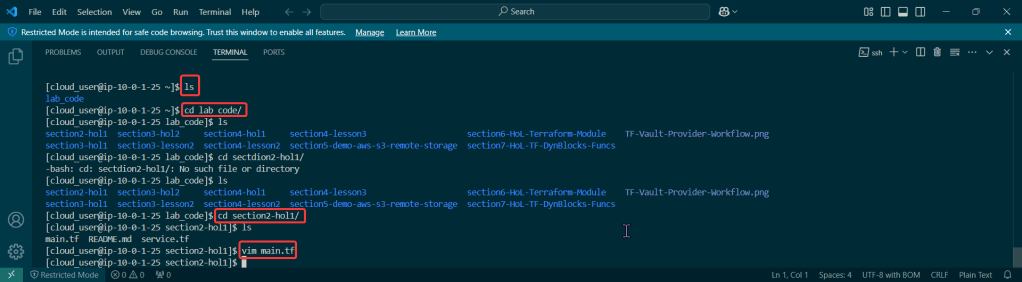
  • Clone Terraform Code & Switch Proper Directory
    • Switch directories
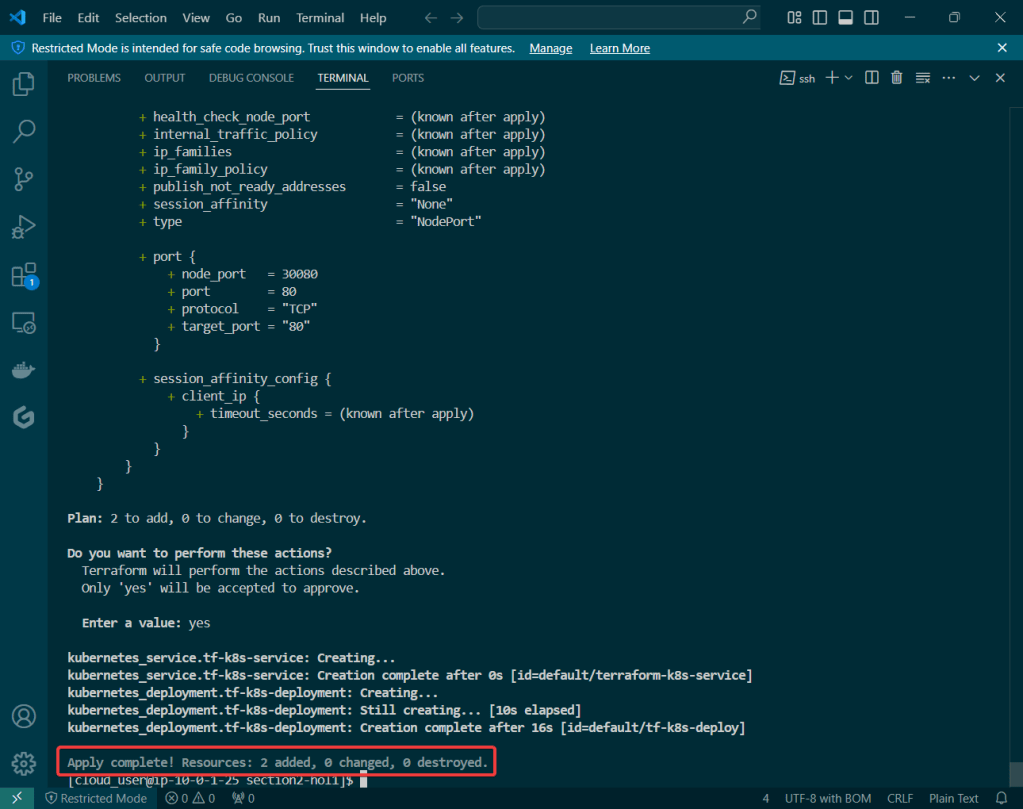
  • Deploy Terraform code & Observe State File
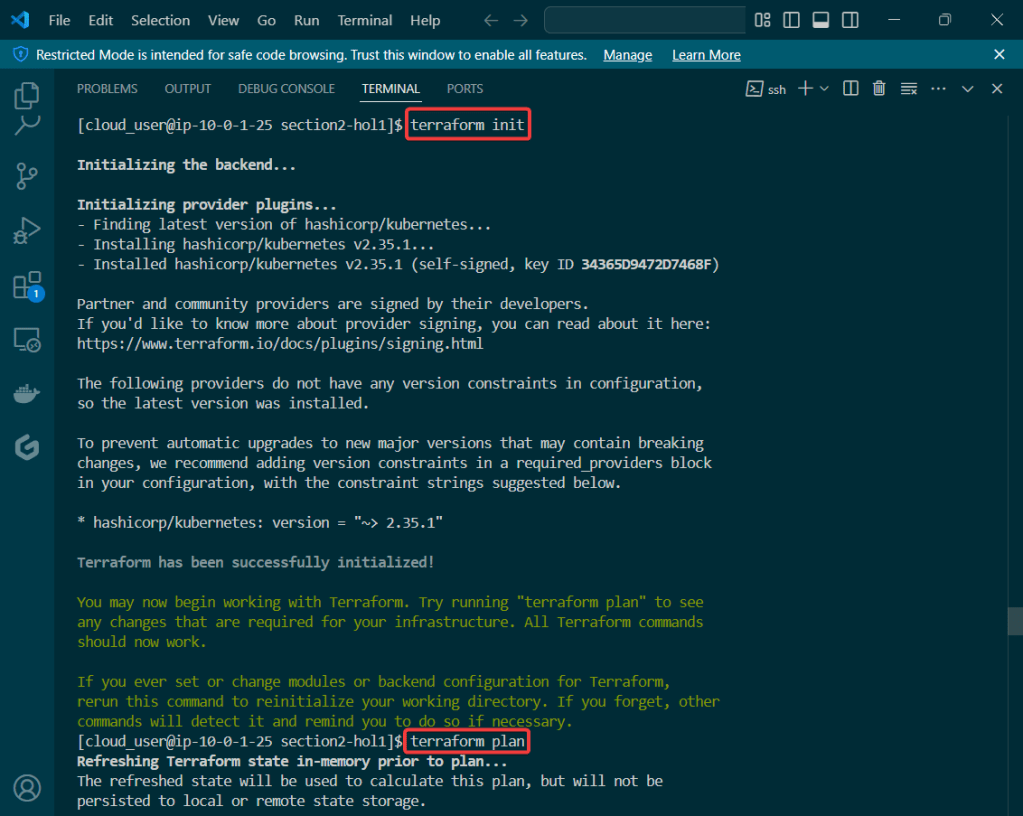
    • Terraform Init
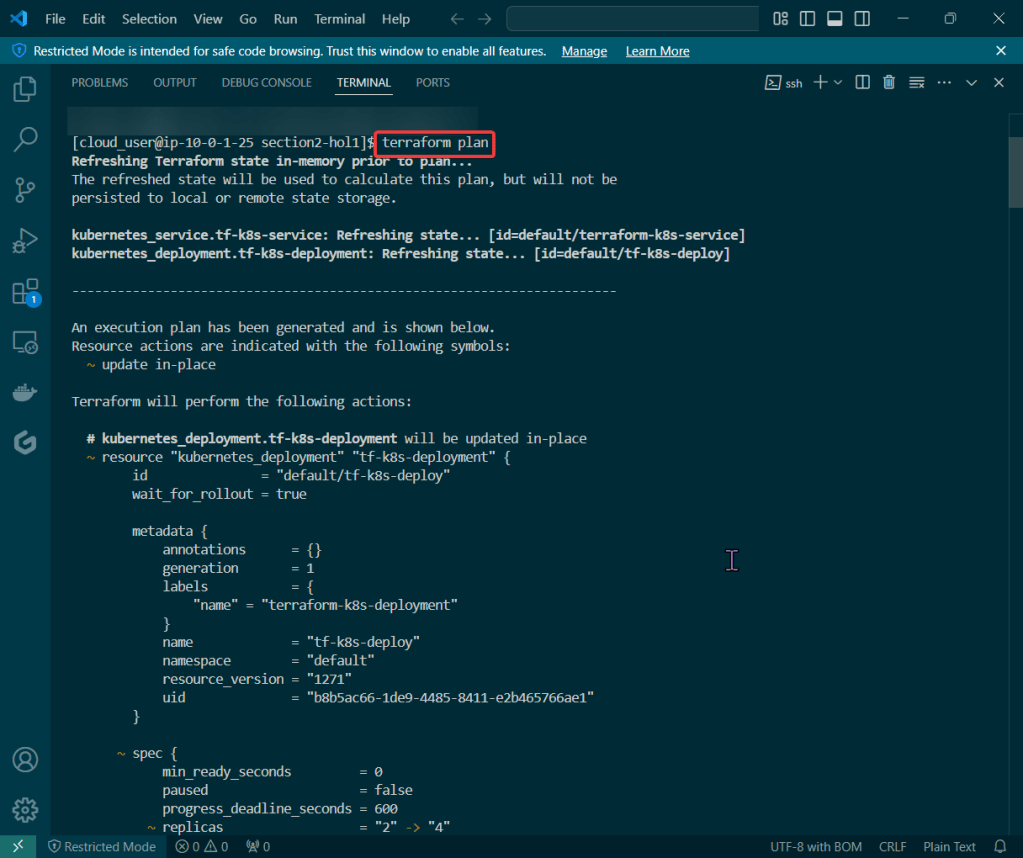
    • Terraform Plan
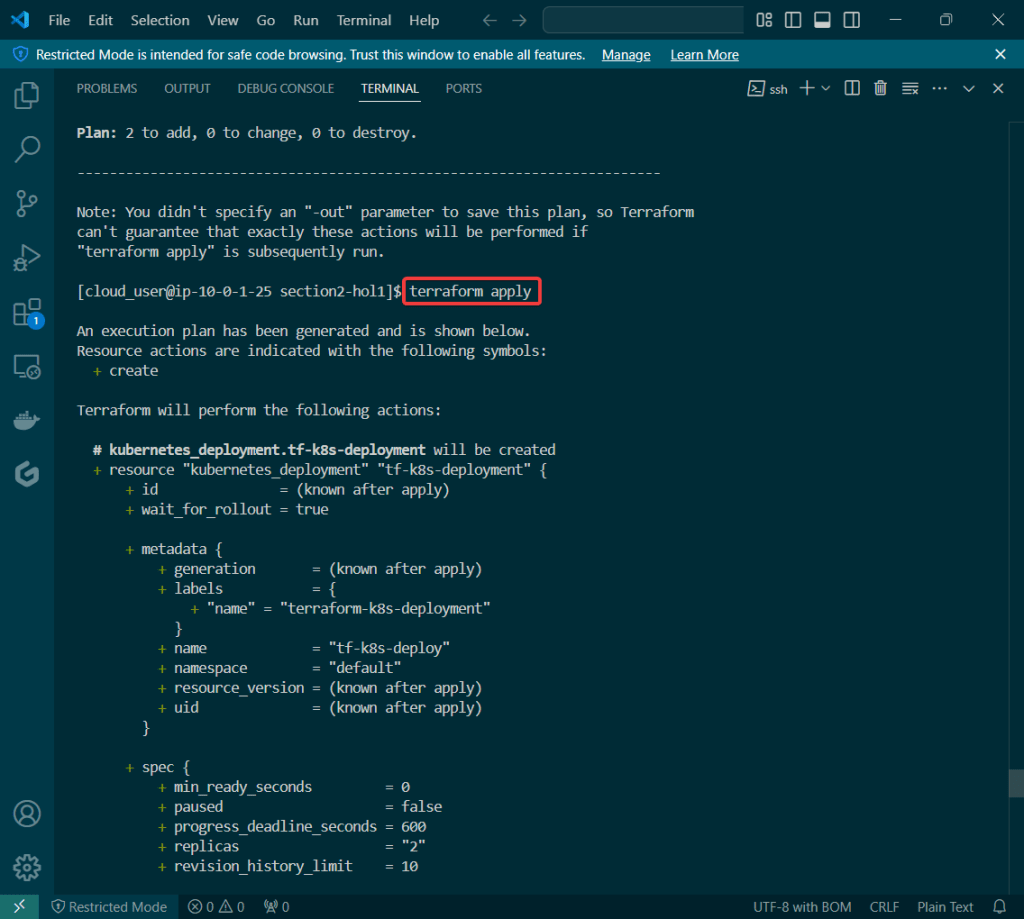
    • Terraform Apply
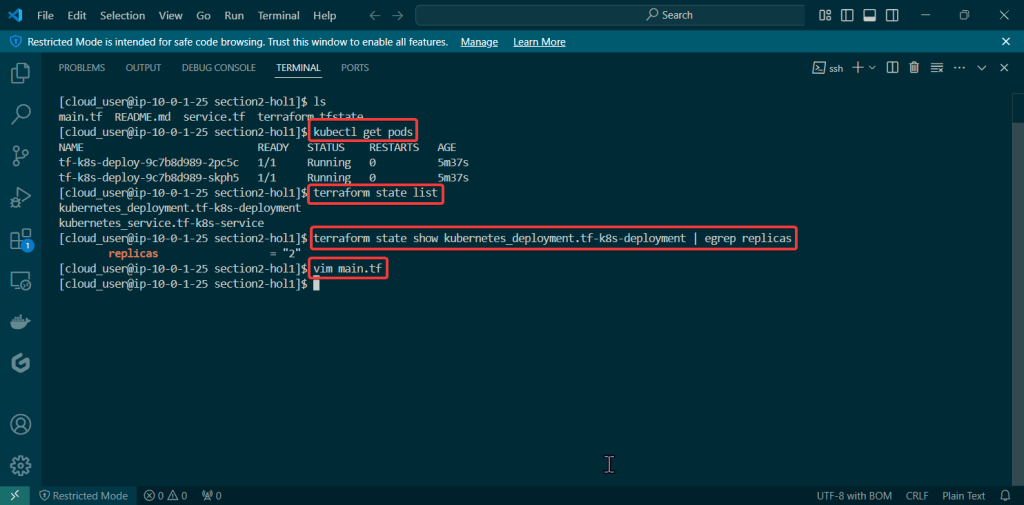
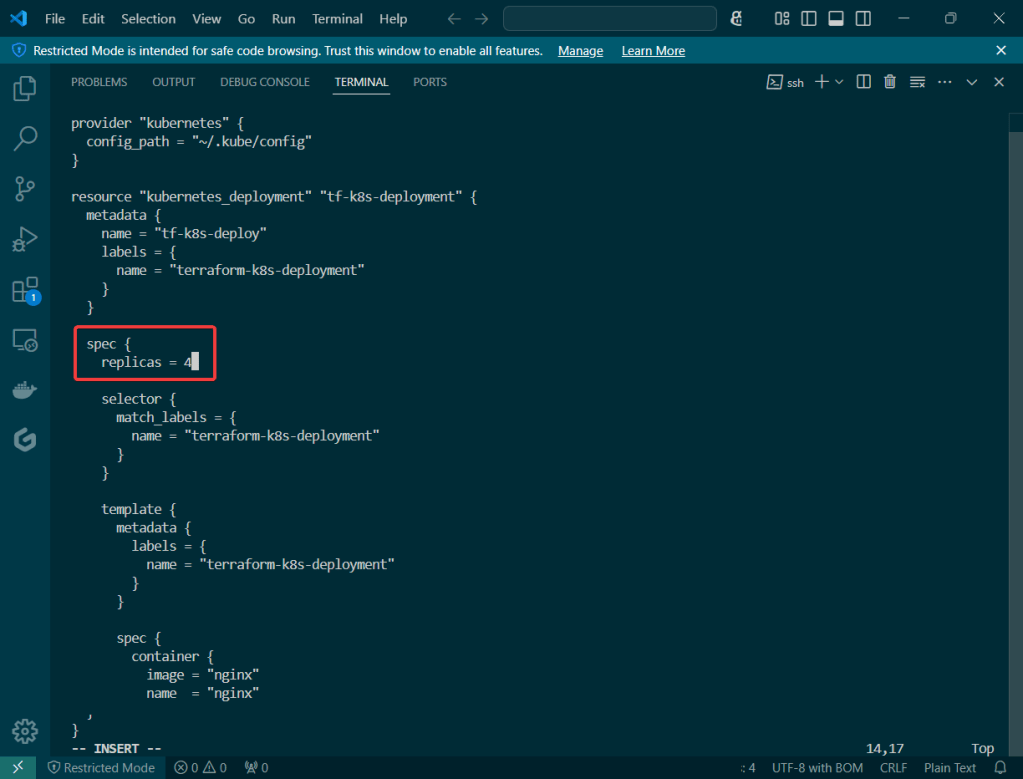
  • Terraform State File Tracks Resources
    • Terraform State
    • Terraform Destroy
  • terraform version

Switch directories:

  • Terraform –
    • Init
    • Plan
    • Apply

Terraform State File Tracks Resources:

Terraform Plan:

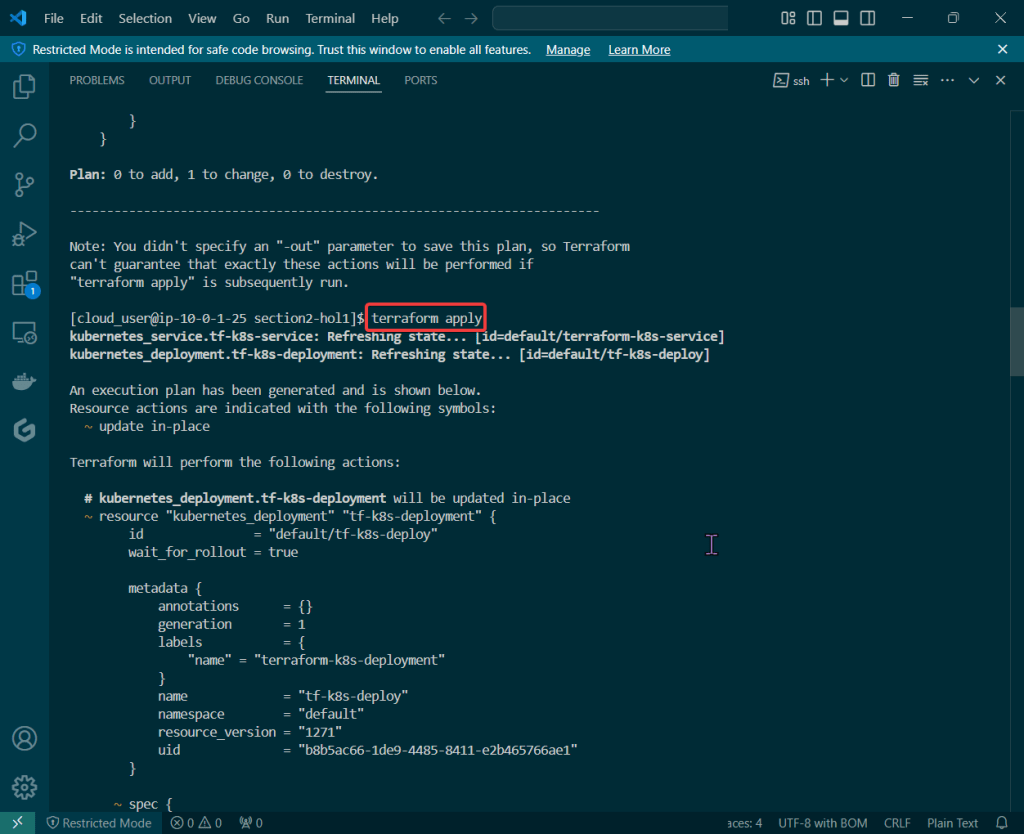
Terraform Apply:

Terraform Destroy: