

You like kubectl ya? Well how about slappin some “agentic-ai” on that cli & see what happens. Lets run it, see below for 4 examples.
Pre-Reqxzz aka 3 stepzz:
- Github
- bro just do what Github says, duhh. jk.
- but seriously, do start there – https://github.com/GoogleCloudPlatform/kubectl-ai
- bro just do what Github says, duhh. jk.
- OpenAi
- Create a https://ai.google.dev/gemini-api/docs/available-regions account
- everyones doing it (name that movie)
- Create a https://ai.google.dev/gemini-api/docs/available-regions account
- CLI
- Add your model & ughhhh, i guess talk to it?
Commands to get goin:
curl -sSL https://raw.githubusercontent.com/GoogleCloudPlatform/kubectl-ai/main/install.sh | bashexport GEMINI_API_KEY=your_api_key_herekubectl-ai --helpkubectl-ai modelskubectl-ai --model gemini-2.5-flash
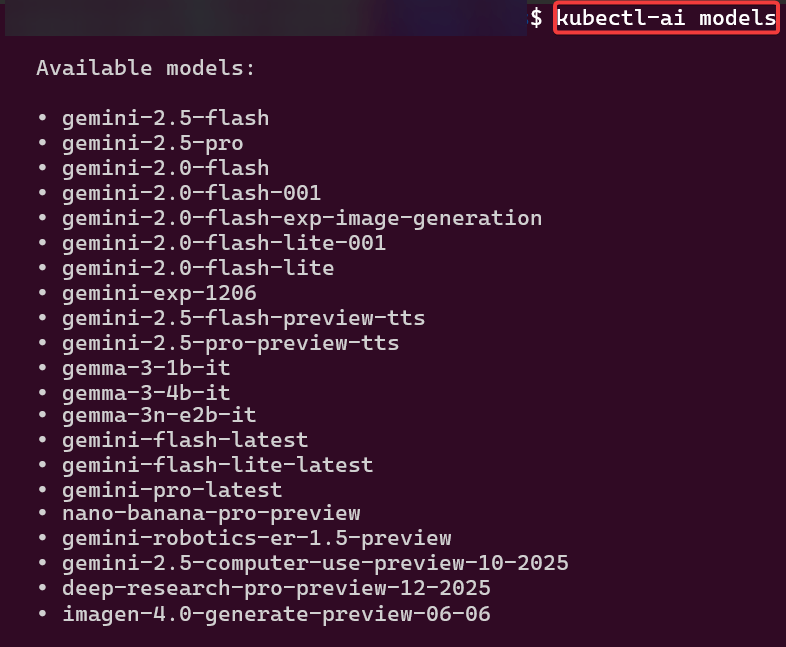
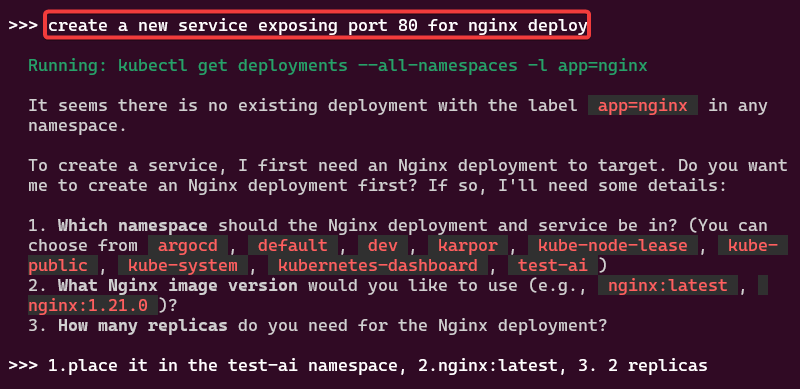
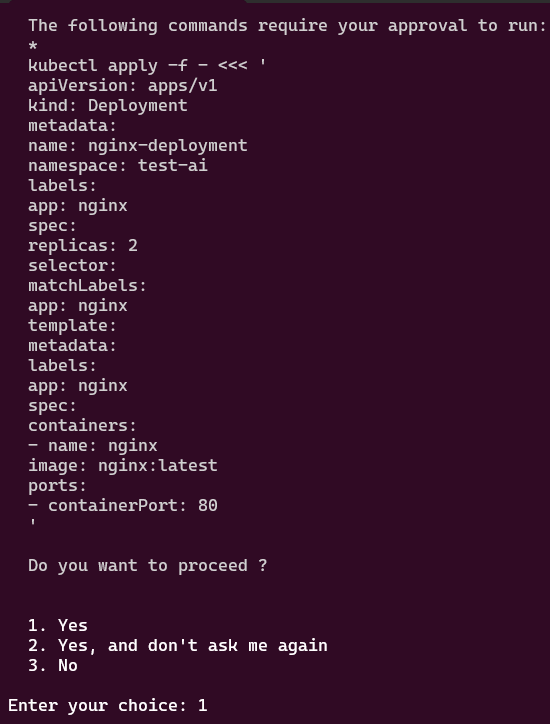
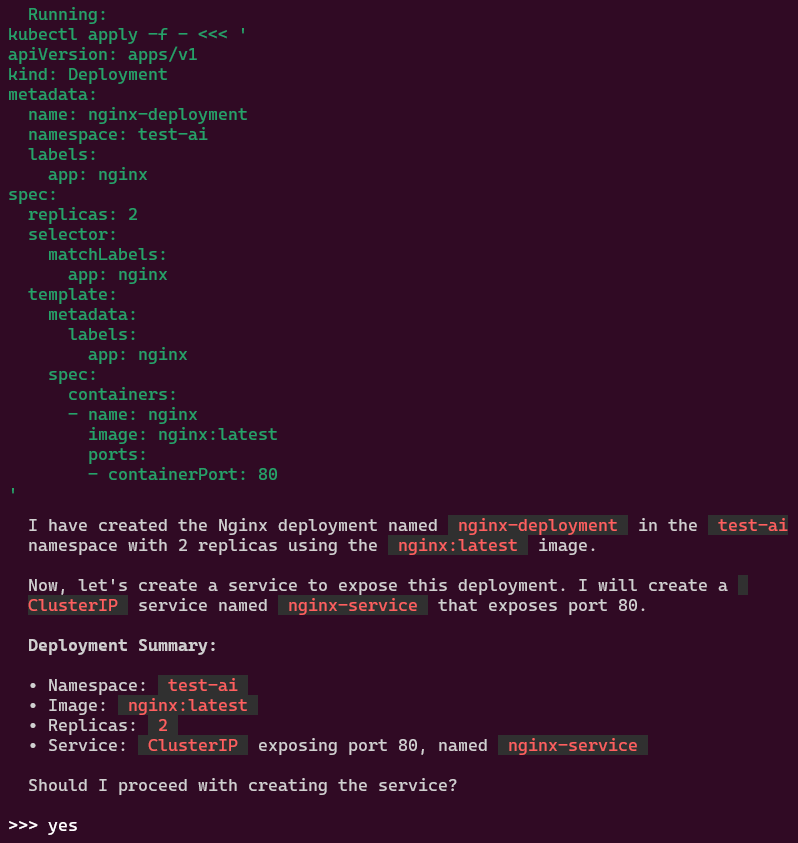
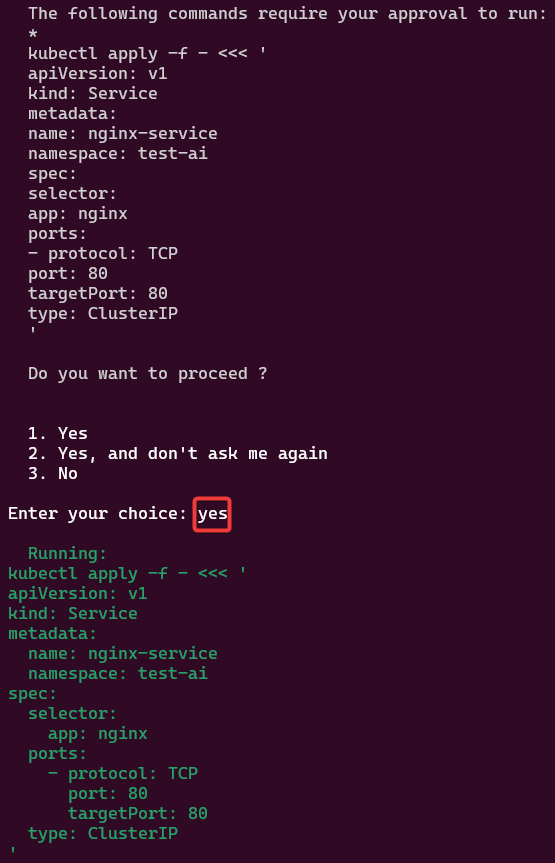
Example 1:
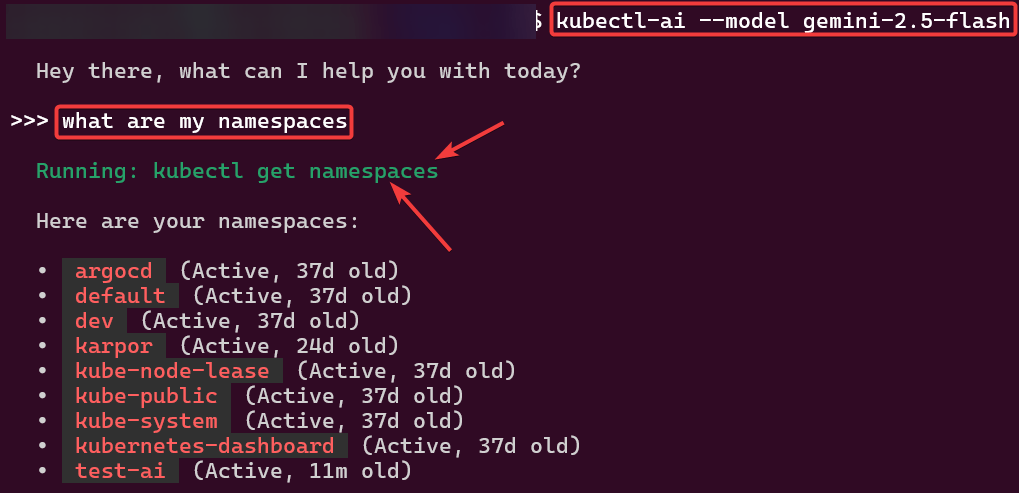
- informally talk w/to get namespaces & create namespace
- then can check k9s to see if it worked
- trust but verify type of thing ya know?
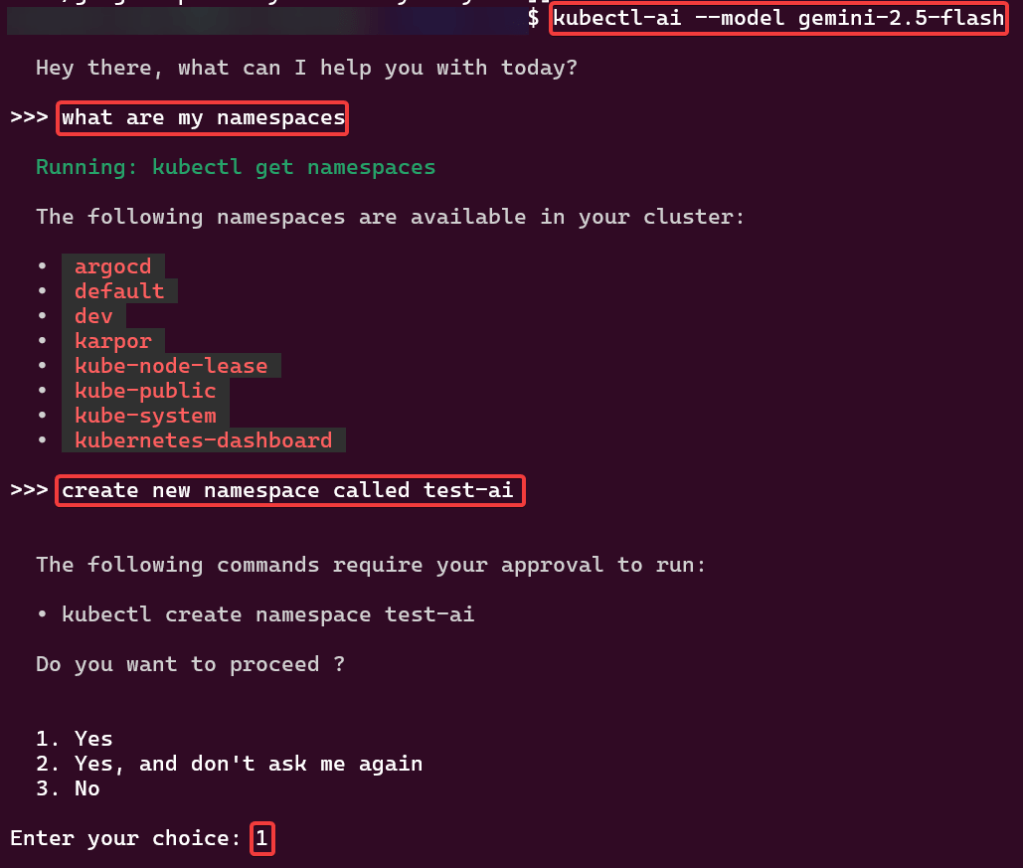
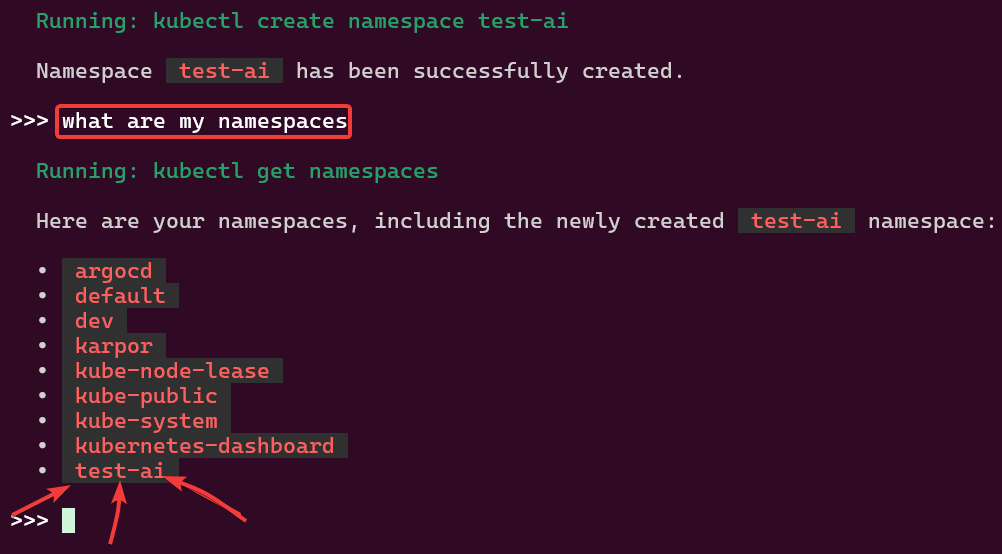
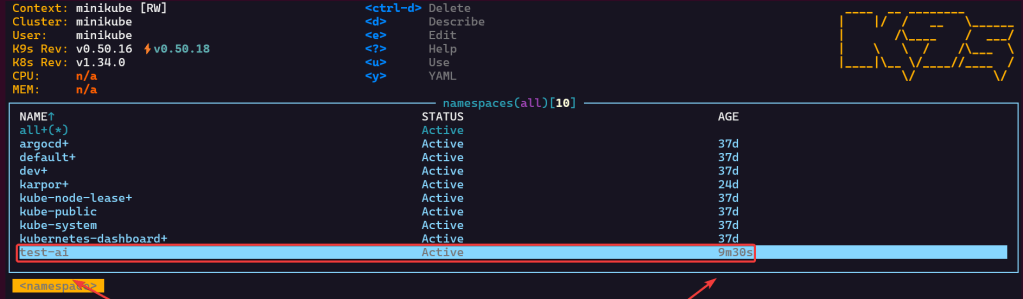
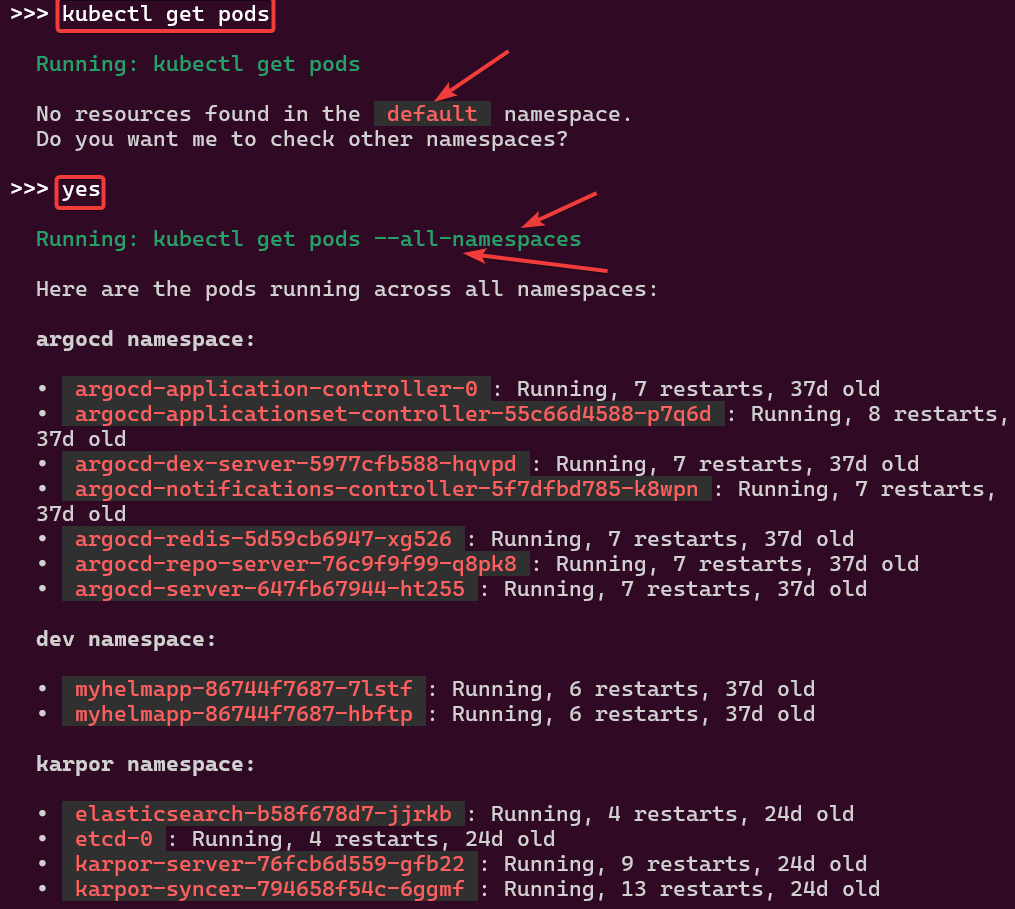
Example 2:
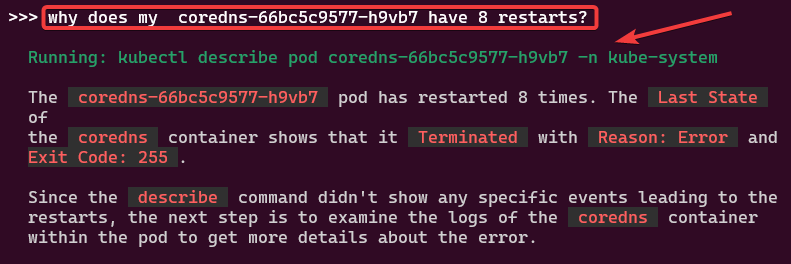
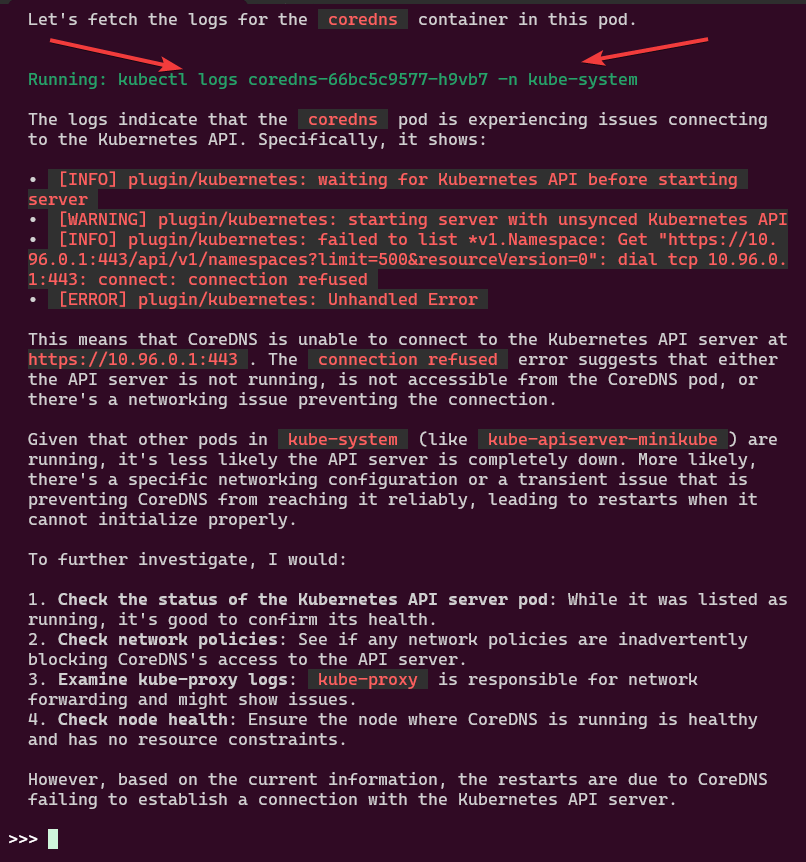
- shows you what command its running based off your informal dialogue
Example 3:
Example 4:


alrite peace








 Say When..