Series of blog posts show progress of updating/adding to EKS Cluster, this post covers adding a few K8 Security Tooling; Syft/SBOM, Cosign, & Falco.
Blog is broken up into:
- Syft/SBOM
- Mostly generate SBOMs from images
- Cosign
- Keyless/key-based signing, verify images, & CI integration that verify your ECR image
- Falco
- Runtime security/detection & provide build-time config scanning w/admission enforcement
See below for past posts:
Syft/SBOM & Cosign: gonna be in a script called build-secure-popeye.sh
- Sources:
- Since Syft & Cosign are not natural jobs & are based off of image build & release pipelines, gonna create a script attached to the Popeye image. Below is the flow for a visual:
- terraform apply
- → ECR recreated
- → build ARM64 Popeye image
- → push image
- → Syft generates SBOM
- → Cosign signs image
- → Resolve immutable image digest
- → Cosign attaches/signs SBOM
- → verify signature
- → Argo deploys Popeye
Summary Abstract Commands:
-------------------------------------------------- export COSIGN_IDENTITY="your-email@example.com"- ./scripts/build-secure-popeye.sh-------------------------------------------------- ./scripts/build-secure-popeye.sh- echo "$IMAGE_DIGEST"- cosign verify "$IMAGE_DIGEST" \ --certificate-identity="$COSIGN_IDENTITY" \ --certificate-oidc-issuer="https://github.com/login/oauth"- jq '.components | length' \ artifacts/sbom/popeye-0.22.1-cyclonedx.json-------------------------------------------------
House-Keeping Commands:
-------------------------------------------------Create build-secure-popeye.sh:- ls -l scripts/build-secure-popeye.sh- chmod +x scripts/build-secure-popeye.sh-------------------------------------------------.gitignore:- artifacts/-------------------------------------------------Install Syft:- curl -sSfL https://get.anchore.io/syft \ | sudo sh -s -- -b /usr/local/bin-------------------------------------------------Install Cosign:COSIGN_VERSION="v3.0.2"- curl -O -L \ https://github.com/sigstore/cosign/releases/latest/download/cosign-linux-amd64- chmod +x cosign-linux-amd64- sudo mv cosign-linux-amd64 /usr/local/bin/cosign-------------------------------------------------
Versions, Git, & Terraform Commands:
-------------------------------------------------Versions:- syft versionApplication: syftVersion: 1.51.0BuildDate: 2026-08-10T14:48:50ZGitCommit: 2293641e3bd628a01bb37639318d62c0ebe89b39GitDescription: v1.51.0Platform: linux/amd64GoVersion: go1.26.3Compiler: gcSchemaVersion: 16.1.10- cosign version ______ ______ _______. __ _______ .__ __. / | / __ \ / || | / _____|| \ | || ,----'| | | | | (----`| | | | __ | \| || | | | | | \ \ | | | | |_ | | . ` || `----.| `--' | .----) | | | | |__| | | |\ | \______| \______/ |_______/ |__| \______| |__| \__|cosign: A tool for Container Signing, Verification and Storage in an OCI registryGitVersion: v3.1.3GitCommit: 11926fa5bbbbde47e88fc006b625a17769b743b2GitTreeState: cleanBuildDate: 2026-08-05T23:43:27ZGoVersion: go1.26.4Compiler: gcPlatform: linux/amd64-------------------------------------------------Git & Terraform Commands:- git push- terraform apply-------------------------------------------------Describe ECR Repo:- aws ecr describe-repositories \ --repository-names popeye-arm64 \ --region us-east-1-------------------------------------------------
./scripts/build-secure-popeye.sh:
- export COSIGN_IDENTITY="your-email@example.com"- ./scripts/build-secure-popeye.sh
- Looks somethin like this:
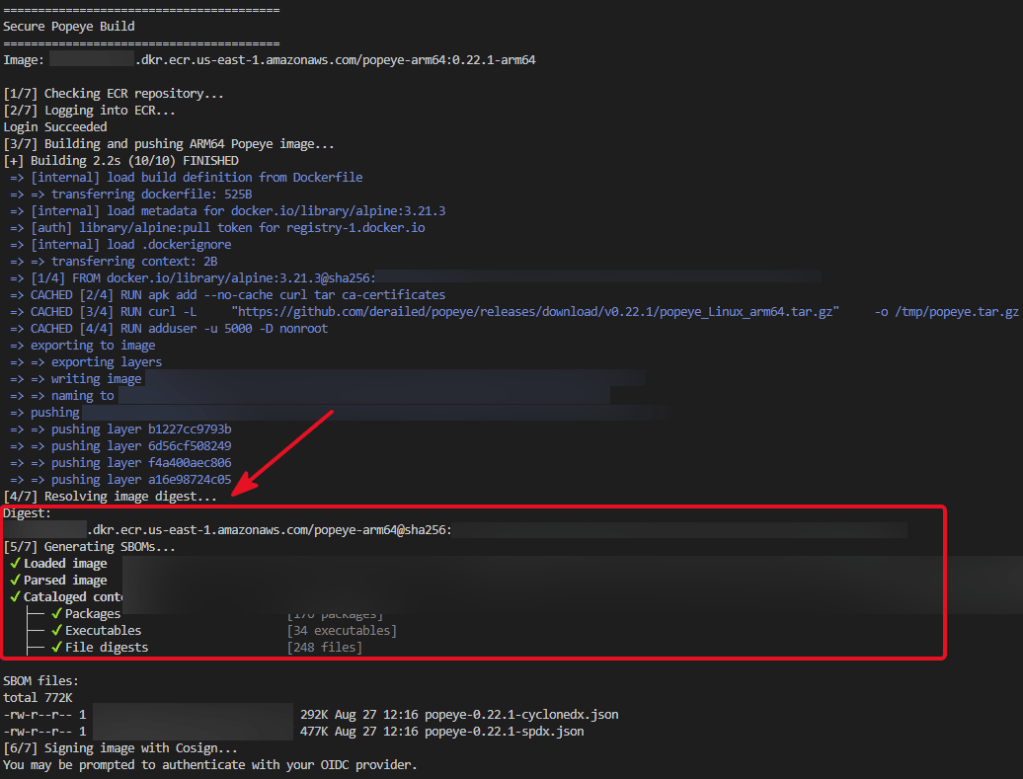
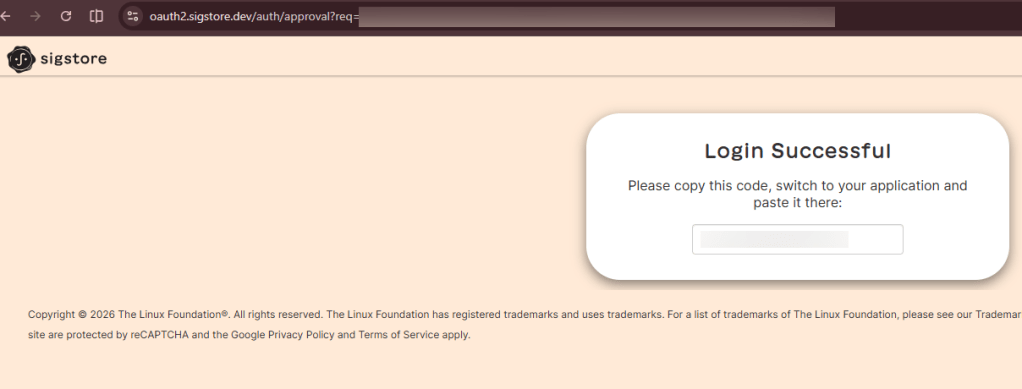
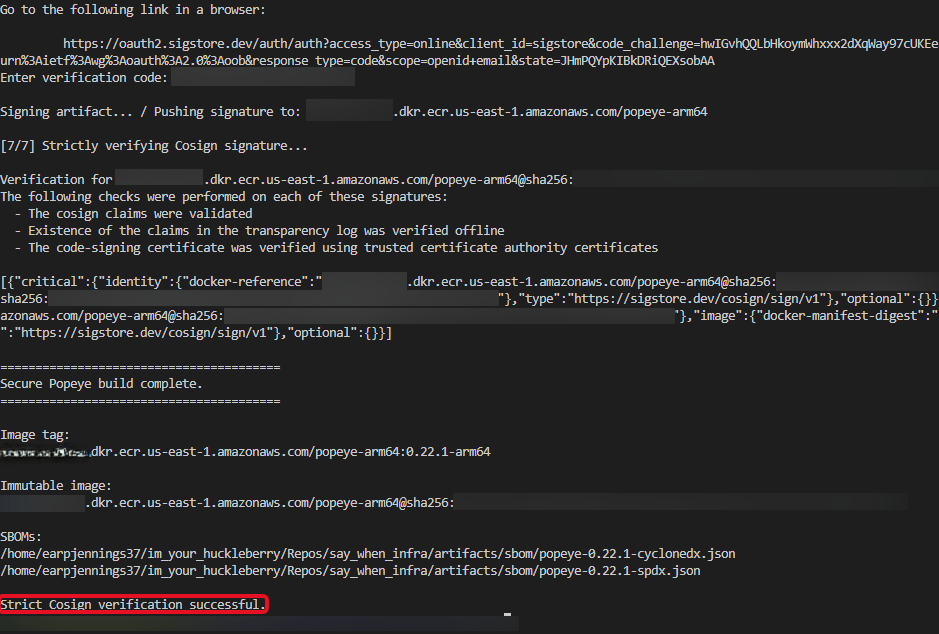
Check AWS vs CLI:
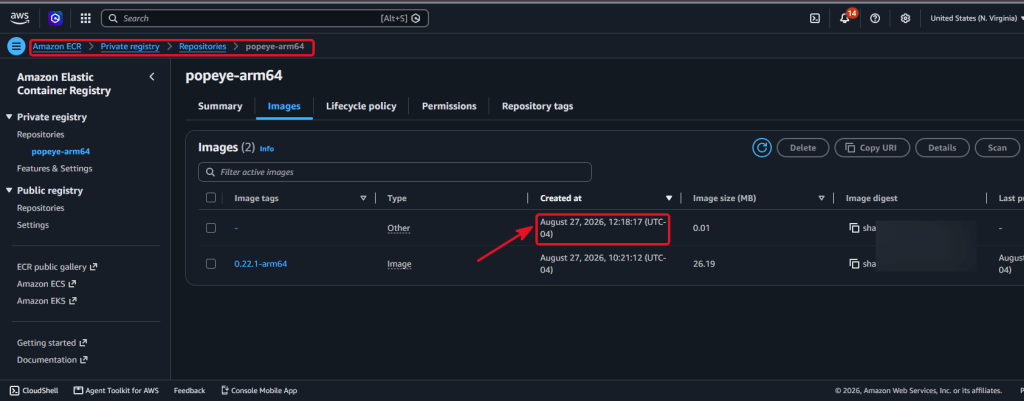
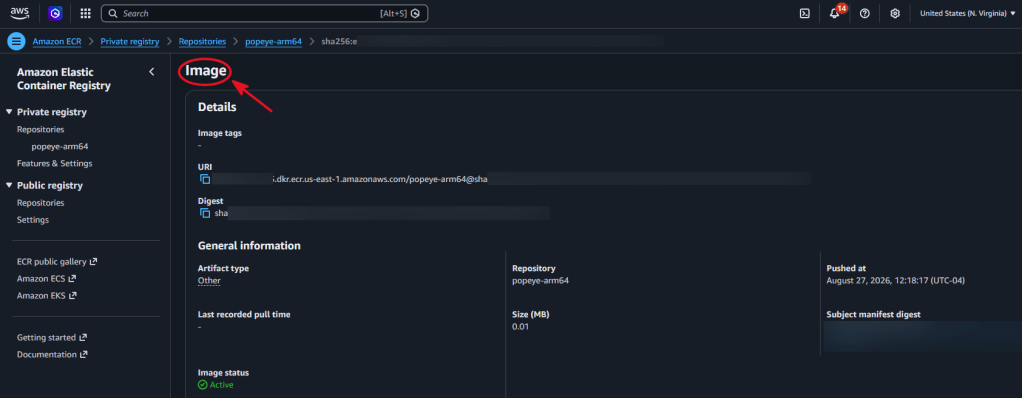
Get image digest manually:
-------------------------------------------------Set the image digest:- AWS_ACCOUNT_ID=$(aws sts get-caller-identity --query Account --output text)DIGEST=$(aws ecr describe-images \ --repository-name popeye-arm64 \ --image-ids imageTag=0.22.1-arm64 \ --region us-east-1 \ --query 'imageDetails[0].imageDigest' \ --output text)IMAGE_DIGEST="${AWS_ACCOUNT_ID}.dkr.ecr.us-east-1.amazonaws.com/popeye-arm64@${DIGEST}"echo "$IMAGE_DIGEST"-------------------------------------------------
Verify the Image Signature:
-------------------------------------------------Strict Verify Test:- cosign verify "$IMAGE_DIGEST" \ --certificate-identity="$COSIGN_IDENTITY" \ --certificate-oidc-issuer="https://github.com/login/oauth"-------------------------------------------------Quick Troubleshooting Verification- cosign verify "$IMAGE_DIGEST" \ --certificate-identity-regexp='.*' \ --certificate-oidc-issuer-regexp='.*'-------------------------------------------------
Inspect Certificate/Signing Information:
- Cosign’s normal JSON output mainly shows the signed payload, so the easiest way to discover the issuer is often from a failed strict verification.
-------------------------------------------------Inspect Verification Output:- cosign verify "$IMAGE_DIGEST" \ --certificate-identity-regexp='.*' \ --certificate-oidc-issuer-regexp='.*' \ --output json | jq-------------------------------------------------Check Locally:- echo "$COSIGN_IDENTITY"-------------------------------------------------
Inspect SBOM:
-------------------------------------------------SBOM Checks:- ls -lh artifacts/sbom/-------------------------------------------------CycloneDX component count:- jq '.components | length' \ artifacts/sbom/popeye-0.22.1-cyclonedx.json-------------------------------------------------Unique package/component names:- jq -r '.components[].name' \ artifacts/sbom/popeye-0.22.1-cyclonedx.json \ | sort -u-------------------------------------------------Component types:- jq -r '.components[].type' \ artifacts/sbom/popeye-0.22.1-cyclonedx.json \ | sort \ | uniq -c-------------------------------------------------SPDX package count:- jq '.packages | length' \ artifacts/sbom/popeye-0.22.1-spdx.json-------------------------------------------------
See ECR Image Details & Digests:
-------------------------------------------------- aws ecr describe-images \ --repository-name popeye-arm64 \ --region us-east-1-------------------------------------------------- aws ecr describe-images \ --repository-name popeye-arm64 \ --image-ids imageTag=0.22.1-arm64 \ --region us-east-1 \ --query 'imageDetails[0].imageDigest' \ --output text -------------------------------------------------
Falco: is for runtime security/detection & provide build-time config scanning w/admission enforcement
- Source:
- The flow for Falco is through Argo CD + the official Falco Helm chart cuz its cleaner than raw manifests here because Falco has a maintained first-party chart & several driver/runtime settings.
- Falco supports both x86_64 and ARM64 Linux nodes
- Once healthy we’ll launch a disposable pod & exec into the shell to show the rules firing instead of just showing a healthy DaemonSet
Summary Abstract Commands:
- After adding to yaml files, go ahead & do the following commands:
- applications/falco.yaml
- apps/falco/values.yaml
-------------------------------------------------/gitops:- helm repo add falcosecurity https://falcosecurity.github.io/charts- helm repo update- helm search repo falcosecurity/falco --versions | head-------------------------------------------------/infra:- terraform apply- aws eks update-kubeconfig \ --region us-east-1 \ --name say-when-east- export COSIGN_IDENTITY="your-email@example.com"- ./scripts/build-secure-popeye.sh-------------------------------------------------
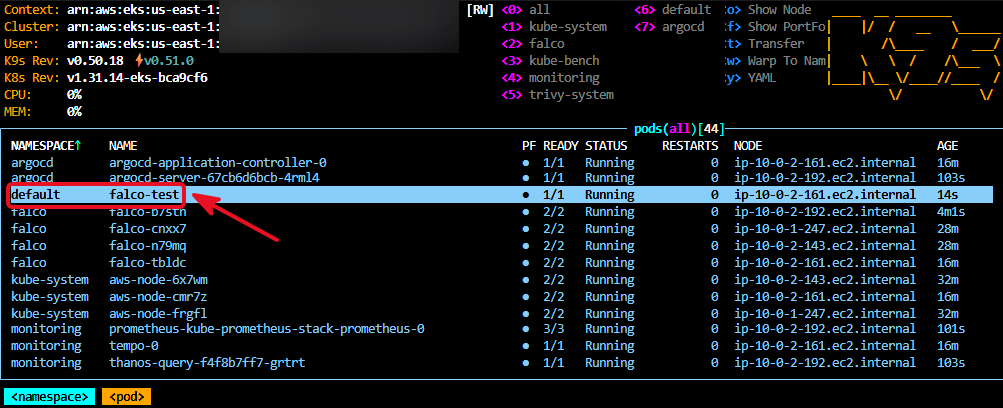
Check K9s & ArgoCD:
- K9s pods & daemonset
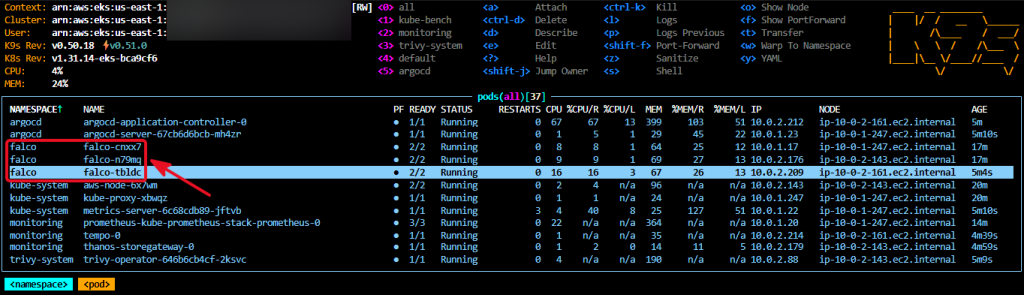
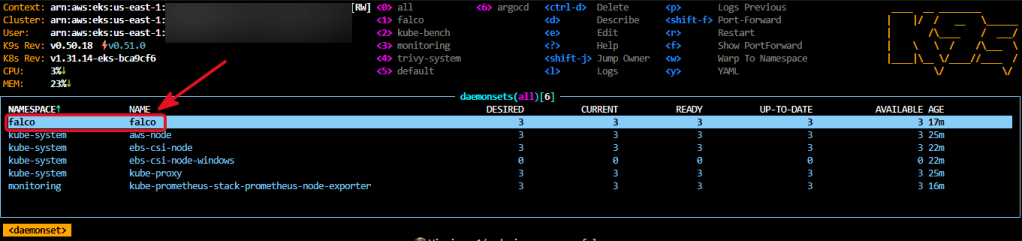
- ArgoCD
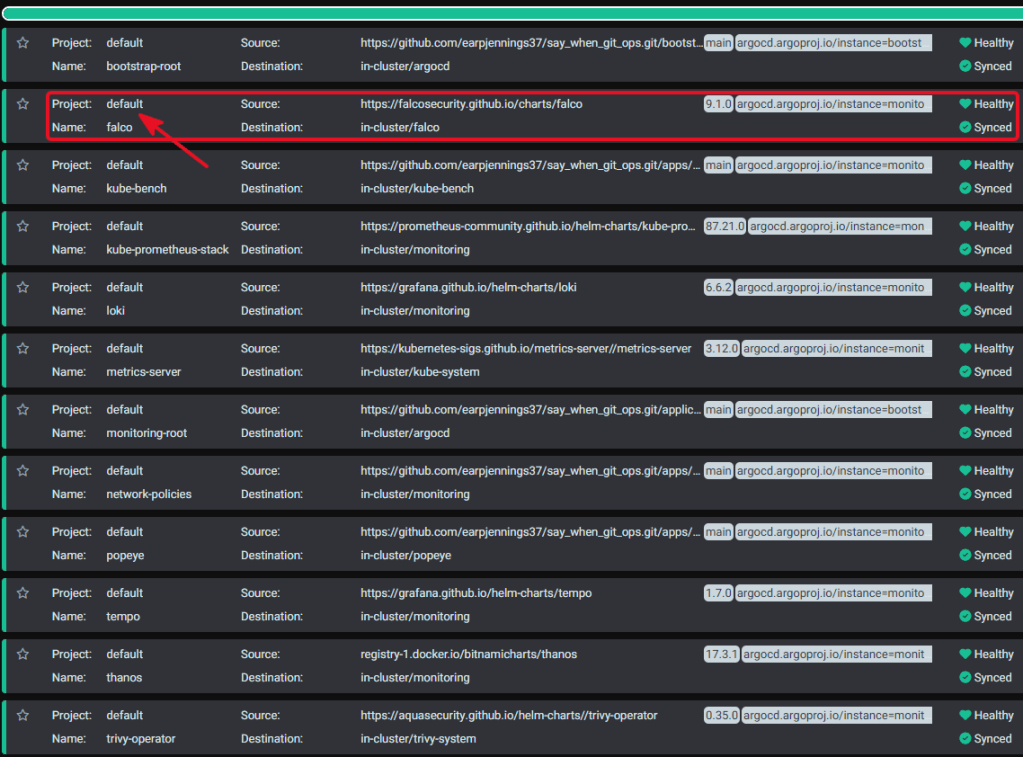
Test Pod & exec into shell:
-------------------------------------------------- kubectl run falco-test --image=alpine:3.21 --restart=Never --command -- sleep 3600- kubectl exec -it falco-test -- /bin/sh- cat /etc/passwd- kubectl logs -n falco \ -l app.kubernetes.io/name=falco \ --since=5m \| jq -r 'select(.rule != null) | "\(.priority) | \(.rule) | \(.output)"'-------------------------------------------------
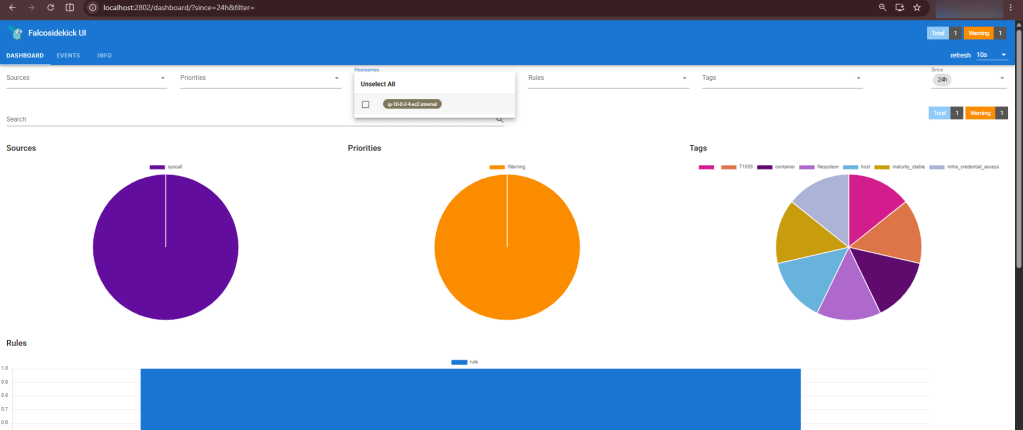
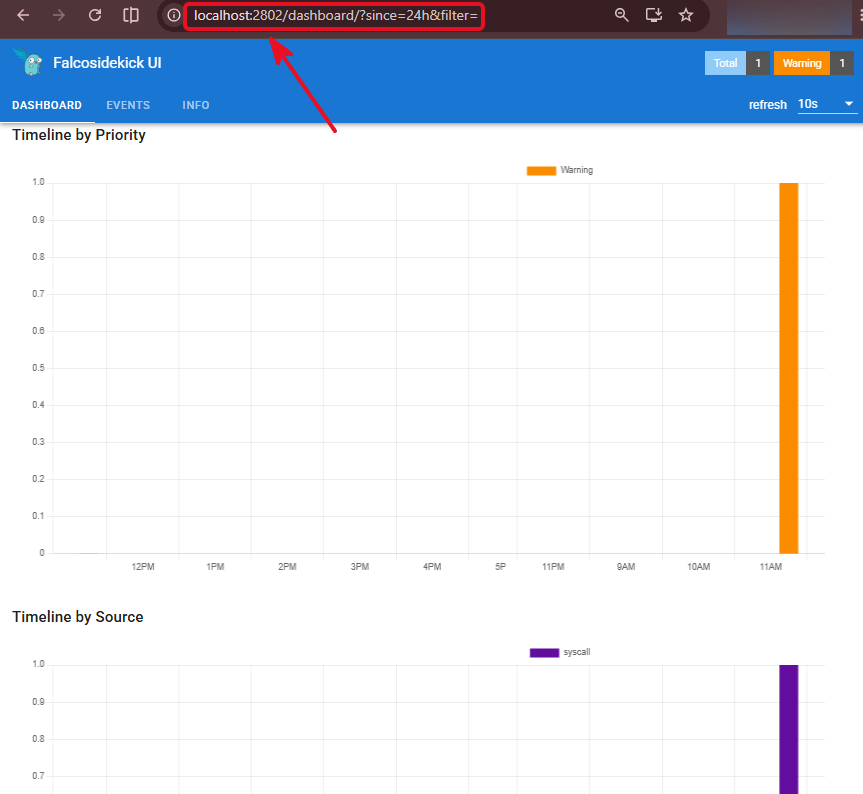
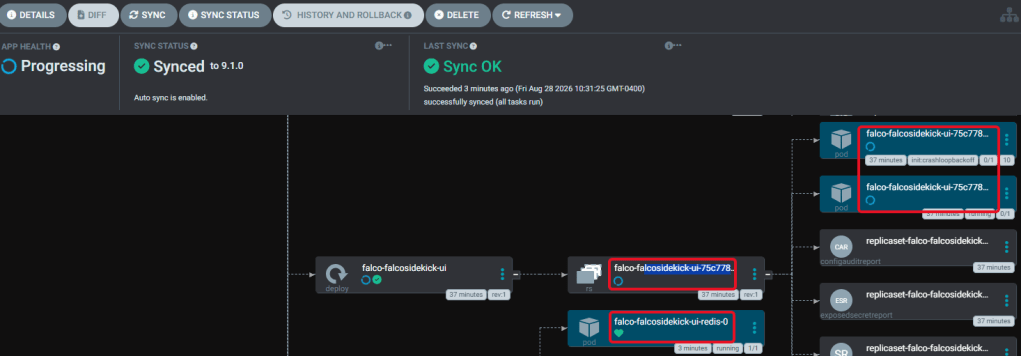
Falcosidekick & Falcosidekick UI: events & browser to view alerts on port 2802
- Sources:
- Redis by default is true & is for persistence, add in the values to false cuz this is just a spin up & destroy cluster.
- After pushing values updates, check ArgoCD Loki w/a refresh and/or sync or annotate.
-------------------------------------------------- kubectl annotate application falco -n argocd argocd.argoproj.io/refresh=hard --overwrite- kubectl get pods -n falco- kubectl get svc -n falco- kubectl get pvc -n falco-------------------------------------------------
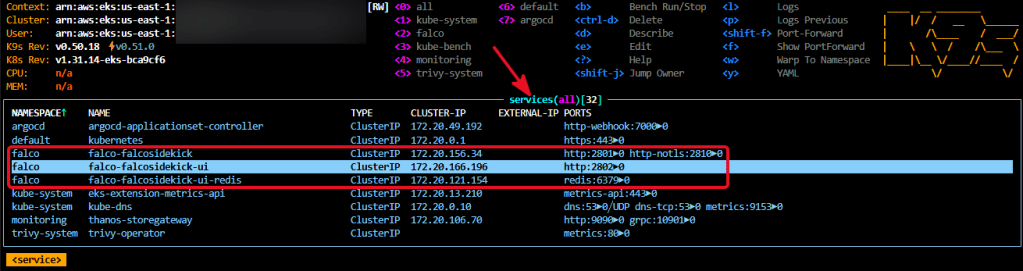
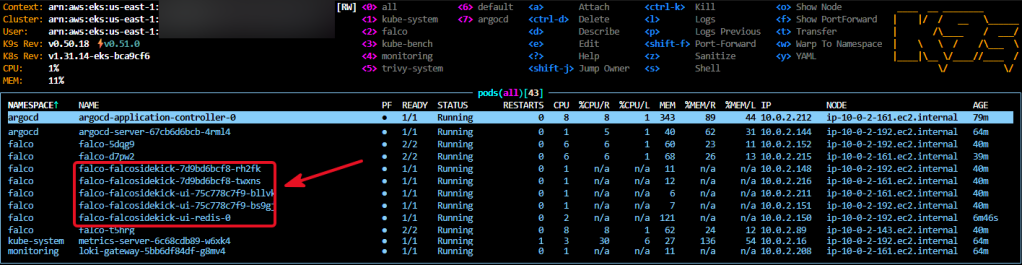
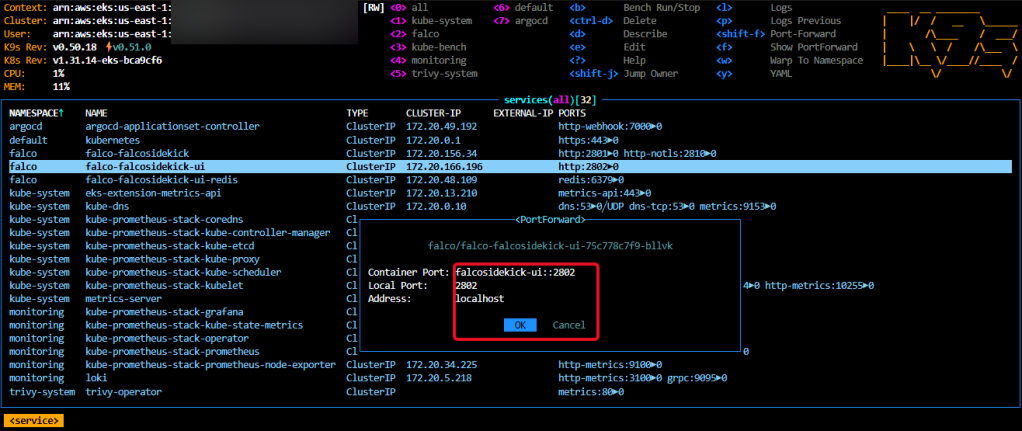
Port-Forward Falco-sidekick-ui:
-------------------------------------------------Port-Forward CLI or K9s:- kubectl port-forward \ -n falco \ svc/falco-falcosidekick-ui \ 2802:2802- http://localhost:2802-------------------------------------------------Test/Shell into Exec Pod:- kubectl run falco-test \ --image=alpine:3.21 \ --restart=Never \ --command -- sleep 3600- kubectl exec -it falco-test -- /bin/sh- cat /etc/shadow-------------------------------------------------