
Series of blog posts show progress of updating/adding to EKS Cluster, this post covers improving AWS Secrets Manager, External Secrets, EKS Pod Identity, & IRSA. Cuz who dont want some of that stuff? Queue Kirko Chainzz “you like data!?!?”
The Flow of Secrets Mgr, External Secrets, EKS Pod ID, & IRSA:
- Terraform creates an ephemeral password.
- Terraform writes it to AWS Secrets Manager without placing it in Terraform state.
- Terraform gives the External Secrets service account narrowly scoped AWS access through EKS Pod Identity.
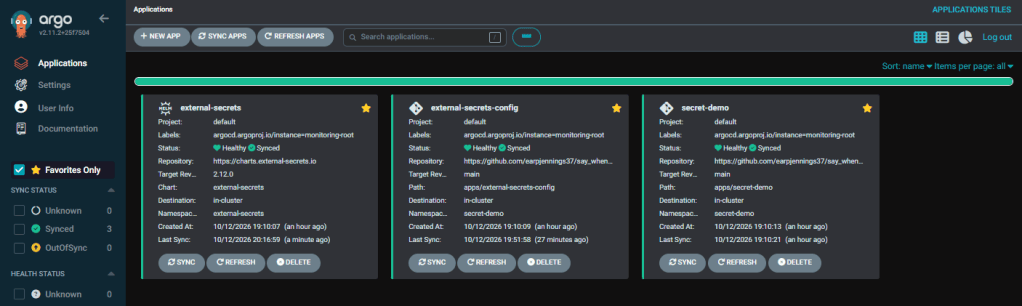
- Argo CD installs External Secrets Operator.
- Argo CD creates a
SecretStoreandExternalSecret. - External Secrets reads the AWS secret and creates a Kubernetes Secret.
- The demo Deployment consumes the Kubernetes Secret.
- The demo application receives no AWS permissions.
Repos & Folder & Files Created:
| Repository | Changes |
|---|---|
say_when_infra | Pod Identity Agent EKS add-on, IAM role and policy, Pod Identity association, Secrets Manager secret container |
say_when_git_ops | External Secrets Helm application, namespaced SecretStore, ExternalSecret, test workload |
applications/
├── external-secrets.yaml
├── external-secrets-config.yaml
└── secret-demo.yaml
apps/
├── external-secrets/
│ └── values.yaml
├── external-secrets-config/
│ ├── external-secret.yaml
│ └── secret-store.yaml
└── secret-demo/
└── deployment.yaml
infra/
├── providers.tf
├── outputs.tf
| Layer | Responsibility |
|---|---|
| Terraform | AWS secret, IAM, EKS add-on and Pod Identity |
| Operator Application | Install ESO and its CRDs |
| Configuration Application | Tell ESO what AWS secret to synchronize |
| Demo Application | Consume the resulting Kubernetes Secret |
Below are links for details:
Infrastructure Repository:
providers.tf
- Why we changed it:
- Added the
randomprovider for ephemeral password generation. - Raised Terraform’s minimum version to
1.11.0, required for write-only arguments and ephemeral resources. - Restricted AWS provider to version 5.x because your existing EKS module is not compatible with AWS provider 6.x.
- Continued using your existing
aws.eastandaws.westprovider aliases.
- Added the
- Sources:
outputs.tf:
- Why:
- Makes verification easier after
terraform apply. - Outputs only resource identifiers, not the generated password.
- Lets you confirm exactly which role and secret Terraform created.
- Makes verification easier after
- Source:
external-secrets.tf:
- Why:
- Provides one location for names shared by the IAM role, Pod Identity association, and Kubernetes manifests.
- Prevents repeated hard-coded values throughout the file.
- Source:
==============- aws_eks_addon_version==============- aws_eks_addon==============
- Why:
- Looks up the compatible version of the EKS Pod Identity Agent.
- Installs the agent in the EKS cluster.
- The agent is what makes Pod Identity credentials available to Pods.
- Sources:
==============- ephemeral "random_password"==============
- Why:
- Generates a random dummy password during
terraform apply. - The value is ephemeral and is not persisted in the Terraform plan or state.
- Generates a random dummy password during
- Sources:
==============- aws_secretsmanager_secret_version==============
- Why:
- Creates the AWS Secrets Manager container named
recovery_window_in_days = 0meansterraform destroypermanently deletes it instead of retaining it during a recovery window.This prevents the lab secret from continuing to generate storage charges while the cluster is destroyed.
- Sources:
- Why:
- Stores the actual JSON credential
- Uses
secret_string_wo, the write-only field. - Terraform sends the value to the AWS provider but does not save it in state.
secret_string_wo_versionis the non-secret counter used to trigger deliberate future rotations.
- Sources:
Pod Identity trust policy
- Why:
- Allows EKS Pod Identity to assume the role.
sts:TagSessionallows EKS to attach Kubernetes identity information to the role session.- This is different from IRSA: there is no OIDC provider condition or service-account annotation.
- Sources:
==============- Narrow Secrets Manager policy==============
- Why:
- ESO can only describe and read the single demo secret.
- It cannot create, update, delete, or enumerate all secrets.
- The IAM policy references the ARN of one Terraform-managed secret rather than
"*".
- Sources:
aws_eks_pod_identity_association
- Why:
- Associates this specific Kubernetes identity
- Only the External Secrets controller receives the AWS credentials.
- The demo application receives no AWS IAM role.
- Sources:
Gitops Repository:
applications/external-secrets.yaml:
- Why:
- Defines the Argo CD Application that installs the official External Secrets Helm chart.
- Loads your custom values
- Creates the
external-secretsnamespace. - Enables automated reconciliation, pruning, and self-healing.
- Sources:
apps/external-secrets/values.yaml
- Why:
- Enables the External Secrets CRDs.
- Creates a predictably named service account
- That name must exactly match the Terraform Pod Identity association.
- Applies CPU and memory limits.
- Configures the controller, webhook, and certificate controller to run non-root, disable privilege escalation, use a read-only root filesystem, and drop Linux capabilities.
- Satisfies the Kyverno policies already present in your cluster.
- Sources:
applications/external-secrets-config.yaml:
- Why:
- Deploys the custom resources that configure ESO after the operator and CRDs exist.
- Creates the
secret-demonamespace.
- Sources:
apps/external-secrets-config/secret-store.yaml:
- Why:
- Tells ESO which external provider to use
- It does not contain AWS access keys.
- Because no static authentication method is configured, the controller uses its AWS credential chain, which EKS Pod Identity supplies.
- Sources:
apps/external-secrets-config/external-secret.yaml:
- Why:
- Tells ESO which remote AWS secret to read
- Maps the JSON properties: to keys in the k8s secrets
- Refreshes the Kubernetes Secret periodically.
- Uses
creationPolicy: Owner, making ESO responsible for the generated Kubernetes Secret.
- Sources:
applications/secret-demo.yaml:
- Why:
- Defines a separate Argo CD Application for the test workload.
- Uses sync wave
2, after the operator and External Secrets configuration. - Keeps the workload separate from operator installation and secret synchronization.
- Sources:
apps/secret-demo/deployment.yaml:
- Why:
- Runs a small BusyBox Deployment.
- Reads
usernameandpasswordfrom the generated Kubernetes Secret usingsecretKeyRef. - Verifies that both values exist without printing them.
- Does not mount a service-account token
- Runs non-root, drops all capabilities, disables privilege escalation, and uses a read-only root filesystem.Has resource requests and limits to satisfy Kyverno
- Sources:
Confirm you can see it finale:
Secrets Manager EKS Pod ID:
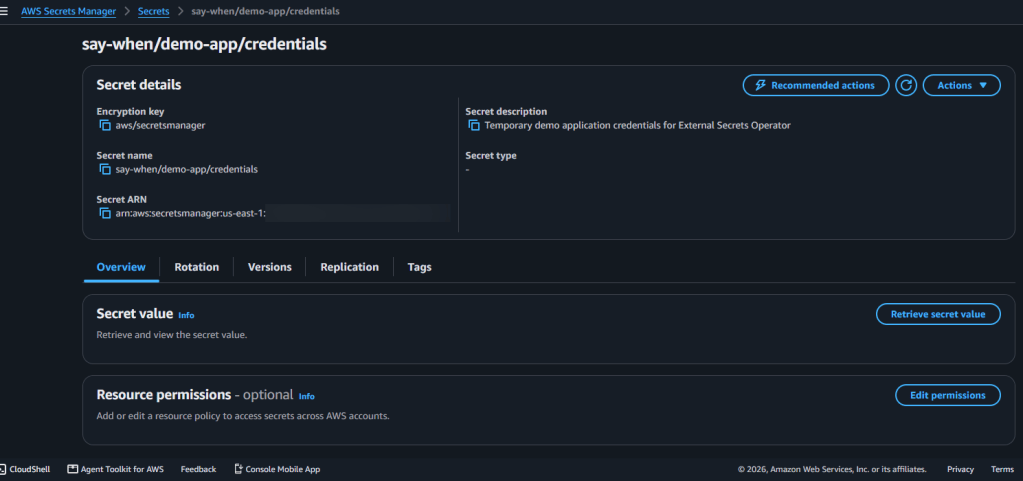
==============aws secretsmanager describe-secret \ --secret-id say-when/demo-app/credentials \ --region us-east-1 \ --output table==============aws secretsmanager get-secret-value \ --secret-id say-when/demo-app/credentials \ --region us-east-1 \ --query SecretString \ --output text |jq==============
EKS Pod Identity Agent:
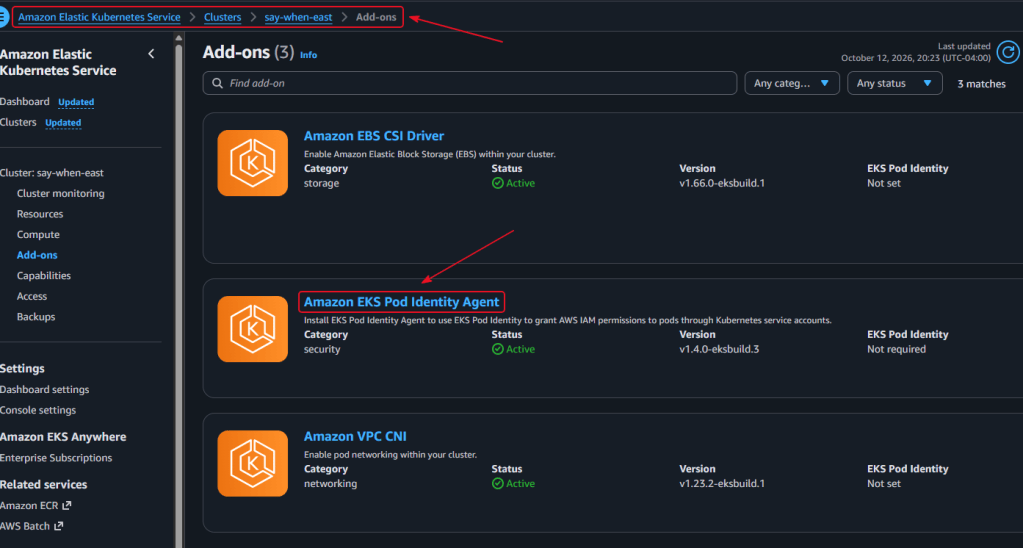
==============aws eks list-pod-identity-associations \ --cluster-name say-when-east \ --region us-east-1 \ --output table==============
IAM role and policy:
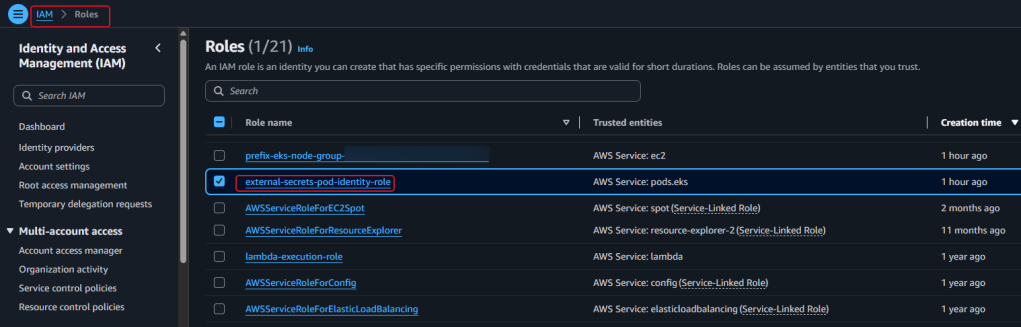
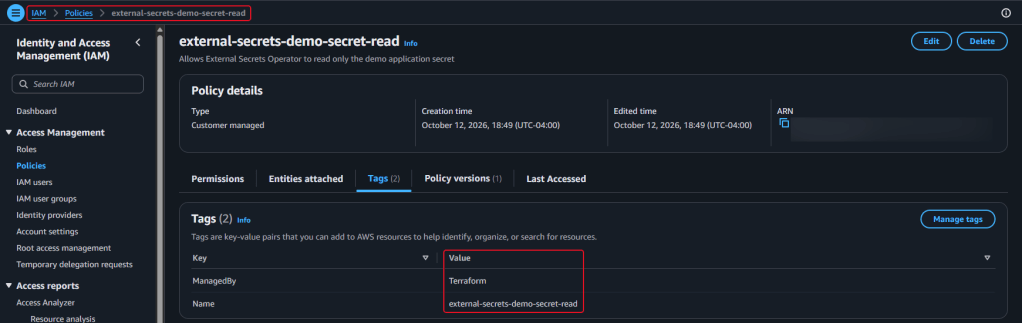
==============aws eks describe-addon \ --cluster-name say-when-east \ --addon-name eks-pod-identity-agent \ --region us-east-1 \ --query 'addon.{Name:addonName,Status:status,Version:addonVersion}' \ --output table==============aws iam get-role \ --role-name external-secrets-pod-identity-role \ --query 'Role.{RoleName:RoleName,Arn:Arn,TrustPolicy:AssumeRolePolicyDocument}' \ --output json==============aws iam list-attached-role-policies \ --role-name external-secrets-pod-identity-role \ --output table==============
Kubernetes and Argo CD:


==============kubectl get secretstore,externalsecret \ -n secret-demo==============kubectl get secret demo-app-credentials \ -n secret-demo \ -o json |jq '{ name: .metadata.name, type: .type, keys: (.data | keys)}'==============
Other various AWS CLI Commands to try:
==============aws eks describe-addon \ --cluster-name say-when-east \ --addon-name eks-pod-identity-agent \ --region us-east-1 \ --query 'addon.{Status:status,Version:addonVersion}' \ --output table==============aws eks list-pod-identity-associations \ --cluster-name say-when-east \ --region us-east-1 \ --output table==============ESO_ASSOCIATION_ID="$( aws eks list-pod-identity-associations \ --cluster-name say-when-east \ --region us-east-1 \ --query 'associations[?namespace==`external-secrets` && serviceAccount==`external-secrets`].associationId | [0]' \ --output text)"aws eks describe-pod-identity-association \ --cluster-name say-when-east \ --association-id "$ESO_ASSOCIATION_ID" \ --region us-east-1 \ --query 'association.{Namespace:namespace,ServiceAccount:serviceAccount,RoleArn:roleArn}' \ --output table==============aws secretsmanager describe-secret \ --secret-id say-when/demo-app/credentials \ --region us-east-1 \ --query '{Name:Name,ARN:ARN,Description:Description}' \ --output table


