

Series of blog posts show progress of updating/adding to EKS Cluster, this post covers adding Karpenter. See other blog-posts below:
Karpenter: Dynamically launches compute based on pending workload needs rather than relying only on fixed managed node groups.
Karpenter uses NodePool and AWS-specific EC2NodeClass resources & addresses:
- Spot interruption handling
- Dynamic node provisioning
- Better instance-type selection
- Scaling for unschedulable pods
- Availability Zone-aware scheduling
- Removing empty or underutilized nodes
GitOps repository
say_when_git_ops
├── Karpenter Helm Application
├── Helm values
├── EC2NodeClass
├── NodePool
└── lab-platform permissions or lab-karpenter
- Below are steps to follow
- GitOps files under application & apps.
- Update the
lab-platformAppProject permissions. - Install the controller first.
- Confirm controller health.
- Add the
EC2NodeClassand ARM64 SpotNodePool. - Deploy a disposable workload that cannot fit on current nodes and watch Karpenter create a
NodeClaimand EC2 instance.
- We’ll deploy the Karpenter CRDs and controller first. We will add the
EC2NodeClassandNodePoolonly after the controller is healthy, which keeps troubleshooting much easier.
applications/lab/platform/
└── karpenter.yaml
apps/karpenter/
├── values.yaml
└── manifests/
├── ec2nodeclass.yaml
└── nodepool.yaml
applications/lab/platform/karpenter.yaml:
- https://github.com/aws/karpenter-provider-aws/tree/v1.14.1/charts/karpenter-crd
- https://gallery.ecr.aws/karpenter/karpenter
- https://github.com/aws/karpenter-provider-aws/tree/v1.14.1/charts/karpenter
kubectl get applications -n argocd -w
apps/karpenter/values.yaml
terraform destory
applications/lab/projects/lab-platform.yaml
- Update destinations to the spec
======================spec: description: Core Kubernetes platform services for the lab cluster sourceRepos: - https://github.com/earpjennings37/say_when_git_ops.git - https://kubernetes-sigs.github.io/metrics-server/ - public.ecr.aws/karpenter destinations: - namespace: kube-system server: https://kubernetes.default.svc - namespace: karpenter server: https://kubernetes.default.svc======================
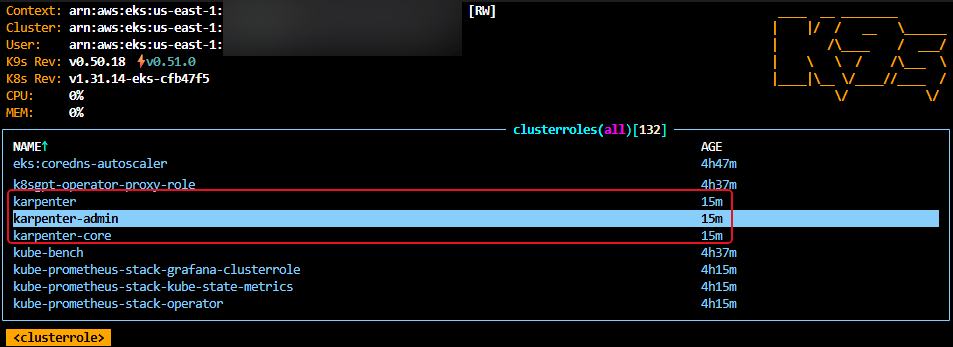
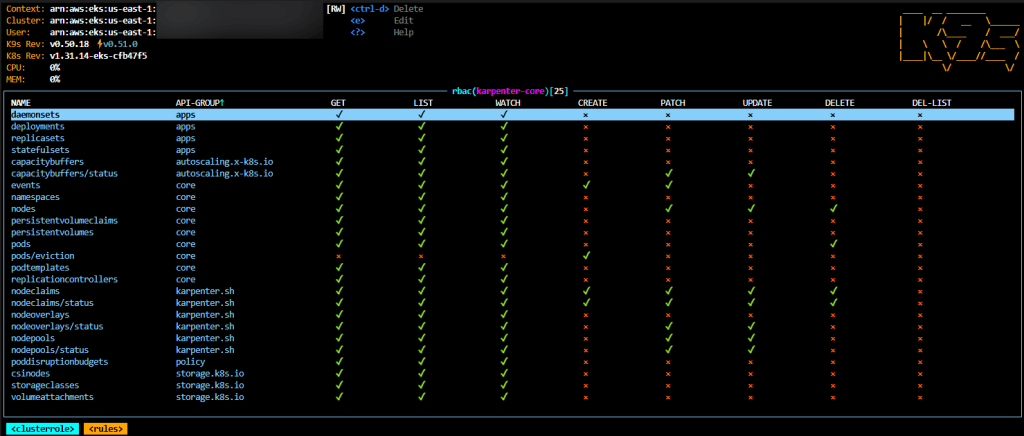
- Update clusterrole & role for whitelisting
======================spec: description: Core Kubernetes platform services for the lab cluster sourceRepos: - https://github.com/earpjennings37/say_when_git_ops.git - https://kubernetes-sigs.github.io/metrics-server/ - public.ecr.aws/karpenter destinations: - namespace: kube-system server: https://kubernetes.default.svc - namespace: karpenter server: https://kubernetes.default.svc======================spec:clusterResourceWhitelist: # Metrics Server API registration. - group: apiregistration.k8s.io kind: APIService # Karpenter CRDs. - group: apiextensions.k8s.io kind: CustomResourceDefinition # Karpenter and Metrics Server cluster RBAC. - group: rbac.authorization.k8s.io kind: ClusterRole - group: rbac.authorization.k8s.io kind: ClusterRoleBinding # Required by CreateNamespace=true. - group: "" kind: Namespace======================namespaceResourceWhitelist: - group: rbac.authorization.k8s.io kind: Role - group: rbac.authorization.k8s.io kind: RoleBinding - group: policy kind: PodDisruptionBudget======================
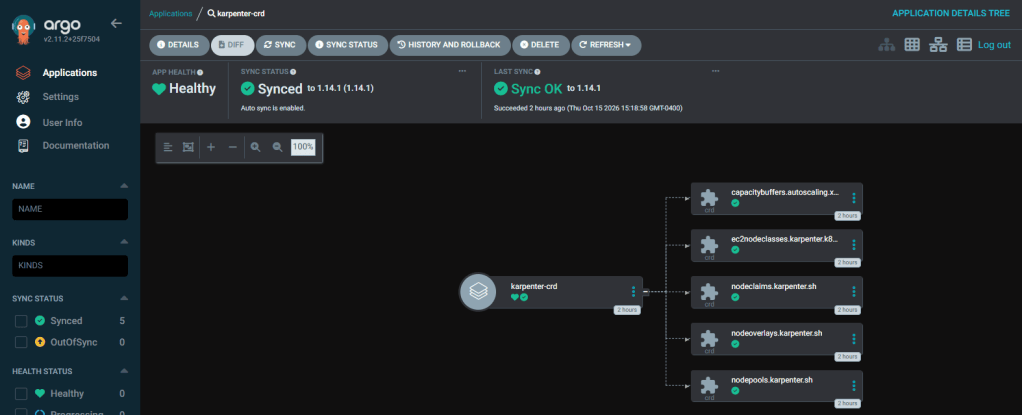
applications/lab/projects/karpenter-crd.yaml
- When gitops manage karpenter, use crd & set skipcrds on the controller chart
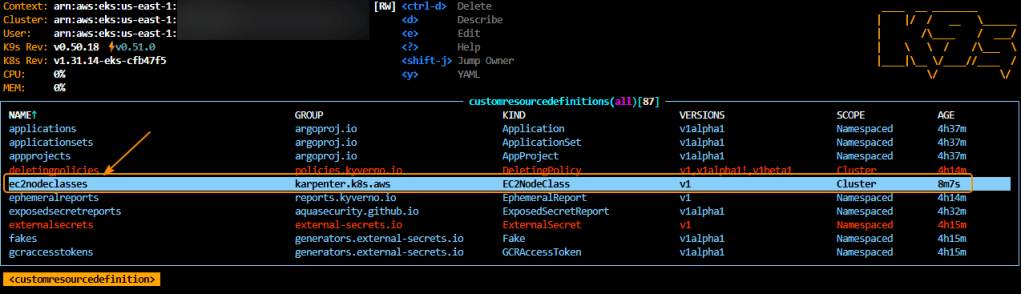
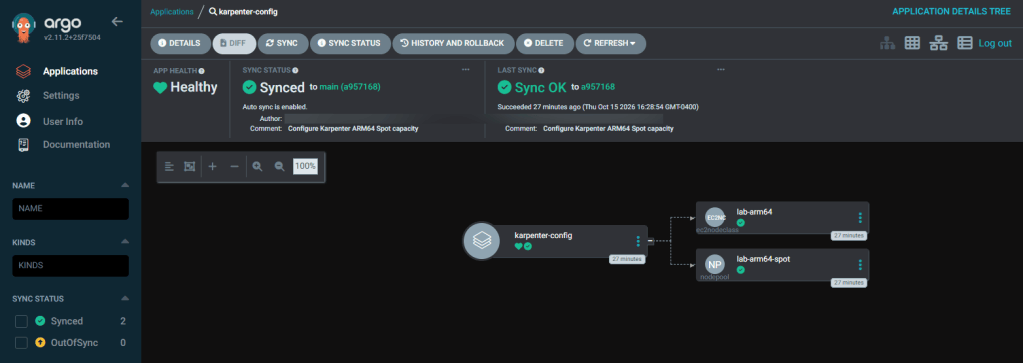
Karpenter-config
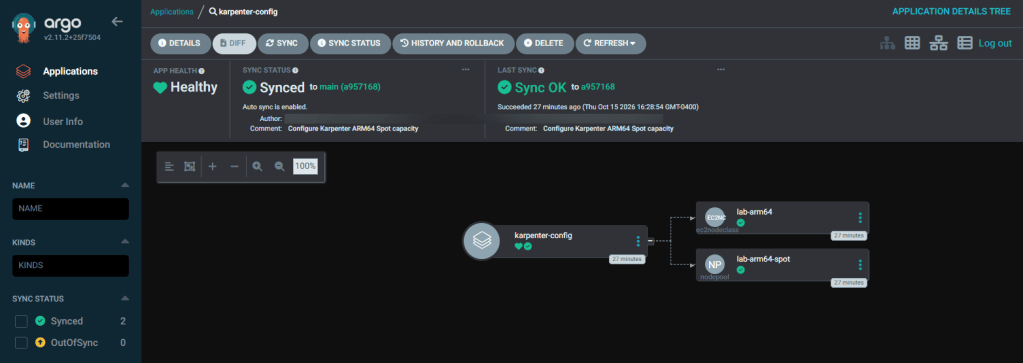
application/lab/projects/lab-platform.yaml
======================# Argo CD manages the Karpenter EC2 configuration. - group: karpenter.k8s.aws kind: EC2NodeClass# Argo CD manages the Karpenter capacity and scheduling policy. - group: karpenter.sh kind: NodePool======================
apps/karpenter-config
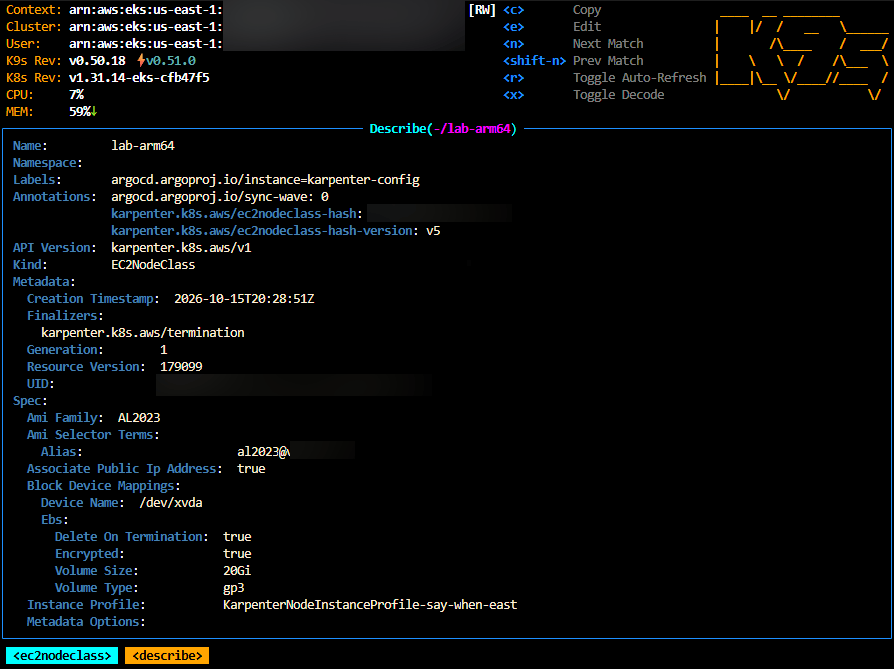
apps/karpenter-config/ec2nodeclass.yaml
- Important: this uses the stable instance profile created by Terraform
KarpenterNodeInstanceProfile
- ec2nodeclass
- nodepool
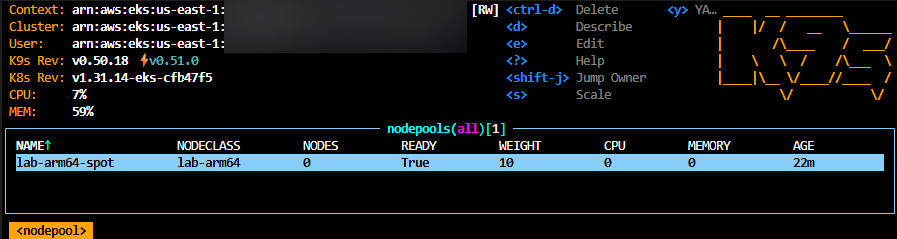
apps/karpenter-config/nodepool.yaml
- This is a safety ceiling — not a reservation. It does not mean AWS immediately provisions 8 CPUs or 32 GiB.
- The constraints also require:
- ARM64
- Spot
- Linux
- 2- or 4-vCPU instances
- Newer instance generations
- Karpenter can still compare several eligible instance families instead of relying on only one EC2 type.
======================limits: cpu: "8" memory: 32Gi======================
Only part 1 remember, check the other 2 parts to the karpenter series..


One thought on “EKS Cluster: Part 12.66 – Karpenter aka Helm-Charts (gitops)”