

Series of 3 blog posts show progress of updating/adding to EKS Cluster, this post covers adding Karpenter. This in particular covers the testing, checking, & finalizing of Karpenter.
Karpenter:
- Dynamically launches compute based on pending workload needs rather than relying only on fixed managed node groups.
Intended architecture & Repository Responsibilities:.
- Keeping baseline managed-node capacity for Karpenter and
kube-systemfollows the official installation model. Karpenter - Karpenter interruption handling will use an SQS queue so it can react to Spot interruption notices. Amazon EKS
Managed node group├── Karpenter controller├── CoreDNS├── Argo CD└── other critical system servicesKarpenter NodePool├── ARM64 Spot nodes├── application workloads├── security tooling└── observability workloads
Test your work Part 1: Make Karpenter create a Spot node
- Purpose:
- This workload explicitly selects your Karpenter NodePool. Your existing managed nodes do not have that NodePool label, so they cannot run it.
- Process Flow:
- Pending Pod
- NodeClaim created
- Spot EC2 instance launched
- Node joins as Ready
- Pod runs
- Deployment deleted
- NodeClaim & EC2 instance terminated
- Karpenter works cuz:
- Detect an unschedulable Pod.
- Assume its AWS role through Pod Identity.
- Select an ARM64 Spot instance.
- Launch EC2 capacity.
- Register the instance with EKS.
- Schedule the Pod.
======================kubectl apply -f - <<'EOF'apiVersion: apps/v1kind: Deploymentmetadata: name: karpenter-scale-test namespace: default labels: app.kubernetes.io/name: karpenter-scale-testspec: replicas: 1 selector: matchLabels: app.kubernetes.io/name: karpenter-scale-test template: metadata: labels: app.kubernetes.io/name: karpenter-scale-test spec: nodeSelector: karpenter.sh/nodepool: lab-arm64-spot securityContext: runAsNonRoot: true runAsUser: 65532 runAsGroup: 65532 seccompProfile: type: RuntimeDefault containers: - name: pause image: registry.k8s.io/pause:3.10 resources: requests: cpu: 100m memory: 64Mi limits: cpu: 200m memory: 128Mi securityContext: allowPrivilegeEscalation: false readOnlyRootFilesystem: true capabilities: drop: - ALLEOF======================
======================kubectl get nodes \ -L karpenter.sh/nodepool,karpenter.sh/capacity-type,node.kubernetes.io/instance-type,kubernetes.io/arch======================
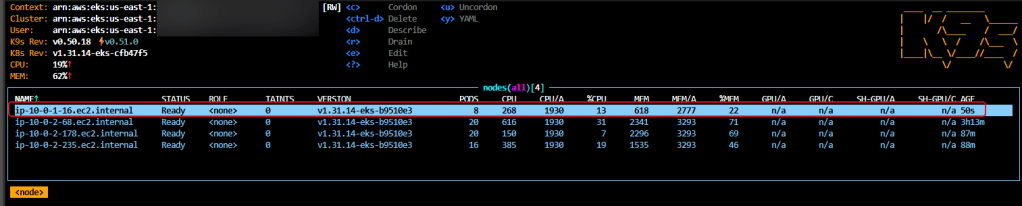
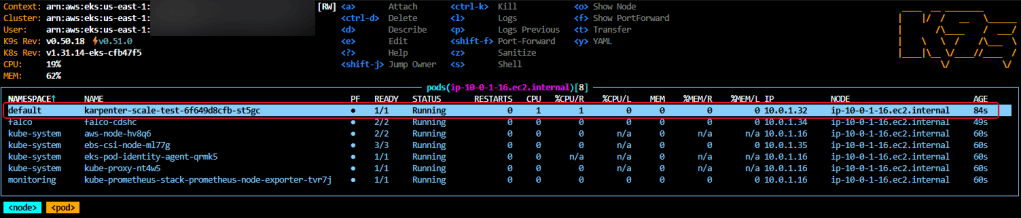
======================kubectl get nodeclaims -o wide======================

======================kubectl delete deployment karpenter-scale-test -n defaultkubectl get nodeclaims,nodes -w======================
Test your work Part 2: Validate consolidation and scale-down
- Nodepool currently
=======consolidationPolicy: WhenEmptyOrUnderutilizedconsolidateAfter: 5m=======
- Scale workload to 0

- You should see the following after approximately five minutes:
- The node becomes empty except for DaemonSets.
- Karpenter marks it for disruption.
- The NodeClaim is deleted.
- The Kubernetes node disappears.
- The EC2 Spot instance terminates.
- Karpenter uses
consolidationPolicyandconsolidateAfterto determine when unused or underutilized nodes can be deleted or replaced. - Confirm nodepool is at 0
- Delete the deployment
- If all pass then
- Healthy configuration
- → unschedulable workload
- → Spot EC2 node provisioned
- → workload scheduled
- → workload removed
- → unused node consolidated
- → EC2 instance terminated
Final State:
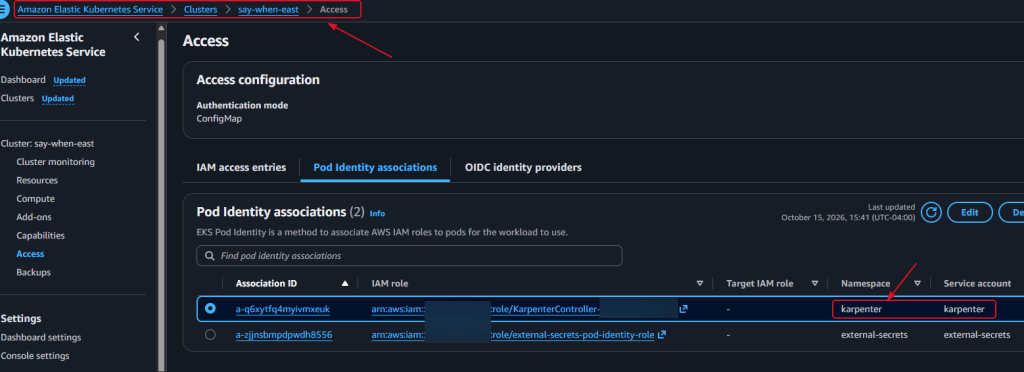
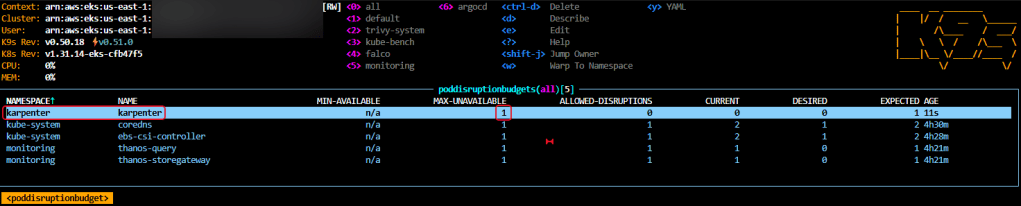
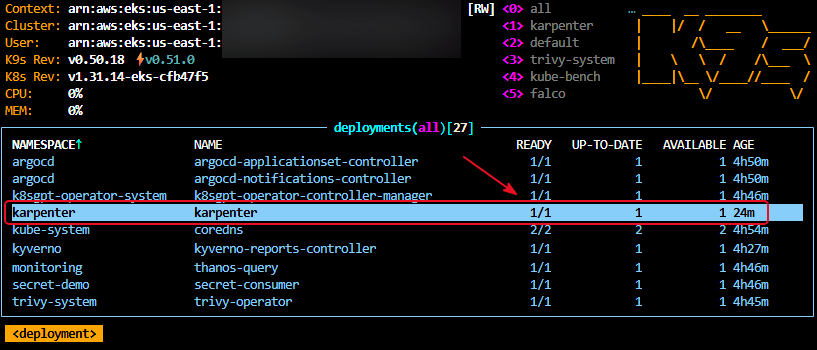
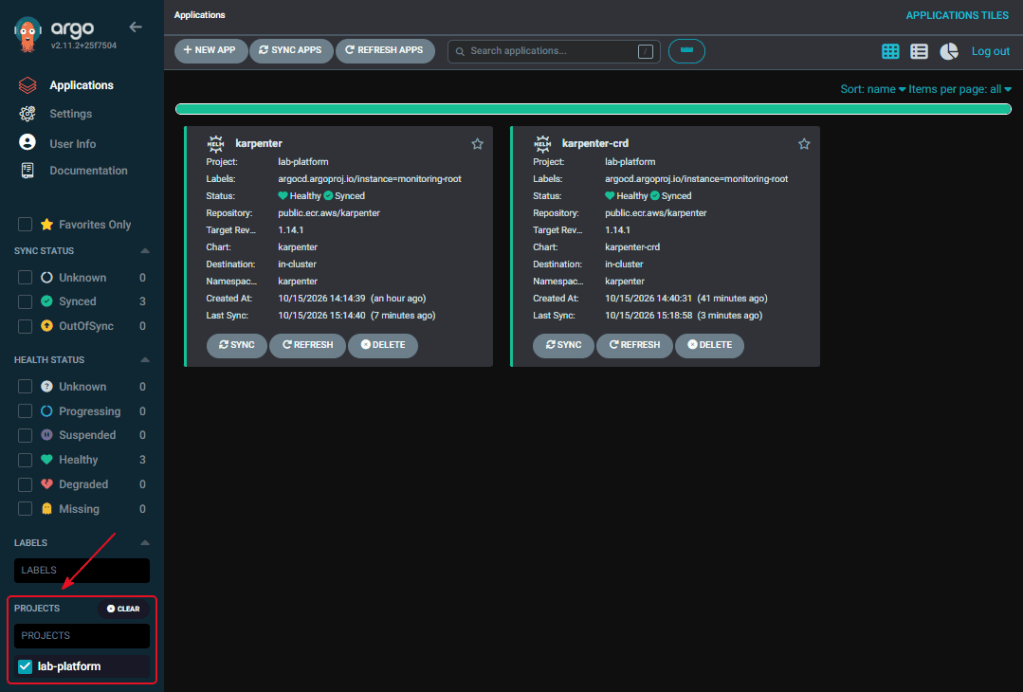
Only part 1 remember, check the other 2 parts to the karpenter series..


2 thoughts on “EKS Cluster: Part 12.99 – Karpenter aka Check your Work (Grand Finale)”